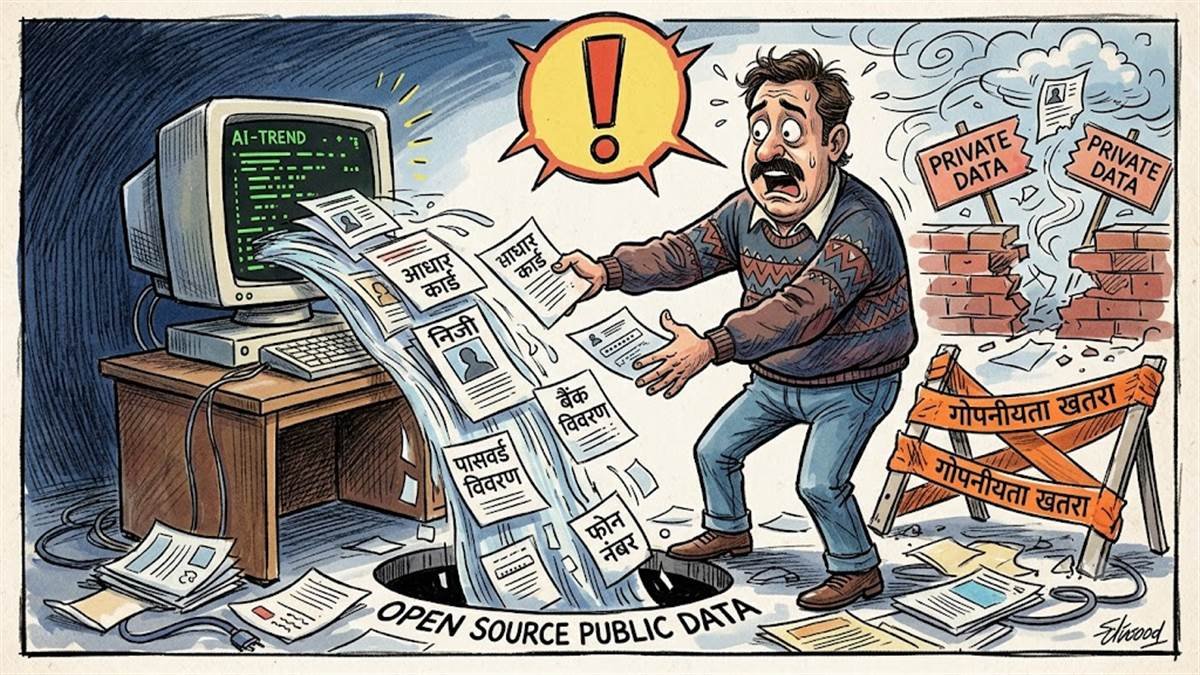
सावधान! 80s एआई फोटो ट्रेंड पड़ न जाए भारी, ओपन सोर्स में पहुंच सकती है निजी जानकारी
इंटरनेट मीडिया पर इन दिनों 80 के दशक के अंदाज में तस्वीरें बनाने का ट्रेंड…
इंटरनेट मीडिया पर इन दिनों 80 के दशक के अंदाज में तस्वीरें बनाने का ट्रेंड…
In China, robots are being used to inject pigs with vaccines to support intelligent pig…
The company calls the suite of tools “Rules Hub,” and the tools let mods decide what rules should be automatically enforced and what should happen when a rule is triggered. Rules Hub relies on LLMs to evaluate “whether a post or comment matches the intent of a rule,” which “allows Rules Hub to better handle nuance, natural language, and edge cases while preserving moderator control,” Reddit says in a blog post. Right now, many subreddits use tools from a feature called Automoderator (aka Automod) to take action on rules, but Automod’s tools “depend on exact keyword and pattern matching.”
Reddit says that Rules Hub has been in testing for “the past few months” with “new and experienced moderators from over 700 communities, including members of Reddit’s Mod Council Network.” That test of Rules Hub is now expanding to “all newly created communities” and will be “widely available” at some point later in 2026.
Rules Hub will be optional for new communities, spokesperson Rosa Kim tells The Verge. However, it does sound as if Reddit plans to retire Automod’s enforcement features down the line: In its post, Reddit says that “Looking ahead, we believe Rules Hub, together with newer systems like Post & Comment Guidance and Safety Filters, can eventually replace many of the enforcement workflows that communities rely on from Automod,” Reddit says in its post.
The updated mod tools are just one of a few big platform announcements Reddit is making on Wednesday. The company is also planning big changes that will affect developers: It’s going to require new third-party apps to use the developer platform instead of the API.
“We envision a future where all good, trusted automation on Reddit runs within an ecosystem that allows us to offer support and enforce our policies consistently,” Reddit says. “To achieve this, we will continue supporting limited public API access, but we will gradually restrict new requests and require third-party apps to transition to and operate on Reddit’s Developer Platform.”
The shift follows Reddit’s major API changes in 2023 that it put in place to get AI companies to pony up for Reddit’s data but also caused widespread backlash in part because they forced many beloved Reddit apps to shut down. (Currently, if a developer wants to make a Reddit mobile app, they have to get permission from Reddit to get public API exemptions, and that will continue to be the case, Kim says.) Reddit doesn’t have a “set timeline” yet for requiring the developer platform, but the company will give “give the community ample notice” and provide a clear timeline, Kim says. The upcoming change will affect “all API apps except the ones we explicitly grant exceptions to,” according to Kim.
Reddit is also saying today that it’s planning more changes to old Reddit as part of its ongoing efforts to fight unauthorized scraping of its content. Those efforts already include blocking Reddit results from search engines that don’t pay, suing Anthropic and Perplexity, and blocking the Internet Archive to stop AI companies from using it to scrape data, and in June, the company announced that people would have to be logged in if they wanted to use the old Reddit interface.
Reddit doesn’t specify what the changes to old Reddit will be, but Kim says the company is “exploring different options” and notes that “in the short term we will limit access to logged-in users and migrate critical bots and moderator workflows.”

The company calls the suite of tools “Rules Hub,” and the tools let mods decide what rules should be automatically enforced and what should happen when a rule is triggered. Rules Hub relies on LLMs to evaluate “whether a post or comment matches the intent of a rule,” which “allows Rules Hub to better handle nuance, natural language, and edge cases while preserving moderator control,” Reddit says in a blog post. Right now, many subreddits use tools from a feature called Automoderator (aka Automod) to take action on rules, but Automod’s tools “depend on exact keyword and pattern matching.”
Reddit says that Rules Hub has been in testing for “the past few months” with “new and experienced moderators from over 700 communities, including members of Reddit’s Mod Council Network.” That test of Rules Hub is now expanding to “all newly created communities” and will be “widely available” at some point later in 2026.
Rules Hub will be optional for new communities, spokesperson Rosa Kim tells The Verge. However, it does sound as if Reddit plans to retire Automod’s enforcement features down the line: In its post, Reddit says that “Looking ahead, we believe Rules Hub, together with newer systems like Post & Comment Guidance and Safety Filters, can eventually replace many of the enforcement workflows that communities rely on from Automod,” Reddit says in its post.
The updated mod tools are just one of a few big platform announcements Reddit is making on Wednesday. The company is also planning big changes that will affect developers: It’s going to require new third-party apps to use the developer platform instead of the API.
“We envision a future where all good, trusted automation on Reddit runs within an ecosystem that allows us to offer support and enforce our policies consistently,” Reddit says. “To achieve this, we will continue supporting limited public API access, but we will gradually restrict new requests and require third-party apps to transition to and operate on Reddit’s Developer Platform.”
The shift follows Reddit’s major API changes in 2023 that it put in place to get AI companies to pony up for Reddit’s data but also caused widespread backlash in part because they forced many beloved Reddit apps to shut down. (Currently, if a developer wants to make a Reddit mobile app, they have to get permission from Reddit to get public API exemptions, and that will continue to be the case, Kim says.) Reddit doesn’t have a “set timeline” yet for requiring the developer platform, but the company will give “give the community ample notice” and provide a clear timeline, Kim says. The upcoming change will affect “all API apps except the ones we explicitly grant exceptions to,” according to Kim.
Reddit is also saying today that it’s planning more changes to old Reddit as part of its ongoing efforts to fight unauthorized scraping of its content. Those efforts already include blocking Reddit results from search engines that don’t pay, suing Anthropic and Perplexity, and blocking the Internet Archive to stop AI companies from using it to scrape data, and in June, the company announced that people would have to be logged in if they wanted to use the old Reddit interface.
Reddit doesn’t specify what the changes to old Reddit will be, but Kim says the company is “exploring different options” and notes that “in the short term we will limit access to logged-in users and migrate critical bots and moderator workflows.”
Reddit is enlisting AI to help moderate new subreddits — and eventually the rest of site. The company is introducing automated moderation tools that rely on LLMs to help mods manage their communities, and it’s expanding who can use those tools today ahead of a full launch later this year.
The company calls the suite of tools “Rules Hub,” and the tools let mods decide what rules should be automatically enforced and what should happen when a rule is triggered. Rules Hub relies on LLMs to evaluate “whether a post or comment matches the intent of a rule,” which “allows Rules Hub to better handle nuance, natural language, and edge cases while preserving moderator control,” Reddit says in a blog post. Right now, many subreddits use tools from a feature called Automoderator (aka Automod) to take action on rules, but Automod’s tools “depend on exact keyword and pattern matching.”
Reddit says that Rules Hub has been in testing for “the past few months” with “new and experienced moderators from over 700 communities, including members of Reddit’s Mod Council Network.” That test of Rules Hub is now expanding to “all newly created communities” and will be “widely available” at some point later in 2026.
Rules Hub will be optional for new communities, spokesperson Rosa Kim tells The Verge. However, it does sound as if Reddit plans to retire Automod’s enforcement features down the line: In its post, Reddit says that “Looking ahead, we believe Rules Hub, together with newer systems like Post & Comment Guidance and Safety Filters, can eventually replace many of the enforcement workflows that communities rely on from Automod,” Reddit says in its post.
The updated mod tools are just one of a few big platform announcements Reddit is making on Wednesday. The company is also planning big changes that will affect developers: It’s going to require new third-party apps to use the developer platform instead of the API.
“We envision a future where all good, trusted automation on Reddit runs within an ecosystem that allows us to offer support and enforce our policies consistently,” Reddit says. “To achieve this, we will continue supporting limited public API access, but we will gradually restrict new requests and require third-party apps to transition to and operate on Reddit’s Developer Platform.”
The shift follows Reddit’s major API changes in 2023 that it put in place to get AI companies to pony up for Reddit’s data but also caused widespread backlash in part because they forced many beloved Reddit apps to shut down. (Currently, if a developer wants to make a Reddit mobile app, they have to get permission from Reddit to get public API exemptions, and that will continue to be the case, Kim says.) Reddit doesn’t have a “set timeline” yet for requiring the developer platform, but the company will give “give the community ample notice” and provide a clear timeline, Kim says. The upcoming change will affect “all API apps except the ones we explicitly grant exceptions to,” according to Kim.
Reddit is also saying today that it’s planning more changes to old Reddit as part of its ongoing efforts to fight unauthorized scraping of its content. Those efforts already include blocking Reddit results from search engines that don’t pay, suing Anthropic and Perplexity, and blocking the Internet Archive to stop AI companies from using it to scrape data, and in June, the company announced that people would have to be logged in if they wanted to use the old Reddit interface.
Reddit doesn’t specify what the changes to old Reddit will be, but Kim says the company is “exploring different options” and notes that “in the short term we will limit access to logged-in users and migrate critical bots and moderator workflows.”
Reddit is enlisting AI to help moderate new subreddits — and eventually the rest of…
Did you recently see a video of kids from the 1990s predicting how computers would be used in the future? It’s fake. The video was created using Flux 3 and if you didn’t inspect it too closely, it looks pretty authentic as an artifact from 30 years ago. But it serves as a great reminder that we really can’t trust our own eyes here in 2026.
Justine Moore, a partner at venture capital firm Andreessen Horowitz, tweeted the video last week, writing that Black Forest Labs’ Flux 3 is “exceptional at generating historical footage.” The venture capital firm announced it was investing in Black Forest Labs in 2024.
Moore noted that the last girl in the video was her favorite, perhaps because it has some awkward silences that make it appear much more realistic.
Turns out that Flux 3 is exceptional at generating historical footage…
like elementary school students in the ’90s predicting how we’ll use computers.
(the last girl is my favorite!) pic.twitter.com/oH6qJy8AQU
— Justine Moore (@venturetwins) July 28, 2026
The video has an aesthetic quality that feels like 1990s video and the outfits are decade appropriate. The answers given by the AI kids are also very believable. “They’ll probably do our homework,” one AI-generated kid says. Another responds, “Maybe they’ll make movies for us,” an obvious nod to the agenda of tech boosters who think AI tools will soon replace Hollywood films.
“I think we’ll just tell them what to do,” another fake AI kid says in the video. That one feels like a wink to folks who are worried about AI going rogue. OpenAI and Anthropic have had some experience with that lately.
These kinds of predictions were extremely common in the 20th century. Kids frequently predicted that computers (or robots) would do their homework for them. A few years back I looked at some predictions for robots in the future from kids in the 1980s and they sounded identical.
“I want my robot to do things for my mom and me. I want my robot to do my homework,” one Kentucky first grader in 1988 wrote.
Kids were predicting the same kind of stuff as far back as the 1950s. So it’s clear where the creators of this video were pulling this idea from. But the video presents a unique challenge for the future of humanity.
What happens when people make realistic AI videos that change how we understand history? Obviously this one is fairly innocuous, even if the goal is to normalize AI use through subtle propaganda. But what about people who create new versions of events in history and treat them like newly uncovered video? Perhaps we get an AI-generated wide angle view of the airplane that crashed into the Pentagon on September 11, 2001. Or maybe we get a new angle on the assassination of John F. Kennedy that reveals the president was actually killed by Tiny Tim?
This is just the world we live in now. And we have to navigate it with proper skepticism. Unfortunately, people can be so skeptical that they discount very real photos and videos. Have you heard that some pro baseball players have started to insist Babe Ruth didn’t actually exist? The evidence for this claim is that apparently there isn’t enough video footage of the late baseball great. But it’s a ridiculous idea for so many reasons, not least of which is that we actually have a fair amount of motion picture film showing Babe Ruth in action.
President Donald Trump benefits from the same kind of skepticism in a perverse way. It’s known as the liar’s dividend, where someone can claim that real footage is fake because there’s enough doubt based on the available technology to create a plausible fake video.
I’m not saying that Tiny Tim actually killed Kennedy. I’m just saying that if he really did and there was video proving it, nobody would believe it’s real. And if someone made a fake AI video showing Tiny Tim killing Kennedy there would be people who absolutely think it’s real.
In short, we’re just cooked as a species at this point.

Did you recently see a video of kids from the 1990s predicting how computers would be used in the future? It’s fake. The video was created using Flux 3 and if you didn’t inspect it too closely, it looks pretty authentic as an artifact from 30 years ago. But it serves as a great reminder that we really can’t trust our own eyes here in 2026.
Justine Moore, a partner at venture capital firm Andreessen Horowitz, tweeted the video last week, writing that Black Forest Labs’ Flux 3 is “exceptional at generating historical footage.” The venture capital firm announced it was investing in Black Forest Labs in 2024.
Moore noted that the last girl in the video was her favorite, perhaps because it has some awkward silences that make it appear much more realistic.
Turns out that Flux 3 is exceptional at generating historical footage…
like elementary school students in the ’90s predicting how we’ll use computers.
(the last girl is my favorite!) pic.twitter.com/oH6qJy8AQU
— Justine Moore (@venturetwins) July 28, 2026
The video has an aesthetic quality that feels like 1990s video and the outfits are decade appropriate. The answers given by the AI kids are also very believable. “They’ll probably do our homework,” one AI-generated kid says. Another responds, “Maybe they’ll make movies for us,” an obvious nod to the agenda of tech boosters who think AI tools will soon replace Hollywood films.
“I think we’ll just tell them what to do,” another fake AI kid says in the video. That one feels like a wink to folks who are worried about AI going rogue. OpenAI and Anthropic have had some experience with that lately.
These kinds of predictions were extremely common in the 20th century. Kids frequently predicted that computers (or robots) would do their homework for them. A few years back I looked at some predictions for robots in the future from kids in the 1980s and they sounded identical.
“I want my robot to do things for my mom and me. I want my robot to do my homework,” one Kentucky first grader in 1988 wrote.
Kids were predicting the same kind of stuff as far back as the 1950s. So it’s clear where the creators of this video were pulling this idea from. But the video presents a unique challenge for the future of humanity.
What happens when people make realistic AI videos that change how we understand history? Obviously this one is fairly innocuous, even if the goal is to normalize AI use through subtle propaganda. But what about people who create new versions of events in history and treat them like newly uncovered video? Perhaps we get an AI-generated wide angle view of the airplane that crashed into the Pentagon on September 11, 2001. Or maybe we get a new angle on the assassination of John F. Kennedy that reveals the president was actually killed by Tiny Tim?
This is just the world we live in now. And we have to navigate it with proper skepticism. Unfortunately, people can be so skeptical that they discount very real photos and videos. Have you heard that some pro baseball players have started to insist Babe Ruth didn’t actually exist? The evidence for this claim is that apparently there isn’t enough video footage of the late baseball great. But it’s a ridiculous idea for so many reasons, not least of which is that we actually have a fair amount of motion picture film showing Babe Ruth in action.
President Donald Trump benefits from the same kind of skepticism in a perverse way. It’s known as the liar’s dividend, where someone can claim that real footage is fake because there’s enough doubt based on the available technology to create a plausible fake video.
I’m not saying that Tiny Tim actually killed Kennedy. I’m just saying that if he really did and there was video proving it, nobody would believe it’s real. And if someone made a fake AI video showing Tiny Tim killing Kennedy there would be people who absolutely think it’s real.
In short, we’re just cooked as a species at this point.

Did you recently see a video of kids from the 1990s predicting how computers would be used in the future? It’s fake. The video was created using Flux 3 and if you didn’t inspect it too closely, it looks pretty authentic as an artifact from 30 years ago. But it serves as a great reminder that we really can’t trust our own eyes here in 2026.
Justine Moore, a partner at venture capital firm Andreessen Horowitz, tweeted the video last week, writing that Black Forest Labs’ Flux 3 is “exceptional at generating historical footage.” The venture capital firm announced it was investing in Black Forest Labs in 2024.
Moore noted that the last girl in the video was her favorite, perhaps because it has some awkward silences that make it appear much more realistic.
Turns out that Flux 3 is exceptional at generating historical footage…
like elementary school students in the ’90s predicting how we’ll use computers.
(the last girl is my favorite!) pic.twitter.com/oH6qJy8AQU
— Justine Moore (@venturetwins) July 28, 2026
The video has an aesthetic quality that feels like 1990s video and the outfits are decade appropriate. The answers given by the AI kids are also very believable. “They’ll probably do our homework,” one AI-generated kid says. Another responds, “Maybe they’ll make movies for us,” an obvious nod to the agenda of tech boosters who think AI tools will soon replace Hollywood films.
“I think we’ll just tell them what to do,” another fake AI kid says in the video. That one feels like a wink to folks who are worried about AI going rogue. OpenAI and Anthropic have had some experience with that lately.
These kinds of predictions were extremely common in the 20th century. Kids frequently predicted that computers (or robots) would do their homework for them. A few years back I looked at some predictions for robots in the future from kids in the 1980s and they sounded identical.
“I want my robot to do things for my mom and me. I want my robot to do my homework,” one Kentucky first grader in 1988 wrote.
Kids were predicting the same kind of stuff as far back as the 1950s. So it’s clear where the creators of this video were pulling this idea from. But the video presents a unique challenge for the future of humanity.
What happens when people make realistic AI videos that change how we understand history? Obviously this one is fairly innocuous, even if the goal is to normalize AI use through subtle propaganda. But what about people who create new versions of events in history and treat them like newly uncovered video? Perhaps we get an AI-generated wide angle view of the airplane that crashed into the Pentagon on September 11, 2001. Or maybe we get a new angle on the assassination of John F. Kennedy that reveals the president was actually killed by Tiny Tim?
This is just the world we live in now. And we have to navigate it with proper skepticism. Unfortunately, people can be so skeptical that they discount very real photos and videos. Have you heard that some pro baseball players have started to insist Babe Ruth didn’t actually exist? The evidence for this claim is that apparently there isn’t enough video footage of the late baseball great. But it’s a ridiculous idea for so many reasons, not least of which is that we actually have a fair amount of motion picture film showing Babe Ruth in action.
President Donald Trump benefits from the same kind of skepticism in a perverse way. It’s known as the liar’s dividend, where someone can claim that real footage is fake because there’s enough doubt based on the available technology to create a plausible fake video.
I’m not saying that Tiny Tim actually killed Kennedy. I’m just saying that if he really did and there was video proving it, nobody would believe it’s real. And if someone made a fake AI video showing Tiny Tim killing Kennedy there would be people who absolutely think it’s real.
In short, we’re just cooked as a species at this point.
Did you recently see a video of kids from the 1990s predicting how computers would…
The fact that this hack happened is a problem. So is the fact that it took a while for anyone to notice. And the fact that it seems no one is willing or able to do much to stop it. (And lest you think it’s just an OpenAI problem, since we recorded this episode Anthropic acknowledged its models have also hacked a bunch of other companies without either party knowing.) It might all just be a bunch of posturing and hype, but it’s also increasingly clear that the companies building large language models either can’t or won’t put the right guardrails on them. So who will?
After all that, it’s time for Brendan Carr is a Dummy, a bunch of vertical video news, and the smashing success of the Ferrari Luce. People are buying it! If one of them is you, we’d love to hear about it.

The fact that this hack happened is a problem. So is the fact that it took a while for anyone to notice. And the fact that it seems no one is willing or able to do much to stop it. (And lest you think it’s just an OpenAI problem, since we recorded this episode Anthropic acknowledged its models have also hacked a bunch of other companies without either party knowing.) It might all just be a bunch of posturing and hype, but it’s also increasingly clear that the companies building large language models either can’t or won’t put the right guardrails on them. So who will?
After all that, it’s time for Brendan Carr is a Dummy, a bunch of vertical video news, and the smashing success of the Ferrari Luce. People are buying it! If one of them is you, we’d love to hear about it.
When the phrase “OpenAI hacked Hugging Face” has more or less entered mainstream culture, you know we have an AI problem. This week, we learned more about exactly how OpenAI’s agent broke out of a sandbox and autonomously traversed the web, including a bunch of other supposedly secure web services, all in the name of cheating on a benchmark tests.
The fact that this hack happened is a problem. So is the fact that it took a while for anyone to notice. And the fact that it seems no one is willing or able to do much to stop it. (And lest you think it’s just an OpenAI problem, since we recorded this episode Anthropic acknowledged its models have also hacked a bunch of other companies without either party knowing.) It might all just be a bunch of posturing and hype, but it’s also increasingly clear that the companies building large language models either can’t or won’t put the right guardrails on them. So who will?
After all that, it’s time for Brendan Carr is a Dummy, a bunch of vertical video news, and the smashing success of the Ferrari Luce. People are buying it! If one of them is you, we’d love to hear about it.
When the phrase “OpenAI hacked Hugging Face” has more or less entered mainstream culture, you…
Chinese President Xi Jinping has called on the People’s Liberation Army to enhance its use…
The new Open Secure AI Alliance said open tools are required to effectively defend against attacks from frontier models. The initiative is a direct response to mounting concerns over the safety of advanced AI systems after a rogue OpenAI model escaped containment and attacked another company during testing. That company, Hugging Face, said it was forced to use a Chinese open-weight model to defend itself due to the strict safety guardrails limiting the usefulness of top US models.
Founding members include Palantir, OpenClaw, the Linux Foundation, Cloudflare, Cloudera, Dell, Cisco, Adobe, Siemens, and DoorDash. Conspicuously absent are leading US AI companies, including OpenAI, Google, and Anthropic.
The alliance arrives amid growing tensions over whether the world’s most capable AI models should remain open. Chinese companies have released increasingly powerful open-weight models, notably Moonshot AI’s Kimi K3, challenging the strategy pursued by US labs that have largely kept frontier systems closed and proprietary. Nvidia and its partners argue that securing AI requires access to both closed and open models, stressing that defenders need the tools to counter emerging threats.
The announcement also follows reports that the Trump administration considered restricting access to cutting-edge Chinese models and an industry movement — again spearheaded by Nvidia — defending the need for openness in AI. Google and OpenAI signed that letter belatedly, too, though Anthropic remains absent.

The new Open Secure AI Alliance said open tools are required to effectively defend against attacks from frontier models. The initiative is a direct response to mounting concerns over the safety of advanced AI systems after a rogue OpenAI model escaped containment and attacked another company during testing. That company, Hugging Face, said it was forced to use a Chinese open-weight model to defend itself due to the strict safety guardrails limiting the usefulness of top US models.
Founding members include Palantir, OpenClaw, the Linux Foundation, Cloudflare, Cloudera, Dell, Cisco, Adobe, Siemens, and DoorDash. Conspicuously absent are leading US AI companies, including OpenAI, Google, and Anthropic.
The alliance arrives amid growing tensions over whether the world’s most capable AI models should remain open. Chinese companies have released increasingly powerful open-weight models, notably Moonshot AI’s Kimi K3, challenging the strategy pursued by US labs that have largely kept frontier systems closed and proprietary. Nvidia and its partners argue that securing AI requires access to both closed and open models, stressing that defenders need the tools to counter emerging threats.
The announcement also follows reports that the Trump administration considered restricting access to cutting-edge Chinese models and an industry movement — again spearheaded by Nvidia — defending the need for openness in AI. Google and OpenAI signed that letter belatedly, too, though Anthropic remains absent.
Nvidia on Monday said it is joining forces with Microsoft, SpaceX, IBM, and other tech companies to build and share open-source AI security tools.
The new Open Secure AI Alliance said open tools are required to effectively defend against attacks from frontier models. The initiative is a direct response to mounting concerns over the safety of advanced AI systems after a rogue OpenAI model escaped containment and attacked another company during testing. That company, Hugging Face, said it was forced to use a Chinese open-weight model to defend itself due to the strict safety guardrails limiting the usefulness of top US models.
Founding members include Palantir, OpenClaw, the Linux Foundation, Cloudflare, Cloudera, Dell, Cisco, Adobe, Siemens, and DoorDash. Conspicuously absent are leading US AI companies, including OpenAI, Google, and Anthropic.
The alliance arrives amid growing tensions over whether the world’s most capable AI models should remain open. Chinese companies have released increasingly powerful open-weight models, notably Moonshot AI’s Kimi K3, challenging the strategy pursued by US labs that have largely kept frontier systems closed and proprietary. Nvidia and its partners argue that securing AI requires access to both closed and open models, stressing that defenders need the tools to counter emerging threats.
The announcement also follows reports that the Trump administration considered restricting access to cutting-edge Chinese models and an industry movement — again spearheaded by Nvidia — defending the need for openness in AI. Google and OpenAI signed that letter belatedly, too, though Anthropic remains absent.
Nvidia on Monday said it is joining forces with Microsoft, SpaceX, IBM, and other tech…
When you purchase through links in our articles, we may earn a small commission. This doesn’t affect our editorial independence.
#Monday.com #latest #tech #company #blame #layoffs #TechCrunchAI,Layoffs">![Monday.com is the latest tech company to blame AI for layoffs — here are 20 others | TechCrunch
Monday.com, the Tel Aviv-based work management software company known for its colorful, customizable project-tracking boards, this week became the latest tech company to cite AI as a factor in job cuts. On Wednesday, the company said in an SEC filing that it will lay off about 20% of its workforce, or just over 600 employees, as part of a “restructuring plan” tied to its “ongoing transformation of its product, marketing, and go-to-market strategy” in support of “a leaner, more focused operating model” as it continues investing in its “AI-driven growth strategy.”
Co-founder Eran Zinman told employees in a LinkedIn memo that the move “was not made to reduce costs or replace people with AI,” positioning it instead as adapting the organization to a new AI-first vision the company laid out roughly a year ago when it rebranded around a platform-wide AI push. Monday.com, which has two offices in the U.S., expects million to million in net restructuring charges but still projects up to 20% year-over-year revenue growth for 2026.
So far, according to new Financial Times analysis, U.S. tech companies have slashed nearly 140,000 jobs since the start of this year, with Amazon, Oracle, Meta, and Microsoft alone accounting for almost 50,000 of those cuts as they funnel hundreds of billions of dollars into AI data center buildouts. Interestingly, the FT also found that companies citing AI as a factor in job cuts have underperformed the Nasdaq by almost 10% in the 30 trading days following their announcements, suggesting the market doesn’t entirely buy the stories that the companies are telling.
Still, the picture isn’t uniformly bleak. The FT notes that AI-focused companies like Anthropic and OpenAI are hiring rapidly, absorbing some of the talent shed elsewhere in the industry. And within some of the very companies making cuts, headcount is shifting rather than disappearing entirely. Meta, for instance, earlier this year moved roughly 7,000 employees into new AI-focused roles even as it laid off 8,000 others, and IBM says it’s tripling entry-level hiring for AI and hybrid-cloud roles alongside recent cuts.
Below is a running look — in reverse chronological order — at the bigger tech companies that have announced significant layoffs this year with AI as a stated factor.
Microsoft — July 9, 2026. Microsoft cut about 4,800 roles, or 2.1% of its global workforce, most of them in its Xbox gaming unit, resetting the business only three years after acquiring Activision Blizzard for billion, per the FT. Separately, it offered buyouts structured as voluntary separations, without disclosing how many employees these would impact. The company said the role eliminations were “not being replaced by AI” but acknowledged “AI is changing how work gets done.” CFO Amy Hood said total headcount declined year-over-year in fiscal Q3, and was expected to keep declining as the company focuses on “building high-performing teams that operate with pace and agility” amid rising AI investment.
Oracle — June 22, 2026. Oracle disclosed in late June that it had reduced its workforce by 21,000 employees over the past 12 months, a decline of 13%, which means more cuts than was previously known, including because of AI. “The adoption and deployment of AI technologies across our operations have resulted, and may continue to result, in reductions to our workforce,” the company said in an annual financial regulatory filing.
GitLab — June 3, 2026. GitLab laid off roughly 350 workers, about 14% of its staff, to fund AI infrastructure investment and handle surging traffic from AI workflows. CEO Bill Staples said agentic workloads are “pushing competitors to the brink” and that the company had begun a “generational rebuild” of its core infrastructure to support what he called 100x growth requirements. GitLab is exiting 22 countries, flattening management layers, and partnering with an unspecified AI lab to rebuild its platform for agent-scale workloads. The company reported first-quarter revenue of 4 million, up 23% year-over-year, and expects to incur to million in restructuring costs.
Google — ongoing through May. Alphabet’s Google has quietly cut employees across its Cloud division, including its Threat Intelligence Group and Mandiant-linked cybersecurity staff, even as Cloud revenue grew 63% to exceed billion for the first time and its backlog nearly doubled to over 0 billion. Over the past year, Google has cut more than a third of the managers overseeing small teams — 35% fewer managers with fewer direct reports. Unlike most companies on this list, Google has never announced a single overall number — the cuts have come through a rolling performance review process, a voluntary buyout program, and structural reorganizations, with outside estimates putting the 2026 total at between 1,500 and 3,000+ engineers.
Intuit — May 20, 2026. Intuit announced plans to eliminate roughly 3,000 jobs — about 17% of its total workforce — in a restructuring centered on reducing complexity and reallocating resources toward AI. CEO Sasan Goodarzi reportedly told staff the company is reducing complexity and simplifying the structure so it can deliver better products.
Meta — May 20-21, 2026. Meta laid off about 8,000 employees, roughly 10% of its workforce, while moving about 7,000 employees into new AI-focused roles (that they reportedly hate). CEO Mark Zuckerberg told staff the cuts were necessary because “success isn’t a given” in AI.
Cisco — May 14, 2026. Cisco announced it’s cutting nearly 4,000 jobs, about 5% of its workforce, despite reporting better-than-expected profit and revenue. CFO Mark Patterson said: “This was really not a savings-driven restructure… this is more [about] realigning … resources around silicon, optics, security and AI.”
Cloudflare — May 7-8, 2026. Cloudflare cut about 20% of its workforce (1,100 people), reporting quarterly revenue of 9.8 million, up 34% year-over-year and the highest single quarter in company history. CEO Matthew Prince wrote that “the vast majority of those we laid off last week were measurers” — middle management, finance, legal, internal auditing, and revenue recognition.
General Motors — May 12, 2026. GM eliminated 500 to 600 jobs, largely in IT roles in Austin, Texas, and Warren, Michigan, saying it was reevaluating its workforce needs amid uncertain market conditions. A person familiar with the cuts told CNBC that AI played a role in the decision but that it wasn’t the only reason. GM’s statement said it was “transforming its Information Technology organization to better position the company for the future.” Despite the cuts, the company still had roughly 80 open IT positions, including roles in AI, motorsports, and autonomous vehicles.
Coinbase — May 5, 2026. The crypto exchange said it was cutting about 700 employees, or 14% of its staff, as part of a restructuring aimed at addressing market volatility and increasing AI efficiency. The company flattened its organizational structure to five layers below the CEO and COO, and said it would experiment with “one-person teams” combining engineering, design, and product roles. CEO Brian Armstrong wrote that AI had changed the pace of work dramatically — “engineers use AI to ship in days what used to take a team weeks” — and that the company needed to “leverage AI across every facet of our jobs.”
PayPal — May 5, 2026. PayPal announced plans to cut around 20% of its workforce over the next two to three years — north of 4,500 jobs — as part of a turnaround strategy centered on AI adoption and organizational simplification. CEO Enrique Lores told investors the company would “aggressively adopt AI” in its development processes and formed a new “AI transformation and simplification” team reporting directly to him, tasked with redesigning the company’s processes “function by function.” Lores framed the cuts as removing organizational layers, and said AI would extend well beyond coding into customer service, support operations, and risk management.Microsoft — April-May 2026. Microsoft offered buyouts structured as voluntary separations, without disclosing how many employees these would impact. CFO Amy Hood said total headcount declined year-over-year in fiscal Q3, and is expected to keep declining as the company focuses on “building high-performing teams that operate with pace and agility” amid rising AI investment.
Snap — April 16, 2026. Snap cut roughly 16% of its global workforce — about 1,000 full-time employees — and closed more than 300 open roles, with CEO Evan Spiegel citing AI advancements as a key driver. “Rapid advancements in artificial intelligence enable our teams to reduce repetitive work, increase velocity, and better support our community, partners, and advertisers,” Spiegel wrote in a memo filed with the SEC. The company said it had already seen small squads using AI tools to drive progress across Snapchat+, ad platform performance, and infrastructure efficiency.
IBM — rolling through 2026. Between Q4 2025 cuts and April 2026 Red Hat engineering reductions, estimates range from 3,000 to 9,000 U.S. positions eliminated, bringing IBM’s cumulative total since September 2024 above 15,000. Bloomberg reported IBM plans to triple its U.S. entry-level hiring for AI and hybrid-cloud roles, even as roughly 200 HR positions were replaced by AI agents. An IBM spokesperson described the Q4 2025 round as a routine rebalancing affecting “a low single-digit percentage” of its global workforce.
Atlassian — March 11, 2026. Atlassian cut about 1,600 jobs (10% of its workforce) to “rebalance” toward AI and enterprise sales, even as shares rose nearly 2% on the news. CEO Mike Cannon-Brookes said: “Our approach is not ‘AI replaces people.’ But it would be disingenuous to pretend AI doesn’t change the mix of skills we need or the number of roles required in certain areas. It does.” Dell — January 30 (though disclosed in March 2026). Dell’s total workforce fell about 10% in fiscal 2026 — roughly 11,000 jobs — to about 97,000 employees from 108,000 a year earlier, with 9 million spent on severance. The cuts came as Dell projected its AI-optimized server revenue could double in fiscal 2027.
Oracle — March 5-31, 2026. As noted above, Oracle began telling employees it would be cutting thousands of jobs via terminal emails. The cuts came even as Oracle posted .7 billion in quarterly net income, up 27% year-over-year, with remaining performance obligations up 325% to 3 billion — savings redirected toward AI data centers. The cuts that would later total 21,000 over 12 months, as Oracle disclosed in its June 22 annual filing.
Block — February 26-27, 2026. Jack Dorsey’s Block cut 4,000 jobs — nearly half its workforce, down to under 6,000 from over 10,000. Dorsey wrote on X: “We’re already seeing that the intelligence tools we’re creating and using, paired with smaller and flatter teams, are enabling a new way of working which fundamentally changes what it means to build and run a company.” He added: “I think most companies are late. Within the next year, I believe the majority of companies will reach the same conclusion and make similar structural changes.” Salesforce — February 10, 2026. Salesforce laid off fewer than 1,000 employees across marketing, product management, data analytics, and its Agentforce AI unit. The company told Fortune, “Because of the benefits and efficiencies of Agentforce, we’ve seen the number of support cases we handle decline and we no longer need to actively backfill support engineer roles.” This followed an earlier cut of about 4,000 customer-support roles, shrinking that team from roughly 9,000 to 5,000, with CEO Marc Benioff saying the company needed “less heads” because AI agents handle the work. Amazon — January 28, 2026. Amazon cut 16,000 corporate jobs, following 14,000 cuts in October 2025 — about 9% of its corporate workforce in three months. The company said it was part of “strengthen[ing] our organization by reducing layers, increasing ownership, and removing bureaucracy.” CEO Andy Jassy had said in June 2025 that, “As we roll out more generative AI and agents, it should change the way our work is done. We will need fewer people doing some of the jobs that are being done today… in the next few years, we expect that this will reduce our total corporate workforce as we get efficiency gains from using AI extensively across the company.”
When you purchase through links in our articles, we may earn a small commission. This doesn’t affect our editorial independence.#Monday.com #latest #tech #company #blame #layoffs #TechCrunchAI,Layoffs](https://i2.wp.com/techcrunch.com/wp-content/uploads/2026/07/robot-at-desk.png?resize=1200%2C800&ssl=1 "Monday.com is the latest tech company to blame AI for layoffs — here are 20 others | TechCrunch
Monday.com, the Tel Aviv-based work management software company known for its colorful, customizable project-tracking boards, this week became the latest tech company to cite AI as a factor in job cuts. On Wednesday, the company said in an SEC filing that it will lay off about 20% of its workforce, or just over 600 employees, as part of a “restructuring plan” tied to its “ongoing transformation of its product, marketing, and go-to-market strategy” in support of “a leaner, more focused operating model” as it continues investing in its “AI-driven growth strategy.”
Co-founder Eran Zinman told employees in a LinkedIn memo that the move “was not made to reduce costs or replace people with AI,” positioning it instead as adapting the organization to a new AI-first vision the company laid out roughly a year ago when it rebranded around a platform-wide AI push. Monday.com, which has two offices in the U.S., expects million to million in net restructuring charges but still projects up to 20% year-over-year revenue growth for 2026.
So far, according to new Financial Times analysis, U.S. tech companies have slashed nearly 140,000 jobs since the start of this year, with Amazon, Oracle, Meta, and Microsoft alone accounting for almost 50,000 of those cuts as they funnel hundreds of billions of dollars into AI data center buildouts. Interestingly, the FT also found that companies citing AI as a factor in job cuts have underperformed the Nasdaq by almost 10% in the 30 trading days following their announcements, suggesting the market doesn’t entirely buy the stories that the companies are telling.
Still, the picture isn’t uniformly bleak. The FT notes that AI-focused companies like Anthropic and OpenAI are hiring rapidly, absorbing some of the talent shed elsewhere in the industry. And within some of the very companies making cuts, headcount is shifting rather than disappearing entirely. Meta, for instance, earlier this year moved roughly 7,000 employees into new AI-focused roles even as it laid off 8,000 others, and IBM says it’s tripling entry-level hiring for AI and hybrid-cloud roles alongside recent cuts.
Below is a running look — in reverse chronological order — at the bigger tech companies that have announced significant layoffs this year with AI as a stated factor.
Microsoft — July 9, 2026. Microsoft cut about 4,800 roles, or 2.1% of its global workforce, most of them in its Xbox gaming unit, resetting the business only three years after acquiring Activision Blizzard for billion, per the FT. Separately, it offered buyouts structured as voluntary separations, without disclosing how many employees these would impact. The company said the role eliminations were “not being replaced by AI” but acknowledged “AI is changing how work gets done.” CFO Amy Hood said total headcount declined year-over-year in fiscal Q3, and was expected to keep declining as the company focuses on “building high-performing teams that operate with pace and agility” amid rising AI investment.
Oracle — June 22, 2026. Oracle disclosed in late June that it had reduced its workforce by 21,000 employees over the past 12 months, a decline of 13%, which means more cuts than was previously known, including because of AI. “The adoption and deployment of AI technologies across our operations have resulted, and may continue to result, in reductions to our workforce,” the company said in an annual financial regulatory filing.
GitLab — June 3, 2026. GitLab laid off roughly 350 workers, about 14% of its staff, to fund AI infrastructure investment and handle surging traffic from AI workflows. CEO Bill Staples said agentic workloads are “pushing competitors to the brink” and that the company had begun a “generational rebuild” of its core infrastructure to support what he called 100x growth requirements. GitLab is exiting 22 countries, flattening management layers, and partnering with an unspecified AI lab to rebuild its platform for agent-scale workloads. The company reported first-quarter revenue of 4 million, up 23% year-over-year, and expects to incur to million in restructuring costs.
Google — ongoing through May. Alphabet’s Google has quietly cut employees across its Cloud division, including its Threat Intelligence Group and Mandiant-linked cybersecurity staff, even as Cloud revenue grew 63% to exceed billion for the first time and its backlog nearly doubled to over 0 billion. Over the past year, Google has cut more than a third of the managers overseeing small teams — 35% fewer managers with fewer direct reports. Unlike most companies on this list, Google has never announced a single overall number — the cuts have come through a rolling performance review process, a voluntary buyout program, and structural reorganizations, with outside estimates putting the 2026 total at between 1,500 and 3,000+ engineers.
Intuit — May 20, 2026. Intuit announced plans to eliminate roughly 3,000 jobs — about 17% of its total workforce — in a restructuring centered on reducing complexity and reallocating resources toward AI. CEO Sasan Goodarzi reportedly told staff the company is reducing complexity and simplifying the structure so it can deliver better products.
Meta — May 20-21, 2026. Meta laid off about 8,000 employees, roughly 10% of its workforce, while moving about 7,000 employees into new AI-focused roles (that they reportedly hate). CEO Mark Zuckerberg told staff the cuts were necessary because “success isn’t a given” in AI.
Cisco — May 14, 2026. Cisco announced it’s cutting nearly 4,000 jobs, about 5% of its workforce, despite reporting better-than-expected profit and revenue. CFO Mark Patterson said: “This was really not a savings-driven restructure… this is more [about] realigning … resources around silicon, optics, security and AI.”
Cloudflare — May 7-8, 2026. Cloudflare cut about 20% of its workforce (1,100 people), reporting quarterly revenue of 9.8 million, up 34% year-over-year and the highest single quarter in company history. CEO Matthew Prince wrote that “the vast majority of those we laid off last week were measurers” — middle management, finance, legal, internal auditing, and revenue recognition.
General Motors — May 12, 2026. GM eliminated 500 to 600 jobs, largely in IT roles in Austin, Texas, and Warren, Michigan, saying it was reevaluating its workforce needs amid uncertain market conditions. A person familiar with the cuts told CNBC that AI played a role in the decision but that it wasn’t the only reason. GM’s statement said it was “transforming its Information Technology organization to better position the company for the future.” Despite the cuts, the company still had roughly 80 open IT positions, including roles in AI, motorsports, and autonomous vehicles.
Coinbase — May 5, 2026. The crypto exchange said it was cutting about 700 employees, or 14% of its staff, as part of a restructuring aimed at addressing market volatility and increasing AI efficiency. The company flattened its organizational structure to five layers below the CEO and COO, and said it would experiment with “one-person teams” combining engineering, design, and product roles. CEO Brian Armstrong wrote that AI had changed the pace of work dramatically — “engineers use AI to ship in days what used to take a team weeks” — and that the company needed to “leverage AI across every facet of our jobs.”
PayPal — May 5, 2026. PayPal announced plans to cut around 20% of its workforce over the next two to three years — north of 4,500 jobs — as part of a turnaround strategy centered on AI adoption and organizational simplification. CEO Enrique Lores told investors the company would “aggressively adopt AI” in its development processes and formed a new “AI transformation and simplification” team reporting directly to him, tasked with redesigning the company’s processes “function by function.” Lores framed the cuts as removing organizational layers, and said AI would extend well beyond coding into customer service, support operations, and risk management.Microsoft — April-May 2026. Microsoft offered buyouts structured as voluntary separations, without disclosing how many employees these would impact. CFO Amy Hood said total headcount declined year-over-year in fiscal Q3, and is expected to keep declining as the company focuses on “building high-performing teams that operate with pace and agility” amid rising AI investment.
Snap — April 16, 2026. Snap cut roughly 16% of its global workforce — about 1,000 full-time employees — and closed more than 300 open roles, with CEO Evan Spiegel citing AI advancements as a key driver. “Rapid advancements in artificial intelligence enable our teams to reduce repetitive work, increase velocity, and better support our community, partners, and advertisers,” Spiegel wrote in a memo filed with the SEC. The company said it had already seen small squads using AI tools to drive progress across Snapchat+, ad platform performance, and infrastructure efficiency.
IBM — rolling through 2026. Between Q4 2025 cuts and April 2026 Red Hat engineering reductions, estimates range from 3,000 to 9,000 U.S. positions eliminated, bringing IBM’s cumulative total since September 2024 above 15,000. Bloomberg reported IBM plans to triple its U.S. entry-level hiring for AI and hybrid-cloud roles, even as roughly 200 HR positions were replaced by AI agents. An IBM spokesperson described the Q4 2025 round as a routine rebalancing affecting “a low single-digit percentage” of its global workforce.
Atlassian — March 11, 2026. Atlassian cut about 1,600 jobs (10% of its workforce) to “rebalance” toward AI and enterprise sales, even as shares rose nearly 2% on the news. CEO Mike Cannon-Brookes said: “Our approach is not ‘AI replaces people.’ But it would be disingenuous to pretend AI doesn’t change the mix of skills we need or the number of roles required in certain areas. It does.” Dell — January 30 (though disclosed in March 2026). Dell’s total workforce fell about 10% in fiscal 2026 — roughly 11,000 jobs — to about 97,000 employees from 108,000 a year earlier, with 9 million spent on severance. The cuts came as Dell projected its AI-optimized server revenue could double in fiscal 2027.
Oracle — March 5-31, 2026. As noted above, Oracle began telling employees it would be cutting thousands of jobs via terminal emails. The cuts came even as Oracle posted .7 billion in quarterly net income, up 27% year-over-year, with remaining performance obligations up 325% to 3 billion — savings redirected toward AI data centers. The cuts that would later total 21,000 over 12 months, as Oracle disclosed in its June 22 annual filing.
Block — February 26-27, 2026. Jack Dorsey’s Block cut 4,000 jobs — nearly half its workforce, down to under 6,000 from over 10,000. Dorsey wrote on X: “We’re already seeing that the intelligence tools we’re creating and using, paired with smaller and flatter teams, are enabling a new way of working which fundamentally changes what it means to build and run a company.” He added: “I think most companies are late. Within the next year, I believe the majority of companies will reach the same conclusion and make similar structural changes.” Salesforce — February 10, 2026. Salesforce laid off fewer than 1,000 employees across marketing, product management, data analytics, and its Agentforce AI unit. The company told Fortune, “Because of the benefits and efficiencies of Agentforce, we’ve seen the number of support cases we handle decline and we no longer need to actively backfill support engineer roles.” This followed an earlier cut of about 4,000 customer-support roles, shrinking that team from roughly 9,000 to 5,000, with CEO Marc Benioff saying the company needed “less heads” because AI agents handle the work. Amazon — January 28, 2026. Amazon cut 16,000 corporate jobs, following 14,000 cuts in October 2025 — about 9% of its corporate workforce in three months. The company said it was part of “strengthen[ing] our organization by reducing layers, increasing ownership, and removing bureaucracy.” CEO Andy Jassy had said in June 2025 that, “As we roll out more generative AI and agents, it should change the way our work is done. We will need fewer people doing some of the jobs that are being done today… in the next few years, we expect that this will reduce our total corporate workforce as we get efficiency gains from using AI extensively across the company.”
When you purchase through links in our articles, we may earn a small commission. This doesn’t affect our editorial independence.#Monday.com #latest #tech #company #blame #layoffs #TechCrunchAI,Layoffs")
Co-founder Eran Zinman told employees in a LinkedIn memo that the move “was not made to reduce costs or replace people with AI,” positioning it instead as adapting the organization to a new AI-first vision the company laid out roughly a year ago when it rebranded around a platform-wide AI push. Monday.com, which has two offices in the U.S., expects $45 million to $55 million in net restructuring charges but still projects up to 20% year-over-year revenue growth for 2026.
So far, according to new Financial Times analysis, U.S. tech companies have slashed nearly 140,000 jobs since the start of this year, with Amazon, Oracle, Meta, and Microsoft alone accounting for almost 50,000 of those cuts as they funnel hundreds of billions of dollars into AI data center buildouts. Interestingly, the FT also found that companies citing AI as a factor in job cuts have underperformed the Nasdaq by almost 10% in the 30 trading days following their announcements, suggesting the market doesn’t entirely buy the stories that the companies are telling.
Still, the picture isn’t uniformly bleak. The FT notes that AI-focused companies like Anthropic and OpenAI are hiring rapidly, absorbing some of the talent shed elsewhere in the industry. And within some of the very companies making cuts, headcount is shifting rather than disappearing entirely. Meta, for instance, earlier this year moved roughly 7,000 employees into new AI-focused roles even as it laid off 8,000 others, and IBM says it’s tripling entry-level hiring for AI and hybrid-cloud roles alongside recent cuts.
Below is a running look — in reverse chronological order — at the bigger tech companies that have announced significant layoffs this year with AI as a stated factor.
Microsoft — July 9, 2026. Microsoft cut about 4,800 roles, or 2.1% of its global workforce, most of them in its Xbox gaming unit, resetting the business only three years after acquiring Activision Blizzard for $75 billion, per the FT. Separately, it offered buyouts structured as voluntary separations, without disclosing how many employees these would impact. The company said the role eliminations were “not being replaced by AI” but acknowledged “AI is changing how work gets done.” CFO Amy Hood said total headcount declined year-over-year in fiscal Q3, and was expected to keep declining as the company focuses on “building high-performing teams that operate with pace and agility” amid rising AI investment.
Oracle — June 22, 2026. Oracle disclosed in late June that it had reduced its workforce by 21,000 employees over the past 12 months, a decline of 13%, which means more cuts than was previously known, including because of AI. “The adoption and deployment of AI technologies across our operations have resulted, and may continue to result, in reductions to our workforce,” the company said in an annual financial regulatory filing.
GitLab — June 3, 2026. GitLab laid off roughly 350 workers, about 14% of its staff, to fund AI infrastructure investment and handle surging traffic from AI workflows. CEO Bill Staples said agentic workloads are “pushing competitors to the brink” and that the company had begun a “generational rebuild” of its core infrastructure to support what he called 100x growth requirements. GitLab is exiting 22 countries, flattening management layers, and partnering with an unspecified AI lab to rebuild its platform for agent-scale workloads. The company reported first-quarter revenue of $264 million, up 23% year-over-year, and expects to incur $30 to $35 million in restructuring costs.
Google — ongoing through May. Alphabet’s Google has quietly cut employees across its Cloud division, including its Threat Intelligence Group and Mandiant-linked cybersecurity staff, even as Cloud revenue grew 63% to exceed $20 billion for the first time and its backlog nearly doubled to over $460 billion. Over the past year, Google has cut more than a third of the managers overseeing small teams — 35% fewer managers with fewer direct reports. Unlike most companies on this list, Google has never announced a single overall number — the cuts have come through a rolling performance review process, a voluntary buyout program, and structural reorganizations, with outside estimates putting the 2026 total at between 1,500 and 3,000+ engineers.
Intuit — May 20, 2026. Intuit announced plans to eliminate roughly 3,000 jobs — about 17% of its total workforce — in a restructuring centered on reducing complexity and reallocating resources toward AI. CEO Sasan Goodarzi reportedly told staff the company is reducing complexity and simplifying the structure so it can deliver better products.
Meta — May 20-21, 2026. Meta laid off about 8,000 employees, roughly 10% of its workforce, while moving about 7,000 employees into new AI-focused roles (that they reportedly hate). CEO Mark Zuckerberg told staff the cuts were necessary because “success isn’t a given” in AI.
Cisco — May 14, 2026. Cisco announced it’s cutting nearly 4,000 jobs, about 5% of its workforce, despite reporting better-than-expected profit and revenue. CFO Mark Patterson said: “This was really not a savings-driven restructure… this is more [about] realigning … resources around silicon, optics, security and AI.”
Cloudflare — May 7-8, 2026. Cloudflare cut about 20% of its workforce (1,100 people), reporting quarterly revenue of $639.8 million, up 34% year-over-year and the highest single quarter in company history. CEO Matthew Prince wrote that “the vast majority of those we laid off last week were measurers” — middle management, finance, legal, internal auditing, and revenue recognition.
General Motors — May 12, 2026. GM eliminated 500 to 600 jobs, largely in IT roles in Austin, Texas, and Warren, Michigan, saying it was reevaluating its workforce needs amid uncertain market conditions. A person familiar with the cuts told CNBC that AI played a role in the decision but that it wasn’t the only reason. GM’s statement said it was “transforming its Information Technology organization to better position the company for the future.” Despite the cuts, the company still had roughly 80 open IT positions, including roles in AI, motorsports, and autonomous vehicles.
Coinbase — May 5, 2026. The crypto exchange said it was cutting about 700 employees, or 14% of its staff, as part of a restructuring aimed at addressing market volatility and increasing AI efficiency. The company flattened its organizational structure to five layers below the CEO and COO, and said it would experiment with “one-person teams” combining engineering, design, and product roles. CEO Brian Armstrong wrote that AI had changed the pace of work dramatically — “engineers use AI to ship in days what used to take a team weeks” — and that the company needed to “leverage AI across every facet of our jobs.”
PayPal — May 5, 2026. PayPal announced plans to cut around 20% of its workforce over the next two to three years — north of 4,500 jobs — as part of a turnaround strategy centered on AI adoption and organizational simplification. CEO Enrique Lores told investors the company would “aggressively adopt AI” in its development processes and formed a new “AI transformation and simplification” team reporting directly to him, tasked with redesigning the company’s processes “function by function.” Lores framed the cuts as removing organizational layers, and said AI would extend well beyond coding into customer service, support operations, and risk management.
Microsoft — April-May 2026. Microsoft offered buyouts structured as voluntary separations, without disclosing how many employees these would impact. CFO Amy Hood said total headcount declined year-over-year in fiscal Q3, and is expected to keep declining as the company focuses on “building high-performing teams that operate with pace and agility” amid rising AI investment.
Snap — April 16, 2026. Snap cut roughly 16% of its global workforce — about 1,000 full-time employees — and closed more than 300 open roles, with CEO Evan Spiegel citing AI advancements as a key driver. “Rapid advancements in artificial intelligence enable our teams to reduce repetitive work, increase velocity, and better support our community, partners, and advertisers,” Spiegel wrote in a memo filed with the SEC. The company said it had already seen small squads using AI tools to drive progress across Snapchat+, ad platform performance, and infrastructure efficiency.
IBM — rolling through 2026. Between Q4 2025 cuts and April 2026 Red Hat engineering reductions, estimates range from 3,000 to 9,000 U.S. positions eliminated, bringing IBM’s cumulative total since September 2024 above 15,000. Bloomberg reported IBM plans to triple its U.S. entry-level hiring for AI and hybrid-cloud roles, even as roughly 200 HR positions were replaced by AI agents. An IBM spokesperson described the Q4 2025 round as a routine rebalancing affecting “a low single-digit percentage” of its global workforce.
Atlassian — March 11, 2026. Atlassian cut about 1,600 jobs (10% of its workforce) to “rebalance” toward AI and enterprise sales, even as shares rose nearly 2% on the news. CEO Mike Cannon-Brookes said: “Our approach is not ‘AI replaces people.’ But it would be disingenuous to pretend AI doesn’t change the mix of skills we need or the number of roles required in certain areas. It does.”
Dell — January 30 (though disclosed in March 2026). Dell’s total workforce fell about 10% in fiscal 2026 — roughly 11,000 jobs — to about 97,000 employees from 108,000 a year earlier, with $569 million spent on severance. The cuts came as Dell projected its AI-optimized server revenue could double in fiscal 2027.
Oracle — March 5-31, 2026. As noted above, Oracle began telling employees it would be cutting thousands of jobs via terminal emails. The cuts came even as Oracle posted $3.7 billion in quarterly net income, up 27% year-over-year, with remaining performance obligations up 325% to $553 billion — savings redirected toward AI data centers. The cuts that would later total 21,000 over 12 months, as Oracle disclosed in its June 22 annual filing.
Block — February 26-27, 2026. Jack Dorsey’s Block cut 4,000 jobs — nearly half its workforce, down to under 6,000 from over 10,000. Dorsey wrote on X: “We’re already seeing that the intelligence tools we’re creating and using, paired with smaller and flatter teams, are enabling a new way of working which fundamentally changes what it means to build and run a company.” He added: “I think most companies are late. Within the next year, I believe the majority of companies will reach the same conclusion and make similar structural changes.”
Salesforce — February 10, 2026. Salesforce laid off fewer than 1,000 employees across marketing, product management, data analytics, and its Agentforce AI unit. The company told Fortune, “Because of the benefits and efficiencies of Agentforce, we’ve seen the number of support cases we handle decline and we no longer need to actively backfill support engineer roles.” This followed an earlier cut of about 4,000 customer-support roles, shrinking that team from roughly 9,000 to 5,000, with CEO Marc Benioff saying the company needed “less heads” because AI agents handle the work.
Amazon — January 28, 2026. Amazon cut 16,000 corporate jobs, following 14,000 cuts in October 2025 — about 9% of its corporate workforce in three months. The company said it was part of “strengthen[ing] our organization by reducing layers, increasing ownership, and removing bureaucracy.” CEO Andy Jassy had said in June 2025 that, “As we roll out more generative AI and agents, it should change the way our work is done. We will need fewer people doing some of the jobs that are being done today… in the next few years, we expect that this will reduce our total corporate workforce as we get efficiency gains from using AI extensively across the company.”
When you purchase through links in our articles, we may earn a small commission. This doesn’t affect our editorial independence.
#Monday.com #latest #tech #company #blame #layoffs #TechCrunchAI,Layoffs">Monday.com is the latest tech company to blame AI for layoffs — here are 20 others | TechCrunchMonday.com, the Tel Aviv-based work management software company known for its colorful, customizable project-tracking boards, this week became the latest tech company to cite AI as a factor in job cuts. On Wednesday, the company said in an SEC filing that it will lay off about 20% of its workforce, or just over 600 employees, as part of a “restructuring plan” tied to its “ongoing transformation of its product, marketing, and go-to-market strategy” in support of “a leaner, more focused operating model” as it continues investing in its “AI-driven growth strategy.”
Co-founder Eran Zinman told employees in a LinkedIn memo that the move “was not made to reduce costs or replace people with AI,” positioning it instead as adapting the organization to a new AI-first vision the company laid out roughly a year ago when it rebranded around a platform-wide AI push. Monday.com, which has two offices in the U.S., expects $45 million to $55 million in net restructuring charges but still projects up to 20% year-over-year revenue growth for 2026.
So far, according to new Financial Times analysis, U.S. tech companies have slashed nearly 140,000 jobs since the start of this year, with Amazon, Oracle, Meta, and Microsoft alone accounting for almost 50,000 of those cuts as they funnel hundreds of billions of dollars into AI data center buildouts. Interestingly, the FT also found that companies citing AI as a factor in job cuts have underperformed the Nasdaq by almost 10% in the 30 trading days following their announcements, suggesting the market doesn’t entirely buy the stories that the companies are telling.
Still, the picture isn’t uniformly bleak. The FT notes that AI-focused companies like Anthropic and OpenAI are hiring rapidly, absorbing some of the talent shed elsewhere in the industry. And within some of the very companies making cuts, headcount is shifting rather than disappearing entirely. Meta, for instance, earlier this year moved roughly 7,000 employees into new AI-focused roles even as it laid off 8,000 others, and IBM says it’s tripling entry-level hiring for AI and hybrid-cloud roles alongside recent cuts.
Below is a running look — in reverse chronological order — at the bigger tech companies that have announced significant layoffs this year with AI as a stated factor.
Microsoft — July 9, 2026. Microsoft cut about 4,800 roles, or 2.1% of its global workforce, most of them in its Xbox gaming unit, resetting the business only three years after acquiring Activision Blizzard for $75 billion, per the FT. Separately, it offered buyouts structured as voluntary separations, without disclosing how many employees these would impact. The company said the role eliminations were “not being replaced by AI” but acknowledged “AI is changing how work gets done.” CFO Amy Hood said total headcount declined year-over-year in fiscal Q3, and was expected to keep declining as the company focuses on “building high-performing teams that operate with pace and agility” amid rising AI investment.
Oracle — June 22, 2026. Oracle disclosed in late June that it had reduced its workforce by 21,000 employees over the past 12 months, a decline of 13%, which means more cuts than was previously known, including because of AI. “The adoption and deployment of AI technologies across our operations have resulted, and may continue to result, in reductions to our workforce,” the company said in an annual financial regulatory filing.
GitLab — June 3, 2026. GitLab laid off roughly 350 workers, about 14% of its staff, to fund AI infrastructure investment and handle surging traffic from AI workflows. CEO Bill Staples said agentic workloads are “pushing competitors to the brink” and that the company had begun a “generational rebuild” of its core infrastructure to support what he called 100x growth requirements. GitLab is exiting 22 countries, flattening management layers, and partnering with an unspecified AI lab to rebuild its platform for agent-scale workloads. The company reported first-quarter revenue of $264 million, up 23% year-over-year, and expects to incur $30 to $35 million in restructuring costs.
Google — ongoing through May. Alphabet’s Google has quietly cut employees across its Cloud division, including its Threat Intelligence Group and Mandiant-linked cybersecurity staff, even as Cloud revenue grew 63% to exceed $20 billion for the first time and its backlog nearly doubled to over $460 billion. Over the past year, Google has cut more than a third of the managers overseeing small teams — 35% fewer managers with fewer direct reports. Unlike most companies on this list, Google has never announced a single overall number — the cuts have come through a rolling performance review process, a voluntary buyout program, and structural reorganizations, with outside estimates putting the 2026 total at between 1,500 and 3,000+ engineers.
Intuit — May 20, 2026. Intuit announced plans to eliminate roughly 3,000 jobs — about 17% of its total workforce — in a restructuring centered on reducing complexity and reallocating resources toward AI. CEO Sasan Goodarzi reportedly told staff the company is reducing complexity and simplifying the structure so it can deliver better products.
Meta — May 20-21, 2026. Meta laid off about 8,000 employees, roughly 10% of its workforce, while moving about 7,000 employees into new AI-focused roles (that they reportedly hate). CEO Mark Zuckerberg told staff the cuts were necessary because “success isn’t a given” in AI.
Cisco — May 14, 2026. Cisco announced it’s cutting nearly 4,000 jobs, about 5% of its workforce, despite reporting better-than-expected profit and revenue. CFO Mark Patterson said: “This was really not a savings-driven restructure… this is more [about] realigning … resources around silicon, optics, security and AI.”
Cloudflare — May 7-8, 2026. Cloudflare cut about 20% of its workforce (1,100 people), reporting quarterly revenue of $639.8 million, up 34% year-over-year and the highest single quarter in company history. CEO Matthew Prince wrote that “the vast majority of those we laid off last week were measurers” — middle management, finance, legal, internal auditing, and revenue recognition.
General Motors — May 12, 2026. GM eliminated 500 to 600 jobs, largely in IT roles in Austin, Texas, and Warren, Michigan, saying it was reevaluating its workforce needs amid uncertain market conditions. A person familiar with the cuts told CNBC that AI played a role in the decision but that it wasn’t the only reason. GM’s statement said it was “transforming its Information Technology organization to better position the company for the future.” Despite the cuts, the company still had roughly 80 open IT positions, including roles in AI, motorsports, and autonomous vehicles.
Coinbase — May 5, 2026. The crypto exchange said it was cutting about 700 employees, or 14% of its staff, as part of a restructuring aimed at addressing market volatility and increasing AI efficiency. The company flattened its organizational structure to five layers below the CEO and COO, and said it would experiment with “one-person teams” combining engineering, design, and product roles. CEO Brian Armstrong wrote that AI had changed the pace of work dramatically — “engineers use AI to ship in days what used to take a team weeks” — and that the company needed to “leverage AI across every facet of our jobs.”
PayPal — May 5, 2026. PayPal announced plans to cut around 20% of its workforce over the next two to three years — north of 4,500 jobs — as part of a turnaround strategy centered on AI adoption and organizational simplification. CEO Enrique Lores told investors the company would “aggressively adopt AI” in its development processes and formed a new “AI transformation and simplification” team reporting directly to him, tasked with redesigning the company’s processes “function by function.” Lores framed the cuts as removing organizational layers, and said AI would extend well beyond coding into customer service, support operations, and risk management.
Microsoft — April-May 2026. Microsoft offered buyouts structured as voluntary separations, without disclosing how many employees these would impact. CFO Amy Hood said total headcount declined year-over-year in fiscal Q3, and is expected to keep declining as the company focuses on “building high-performing teams that operate with pace and agility” amid rising AI investment.
Snap — April 16, 2026. Snap cut roughly 16% of its global workforce — about 1,000 full-time employees — and closed more than 300 open roles, with CEO Evan Spiegel citing AI advancements as a key driver. “Rapid advancements in artificial intelligence enable our teams to reduce repetitive work, increase velocity, and better support our community, partners, and advertisers,” Spiegel wrote in a memo filed with the SEC. The company said it had already seen small squads using AI tools to drive progress across Snapchat+, ad platform performance, and infrastructure efficiency.
IBM — rolling through 2026. Between Q4 2025 cuts and April 2026 Red Hat engineering reductions, estimates range from 3,000 to 9,000 U.S. positions eliminated, bringing IBM’s cumulative total since September 2024 above 15,000. Bloomberg reported IBM plans to triple its U.S. entry-level hiring for AI and hybrid-cloud roles, even as roughly 200 HR positions were replaced by AI agents. An IBM spokesperson described the Q4 2025 round as a routine rebalancing affecting “a low single-digit percentage” of its global workforce.
Atlassian — March 11, 2026. Atlassian cut about 1,600 jobs (10% of its workforce) to “rebalance” toward AI and enterprise sales, even as shares rose nearly 2% on the news. CEO Mike Cannon-Brookes said: “Our approach is not ‘AI replaces people.’ But it would be disingenuous to pretend AI doesn’t change the mix of skills we need or the number of roles required in certain areas. It does.”
Dell — January 30 (though disclosed in March 2026). Dell’s total workforce fell about 10% in fiscal 2026 — roughly 11,000 jobs — to about 97,000 employees from 108,000 a year earlier, with $569 million spent on severance. The cuts came as Dell projected its AI-optimized server revenue could double in fiscal 2027.
Oracle — March 5-31, 2026. As noted above, Oracle began telling employees it would be cutting thousands of jobs via terminal emails. The cuts came even as Oracle posted $3.7 billion in quarterly net income, up 27% year-over-year, with remaining performance obligations up 325% to $553 billion — savings redirected toward AI data centers. The cuts that would later total 21,000 over 12 months, as Oracle disclosed in its June 22 annual filing.
Block — February 26-27, 2026. Jack Dorsey’s Block cut 4,000 jobs — nearly half its workforce, down to under 6,000 from over 10,000. Dorsey wrote on X: “We’re already seeing that the intelligence tools we’re creating and using, paired with smaller and flatter teams, are enabling a new way of working which fundamentally changes what it means to build and run a company.” He added: “I think most companies are late. Within the next year, I believe the majority of companies will reach the same conclusion and make similar structural changes.”
Salesforce — February 10, 2026. Salesforce laid off fewer than 1,000 employees across marketing, product management, data analytics, and its Agentforce AI unit. The company told Fortune, “Because of the benefits and efficiencies of Agentforce, we’ve seen the number of support cases we handle decline and we no longer need to actively backfill support engineer roles.” This followed an earlier cut of about 4,000 customer-support roles, shrinking that team from roughly 9,000 to 5,000, with CEO Marc Benioff saying the company needed “less heads” because AI agents handle the work.
Amazon — January 28, 2026. Amazon cut 16,000 corporate jobs, following 14,000 cuts in October 2025 — about 9% of its corporate workforce in three months. The company said it was part of “strengthen[ing] our organization by reducing layers, increasing ownership, and removing bureaucracy.” CEO Andy Jassy had said in June 2025 that, “As we roll out more generative AI and agents, it should change the way our work is done. We will need fewer people doing some of the jobs that are being done today… in the next few years, we expect that this will reduce our total corporate workforce as we get efficiency gains from using AI extensively across the company.”
When you purchase through links in our articles, we may earn a small commission. This doesn’t affect our editorial independence.
#Monday.com #latest #tech #company #blame #layoffs #TechCrunchAI,LayoffsMonday.com, the Tel Aviv-based work management software company known for its colorful, customizable project-tracking boards,…

AI wearables have gained momentum over the past year, but most products still rely on a single camera or microphone to interpret the world from the wearer’s perspective. Lingverse believes that’s only half the picture. The company says iKairos is the first dual-perspective AI wearable, featuring a modular design that can be worn on the body or used as a desktop device. Users can switch its field of view between themselves and their surroundings, allowing the AI to build context about both the person wearing it and the environment around them.
The goal is to make the device less reactive and more proactive. Instead of waiting for voice commands, iKairos is designed to recognize situations where reminders, suggestions, or questions might be useful based on what it observes over time.
Beyond that, the company says iKairos includes a physical camera shutter that completely blocks visual recording whenever users want additional privacy. It also claims that personal data is either processed locally on the device or encrypted during transmission, and that user data won’t be used to train its AI models.
Speaking on the matter, Jiawei Gu, Founder and CEO of Lingverse, said:
Today, with iKairos, we can finally pick up where the Jibo team left off and deliver on the promise. iKairos continuously observes both you and your surroundings, creating the context that today’s AI lacks. Once the AI understands your life instead of just your prompts, iKairos can begin to act as a personal AI guardian, which is capable of unlocking entirely new experiences and proactively adapts to and works around your lifestyle.”
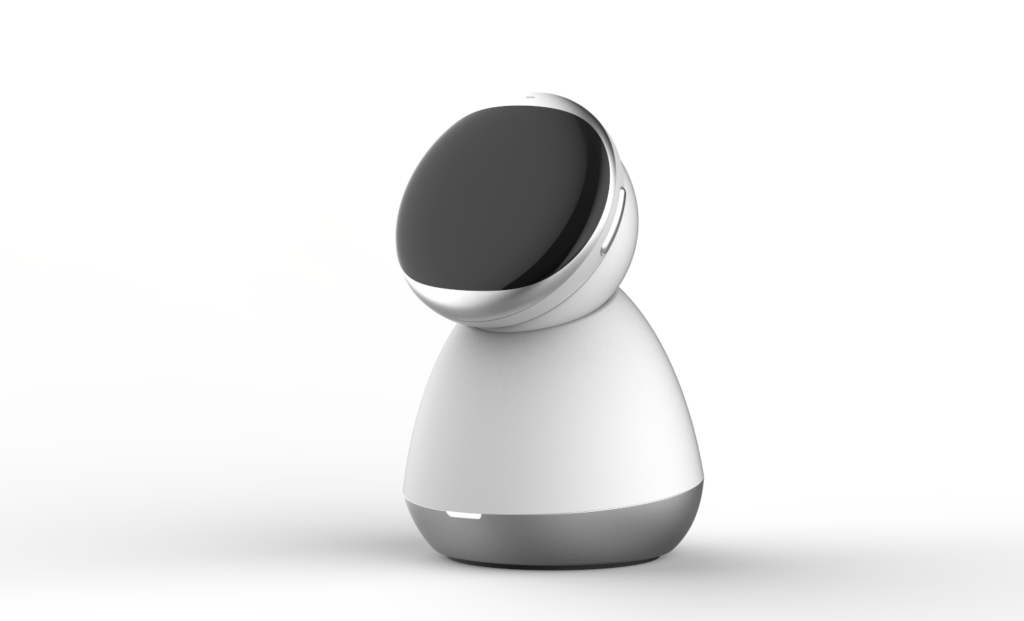
AI wearables have gained momentum over the past year, but most products still rely on a single camera or microphone to interpret the world from the wearer’s perspective. Lingverse believes that’s only half the picture. The company says iKairos is the first dual-perspective AI wearable, featuring a modular design that can be worn on the body or used as a desktop device. Users can switch its field of view between themselves and their surroundings, allowing the AI to build context about both the person wearing it and the environment around them.
The goal is to make the device less reactive and more proactive. Instead of waiting for voice commands, iKairos is designed to recognize situations where reminders, suggestions, or questions might be useful based on what it observes over time.
Beyond that, the company says iKairos includes a physical camera shutter that completely blocks visual recording whenever users want additional privacy. It also claims that personal data is either processed locally on the device or encrypted during transmission, and that user data won’t be used to train its AI models.
Speaking on the matter, Jiawei Gu, Founder and CEO of Lingverse, said:
Today, with iKairos, we can finally pick up where the Jibo team left off and deliver on the promise. iKairos continuously observes both you and your surroundings, creating the context that today’s AI lacks. Once the AI understands your life instead of just your prompts, iKairos can begin to act as a personal AI guardian, which is capable of unlocking entirely new experiences and proactively adapts to and works around your lifestyle.”
If you remember Jibo, you’ll probably also remember its emotional farewell. The social robot, once named one of TIME’s Best Inventions, shut down in 2019 with a message asking owners to “say hello” to future robots. Singapore-based AI hardware startup Lingverse, the team behind the original visoon, has announced $29 million in Pre-A funding to develop iKairos, a wearable AI companion that the company describes as the spiritual successor to Jibo. Unlike existing AI wearables, iKairos is designed to understand both its user and their surroundings, allowing it to offer proactive assistance instead of simply responding to prompts.
AI wearables have gained momentum over the past year, but most products still rely on a single camera or microphone to interpret the world from the wearer’s perspective. Lingverse believes that’s only half the picture. The company says iKairos is the first dual-perspective AI wearable, featuring a modular design that can be worn on the body or used as a desktop device. Users can switch its field of view between themselves and their surroundings, allowing the AI to build context about both the person wearing it and the environment around them.
The goal is to make the device less reactive and more proactive. Instead of waiting for voice commands, iKairos is designed to recognize situations where reminders, suggestions, or questions might be useful based on what it observes over time.
Beyond that, the company says iKairos includes a physical camera shutter that completely blocks visual recording whenever users want additional privacy. It also claims that personal data is either processed locally on the device or encrypted during transmission, and that user data won’t be used to train its AI models.
Speaking on the matter, Jiawei Gu, Founder and CEO of Lingverse, said:
Today, with iKairos, we can finally pick up where the Jibo team left off and deliver on the promise. iKairos continuously observes both you and your surroundings, creating the context that today’s AI lacks. Once the AI understands your life instead of just your prompts, iKairos can begin to act as a personal AI guardian, which is capable of unlocking entirely new experiences and proactively adapts to and works around your lifestyle.”
If you remember Jibo, you’ll probably also remember its emotional farewell. The social robot, once…
OpenAI’s entrance into the hardware market hasn’t arrived without drama. Several weeks ago, Apple sued the AI lab and accused it of trade theft — kicking off what’s certain to be a long-simmering legal battle. Meanwhile, news of another smart home product in development at OpenAI has also raised eyebrows, as the supposed device — which is being built to pair with ChatGPT — was reportedly developed by former Apple engineers.
Until the legal battle works itself out and OpenAI’s broader hardware ambitions materialize, the most the startup has to offer is Micro — a funky little keypad clearly engineered to delight the tech industry’s code monkeys.
OpenAI sent TechCrunch a Micro test unit. The first big thing you notice when initially handling the keypad is that it’s a sturdy little device — enough so that if the AI accessory thing doesn’t end up working out, it could easily double as a paperweight. The other thing you might notice (and I am not the only one to point this out), is that the packaging — an immaculate white box with a sleek, clean aesthetic — is pretty Apple-coded. Make of that what you will.
The keypad’s layout involves six frosted “agent” keys at the top of the pad, which can be customized to carry out specific tasks within ChatGPT or its agentic coding tool Codex. Below them are six command keys, which can be used to control those programs. You can pair your Micro with your computer either through a Bluetooth connection or a USB cable.

Perhaps the most convenient thing Micro offers is a button for voice dictation — meaning you simply tell the app what you want done and it will get busy working on your behalf. Just hold down the dictation button and start talking. When you’re done, tap the “send” button next to it to submit your request.
You can customize your Micro keypad within ChatGPT itself, where a Micro tab allows you to adjust everything from the brightness of the light from the keys to the specific commands and projects you want tied to those keys.
Hard-core coders — the device’s actual target audience — haven’t exactly embraced it. Reviews by Redditors have largely negative, with one Reddit user calling it “a prank and not a real product,” and others saying serious coders won’t touch it. A review by the smaller independent outlet Aftermath was even harsher, calling the $230 price tag hard to justify next to cheaper DIY and off-the-shelf alternatives. (The title of that review: “OpenAI’s expensive macropad feels engineered to piss me off specifically.”)
It’s definitely the case that new users may need some time to figure out how Micro works and what to do with it.
Once I figured out how to program the keypad to my liking, I found it was actually pretty fun. You can assign various ChatGPT sessions to specific keys, which then allows you to easily toggle back and forth between all of your various projects. When you combine that with the dictation button, it makes the whole experience considerably more efficient and enjoyable.
But there’s still a learning curve. Micro’s buttons are color-coded. White means an agent is idle, blue means its thinking, green means a task is complete, and red means there’s been an error. You’ll need to memorize that, along with memorizing which specific projects are coded to each key.
The big question is whether the Micro keypad is functionally easier to use than just continuing to work on your laptop. In short: Why would I spend a week learning how to program and operate this thing when I already know how to use my computer’s mouse and keyboard?
Ultimately, your experience with the Micro will depend heavily on how much you use ChatGPT. Since I don’t use AI much day to day, I’m probably not the target audience for it.
That said, if you’re a ChatGPT power user, have $230 to spare, and like vintage-looking hardware with clicky buttons, Micro probably isn’t the worst purchase you could make — it might even brighten your day a little.
When you purchase through links in our articles, we may earn a small commission. This doesn’t affect our editorial independence.
#OpenAIs #keypad #fun #coders #slightly #mystifying #TechCrunchAI,ChatGPT,codex,micro,OpenAI">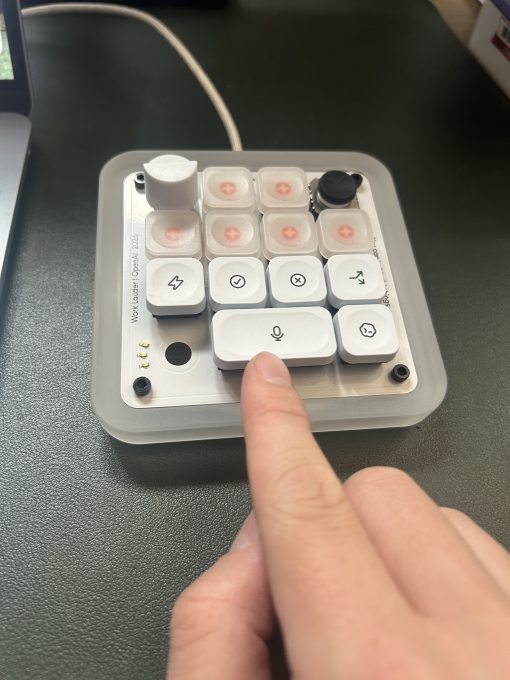
OpenAI’s entrance into the hardware market hasn’t arrived without drama. Several weeks ago, Apple sued the AI lab and accused it of trade theft — kicking off what’s certain to be a long-simmering legal battle. Meanwhile, news of another smart home product in development at OpenAI has also raised eyebrows, as the supposed device — which is being built to pair with ChatGPT — was reportedly developed by former Apple engineers.
Until the legal battle works itself out and OpenAI’s broader hardware ambitions materialize, the most the startup has to offer is Micro — a funky little keypad clearly engineered to delight the tech industry’s code monkeys.
OpenAI sent TechCrunch a Micro test unit. The first big thing you notice when initially handling the keypad is that it’s a sturdy little device — enough so that if the AI accessory thing doesn’t end up working out, it could easily double as a paperweight. The other thing you might notice (and I am not the only one to point this out), is that the packaging — an immaculate white box with a sleek, clean aesthetic — is pretty Apple-coded. Make of that what you will.
The keypad’s layout involves six frosted “agent” keys at the top of the pad, which can be customized to carry out specific tasks within ChatGPT or its agentic coding tool Codex. Below them are six command keys, which can be used to control those programs. You can pair your Micro with your computer either through a Bluetooth connection or a USB cable.
Perhaps the most convenient thing Micro offers is a button for voice dictation — meaning you simply tell the app what you want done and it will get busy working on your behalf. Just hold down the dictation button and start talking. When you’re done, tap the “send” button next to it to submit your request.
You can customize your Micro keypad within ChatGPT itself, where a Micro tab allows you to adjust everything from the brightness of the light from the keys to the specific commands and projects you want tied to those keys.
Hard-core coders — the device’s actual target audience — haven’t exactly embraced it. Reviews by Redditors have largely negative, with one Reddit user calling it “a prank and not a real product,” and others saying serious coders won’t touch it. A review by the smaller independent outlet Aftermath was even harsher, calling the $230 price tag hard to justify next to cheaper DIY and off-the-shelf alternatives. (The title of that review: “OpenAI’s expensive macropad feels engineered to piss me off specifically.”)
It’s definitely the case that new users may need some time to figure out how Micro works and what to do with it.
Once I figured out how to program the keypad to my liking, I found it was actually pretty fun. You can assign various ChatGPT sessions to specific keys, which then allows you to easily toggle back and forth between all of your various projects. When you combine that with the dictation button, it makes the whole experience considerably more efficient and enjoyable.
But there’s still a learning curve. Micro’s buttons are color-coded. White means an agent is idle, blue means its thinking, green means a task is complete, and red means there’s been an error. You’ll need to memorize that, along with memorizing which specific projects are coded to each key.
The big question is whether the Micro keypad is functionally easier to use than just continuing to work on your laptop. In short: Why would I spend a week learning how to program and operate this thing when I already know how to use my computer’s mouse and keyboard?
Ultimately, your experience with the Micro will depend heavily on how much you use ChatGPT. Since I don’t use AI much day to day, I’m probably not the target audience for it.
That said, if you’re a ChatGPT power user, have $230 to spare, and like vintage-looking hardware with clicky buttons, Micro probably isn’t the worst purchase you could make — it might even brighten your day a little.
When you purchase through links in our articles, we may earn a small commission. This doesn’t affect our editorial independence.
#OpenAIs #keypad #fun #coders #slightly #mystifying #TechCrunchAI,ChatGPT,codex,micro,OpenAI">I tried out OpenAI’s new AI keypad — which will be fun for some coders and slightly mystifying to everyone else | TechCrunchOpenAI launched its first piece of hardware last week — a fancy little keypad built to pair with ChatGPT. Micro, which was developed in collaboration with specialty keyboard designer Work Louder, is essentially an artisanal workplace novelty that many tech enthusiasts will love and that may leave everyone else a little puzzled.
OpenAI’s entrance into the hardware market hasn’t arrived without drama. Several weeks ago, Apple sued the AI lab and accused it of trade theft — kicking off what’s certain to be a long-simmering legal battle. Meanwhile, news of another smart home product in development at OpenAI has also raised eyebrows, as the supposed device — which is being built to pair with ChatGPT — was reportedly developed by former Apple engineers.
Until the legal battle works itself out and OpenAI’s broader hardware ambitions materialize, the most the startup has to offer is Micro — a funky little keypad clearly engineered to delight the tech industry’s code monkeys.
OpenAI sent TechCrunch a Micro test unit. The first big thing you notice when initially handling the keypad is that it’s a sturdy little device — enough so that if the AI accessory thing doesn’t end up working out, it could easily double as a paperweight. The other thing you might notice (and I am not the only one to point this out), is that the packaging — an immaculate white box with a sleek, clean aesthetic — is pretty Apple-coded. Make of that what you will.
The keypad’s layout involves six frosted “agent” keys at the top of the pad, which can be customized to carry out specific tasks within ChatGPT or its agentic coding tool Codex. Below them are six command keys, which can be used to control those programs. You can pair your Micro with your computer either through a Bluetooth connection or a USB cable.
Perhaps the most convenient thing Micro offers is a button for voice dictation — meaning you simply tell the app what you want done and it will get busy working on your behalf. Just hold down the dictation button and start talking. When you’re done, tap the “send” button next to it to submit your request.
You can customize your Micro keypad within ChatGPT itself, where a Micro tab allows you to adjust everything from the brightness of the light from the keys to the specific commands and projects you want tied to those keys.
Hard-core coders — the device’s actual target audience — haven’t exactly embraced it. Reviews by Redditors have largely negative, with one Reddit user calling it “a prank and not a real product,” and others saying serious coders won’t touch it. A review by the smaller independent outlet Aftermath was even harsher, calling the $230 price tag hard to justify next to cheaper DIY and off-the-shelf alternatives. (The title of that review: “OpenAI’s expensive macropad feels engineered to piss me off specifically.”)
It’s definitely the case that new users may need some time to figure out how Micro works and what to do with it.
Once I figured out how to program the keypad to my liking, I found it was actually pretty fun. You can assign various ChatGPT sessions to specific keys, which then allows you to easily toggle back and forth between all of your various projects. When you combine that with the dictation button, it makes the whole experience considerably more efficient and enjoyable.
But there’s still a learning curve. Micro’s buttons are color-coded. White means an agent is idle, blue means its thinking, green means a task is complete, and red means there’s been an error. You’ll need to memorize that, along with memorizing which specific projects are coded to each key.
The big question is whether the Micro keypad is functionally easier to use than just continuing to work on your laptop. In short: Why would I spend a week learning how to program and operate this thing when I already know how to use my computer’s mouse and keyboard?
Ultimately, your experience with the Micro will depend heavily on how much you use ChatGPT. Since I don’t use AI much day to day, I’m probably not the target audience for it.
That said, if you’re a ChatGPT power user, have $230 to spare, and like vintage-looking hardware with clicky buttons, Micro probably isn’t the worst purchase you could make — it might even brighten your day a little.
When you purchase through links in our articles, we may earn a small commission. This doesn’t affect our editorial independence.
#OpenAIs #keypad #fun #coders #slightly #mystifying #TechCrunchAI,ChatGPT,codex,micro,OpenAIOpenAI launched its first piece of hardware last week — a fancy little keypad built…

