
While macOS Tahoe 26 shares redesign polish with iOS and iPadOS, its best new features double down on what makes the Mac the Mac. Terminal upgrades, automation triggers, and power-user tweaks are the kind of Mac updates that you won’t find on the iPhone and iPad. Apple aims its focus on the Mac with these features.

9to5Mac is brought to by iMazing: iMazing 3 is a comprehensive platform for Apple device management with complete device control for backup management, data transfer capabilities, and much more. Try it now.
Terminal gets a visual upgrade with more customization
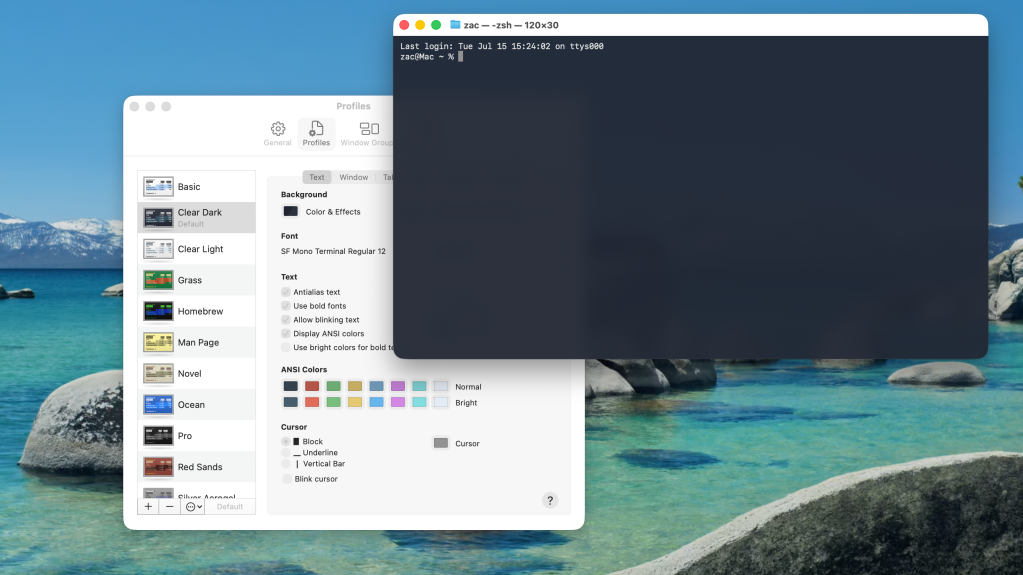
Nothing says Mac more than the Terminal. macOS Tahoe 26 brings a visual update to Terminal. With support for 24-bit color and new themes, users can personalize the command line interface to better reflect their style or workspace. Built-in support for Powerline glyphs adds the ability to include status bars or rich prompts directly in the shell. These updates enhance usability while preserving the raw flexibility that Terminal users expect.
Shortcuts can respond to real-world context
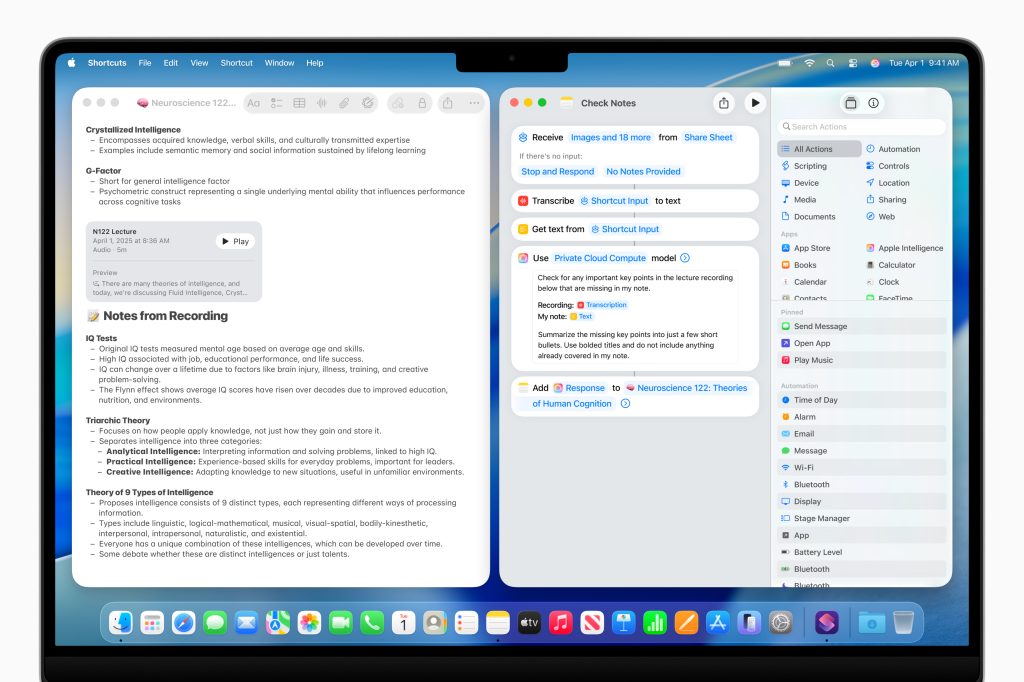
macOS 26 expands Shortcuts automation with new conditions. Automations can now trigger based on file activity, battery level, and time of day. Other triggers include specific wifi networks, external displays, calendar events, and even email senders. For example, connecting a monitor can trigger your Work Focus. Another example: a file added to the desktop can be automatically sorted into the appropriate folder. These additions bring meaningful automation to everyday Mac use.
Notes adds Markdown support and call transcription
Notes now includes support for importing and exporting Markdown-formatted files. This gives users more flexibility when working across platforms or using plain text formatting. More notably on the Mac, if you use the new Phone app any call, you can generate transcripts of those conversations in Notes. These transcripts can be saved and referenced later. This makes it easier to keep track of the conversation without needing to take notes manually.
Safari enhances Picture in Picture
The Safari browser gains new Picture in Picture controls. Users can now move videos into PiP from the Page Menu and control playback from the floating window. Supported videos can be skipped forward or backward, and ads can be skipped where available. It’s a convenient improvement for multitaskers who watch while working or gaming.
Folders get more personal and easier to organize
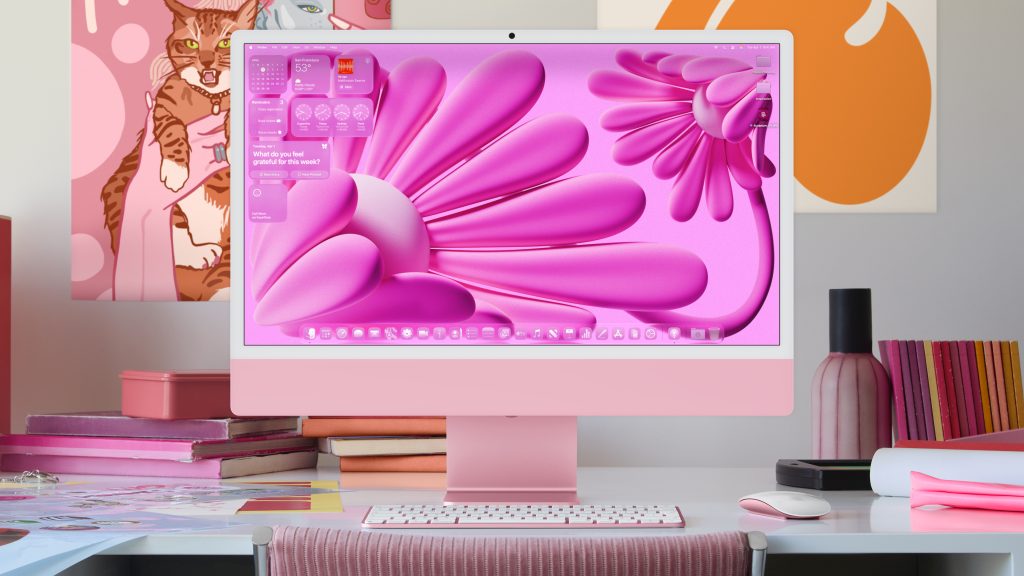
Folder customization is now super expressive in macOS 26. You can assign emojis or symbols to folders, tint folders with colors that automatically apply system tags, and even set a new default color for all folders across Finder, the Dock, and desktop. This visual control makes it easier to identify and organize projects at a glance. It also seriously showcases the best part of being a Mac.
Pinned Collections in Photos
The Photos app supports Pinned Collections on the Mac this year. This concept was introduced on the iPhone and iPad with the redesigned Photos app last year. Now the organizational work you do on mobile is mirrored on the Mac, and vice versa. You can pin your most-used albums or folders and access them instantly from the sidebar. Apple also redesigned the sidebar to match iPadOS. Additional updates let you hide the sidebar, resize collection tiles, and access filtering and sorting options more easily.
Vehicle Motion Cues come to the Mac
Apple is bringing its Vehicle Motion Cues feature to macOS for the first time. This accessibility feature reduces motion sickness by displaying subtle visual indicators that align with the movement of the vehicle. It is especially helpful for users working from a car or other moving environment. That’s when motion conflict between what you see and what you feel can cause discomfort. Great for those occasions when the passenger seat of your car becomes your office for the day.
Gaming gets quality-of-life improvements
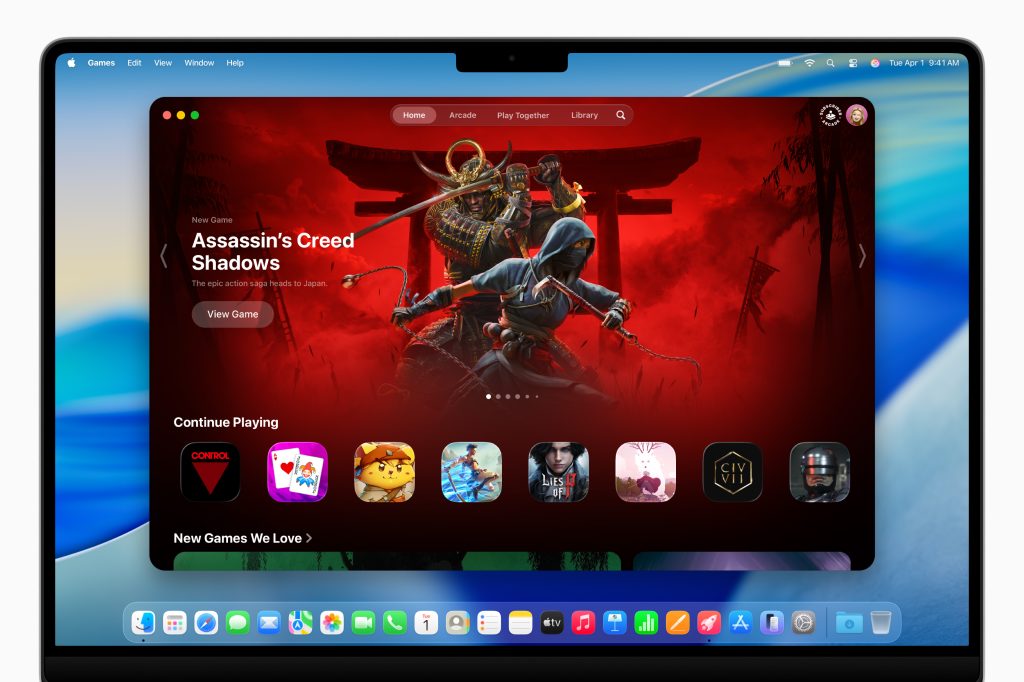
macOS 26 includes several improvements for gaming. For example, Low Power Mode can now be triggered on during gameplay. This allows for extended sessions when charging options are limited. Pairing a DualSense controller is as easy as pairing an Apple trackpad or keyboard. Just connect over USB-C and you’re paired. Switching between devices can easily be done directly through the controller or Bluetooth settings. These changes are small but meaningful for Mac users who split their time between productivity and gaming.
9to5Mac’s Take
macOS Tahoe 26 is primarily a redesign that unifies the look and feel with the iPhone and iPad. Still, improvements to Terminal, extensive customization, and other Mac-specific features show that macOS Tahoe 26 still leans into what makes the Mac a Mac. Meanwhile, Tahoe does bring some existing and new features from iOS and iPadOS to the Mac as well. Having the most capabilities is what makes the Mac so resilient.
FTC: We use income earning auto affiliate links. More.
Source link
#Underrated #macOS #Tahoe #features #worth
![‘The Ghost in the Shell’ Director, Character Designer on Keeping Motoko True to the Manga
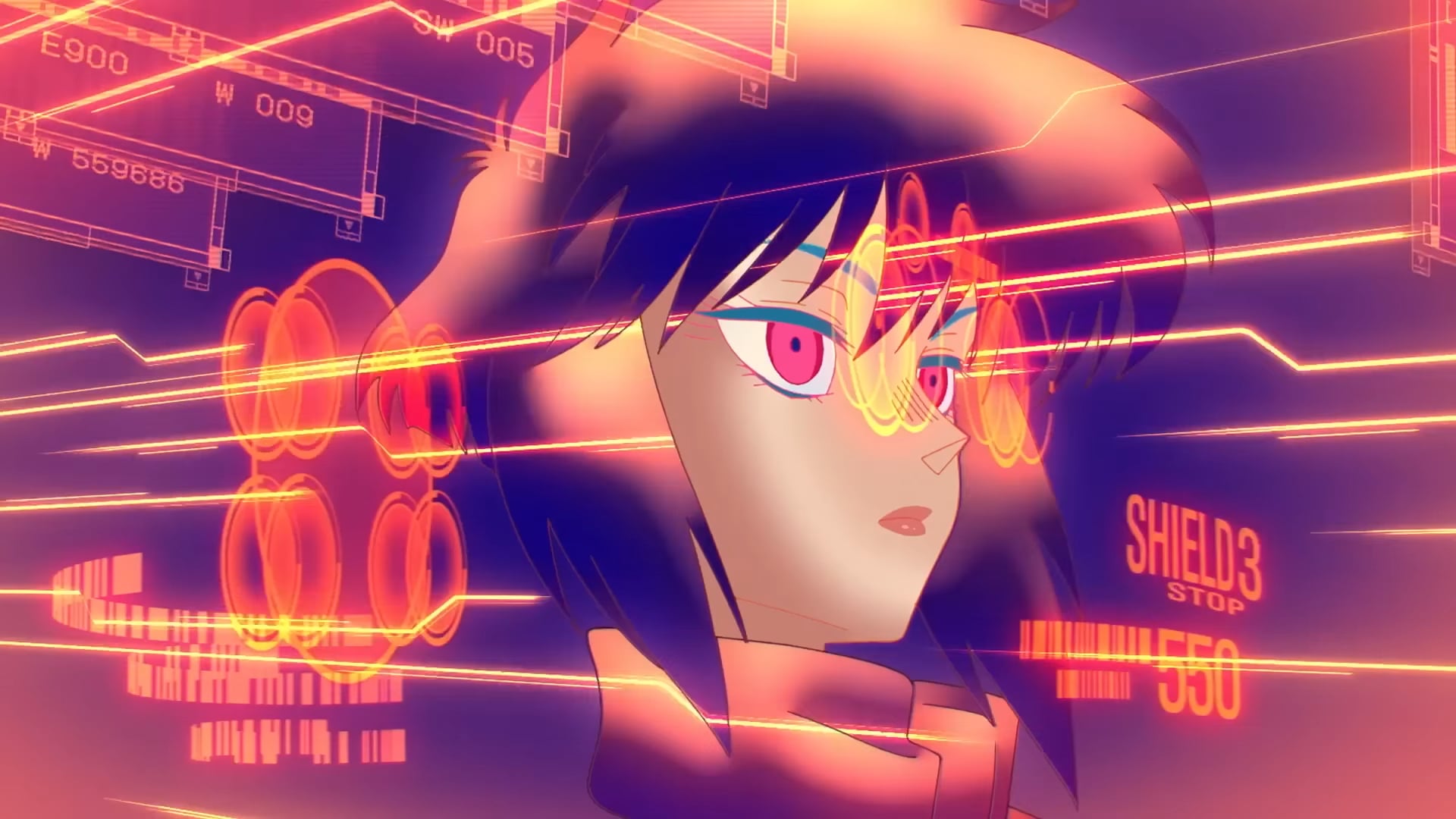
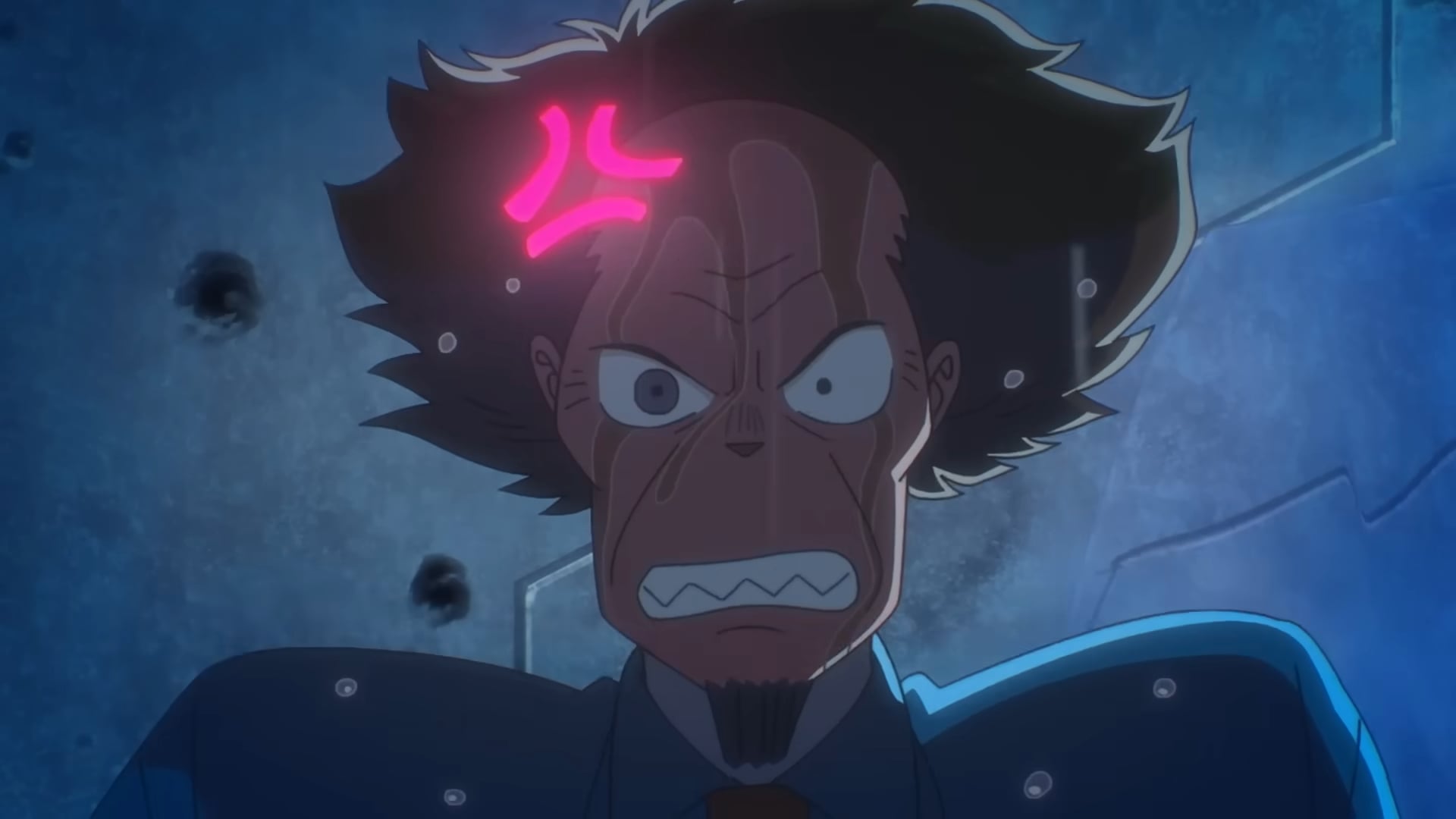
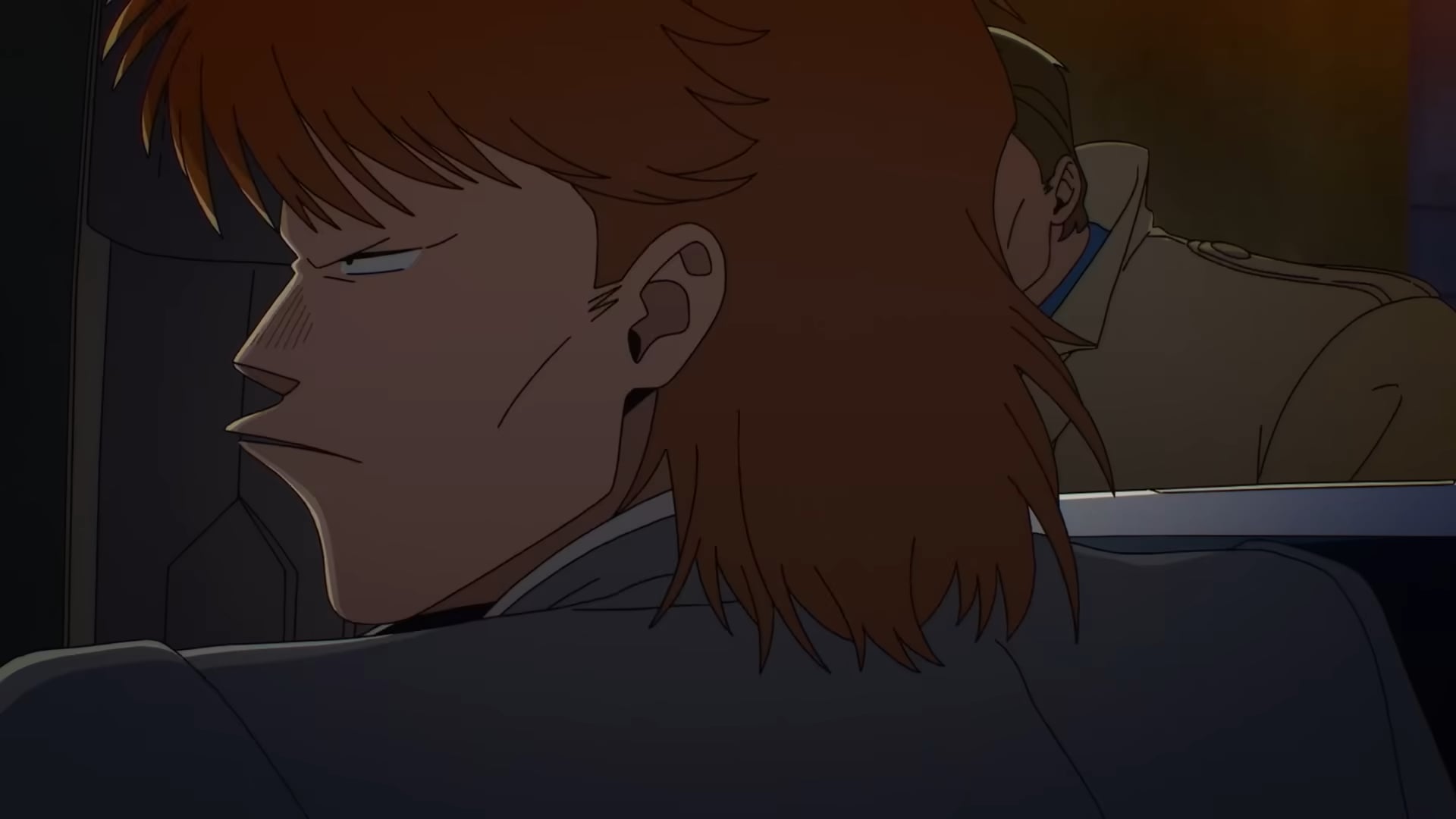
Dan Da Dan anime studio Science SARU’s adaptation of The Ghost in the Shell is finally streaming on Prime Video, and its pilot episode looks like a ’90s anime fever dream in the best way possible. Major Motoko Kusanagi kicks all the ass, its soundtrack is a bop, and its action sequences are a chef’s kiss. Don’t just take our word for it; check out the trailer below and see for yourself how Science SARU cooked once again. [embed]https://www.youtube.com/watch?v=ahZn4dVCbvs[/embed] Ahead of its premiere, io9 got to chat with director Mokochan and character designer Shuhei Handa at Anime Expo about how their vision for Masamune Shirow’s seminal cyberpunk manga came to be, as well as a couple of pointed fandom-centric questions for fans who’ve been dying to see Major Motoko Kusanagi realized in all her goofy glory. Left: Shuhei Handa, right: Mokochan. © Isaiah Colbert/io9 This interview was edited for clarity. Isaiah Colbert, io9: From Keep Your Hands Off Eizouken!, Devilman Crybaby, Inu-Oh, Scott Pilgrim Takes Off, and Dan Da Dan to Sanda and Jaadugar: A Witch in Mongolia, Science SARU has built an impressive portfolio and reputation for making bold, expressive, and experimental anime. What about The Ghost in the Shell made it feel like a natural fit as the studio’s next project?
Mokochan: For all of the works done by Science SARU, using animation to do storytelling is very important. That’s why we use a lot of hand-drawn animation in it. For The Ghost in the Shell, the most important thing is to use the visuals to capture its world. It’s the same policy with other series as well.
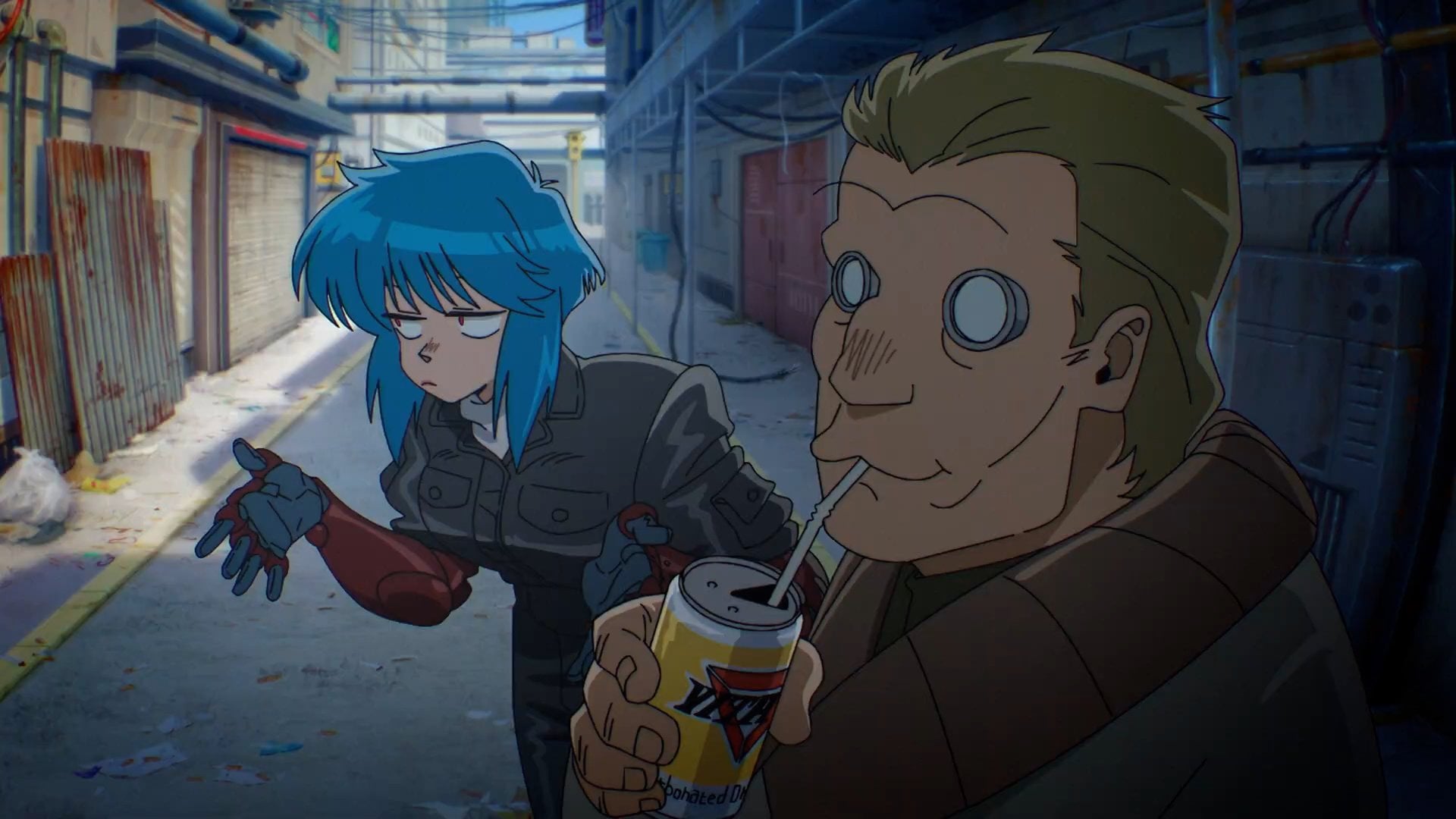
TVアニメ「#攻殻機動隊 THE GHOST IN THE SHELL」⋱ご視聴ありがとうございました⋰ ◤◢◤◢◤◢◤◢◤◢◤◢◤◢ 第01話より草薙素子と荒巻大輔の出会い 👩🏻 🐵迫力の原画を大公開! 原画|小島崇史 さん ◤◢◤◢◤◢◤◢◤◢◤◢◤◢https://t.co/wICYD3OlUm pic.twitter.com/6rNlJdXZZk — サイエンスSARU (@sciencesaru) July 7, 2026 io9: From the jump, The Ghost in the Shell marks a stark tonal shift—a return—towards Masamune Shirow’s lighter, more mischievous vision of the cyberpunk epic. What led Science SARU to pivot away from the austere, military tone that Mamoru Oshii’s 1995 film would go on to cement as the franchise’s vibe for decades? Mokochan: We didn’t intentionally try to change the tone from how director Mamoru Oshii did previously because the concept for making this new series is to base it on the original manga, so we already had our own way of making this one.
© Masamune Shirow/Kodansha io9: In an era when people often use AI to cheaply mimic retro anime aesthetics, the new Ghost in the Shell feels like a deliberate rejection of AI’s pervasiveness in the arts—where every frame in the trailers looks unmistakably hand‑crafted. It’s a phenomenon that’s certainly paradoxical, considering that the manga prophesied how such technologies would be utilized in the not-so-far-off year of 2029. What’s Science SARU’s stance on AI, and what specific animation techniques did it use most to capture the show’s aesthetic through the power of collective human artistry? Mokochan: One of the concepts of the original manga is about the mysterious part of the human being. So we wanted to honor how the original creator captured the world and how we express all of the story in the original manga. So we wanted to follow the same concept using the same method to show humanity by using hand-drawn art. We prefer to just use our arms to draw all of the animation. Handa: It’s because the main concept is about the human body, so that’s why we prefer hand-drawn art over AI.
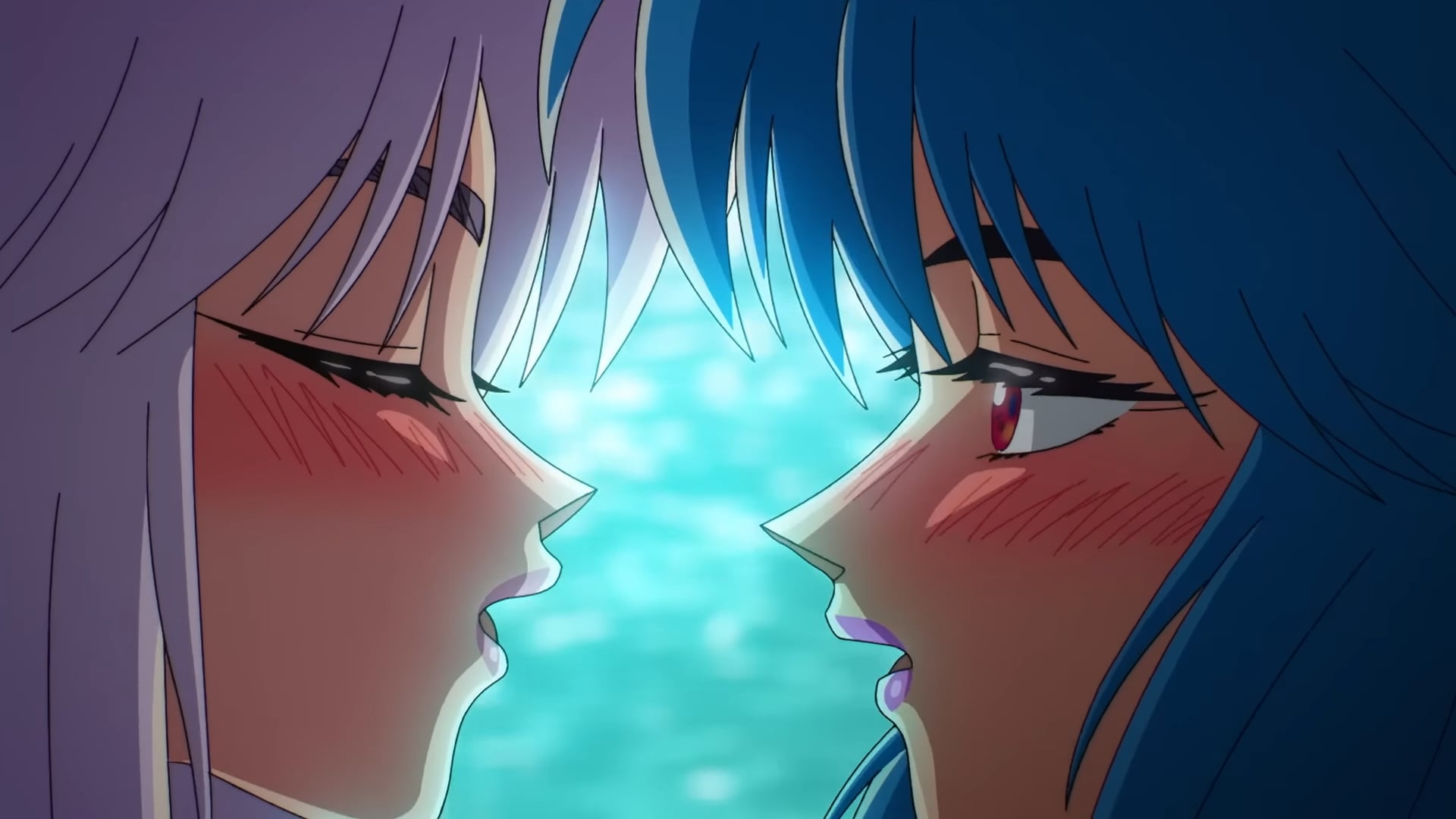
© Science SARU io9: Major Kusanagi has long been read as a bisexual icon in the West, especially because of Shirow’s famous island-escapade chapter with her gal pals, which has been lost in some Western reprints of the original manga. She’s also considerably goofier in the manga, a trait fans lovingly call a “bisexual disaster.” In what ways was it important for Science SARU to depict Kusanagi’s inherent goofball nature and her queerness in this adaptation, and what does portraying that side of her mean for a global audience in 2026? Mokochan: During the process of making the new series, we were actually very surprised by it because, compared to the original manga, a lot of the thoughts about sexuality are very advanced, exploring many possibilities. It’s not just about sexuality; it’s also about the human being, technology, and many other things. [The manga] accepts everything in the world. That was a very big surprise. We didn’t intend to modernize the content to make it fit the new era.
© Science SARU [The Ghost in the Shell producers’ note in regard to Science SARU’s adaptation of Motoko’s vacation scene from the original manga: “We had to adjust the depictions in the original work to match the rating.”] Handa: When we portray Kusanagi’s character, we like to bring out all the comical parts because they’re in the original manga. It’s kind of different how director Oshii portrays her in the previous series because, in those series, Kusanagi was not that expressive. We prefer to keep the authentic parts of the original manga, so we thought we definitely needed to keep the comical parts in the character, so that’s why we included that content. © Science SARU © Science SARU © Science SARU © Science SARU io9: As a fan of the series, I’ve seen Ghost in the Shell go through different iterations, reinterpretations, and reboots. And in that, Motoko’s design has changed in a way that reflects how different people interpret her. But while her outer shell is different, the themes—the ghost in the original story—remain in each adaptation. For Science SARU’s newer adaptation of The Ghost in the Shell, which themes from the original manga feel more prescient now than when it first came out?
Mokochan: Because the original intent of this project is to follow the original manga—not just Kusanagi, but also all the content and the world’s concept—we didn’t try to modernize any part of it. The creative team, all of whom are also big fans of the original manga. So, for the world, the story, the characters, and the theme, it’s all the same because we want to honor the original manga. ウオオオ攻殻機動隊1話にLOと作画監督で参加させていただきました!憧れの攻殻機動隊に関わることができて感激です🔥LOはセンターの子供が撃たれるあたりから脱走するところまで、作監は冒頭からOP前あたりまでです。少佐かっこよくて可愛かった〜!こちら担当LOのうちの1カットです🙏🏻#攻殻機動隊 pic.twitter.com/zUlxgD9fin — 宮かなえ (@miyakanae_) July 7, 2026 The Ghost in the Shell is streaming now on Prime Video. io9 is on the ground at Anime Expo 2026. We’ll be bringing you updates on all the biggest panels, screenings, and announcements, plus exclusive one-on-one interviews with the people behind some of the best and most popular anime around. You can check out all of io9’s Anime Expo coverage here. Want more io9 news? Check out when to expect the latest Marvel, Star Wars, and Star Trek releases, what’s next for the DC Universe on film and TV, and everything you need to know about the future of Doctor Who. #Ghost #Shell #Director #Character #Designer #Keeping #Motoko #True #MangaAnime,Anime Expo,Science Saru,The Ghost in the Shell](https://gizmodo.com/app/uploads/2026/07/The-Ghost-in-the-Shell-Mokachan-Shuhei-Handa.jpg "‘The Ghost in the Shell’ Director, Character Designer on Keeping Motoko True to the Manga
Dan Da Dan anime studio Science SARU’s adaptation of The Ghost in the Shell is finally streaming on Prime Video, and its pilot episode looks like a ’90s anime fever dream in the best way possible. Major Motoko Kusanagi kicks all the ass, its soundtrack is a bop, and its action sequences are a chef’s kiss. Don’t just take our word for it; check out the trailer below and see for yourself how Science SARU cooked once again. [embed]https://www.youtube.com/watch?v=ahZn4dVCbvs[/embed] Ahead of its premiere, io9 got to chat with director Mokochan and character designer Shuhei Handa at Anime Expo about how their vision for Masamune Shirow’s seminal cyberpunk manga came to be, as well as a couple of pointed fandom-centric questions for fans who’ve been dying to see Major Motoko Kusanagi realized in all her goofy glory. Left: Shuhei Handa, right: Mokochan. © Isaiah Colbert/io9 This interview was edited for clarity. Isaiah Colbert, io9: From Keep Your Hands Off Eizouken!, Devilman Crybaby, Inu-Oh, Scott Pilgrim Takes Off, and Dan Da Dan to Sanda and Jaadugar: A Witch in Mongolia, Science SARU has built an impressive portfolio and reputation for making bold, expressive, and experimental anime. What about The Ghost in the Shell made it feel like a natural fit as the studio’s next project?
Mokochan: For all of the works done by Science SARU, using animation to do storytelling is very important. That’s why we use a lot of hand-drawn animation in it. For The Ghost in the Shell, the most important thing is to use the visuals to capture its world. It’s the same policy with other series as well.
TVアニメ「#攻殻機動隊 THE GHOST IN THE SHELL」⋱ご視聴ありがとうございました⋰ ◤◢◤◢◤◢◤◢◤◢◤◢◤◢ 第01話より草薙素子と荒巻大輔の出会い 👩🏻 🐵迫力の原画を大公開! 原画|小島崇史 さん ◤◢◤◢◤◢◤◢◤◢◤◢◤◢https://t.co/wICYD3OlUm pic.twitter.com/6rNlJdXZZk — サイエンスSARU (@sciencesaru) July 7, 2026 io9: From the jump, The Ghost in the Shell marks a stark tonal shift—a return—towards Masamune Shirow’s lighter, more mischievous vision of the cyberpunk epic. What led Science SARU to pivot away from the austere, military tone that Mamoru Oshii’s 1995 film would go on to cement as the franchise’s vibe for decades? Mokochan: We didn’t intentionally try to change the tone from how director Mamoru Oshii did previously because the concept for making this new series is to base it on the original manga, so we already had our own way of making this one.
© Masamune Shirow/Kodansha io9: In an era when people often use AI to cheaply mimic retro anime aesthetics, the new Ghost in the Shell feels like a deliberate rejection of AI’s pervasiveness in the arts—where every frame in the trailers looks unmistakably hand‑crafted. It’s a phenomenon that’s certainly paradoxical, considering that the manga prophesied how such technologies would be utilized in the not-so-far-off year of 2029. What’s Science SARU’s stance on AI, and what specific animation techniques did it use most to capture the show’s aesthetic through the power of collective human artistry? Mokochan: One of the concepts of the original manga is about the mysterious part of the human being. So we wanted to honor how the original creator captured the world and how we express all of the story in the original manga. So we wanted to follow the same concept using the same method to show humanity by using hand-drawn art. We prefer to just use our arms to draw all of the animation. Handa: It’s because the main concept is about the human body, so that’s why we prefer hand-drawn art over AI.
© Science SARU io9: Major Kusanagi has long been read as a bisexual icon in the West, especially because of Shirow’s famous island-escapade chapter with her gal pals, which has been lost in some Western reprints of the original manga. She’s also considerably goofier in the manga, a trait fans lovingly call a “bisexual disaster.” In what ways was it important for Science SARU to depict Kusanagi’s inherent goofball nature and her queerness in this adaptation, and what does portraying that side of her mean for a global audience in 2026? Mokochan: During the process of making the new series, we were actually very surprised by it because, compared to the original manga, a lot of the thoughts about sexuality are very advanced, exploring many possibilities. It’s not just about sexuality; it’s also about the human being, technology, and many other things. [The manga] accepts everything in the world. That was a very big surprise. We didn’t intend to modernize the content to make it fit the new era.
© Science SARU [The Ghost in the Shell producers’ note in regard to Science SARU’s adaptation of Motoko’s vacation scene from the original manga: “We had to adjust the depictions in the original work to match the rating.”] Handa: When we portray Kusanagi’s character, we like to bring out all the comical parts because they’re in the original manga. It’s kind of different how director Oshii portrays her in the previous series because, in those series, Kusanagi was not that expressive. We prefer to keep the authentic parts of the original manga, so we thought we definitely needed to keep the comical parts in the character, so that’s why we included that content. © Science SARU © Science SARU © Science SARU © Science SARU io9: As a fan of the series, I’ve seen Ghost in the Shell go through different iterations, reinterpretations, and reboots. And in that, Motoko’s design has changed in a way that reflects how different people interpret her. But while her outer shell is different, the themes—the ghost in the original story—remain in each adaptation. For Science SARU’s newer adaptation of The Ghost in the Shell, which themes from the original manga feel more prescient now than when it first came out?
Mokochan: Because the original intent of this project is to follow the original manga—not just Kusanagi, but also all the content and the world’s concept—we didn’t try to modernize any part of it. The creative team, all of whom are also big fans of the original manga. So, for the world, the story, the characters, and the theme, it’s all the same because we want to honor the original manga. ウオオオ攻殻機動隊1話にLOと作画監督で参加させていただきました!憧れの攻殻機動隊に関わることができて感激です🔥LOはセンターの子供が撃たれるあたりから脱走するところまで、作監は冒頭からOP前あたりまでです。少佐かっこよくて可愛かった〜!こちら担当LOのうちの1カットです🙏🏻#攻殻機動隊 pic.twitter.com/zUlxgD9fin — 宮かなえ (@miyakanae_) July 7, 2026 The Ghost in the Shell is streaming now on Prime Video. io9 is on the ground at Anime Expo 2026. We’ll be bringing you updates on all the biggest panels, screenings, and announcements, plus exclusive one-on-one interviews with the people behind some of the best and most popular anime around. You can check out all of io9’s Anime Expo coverage here. Want more io9 news? Check out when to expect the latest Marvel, Star Wars, and Star Trek releases, what’s next for the DC Universe on film and TV, and everything you need to know about the future of Doctor Who. #Ghost #Shell #Director #Character #Designer #Keeping #Motoko #True #MangaAnime,Anime Expo,Science Saru,The Ghost in the Shell")

![‘The Ghost in the Shell’ Director, Character Designer on Keeping Motoko True to the Manga
Dan Da Dan anime studio Science SARU’s adaptation of The Ghost in the Shell is finally streaming on Prime Video, and its pilot episode looks like a ’90s anime fever dream in the best way possible. Major Motoko Kusanagi kicks all the ass, its soundtrack is a bop, and its action sequences are a chef’s kiss. Don’t just take our word for it; check out the trailer below and see for yourself how Science SARU cooked once again. [embed]https://www.youtube.com/watch?v=ahZn4dVCbvs[/embed] Ahead of its premiere, io9 got to chat with director Mokochan and character designer Shuhei Handa at Anime Expo about how their vision for Masamune Shirow’s seminal cyberpunk manga came to be, as well as a couple of pointed fandom-centric questions for fans who’ve been dying to see Major Motoko Kusanagi realized in all her goofy glory. Left: Shuhei Handa, right: Mokochan. © Isaiah Colbert/io9 This interview was edited for clarity. Isaiah Colbert, io9: From Keep Your Hands Off Eizouken!, Devilman Crybaby, Inu-Oh, Scott Pilgrim Takes Off, and Dan Da Dan to Sanda and Jaadugar: A Witch in Mongolia, Science SARU has built an impressive portfolio and reputation for making bold, expressive, and experimental anime. What about The Ghost in the Shell made it feel like a natural fit as the studio’s next project?
Mokochan: For all of the works done by Science SARU, using animation to do storytelling is very important. That’s why we use a lot of hand-drawn animation in it. For The Ghost in the Shell, the most important thing is to use the visuals to capture its world. It’s the same policy with other series as well.
TVアニメ「#攻殻機動隊 THE GHOST IN THE SHELL」⋱ご視聴ありがとうございました⋰ ◤◢◤◢◤◢◤◢◤◢◤◢◤◢ 第01話より草薙素子と荒巻大輔の出会い 👩🏻 🐵迫力の原画を大公開! 原画|小島崇史 さん ◤◢◤◢◤◢◤◢◤◢◤◢◤◢https://t.co/wICYD3OlUm pic.twitter.com/6rNlJdXZZk — サイエンスSARU (@sciencesaru) July 7, 2026 io9: From the jump, The Ghost in the Shell marks a stark tonal shift—a return—towards Masamune Shirow’s lighter, more mischievous vision of the cyberpunk epic. What led Science SARU to pivot away from the austere, military tone that Mamoru Oshii’s 1995 film would go on to cement as the franchise’s vibe for decades? Mokochan: We didn’t intentionally try to change the tone from how director Mamoru Oshii did previously because the concept for making this new series is to base it on the original manga, so we already had our own way of making this one.
© Masamune Shirow/Kodansha io9: In an era when people often use AI to cheaply mimic retro anime aesthetics, the new Ghost in the Shell feels like a deliberate rejection of AI’s pervasiveness in the arts—where every frame in the trailers looks unmistakably hand‑crafted. It’s a phenomenon that’s certainly paradoxical, considering that the manga prophesied how such technologies would be utilized in the not-so-far-off year of 2029. What’s Science SARU’s stance on AI, and what specific animation techniques did it use most to capture the show’s aesthetic through the power of collective human artistry? Mokochan: One of the concepts of the original manga is about the mysterious part of the human being. So we wanted to honor how the original creator captured the world and how we express all of the story in the original manga. So we wanted to follow the same concept using the same method to show humanity by using hand-drawn art. We prefer to just use our arms to draw all of the animation. Handa: It’s because the main concept is about the human body, so that’s why we prefer hand-drawn art over AI.
© Science SARU io9: Major Kusanagi has long been read as a bisexual icon in the West, especially because of Shirow’s famous island-escapade chapter with her gal pals, which has been lost in some Western reprints of the original manga. She’s also considerably goofier in the manga, a trait fans lovingly call a “bisexual disaster.” In what ways was it important for Science SARU to depict Kusanagi’s inherent goofball nature and her queerness in this adaptation, and what does portraying that side of her mean for a global audience in 2026? Mokochan: During the process of making the new series, we were actually very surprised by it because, compared to the original manga, a lot of the thoughts about sexuality are very advanced, exploring many possibilities. It’s not just about sexuality; it’s also about the human being, technology, and many other things. [The manga] accepts everything in the world. That was a very big surprise. We didn’t intend to modernize the content to make it fit the new era.
© Science SARU [The Ghost in the Shell producers’ note in regard to Science SARU’s adaptation of Motoko’s vacation scene from the original manga: “We had to adjust the depictions in the original work to match the rating.”] Handa: When we portray Kusanagi’s character, we like to bring out all the comical parts because they’re in the original manga. It’s kind of different how director Oshii portrays her in the previous series because, in those series, Kusanagi was not that expressive. We prefer to keep the authentic parts of the original manga, so we thought we definitely needed to keep the comical parts in the character, so that’s why we included that content. © Science SARU © Science SARU © Science SARU © Science SARU io9: As a fan of the series, I’ve seen Ghost in the Shell go through different iterations, reinterpretations, and reboots. And in that, Motoko’s design has changed in a way that reflects how different people interpret her. But while her outer shell is different, the themes—the ghost in the original story—remain in each adaptation. For Science SARU’s newer adaptation of The Ghost in the Shell, which themes from the original manga feel more prescient now than when it first came out?
Mokochan: Because the original intent of this project is to follow the original manga—not just Kusanagi, but also all the content and the world’s concept—we didn’t try to modernize any part of it. The creative team, all of whom are also big fans of the original manga. So, for the world, the story, the characters, and the theme, it’s all the same because we want to honor the original manga. ウオオオ攻殻機動隊1話にLOと作画監督で参加させていただきました!憧れの攻殻機動隊に関わることができて感激です🔥LOはセンターの子供が撃たれるあたりから脱走するところまで、作監は冒頭からOP前あたりまでです。少佐かっこよくて可愛かった〜!こちら担当LOのうちの1カットです🙏🏻#攻殻機動隊 pic.twitter.com/zUlxgD9fin — 宮かなえ (@miyakanae_) July 7, 2026 The Ghost in the Shell is streaming now on Prime Video. io9 is on the ground at Anime Expo 2026. We’ll be bringing you updates on all the biggest panels, screenings, and announcements, plus exclusive one-on-one interviews with the people behind some of the best and most popular anime around. You can check out all of io9’s Anime Expo coverage here. Want more io9 news? Check out when to expect the latest Marvel, Star Wars, and Star Trek releases, what’s next for the DC Universe on film and TV, and everything you need to know about the future of Doctor Who. #Ghost #Shell #Director #Character #Designer #Keeping #Motoko #True #MangaAnime,Anime Expo,Science Saru,The Ghost in the Shell](https://i0.wp.com/gizmodo.com/app/uploads/2026/07/The-Ghost-in-the-Shell-Mokachan-Shuhei-Handa.jpg?ssl=1 "‘The Ghost in the Shell’ Director, Character Designer on Keeping Motoko True to the Manga
Dan Da Dan anime studio Science SARU’s adaptation of The Ghost in the Shell is finally streaming on Prime Video, and its pilot episode looks like a ’90s anime fever dream in the best way possible. Major Motoko Kusanagi kicks all the ass, its soundtrack is a bop, and its action sequences are a chef’s kiss. Don’t just take our word for it; check out the trailer below and see for yourself how Science SARU cooked once again. [embed]https://www.youtube.com/watch?v=ahZn4dVCbvs[/embed] Ahead of its premiere, io9 got to chat with director Mokochan and character designer Shuhei Handa at Anime Expo about how their vision for Masamune Shirow’s seminal cyberpunk manga came to be, as well as a couple of pointed fandom-centric questions for fans who’ve been dying to see Major Motoko Kusanagi realized in all her goofy glory. Left: Shuhei Handa, right: Mokochan. © Isaiah Colbert/io9 This interview was edited for clarity. Isaiah Colbert, io9: From Keep Your Hands Off Eizouken!, Devilman Crybaby, Inu-Oh, Scott Pilgrim Takes Off, and Dan Da Dan to Sanda and Jaadugar: A Witch in Mongolia, Science SARU has built an impressive portfolio and reputation for making bold, expressive, and experimental anime. What about The Ghost in the Shell made it feel like a natural fit as the studio’s next project?
Mokochan: For all of the works done by Science SARU, using animation to do storytelling is very important. That’s why we use a lot of hand-drawn animation in it. For The Ghost in the Shell, the most important thing is to use the visuals to capture its world. It’s the same policy with other series as well.
TVアニメ「#攻殻機動隊 THE GHOST IN THE SHELL」⋱ご視聴ありがとうございました⋰ ◤◢◤◢◤◢◤◢◤◢◤◢◤◢ 第01話より草薙素子と荒巻大輔の出会い 👩🏻 🐵迫力の原画を大公開! 原画|小島崇史 さん ◤◢◤◢◤◢◤◢◤◢◤◢◤◢https://t.co/wICYD3OlUm pic.twitter.com/6rNlJdXZZk — サイエンスSARU (@sciencesaru) July 7, 2026 io9: From the jump, The Ghost in the Shell marks a stark tonal shift—a return—towards Masamune Shirow’s lighter, more mischievous vision of the cyberpunk epic. What led Science SARU to pivot away from the austere, military tone that Mamoru Oshii’s 1995 film would go on to cement as the franchise’s vibe for decades? Mokochan: We didn’t intentionally try to change the tone from how director Mamoru Oshii did previously because the concept for making this new series is to base it on the original manga, so we already had our own way of making this one.
© Masamune Shirow/Kodansha io9: In an era when people often use AI to cheaply mimic retro anime aesthetics, the new Ghost in the Shell feels like a deliberate rejection of AI’s pervasiveness in the arts—where every frame in the trailers looks unmistakably hand‑crafted. It’s a phenomenon that’s certainly paradoxical, considering that the manga prophesied how such technologies would be utilized in the not-so-far-off year of 2029. What’s Science SARU’s stance on AI, and what specific animation techniques did it use most to capture the show’s aesthetic through the power of collective human artistry? Mokochan: One of the concepts of the original manga is about the mysterious part of the human being. So we wanted to honor how the original creator captured the world and how we express all of the story in the original manga. So we wanted to follow the same concept using the same method to show humanity by using hand-drawn art. We prefer to just use our arms to draw all of the animation. Handa: It’s because the main concept is about the human body, so that’s why we prefer hand-drawn art over AI.
© Science SARU io9: Major Kusanagi has long been read as a bisexual icon in the West, especially because of Shirow’s famous island-escapade chapter with her gal pals, which has been lost in some Western reprints of the original manga. She’s also considerably goofier in the manga, a trait fans lovingly call a “bisexual disaster.” In what ways was it important for Science SARU to depict Kusanagi’s inherent goofball nature and her queerness in this adaptation, and what does portraying that side of her mean for a global audience in 2026? Mokochan: During the process of making the new series, we were actually very surprised by it because, compared to the original manga, a lot of the thoughts about sexuality are very advanced, exploring many possibilities. It’s not just about sexuality; it’s also about the human being, technology, and many other things. [The manga] accepts everything in the world. That was a very big surprise. We didn’t intend to modernize the content to make it fit the new era.
© Science SARU [The Ghost in the Shell producers’ note in regard to Science SARU’s adaptation of Motoko’s vacation scene from the original manga: “We had to adjust the depictions in the original work to match the rating.”] Handa: When we portray Kusanagi’s character, we like to bring out all the comical parts because they’re in the original manga. It’s kind of different how director Oshii portrays her in the previous series because, in those series, Kusanagi was not that expressive. We prefer to keep the authentic parts of the original manga, so we thought we definitely needed to keep the comical parts in the character, so that’s why we included that content. © Science SARU © Science SARU © Science SARU © Science SARU io9: As a fan of the series, I’ve seen Ghost in the Shell go through different iterations, reinterpretations, and reboots. And in that, Motoko’s design has changed in a way that reflects how different people interpret her. But while her outer shell is different, the themes—the ghost in the original story—remain in each adaptation. For Science SARU’s newer adaptation of The Ghost in the Shell, which themes from the original manga feel more prescient now than when it first came out?
Mokochan: Because the original intent of this project is to follow the original manga—not just Kusanagi, but also all the content and the world’s concept—we didn’t try to modernize any part of it. The creative team, all of whom are also big fans of the original manga. So, for the world, the story, the characters, and the theme, it’s all the same because we want to honor the original manga. ウオオオ攻殻機動隊1話にLOと作画監督で参加させていただきました!憧れの攻殻機動隊に関わることができて感激です🔥LOはセンターの子供が撃たれるあたりから脱走するところまで、作監は冒頭からOP前あたりまでです。少佐かっこよくて可愛かった〜!こちら担当LOのうちの1カットです🙏🏻#攻殻機動隊 pic.twitter.com/zUlxgD9fin — 宮かなえ (@miyakanae_) July 7, 2026 The Ghost in the Shell is streaming now on Prime Video. io9 is on the ground at Anime Expo 2026. We’ll be bringing you updates on all the biggest panels, screenings, and announcements, plus exclusive one-on-one interviews with the people behind some of the best and most popular anime around. You can check out all of io9’s Anime Expo coverage here. Want more io9 news? Check out when to expect the latest Marvel, Star Wars, and Star Trek releases, what’s next for the DC Universe on film and TV, and everything you need to know about the future of Doctor Who. #Ghost #Shell #Director #Character #Designer #Keeping #Motoko #True #MangaAnime,Anime Expo,Science Saru,The Ghost in the Shell")
.jpg)
.jpg?ssl=1 "These New Smart Glasses From Solos Come With a Privacy Shield for the CamerasSmart glasses company Solos has long focused on audio-only smart glasses. On Tuesday, it announced two new pairs of glasses, one of which has a camera—but you can buy a separate accessory to hide the camera for privacy’s sake.Solos’ new smart glasses are the audio-only AirGo A6 and the second iteration of its camera-enabled glasses, the Solos AirGo V2. The latter was first announced last year as an effort to directly “outshine Meta.” These 9 glasses do just about everything you’d expect from Meta’s new 9 Meta Smartglasses, including photo and video capture, playing music, and interacting with an AI-powered assistant that can see what you see. They can be fitted with prescription lenses and have a 10- to 12-hour battery life.The AirGo V2 glasses can also be paired with a new Privacy Kit, a set of clip-on accessories that let wearers control what their camera glasses can access. The clip-on privacy shield blocks the cameras from view and from recording the world, allowing you to keep wearing the glasses in audio-only mode. There’s also a clip-on polarized lens, and the full kit of modular options costs .Selling a privacy kit as a clip-on accessory is perhaps not the most effective way to stave off concerns about people running around with small, discreet cameras on their faces. Having to buy a separate item, then clip it on and off every time you want to use or disable the camera, is a lot of extra steps that will likely keep people from bothering with privacy at all. Also, there isn’t anything stopping bad actors from removing the clip-on blockers later in an interaction—say, after entering an event that prohibits camera recording.Courtesy of Solos SmartglassesSolos’ first camera-enabled glasses, the Solos AirGo Vision, launched in 2024. WIRED put them in the “Don’t Bother” section of our Best Smart Glasses gallery, citing some decent design choices, albeit ones held back by middling media capture quality, frustrating touch controls, and a power-hungry app that demands too many permissions. All in all, the glasses haven’t quite reached the standard Meta has set with its popular smart glasses.Meta has been the dominant force in the smart glasses market, but other big companies are trying to fill in the cracks. Google and Samsung have a partnership to build out Google’s Android XR platform, with new glasses arriving later this year from eyewear brands Warby Parker and Gentle Monster. Apple has reportedly been building its own smart glasses as well.Some smaller companies are adjusting their target markets to counter Meta, like Even Realities and its camera-free glasses. Solos’ reemphasis on privacy comes after a period of widespread criticism of Meta’s glasses. The devices have been called creepy “pervert glasses” and were criticized after the company silently added face recognition code to its glasses, then quickly removed it after public outcry following a WIRED report. Meta hasn’t done itself any favors since then, announcing last week that it will start charging for features on its smart glasses that have previously been free.Meta has acknowledged that a market for audio-only smart glasses exists, as CTO Andrew Bosworth said in a private Q&A session with media that he thinks there is “market demand for that product for sure.” But Meta hasn’t moved away from its camera-forward spectacles yet. It may very well make audio-only glasses in the future. Until then, companies like Solos are eager to chip away at that market.#Smart #Glasses #Solos #Privacy #Shield #Camerascameras,design,smart glasses,wearables,artificial intelligence,meta")

Post Comment