Last year I fried the logic board on my titanium iPhone 15 Pro. I was on a sweltering train and trying to edit a 4K video on my phone, which was charging from a magnetically attached Qi power bank. Oof, my iPhone is getting really hot, I thought, just as the screen went forever blank. The repair bill was €660.33 (over $750), for which I paid nothing because it was just inside the two-year warranty. Apple’s “genius” wouldn’t say if the phone overheated, but I’m not keen to tempt fate twice.
Heat is the enemy of batteries
Heat is the enemy of batteries. High temperatures accelerate the chemical degradation of lithium-ion cells, permanently reducing how much charge they can hold over time. The electromagnetic induction employed by Qi chargers is inherently inefficient, producing far more heat than transferring electricity through a cable plugged into your phone. That heat can cause phones to throttle the wireless charging speed in order to protect the battery.
Despite knowing this, I keep coming back to Qi charging docks and power banks because they’re so damn convenient. I’m also addicted to Apple’s StandBy feature that turns my phone into a desk or bedside clock and widget machine when docked and charging in landscape orientation.
Fortunately, companies like Anker, Aukey, ESR, and Kuxiu have started building active cooling systems directly into their Qi chargers. They feature tiny heat sinks and ultra-quiet internal fans that actively blow the heat away from the back of your phone while it charges. This keeps the battery significantly cooler and allows for faster charging speeds. Powerful magnets ensure perfect alignment between the phone’s receiver coil and the charger’s transmitter coil to maximize efficiency and minimize heat waste.
The display on the D5 shows the charging status of up to three devices, and whether the active cooling is enabled.
A look from behind at the cooling fan beneath the Qi2.2 phone charger.
This button lets you switch off the display, switch off active cooling, and retract the watch charger.
The 45W GAN charger is a great in-the-box addition for such an inexpensive Qi2.2 charging dock. Here the watch charger is shown recessed.
The fan inside the Kuxiu D5 operates silently, but it can still be turned off if you want. The display is useful, but the little winky-faced screensaver is not. I do like knowing the time and how much charge each device is pulling, in addition to the total power draw, but the animated movement is distracting when caught out of the corner of my eye. It’s also a bit too bright for my taste when perched on my nightstand. Fortunately, I can turn the display off with a tap of a button.
I like that the Kuxiu D5 ships with a 45W USB-C PD charger in the box. Otherwise, you’d have to guess if whatever charger you have lying around will support the dock’s max total output, which can deliver up to 25W to Qi2.2-compatible phones, 2.5W to Qi-compatible watches, and 5W to Qi-compatible earbuds. It’s compatible with several generations of phones, watches, and earbuds sold by Apple, Samsung, and others.
Kuxiu calls the D5 a “5-in-1” charger, which I find misleading since it’ll only charge up to three devices simultaneously. It seems to include the display and fan in its total. By that count, I’d be happier if this was a 4-in-1 device, since the added cost for the display won’t add much value for most people, and it can only cause issues down the road.
The watch charger is also a little silly in its over-engineering. A long-press on the dock’s sole button kicks off a tiny motor to slowly push the watch dock out the side. I guess it adds to the blocky dock’s durability when traveling, but not by much, and it can only be retracted when the dock is plugged into the wall.
1/9Works great with Apple’s StandBy mode for photo slideshows while the D5 keeps your iPhone cool.
Overall the Kuxiu D5 is a fine Qi2.2 charging dock made better by active cooling. It’s equally at home on a desktop or nightstand, and priced below similar docks from Anker, ESR, and others.
Active cooling on Qi chargers is a good idea whose time has come. Phones sold by Huawei, Xiaomi, and Oppo have supported wireless charging speeds of 50W and above for years. But that’s only possible when placed on proprietary charging docks capable of whisking away all the extra waste heat. Now the body responsible for Qi is working on a global 50W standard for release by 2028. Manufacturers will likely need to adopt active cooling to reliably sustain those higher charging rates.
Fine by me. Whatever it takes to keep that vital Qi life force flowing.
All photography by Thomas Ricker / The Verge
Follow topics and authors from this story to see more like this in your personalized homepage feed and to receive email updates.
Last year I fried the logic board on my titanium iPhone 15 Pro. I was on a sweltering train and trying to edit a 4K video on my phone, which was charging from a magnetically attached Qi power bank. Oof, my iPhone is getting really hot, I thought, just as the screen went forever blank. The repair bill was €660.33 (over $750), for which I paid nothing because it was just inside the two-year warranty. Apple’s “genius” wouldn’t say if the phone overheated, but I’m not keen to tempt fate twice.
Heat is the enemy of batteries
Heat is the enemy of batteries. High temperatures accelerate the chemical degradation of lithium-ion cells, permanently reducing how much charge they can hold over time. The electromagnetic induction employed by Qi chargers is inherently inefficient, producing far more heat than transferring electricity through a cable plugged into your phone. That heat can cause phones to throttle the wireless charging speed in order to protect the battery.
Despite knowing this, I keep coming back to Qi charging docks and power banks because they’re so damn convenient. I’m also addicted to Apple’s StandBy feature that turns my phone into a desk or bedside clock and widget machine when docked and charging in landscape orientation.
Fortunately, companies like Anker, Aukey, ESR, and Kuxiu have started building active cooling systems directly into their Qi chargers. They feature tiny heat sinks and ultra-quiet internal fans that actively blow the heat away from the back of your phone while it charges. This keeps the battery significantly cooler and allows for faster charging speeds. Powerful magnets ensure perfect alignment between the phone’s receiver coil and the charger’s transmitter coil to maximize efficiency and minimize heat waste.
The display on the D5 shows the charging status of up to three devices, and whether the active cooling is enabled.
A look from behind at the cooling fan beneath the Qi2.2 phone charger.
This button lets you switch off the display, switch off active cooling, and retract the watch charger.
The 45W GAN charger is a great in-the-box addition for such an inexpensive Qi2.2 charging dock. Here the watch charger is shown recessed.
The fan inside the Kuxiu D5 operates silently, but it can still be turned off if you want. The display is useful, but the little winky-faced screensaver is not. I do like knowing the time and how much charge each device is pulling, in addition to the total power draw, but the animated movement is distracting when caught out of the corner of my eye. It’s also a bit too bright for my taste when perched on my nightstand. Fortunately, I can turn the display off with a tap of a button.
I like that the Kuxiu D5 ships with a 45W USB-C PD charger in the box. Otherwise, you’d have to guess if whatever charger you have lying around will support the dock’s max total output, which can deliver up to 25W to Qi2.2-compatible phones, 2.5W to Qi-compatible watches, and 5W to Qi-compatible earbuds. It’s compatible with several generations of phones, watches, and earbuds sold by Apple, Samsung, and others.
Kuxiu calls the D5 a “5-in-1” charger, which I find misleading since it’ll only charge up to three devices simultaneously. It seems to include the display and fan in its total. By that count, I’d be happier if this was a 4-in-1 device, since the added cost for the display won’t add much value for most people, and it can only cause issues down the road.
The watch charger is also a little silly in its over-engineering. A long-press on the dock’s sole button kicks off a tiny motor to slowly push the watch dock out the side. I guess it adds to the blocky dock’s durability when traveling, but not by much, and it can only be retracted when the dock is plugged into the wall.
1/9Works great with Apple’s StandBy mode for photo slideshows while the D5 keeps your iPhone cool.
Overall the Kuxiu D5 is a fine Qi2.2 charging dock made better by active cooling. It’s equally at home on a desktop or nightstand, and priced below similar docks from Anker, ESR, and others.
Active cooling on Qi chargers is a good idea whose time has come. Phones sold by Huawei, Xiaomi, and Oppo have supported wireless charging speeds of 50W and above for years. But that’s only possible when placed on proprietary charging docks capable of whisking away all the extra waste heat. Now the body responsible for Qi is working on a global 50W standard for release by 2028. Manufacturers will likely need to adopt active cooling to reliably sustain those higher charging rates.
Fine by me. Whatever it takes to keep that vital Qi life force flowing.
All photography by Thomas Ricker / The Verge
Follow topics and authors from this story to see more like this in your personalized homepage feed and to receive email updates.
Thomas Ricker
#fan #fanAccessory Reviews,Reviews,Tech">Qi fan fan
Despite my initial skepticism, I’m now sold on wireless Qi chargers that add integrated fans to keep your phone cool while charging. I figured they’d be too loud, or too weak, or too gimmicky, but I’m a convert after spending a week with the new $59.99 Kuxiu D5 Qi2.2 charging dock. Its active cooling system has kept my phone from heating up, unlike every other Qi charger I’ve tried. Good thing, given my own history with an overheating phone.
Last year I fried the logic board on my titanium iPhone 15 Pro. I was on a sweltering train and trying to edit a 4K video on my phone, which was charging from a magnetically attached Qi power bank. Oof, my iPhone is getting really hot, I thought, just as the screen went forever blank. The repair bill was €660.33 (over $750), for which I paid nothing because it was just inside the two-year warranty. Apple’s “genius” wouldn’t say if the phone overheated, but I’m not keen to tempt fate twice.
Heat is the enemy of batteries
Heat is the enemy of batteries. High temperatures accelerate the chemical degradation of lithium-ion cells, permanently reducing how much charge they can hold over time. The electromagnetic induction employed by Qi chargers is inherently inefficient, producing far more heat than transferring electricity through a cable plugged into your phone. That heat can cause phones to throttle the wireless charging speed in order to protect the battery.
Despite knowing this, I keep coming back to Qi charging docks and power banks because they’re so damn convenient. I’m also addicted to Apple’s StandBy feature that turns my phone into a desk or bedside clock and widget machine when docked and charging in landscape orientation.
Fortunately, companies like Anker, Aukey, ESR, and Kuxiu have started building active cooling systems directly into their Qi chargers. They feature tiny heat sinks and ultra-quiet internal fans that actively blow the heat away from the back of your phone while it charges. This keeps the battery significantly cooler and allows for faster charging speeds. Powerful magnets ensure perfect alignment between the phone’s receiver coil and the charger’s transmitter coil to maximize efficiency and minimize heat waste.
The display on the D5 shows the charging status of up to three devices, and whether the active cooling is enabled.
A look from behind at the cooling fan beneath the Qi2.2 phone charger.
This button lets you switch off the display, switch off active cooling, and retract the watch charger.
The 45W GAN charger is a great in-the-box addition for such an inexpensive Qi2.2 charging dock. Here the watch charger is shown recessed.
The fan inside the Kuxiu D5 operates silently, but it can still be turned off if you want. The display is useful, but the little winky-faced screensaver is not. I do like knowing the time and how much charge each device is pulling, in addition to the total power draw, but the animated movement is distracting when caught out of the corner of my eye. It’s also a bit too bright for my taste when perched on my nightstand. Fortunately, I can turn the display off with a tap of a button.
I like that the Kuxiu D5 ships with a 45W USB-C PD charger in the box. Otherwise, you’d have to guess if whatever charger you have lying around will support the dock’s max total output, which can deliver up to 25W to Qi2.2-compatible phones, 2.5W to Qi-compatible watches, and 5W to Qi-compatible earbuds. It’s compatible with several generations of phones, watches, and earbuds sold by Apple, Samsung, and others.
Kuxiu calls the D5 a “5-in-1” charger, which I find misleading since it’ll only charge up to three devices simultaneously. It seems to include the display and fan in its total. By that count, I’d be happier if this was a 4-in-1 device, since the added cost for the display won’t add much value for most people, and it can only cause issues down the road.
The watch charger is also a little silly in its over-engineering. A long-press on the dock’s sole button kicks off a tiny motor to slowly push the watch dock out the side. I guess it adds to the blocky dock’s durability when traveling, but not by much, and it can only be retracted when the dock is plugged into the wall.
1/9Works great with Apple’s StandBy mode for photo slideshows while the D5 keeps your iPhone cool.
Overall the Kuxiu D5 is a fine Qi2.2 charging dock made better by active cooling. It’s equally at home on a desktop or nightstand, and priced below similar docks from Anker, ESR, and others.
Active cooling on Qi chargers is a good idea whose time has come. Phones sold by Huawei, Xiaomi, and Oppo have supported wireless charging speeds of 50W and above for years. But that’s only possible when placed on proprietary charging docks capable of whisking away all the extra waste heat. Now the body responsible for Qi is working on a global 50W standard for release by 2028. Manufacturers will likely need to adopt active cooling to reliably sustain those higher charging rates.
Fine by me. Whatever it takes to keep that vital Qi life force flowing.
All photography by Thomas Ricker / The Verge
Follow topics and authors from this story to see more like this in your personalized homepage feed and to receive email updates.
Thomas Ricker
#fan #fanAccessory Reviews,Reviews,Tech
Despite my initial skepticism, I’m now sold on wireless Qi chargers that add integrated fans…
TMD’s first bicycle lock combines a Bluetooth proximity sensor and motion alarm with a slender core of hardened steel chain wrapped in a soft and lightweight sleeve of high performance Dyneema and Kevlar fibers. That makes this lock tough, yet flexible enough to conveniently wrap around your seat post when cycling. TMD also designed the keyless lock to be shareable with friends and family, and capable of withstanding shock, rain, dust, and extreme temperatures. That makes it highly suited to city bikes parked outside and ridden all year long.
I like the TMD Chain Lock I’ve been testing, but spending €249 (about $283) on something that typically costs far less is a big ask.
$280
The Good
Strong yet flexible lock won’t scratch bike
Digital key can be shared with friends and family
Convenient if you lock your bike several times a day
ART-2 certified for insurance
Loud enough alarm
The Bad
Very expensive
Lacks USB-C charging
Annoying operating sounds
The chasm separating ATM security from bike security isn’t as wide as it might seem. TMD developed a centralized, keyless system for banks to authorize access to its ATMs for service, replacing the physical master keys that created a massive security risk whenever they were lost or stolen. It’s this same keyless knowhow that TMD now brings to the Bluetooth bike lock.
There are many advantages to turning phones into digital keys, especially in bike-centric societies like the Netherlands, which TMD calls home. For example, I could ride to the train station and have an authorized friend pick the bike up later. And the keyless convenience quickly adds up for those of us that use our bikes to commute to work, pick up the kids from daycare and football, run errands, and shop for groceries. In my home city of Amsterdam, it’s not unusual to grab my keys more than a dozen times a day to lock and unlock my bike.
I tested the TMD Bike Lock in the 110cm (about 3.5 feet) length with an iPhone 15 Pro running the latest version of iOS. Generally — I’d say 19 out of every 20 attempts — the TMD Chain Lock immediately recognized my approach, allowing me to seamlessly unlock it with a push on the lock’s only button. When I did have to wait, it took no more than a second for the button to flash blue, indicating the lock had detected my nearby phone in a pocket or bag. Pretty good, but that convenience comes with some tradeoffs.
The bike sat unlocked across the street since it was still within Bluetooth range of my phone at this cafe.
My bike, parked outside this window, would automatically unlock whenever I cooked.
Charging the lock off my laptop. It’ll also charge off a phone’s USB-C port.
Don’t lose this proprietary charging cable!
For example, my bike remained within range of my phone when parked outside a cafe, so anyone could have walked up and unlocked it. I had the same issue when cooking in my kitchen with the bike parked just outside the window, as I normally do. In both cases, I either had to move the bike or turn off my phone’s Bluetooth radio. And since my phone is now my bike key, if it’s stolen, my much more expensive e-bike is vulnerable as well.
TMD says its Chain Lock is “immune to conventional drilling and picking,” but all bike locks can be defeated by a determined thief. The Chain Lock has earned an ART-2 certification issued by an independent Dutch organization that tests and certifies bike locks on a scale from one to five. Most Dutch insurance companies require ART-2 at a minimum to validate policies on expensive e-bikes and cargo bikes. It’s akin to something like a Sold Secure Silver or Gold rating in the UK, a 2 Roues in France, and VdS approval in Germany. (The US and Canada do not have a single, centralized, independent testing body that dictates insurance requirements for bicycles.) Should your bike be stolen, you can produce a digital log file for the insurance company from within the TMD app as official proof that your bike was locked.
To deter theft, the lock also features an integrated motion alarm that can be armed and disarmed in the app or with a double press of the lock’s button. At 100dB it’s less shrill than I expected, but it does the job when it senses the lock being jostled. It shuts off automatically after about 10 seconds of inactivity.
TMD tells me that a future software update will let you disable these sounds.
The lock is rather noisy in day-to-day usage. Unlocking it is accompanied by a loud tone that hits 75dB when measured at a distance of one meter. I hate that it draws attention to me and my expensive e-bike. Just flash green and unlock — that’s more than enough. TMD tells me that a future software update will let you disable these sounds.
TMD claims the lock’s battery will last up to nine months on a single charge. However, my test unit has already dropped 16 percent after a week of testing, suggesting a lifespan closer to six or seven weeks. But that’s likely because I store my bikes inside my house when not in use, so the lock’s Bluetooth radio is constantly being lit up by my phone’s proximity.
To prevent water and dust ingress and leave more room for the battery and speaker, TMD says it opted for a shallow magnetic pin connector – not USB-C – to charge the Chain Lock. That’s a shame because plenty of phones have USB-C ports and offer even better IP68/69 protection against rain and debris. That means you’ll need to have the lock’s proprietary cable on you should you ignore the low-battery warnings and let it die. It can be quickly recovered, however: I saw a completely dead (and locked) Chain Lock spring back to life after just two or three minutes of charging off the USB-C port of an iPhone.
You can still unlock the TMD Chain Lock should your phone die. You just have to tap in your four digit “emergency code” on the lock’s button. Choosing a code like 1324 would require 1 push, then 3 pushes, then 2, and 4. The ring around the button changes colors to visually prompt you for each new number. The TMD app also lets you share the lock with friends and family, who can also come to your rescue with their own phones.
1/6100cm is my preferred length.
For added peace of mind, it’s always a good idea to double-lock your bike, so most urban cyclists combine a chain lock with a ring lock that’s permanently mounted to the frame and prevents the rear wheel from spinning. TMD has already announced an “anti angle grinder” U-Lock and GPS-equipped Ring Lock coming later this year. Having my phone unlock both of my bike’s locks simultaneously would really up the convenience factor and better justify TMD’s pricing.
Right now, paying €249 when equivalent analog bike locks costs a quarter of that would be foolish for most people. The ART-2 certified ABUS 8900, for example, in the same flexible 110cm length, costs around €60 (about $68). If you can afford the TMD Chain Lock and really hate keys, or need a keyless lock that can be shared digitally with others, then have at it. Otherwise, it won’t justify its exorbitant price.
Security rating: ART-2 certified
Operation: Keyless Bluetooth
Deterrence: Motion activated 100dB alarm
TMD Locks App: Manages sharing, location tracking and more (iOS and Android compatible)
Sizes: 70cm (1.3kg), 110cm (1.7kg) and 160cm (2.1kg)
Colorways: Navy, Beige and Black
Power: 9 month battery life. Charge to 100% in 2 Hours
Durability: IP57 water and dust resistant
Warranty: 2 years
Pricing: from €229
All photography by Thomas Ricker / The Verge
Follow topics and authors from this story to see more like this in your personalized homepage feed and to receive email updates.
TMD’s first bicycle lock combines a Bluetooth proximity sensor and motion alarm with a slender core of hardened steel chain wrapped in a soft and lightweight sleeve of high performance Dyneema and Kevlar fibers. That makes this lock tough, yet flexible enough to conveniently wrap around your seat post when cycling. TMD also designed the keyless lock to be shareable with friends and family, and capable of withstanding shock, rain, dust, and extreme temperatures. That makes it highly suited to city bikes parked outside and ridden all year long.
I like the TMD Chain Lock I’ve been testing, but spending €249 (about $283) on something that typically costs far less is a big ask.
$280
The Good
Strong yet flexible lock won’t scratch bike
Digital key can be shared with friends and family
Convenient if you lock your bike several times a day
ART-2 certified for insurance
Loud enough alarm
The Bad
Very expensive
Lacks USB-C charging
Annoying operating sounds
The chasm separating ATM security from bike security isn’t as wide as it might seem. TMD developed a centralized, keyless system for banks to authorize access to its ATMs for service, replacing the physical master keys that created a massive security risk whenever they were lost or stolen. It’s this same keyless knowhow that TMD now brings to the Bluetooth bike lock.
There are many advantages to turning phones into digital keys, especially in bike-centric societies like the Netherlands, which TMD calls home. For example, I could ride to the train station and have an authorized friend pick the bike up later. And the keyless convenience quickly adds up for those of us that use our bikes to commute to work, pick up the kids from daycare and football, run errands, and shop for groceries. In my home city of Amsterdam, it’s not unusual to grab my keys more than a dozen times a day to lock and unlock my bike.
I tested the TMD Bike Lock in the 110cm (about 3.5 feet) length with an iPhone 15 Pro running the latest version of iOS. Generally — I’d say 19 out of every 20 attempts — the TMD Chain Lock immediately recognized my approach, allowing me to seamlessly unlock it with a push on the lock’s only button. When I did have to wait, it took no more than a second for the button to flash blue, indicating the lock had detected my nearby phone in a pocket or bag. Pretty good, but that convenience comes with some tradeoffs.
The bike sat unlocked across the street since it was still within Bluetooth range of my phone at this cafe.
My bike, parked outside this window, would automatically unlock whenever I cooked.
Charging the lock off my laptop. It’ll also charge off a phone’s USB-C port.
Don’t lose this proprietary charging cable!
For example, my bike remained within range of my phone when parked outside a cafe, so anyone could have walked up and unlocked it. I had the same issue when cooking in my kitchen with the bike parked just outside the window, as I normally do. In both cases, I either had to move the bike or turn off my phone’s Bluetooth radio. And since my phone is now my bike key, if it’s stolen, my much more expensive e-bike is vulnerable as well.
TMD says its Chain Lock is “immune to conventional drilling and picking,” but all bike locks can be defeated by a determined thief. The Chain Lock has earned an ART-2 certification issued by an independent Dutch organization that tests and certifies bike locks on a scale from one to five. Most Dutch insurance companies require ART-2 at a minimum to validate policies on expensive e-bikes and cargo bikes. It’s akin to something like a Sold Secure Silver or Gold rating in the UK, a 2 Roues in France, and VdS approval in Germany. (The US and Canada do not have a single, centralized, independent testing body that dictates insurance requirements for bicycles.) Should your bike be stolen, you can produce a digital log file for the insurance company from within the TMD app as official proof that your bike was locked.
To deter theft, the lock also features an integrated motion alarm that can be armed and disarmed in the app or with a double press of the lock’s button. At 100dB it’s less shrill than I expected, but it does the job when it senses the lock being jostled. It shuts off automatically after about 10 seconds of inactivity.
TMD tells me that a future software update will let you disable these sounds.
The lock is rather noisy in day-to-day usage. Unlocking it is accompanied by a loud tone that hits 75dB when measured at a distance of one meter. I hate that it draws attention to me and my expensive e-bike. Just flash green and unlock — that’s more than enough. TMD tells me that a future software update will let you disable these sounds.
TMD claims the lock’s battery will last up to nine months on a single charge. However, my test unit has already dropped 16 percent after a week of testing, suggesting a lifespan closer to six or seven weeks. But that’s likely because I store my bikes inside my house when not in use, so the lock’s Bluetooth radio is constantly being lit up by my phone’s proximity.
To prevent water and dust ingress and leave more room for the battery and speaker, TMD says it opted for a shallow magnetic pin connector – not USB-C – to charge the Chain Lock. That’s a shame because plenty of phones have USB-C ports and offer even better IP68/69 protection against rain and debris. That means you’ll need to have the lock’s proprietary cable on you should you ignore the low-battery warnings and let it die. It can be quickly recovered, however: I saw a completely dead (and locked) Chain Lock spring back to life after just two or three minutes of charging off the USB-C port of an iPhone.
You can still unlock the TMD Chain Lock should your phone die. You just have to tap in your four digit “emergency code” on the lock’s button. Choosing a code like 1324 would require 1 push, then 3 pushes, then 2, and 4. The ring around the button changes colors to visually prompt you for each new number. The TMD app also lets you share the lock with friends and family, who can also come to your rescue with their own phones.
1/6100cm is my preferred length.
For added peace of mind, it’s always a good idea to double-lock your bike, so most urban cyclists combine a chain lock with a ring lock that’s permanently mounted to the frame and prevents the rear wheel from spinning. TMD has already announced an “anti angle grinder” U-Lock and GPS-equipped Ring Lock coming later this year. Having my phone unlock both of my bike’s locks simultaneously would really up the convenience factor and better justify TMD’s pricing.
Right now, paying €249 when equivalent analog bike locks costs a quarter of that would be foolish for most people. The ART-2 certified ABUS 8900, for example, in the same flexible 110cm length, costs around €60 (about $68). If you can afford the TMD Chain Lock and really hate keys, or need a keyless lock that can be shared digitally with others, then have at it. Otherwise, it won’t justify its exorbitant price.
Security rating: ART-2 certified
Operation: Keyless Bluetooth
Deterrence: Motion activated 100dB alarm
TMD Locks App: Manages sharing, location tracking and more (iOS and Android compatible)
Sizes: 70cm (1.3kg), 110cm (1.7kg) and 160cm (2.1kg)
Colorways: Navy, Beige and Black
Power: 9 month battery life. Charge to 100% in 2 Hours
Durability: IP57 water and dust resistant
Warranty: 2 years
Pricing: from €229
All photography by Thomas Ricker / The Verge
Follow topics and authors from this story to see more like this in your personalized homepage feed and to receive email updates.
Thomas Ricker
#TMDs #keyless #bike #lock #solution #problemElectric Bikes,Reviews,Rideables,Tech,Transportation">TMD’s keyless bike lock is a $280 solution to a $60 problem
I’ve seen lots of so-called “smart” bike locks over the years, but none so far could justify the added cost. A newcomer that got its start securing ATMs for banks is trying to change that. There’s nothing wholly unique about the TMD Chain Lock, but the combination of materials, performance, and insurance-friendly ART-2 certification makes it worth considering.
TMD’s first bicycle lock combines a Bluetooth proximity sensor and motion alarm with a slender core of hardened steel chain wrapped in a soft and lightweight sleeve of high performance Dyneema and Kevlar fibers. That makes this lock tough, yet flexible enough to conveniently wrap around your seat post when cycling. TMD also designed the keyless lock to be shareable with friends and family, and capable of withstanding shock, rain, dust, and extreme temperatures. That makes it highly suited to city bikes parked outside and ridden all year long.
I like the TMD Chain Lock I’ve been testing, but spending €249 (about $283) on something that typically costs far less is a big ask.
$280
The Good
Strong yet flexible lock won’t scratch bike
Digital key can be shared with friends and family
Convenient if you lock your bike several times a day
ART-2 certified for insurance
Loud enough alarm
The Bad
Very expensive
Lacks USB-C charging
Annoying operating sounds
The chasm separating ATM security from bike security isn’t as wide as it might seem. TMD developed a centralized, keyless system for banks to authorize access to its ATMs for service, replacing the physical master keys that created a massive security risk whenever they were lost or stolen. It’s this same keyless knowhow that TMD now brings to the Bluetooth bike lock.
There are many advantages to turning phones into digital keys, especially in bike-centric societies like the Netherlands, which TMD calls home. For example, I could ride to the train station and have an authorized friend pick the bike up later. And the keyless convenience quickly adds up for those of us that use our bikes to commute to work, pick up the kids from daycare and football, run errands, and shop for groceries. In my home city of Amsterdam, it’s not unusual to grab my keys more than a dozen times a day to lock and unlock my bike.
I tested the TMD Bike Lock in the 110cm (about 3.5 feet) length with an iPhone 15 Pro running the latest version of iOS. Generally — I’d say 19 out of every 20 attempts — the TMD Chain Lock immediately recognized my approach, allowing me to seamlessly unlock it with a push on the lock’s only button. When I did have to wait, it took no more than a second for the button to flash blue, indicating the lock had detected my nearby phone in a pocket or bag. Pretty good, but that convenience comes with some tradeoffs.
The bike sat unlocked across the street since it was still within Bluetooth range of my phone at this cafe.
My bike, parked outside this window, would automatically unlock whenever I cooked.
Charging the lock off my laptop. It’ll also charge off a phone’s USB-C port.
Don’t lose this proprietary charging cable!
For example, my bike remained within range of my phone when parked outside a cafe, so anyone could have walked up and unlocked it. I had the same issue when cooking in my kitchen with the bike parked just outside the window, as I normally do. In both cases, I either had to move the bike or turn off my phone’s Bluetooth radio. And since my phone is now my bike key, if it’s stolen, my much more expensive e-bike is vulnerable as well.
TMD says its Chain Lock is “immune to conventional drilling and picking,” but all bike locks can be defeated by a determined thief. The Chain Lock has earned an ART-2 certification issued by an independent Dutch organization that tests and certifies bike locks on a scale from one to five. Most Dutch insurance companies require ART-2 at a minimum to validate policies on expensive e-bikes and cargo bikes. It’s akin to something like a Sold Secure Silver or Gold rating in the UK, a 2 Roues in France, and VdS approval in Germany. (The US and Canada do not have a single, centralized, independent testing body that dictates insurance requirements for bicycles.) Should your bike be stolen, you can produce a digital log file for the insurance company from within the TMD app as official proof that your bike was locked.
To deter theft, the lock also features an integrated motion alarm that can be armed and disarmed in the app or with a double press of the lock’s button. At 100dB it’s less shrill than I expected, but it does the job when it senses the lock being jostled. It shuts off automatically after about 10 seconds of inactivity.
TMD tells me that a future software update will let you disable these sounds.
The lock is rather noisy in day-to-day usage. Unlocking it is accompanied by a loud tone that hits 75dB when measured at a distance of one meter. I hate that it draws attention to me and my expensive e-bike. Just flash green and unlock — that’s more than enough. TMD tells me that a future software update will let you disable these sounds.
TMD claims the lock’s battery will last up to nine months on a single charge. However, my test unit has already dropped 16 percent after a week of testing, suggesting a lifespan closer to six or seven weeks. But that’s likely because I store my bikes inside my house when not in use, so the lock’s Bluetooth radio is constantly being lit up by my phone’s proximity.
To prevent water and dust ingress and leave more room for the battery and speaker, TMD says it opted for a shallow magnetic pin connector – not USB-C – to charge the Chain Lock. That’s a shame because plenty of phones have USB-C ports and offer even better IP68/69 protection against rain and debris. That means you’ll need to have the lock’s proprietary cable on you should you ignore the low-battery warnings and let it die. It can be quickly recovered, however: I saw a completely dead (and locked) Chain Lock spring back to life after just two or three minutes of charging off the USB-C port of an iPhone.
You can still unlock the TMD Chain Lock should your phone die. You just have to tap in your four digit “emergency code” on the lock’s button. Choosing a code like 1324 would require 1 push, then 3 pushes, then 2, and 4. The ring around the button changes colors to visually prompt you for each new number. The TMD app also lets you share the lock with friends and family, who can also come to your rescue with their own phones.
1/6100cm is my preferred length.
For added peace of mind, it’s always a good idea to double-lock your bike, so most urban cyclists combine a chain lock with a ring lock that’s permanently mounted to the frame and prevents the rear wheel from spinning. TMD has already announced an “anti angle grinder” U-Lock and GPS-equipped Ring Lock coming later this year. Having my phone unlock both of my bike’s locks simultaneously would really up the convenience factor and better justify TMD’s pricing.
Right now, paying €249 when equivalent analog bike locks costs a quarter of that would be foolish for most people. The ART-2 certified ABUS 8900, for example, in the same flexible 110cm length, costs around €60 (about $68). If you can afford the TMD Chain Lock and really hate keys, or need a keyless lock that can be shared digitally with others, then have at it. Otherwise, it won’t justify its exorbitant price.
Security rating: ART-2 certified
Operation: Keyless Bluetooth
Deterrence: Motion activated 100dB alarm
TMD Locks App: Manages sharing, location tracking and more (iOS and Android compatible)
Sizes: 70cm (1.3kg), 110cm (1.7kg) and 160cm (2.1kg)
Colorways: Navy, Beige and Black
Power: 9 month battery life. Charge to 100% in 2 Hours
Durability: IP57 water and dust resistant
Warranty: 2 years
Pricing: from €229
All photography by Thomas Ricker / The Verge
Follow topics and authors from this story to see more like this in your personalized homepage feed and to receive email updates.
'The Bear' Season 5 Review: Final Season Cooks a Hearty Last Meal
You will…
smart thermostats, one for the highest floor and another for the lower two. I asked to turn on the AC, which Gemini immediately did, but it didn’t ask me to specify which one and decided it was time for the upstairs AC to shine. It also defaulted to Eco mode, so I had to request that the thermostats be set to 75 degrees instead of the high 70s. Still, I was able to casually say “Can you set the temperature in the living room to 75, and upstairs too?” and it applied that to both smart thermostats.
Gemini Live is another way to converse with the Google Home Speaker (it’s only available on some older devices). You’ll tell the speaker “Hey Google, let’s talk,” and it’ll activate a conversational mode that will chat back and forth with you about any topics you bring up. I had a back-and-forth conversation with Gemini about my 3-year-old’s sleep schedule, how to treat sunburns on your scalp (you’ll never guess what I got this weekend), and asked about a summary of the previous night’s episode of Love Island (though Gemini didn’t have a recap yet of the episode that had premiered a few hours before).
Gemini also asked follow-up questions with each topic to keep the conversation going, but would change gears to whatever topic I introduced. It works as intended, but I’m not sure how useful it is in the home context—you’re more likely to use something like this on your smartphone. It’s just not my preferred way to learn or discuss new information, but audio learners might really like it.
I was excited to ask Gemini what it sees around the home via my Google security cameras, but the experience didn’t impress me as much as I hoped. Time and time again, I asked questions like whether the car was in the garage, and Gemini said that either it didn’t have access to that information or that I needed to upgrade my subscription tier to get the answer (you need Google Home Advanced).
Echo Chamber
Photograph: Nena Farrell
Google and Amazon made the same move at roughly the same time: a new small-sized smart speaker that promises the sound quality of larger speakers, retailing for $100. Smaller speakers like the previous Echo Dot models and the Google Home Mini have been popular because they can be placed anywhere, whether it’s on a crowded shelf or tucked into a corner of the kitchen, but they were also much cheaper.
smart thermostats, one for the highest floor and another for the lower two. I asked to turn on the AC, which Gemini immediately did, but it didn’t ask me to specify which one and decided it was time for the upstairs AC to shine. It also defaulted to Eco mode, so I had to request that the thermostats be set to 75 degrees instead of the high 70s. Still, I was able to casually say “Can you set the temperature in the living room to 75, and upstairs too?” and it applied that to both smart thermostats.
Gemini Live is another way to converse with the Google Home Speaker (it’s only available on some older devices). You’ll tell the speaker “Hey Google, let’s talk,” and it’ll activate a conversational mode that will chat back and forth with you about any topics you bring up. I had a back-and-forth conversation with Gemini about my 3-year-old’s sleep schedule, how to treat sunburns on your scalp (you’ll never guess what I got this weekend), and asked about a summary of the previous night’s episode of Love Island (though Gemini didn’t have a recap yet of the episode that had premiered a few hours before).
Gemini also asked follow-up questions with each topic to keep the conversation going, but would change gears to whatever topic I introduced. It works as intended, but I’m not sure how useful it is in the home context—you’re more likely to use something like this on your smartphone. It’s just not my preferred way to learn or discuss new information, but audio learners might really like it.
I was excited to ask Gemini what it sees around the home via my Google security cameras, but the experience didn’t impress me as much as I hoped. Time and time again, I asked questions like whether the car was in the garage, and Gemini said that either it didn’t have access to that information or that I needed to upgrade my subscription tier to get the answer (you need Google Home Advanced).
Echo Chamber
Photograph: Nena Farrell
Google and Amazon made the same move at roughly the same time: a new small-sized smart speaker that promises the sound quality of larger speakers, retailing for $100. Smaller speakers like the previous Echo Dot models and the Google Home Mini have been popular because they can be placed anywhere, whether it’s on a crowded shelf or tucked into a corner of the kitchen, but they were also much cheaper.
#Googles #Smart #Speaker #Takes #Leadgoogle,shopping,smart home,review,speakers,google gemini,smart speakers,reviews">Google’s New Smart Speaker Takes the Lead
Gemini did a pretty good job with more conversational commands, though you still need to be specific for some requests. For example, my three-story townhouse has two smart thermostats, one for the highest floor and another for the lower two. I asked to turn on the AC, which Gemini immediately did, but it didn’t ask me to specify which one and decided it was time for the upstairs AC to shine. It also defaulted to Eco mode, so I had to request that the thermostats be set to 75 degrees instead of the high 70s. Still, I was able to casually say “Can you set the temperature in the living room to 75, and upstairs too?” and it applied that to both smart thermostats.
Gemini Live is another way to converse with the Google Home Speaker (it’s only available on some older devices). You’ll tell the speaker “Hey Google, let’s talk,” and it’ll activate a conversational mode that will chat back and forth with you about any topics you bring up. I had a back-and-forth conversation with Gemini about my 3-year-old’s sleep schedule, how to treat sunburns on your scalp (you’ll never guess what I got this weekend), and asked about a summary of the previous night’s episode of Love Island (though Gemini didn’t have a recap yet of the episode that had premiered a few hours before).
Gemini also asked follow-up questions with each topic to keep the conversation going, but would change gears to whatever topic I introduced. It works as intended, but I’m not sure how useful it is in the home context—you’re more likely to use something like this on your smartphone. It’s just not my preferred way to learn or discuss new information, but audio learners might really like it.
I was excited to ask Gemini what it sees around the home via my Google security cameras, but the experience didn’t impress me as much as I hoped. Time and time again, I asked questions like whether the car was in the garage, and Gemini said that either it didn’t have access to that information or that I needed to upgrade my subscription tier to get the answer (you need Google Home Advanced).
Echo Chamber
Photograph: Nena Farrell
Google and Amazon made the same move at roughly the same time: a new small-sized smart speaker that promises the sound quality of larger speakers, retailing for $100. Smaller speakers like the previous Echo Dot models and the Google Home Mini have been popular because they can be placed anywhere, whether it’s on a crowded shelf or tucked into a corner of the kitchen, but they were also much cheaper.
Gemini did a pretty good job with more conversational commands, though you still need to…
range of accessories, but my favorite is the dual battery system. This $850 system isn’t cheap, but it adds another battery to the frame, which ups the range by another 40 miles. If you’re not taking this bike on long rides, it may not be worth the expense, but I appreciated the chance to maximize its range.
The rest of the accessory line focuses on storage. These include a cool in-frame rack, front and rear racks and boxes, and, for the beach bums, a very cool surfboard rack that mounts your board on the side of the bike.
Rough Ride
Photograph: Billy Brown
The H/T comes with five levels of pedal assist, but I mostly used the throttle, partly because I’m lazy and partly because the pedal-assist response could be wildly inconsistent. For levels 1 through 3, the pedal assist was smooth; it just felt like a little boost to my pedaling. On levels 4 and 5, however, the bike seemed to jerk forward every time I pressed down on the pedal. It felt more like my bike was leaping forward rather than assisting, to the point that I almost wobbled off the bike the first time I tried level 5. If you’re a chronic pedaler who’s looking for a more traditional cycling experience, this may not be the bike for you.
range of accessories, but my favorite is the dual battery system. This $850 system isn’t cheap, but it adds another battery to the frame, which ups the range by another 40 miles. If you’re not taking this bike on long rides, it may not be worth the expense, but I appreciated the chance to maximize its range.
The rest of the accessory line focuses on storage. These include a cool in-frame rack, front and rear racks and boxes, and, for the beach bums, a very cool surfboard rack that mounts your board on the side of the bike.
Rough Ride
Photograph: Billy Brown
The H/T comes with five levels of pedal assist, but I mostly used the throttle, partly because I’m lazy and partly because the pedal-assist response could be wildly inconsistent. For levels 1 through 3, the pedal assist was smooth; it just felt like a little boost to my pedaling. On levels 4 and 5, however, the bike seemed to jerk forward every time I pressed down on the pedal. It felt more like my bike was leaping forward rather than assisting, to the point that I almost wobbled off the bike the first time I tried level 5. If you’re a chronic pedaler who’s looking for a more traditional cycling experience, this may not be the bike for you.
#Finally #Ebike #Doesnt #Dorkyreviews,review,outdoors,bicycles,shopping,electric bikes,commuter bikes">I Finally Found an Ebike That Doesn’t Look Dorky
The handling at that top speed was excellent. Thanks to the comfortable upright position and frame geometry, cruising along at 28 miles per hour felt smooth and comfortable. Turning at speed and quickly adjusting to avoid a pothole was also easy and smooth, even when I was gunning the throttle. The thrill of riding fast on the H/T comes from the exhilaration of speed, not the fear of losing control.
I appreciate that there’s no app to go along with the H/T. It makes hopping on the bike and going for a ride feel much more natural than it does with the app-controlled bikes I’ve tested. The handlebar-mounted screen is also very intuitive and easy to use, and it has a personal passcode for added security. There’s also a USB-C charging port if you decide to get a handlebar mount for your phone. The bike has a front daytime running light that automatically brightens when the sun goes down, two front and rear turn signal lights, and a brake light. The front and rear hydraulic disc brakes are responsive and have excellent stopping power.
Add Ons
It’s easy to customize the bike and add utility. Pedal offers a range of accessories, but my favorite is the dual battery system. This $850 system isn’t cheap, but it adds another battery to the frame, which ups the range by another 40 miles. If you’re not taking this bike on long rides, it may not be worth the expense, but I appreciated the chance to maximize its range.
The rest of the accessory line focuses on storage. These include a cool in-frame rack, front and rear racks and boxes, and, for the beach bums, a very cool surfboard rack that mounts your board on the side of the bike.
Rough Ride
Photograph: Billy Brown
The H/T comes with five levels of pedal assist, but I mostly used the throttle, partly because I’m lazy and partly because the pedal-assist response could be wildly inconsistent. For levels 1 through 3, the pedal assist was smooth; it just felt like a little boost to my pedaling. On levels 4 and 5, however, the bike seemed to jerk forward every time I pressed down on the pedal. It felt more like my bike was leaping forward rather than assisting, to the point that I almost wobbled off the bike the first time I tried level 5. If you’re a chronic pedaler who’s looking for a more traditional cycling experience, this may not be the bike for you.
The handling at that top speed was excellent. Thanks to the comfortable upright position and…
Aventon Soltera 3 (8/10), weighs 37 pounds and costs around $500 less than the Air. It’s a superb blend of push bike feel and lightweight electric power and with more power on offer, a faster top speed, and cheaper price, it remains the one to beat. But there’s no denying the appeal of the Fiido Air. It’s a beautiful bike to ride, with stylish looks, nimble acceleration, and push bike practicalities. At 30 pounds, it is impressively light, and easy to live with.
Lightweight electric bikes are starting to appear but competition remains slim. Ribble’s new aluminum Allgrit E AL Sportfit Apex weighs 30.4 pounds and has a hugely practical 12 speed SRAM Apex XPLR AXS gearing. It does cost twice as much, though. Carbon options are limited to a couple of folding designs for now, including the $2,420, 35-pound ADO Air Carbon, and $1,599 Urtopia Carbon Fold Step Thru that weighs just 31 pounds.
So the Fiido Air ticks a lot of boxes, and if you’re looking for a cool pedal-assist electric bike for short, flat urban rides, I highly recommend it. But if there are hills in your life, and you want to keep both hands on the handlebars at all times, the Fiido Air might not be the bike for you.
Aventon Soltera 3 (8/10), weighs 37 pounds and costs around $500 less than the Air. It’s a superb blend of push bike feel and lightweight electric power and with more power on offer, a faster top speed, and cheaper price, it remains the one to beat. But there’s no denying the appeal of the Fiido Air. It’s a beautiful bike to ride, with stylish looks, nimble acceleration, and push bike practicalities. At 30 pounds, it is impressively light, and easy to live with.
Lightweight electric bikes are starting to appear but competition remains slim. Ribble’s new aluminum Allgrit E AL Sportfit Apex weighs 30.4 pounds and has a hugely practical 12 speed SRAM Apex XPLR AXS gearing. It does cost twice as much, though. Carbon options are limited to a couple of folding designs for now, including the $2,420, 35-pound ADO Air Carbon, and $1,599 Urtopia Carbon Fold Step Thru that weighs just 31 pounds.
So the Fiido Air ticks a lot of boxes, and if you’re looking for a cool pedal-assist electric bike for short, flat urban rides, I highly recommend it. But if there are hills in your life, and you want to keep both hands on the handlebars at all times, the Fiido Air might not be the bike for you.
#Meet #Commuting #Companion #Lightweight #Fiido #Air #Carbon #Fiber #Ebikereviews,review,cycling,outdoors,bicycles">Meet Your New Commuting Companion: The Lightweight Fiido Air Carbon Fiber Ebike
It picks up quickly at lights, and acceleration—especially in Sport mode—is reassuringly quick when it’s time to overtake. I’m delighted by how effortless the overall performance is, and how smoothly the torque kicks in. What’s more, moving it, wheeling it through the house, lifting it onto bike racks, and even just doing basic things like locking it up, is just easier in every way. The motor is quiet, too. While not totally silent, it’s not a distraction.
Impressively, too, the Air can also be ridden reasonably easily without electric assist. A 30-pound single speed bike won’t set any track records, but if power does fail you—or more likely, you misjudge the battery level and forget to charge overnight like I did—it won’t be too much of a workout to get home.
But please don’t confuse this commuter-style electric bike with a powerful mid-drive motor electric bike. With a meagre motor and only one gear (and quite a low one at that) it does not love hills. Steady inclines are easy, but there’s one short, sharp-ish hill close to my office that requires me to stand up and pedal hard to get to the top. I wasn’t as gassed as I would be without any motor assistance, but I definitely wasn’t flying effortlessly up hills.
I’ve also become a convert to the brilliance of belt-drive bikes. They need less maintenance, last longer, and prevent greasy black marks on pant legs. Fiido uses a Gates belt drive here, one of the best systems available, and ideal for urban riding.
Competition and Verdict
WIRED’s current favorite commuter ebike, the Aventon Soltera 3 (8/10), weighs 37 pounds and costs around $500 less than the Air. It’s a superb blend of push bike feel and lightweight electric power and with more power on offer, a faster top speed, and cheaper price, it remains the one to beat. But there’s no denying the appeal of the Fiido Air. It’s a beautiful bike to ride, with stylish looks, nimble acceleration, and push bike practicalities. At 30 pounds, it is impressively light, and easy to live with.
Lightweight electric bikes are starting to appear but competition remains slim. Ribble’s new aluminum Allgrit E AL Sportfit Apex weighs 30.4 pounds and has a hugely practical 12 speed SRAM Apex XPLR AXS gearing. It does cost twice as much, though. Carbon options are limited to a couple of folding designs for now, including the $2,420, 35-pound ADO Air Carbon, and $1,599 Urtopia Carbon Fold Step Thru that weighs just 31 pounds.
So the Fiido Air ticks a lot of boxes, and if you’re looking for a cool pedal-assist electric bike for short, flat urban rides, I highly recommend it. But if there are hills in your life, and you want to keep both hands on the handlebars at all times, the Fiido Air might not be the bike for you.
After stumbling through its first launch of an AI-imbued Siri, Apple is trying again. The newly upgraded Siri AI can chat with you about what might be killing the roses in your yard, put together a shopping list for the hardware store, and set a reminder to lay down some compost in that flower bed. It can reference information in your email and calendar to make its recommendations or provide an actually helpful answer to the question: “When should I leave for the airport?” And yes, it can even add a list of events from an email to your calendar. I tried all of these scenarios out for myself and I saw it happen. AI Siri is for real this time.
This is like, baby’s first AI assistant stuff, but it’s huge that it actually works.
Honestly Bun Mee is my go-to, so this is a good call.
But it’s also a pretty basic set of features for an AI assistant in 2026, particularly if you compare it to what Gemini has been doing on Android for the past couple of years. Google’s chatbot has been able to add multiple calendar events from a screenshot for at least a year at this point. It’s been diagnosing plant problems and scheduling maintenance reminders for months now, if not longer. New Siri is built on Gemini models, so it makes a lot of sense that the first iteration of Siri AI feels a little bit “Gemini, circa 2025.”
Siri AI has its own flavor, though. Apple has a lot of proprietary stuff going on under the hood and in the cloud. It draws from an on-device pool of data that’s gleaned from things like email and messages. This information is indexed so Siri can tap into the relevant bits when needed. Prompts that can’t be handled fully on device are sent to Apple’s Private Cloud Compute with only the relevant pieces of personal data attached. Gemini handles personal context differently; you opt into sharing your Gmail or calendar, and then it’ll go directly to those sources to get the information when needed.
Siri AI working well depends a lot on the AI understanding context. So far, it’s doing pretty well. I asked it when I needed to return some camera gear I rented for WWDC, and it found the information from a calendar event I’d made and in an email (it’s due back Friday, for the record). Likewise, prompting it with something like “add these events to my calendar” will consistently trigger it to reference the information on my screen. So far, so good.
I couldn’t get Siri to engage in any shenanigans — I didn’t exactly stress test it, but the guardrails were strong enough to return a curt “I can’t help you with that” to a shady prompt. Fair. As a conversationalist, new Siri also seems a bit more dispassionate than Gemini. I gave them both the same prompt asking why the flowers in front of my house seemed to be wilting. They both gave wordy responses with a lot of possible causes, but Gemini’s started with “That is incredibly frustrating…” where Siri was more direct and got right into diagnosing the situation.
Siri AI’s response to my question gets to the point quicker.
Gemini sends its sympathies.
The new Siri handled my follow-up requests well, too. I asked it to recommend a garden center “near home” and it came up with a good suggestion. It also created a new reminder list with some checklist items for my garden rehab project and added a calendar event, all from a single prompt. Pretty basic stuff, but this is Siri. The fact that it works at all is a step forward that’s been years in the making.
New Siri pops up in a lot of places on the iPhone. I’ve gotten into the habit of swiping down on the homescreen and using search to get to apps, and every time I do there’s a big prompt to “search or ask” with a glowing, blinking cursor. Long pressing the wake button summons Siri from the Dynamic Island now, too, rather than presenting it as a glowing border around the screen. The changes all add up to a subtle feeling that you’re never very far away from Siri.
The changes all add up to a subtle feeling that you’re never very far away from Siri
This iteration of Siri feels like the AI assistant you’d build if you knew you couldn’t screw it up. It supports a pretty basic set of features — it’s not out here DoorDashing your burritos for you — but it actually does what’s advertised. For the company that made big promises of Siri two years ago that never materialized, that’s a big deal. “It works” and “It will actually ship to customers” are the two targets that Apple couldn’t miss here. It’s only in a developer beta now, but it’s realer than the first AI Siri we were shown at WWDC ever was. Apple needs this version of Siri to earn back trust. And based on what I’ve seen so far, this looks like a small step toward getting that trust back.
Photography by Allison Johnson / The Verge
Follow topics and authors from this story to see more like this in your personalized homepage feed and to receive email updates.
After stumbling through its first launch of an AI-imbued Siri, Apple is trying again. The newly upgraded Siri AI can chat with you about what might be killing the roses in your yard, put together a shopping list for the hardware store, and set a reminder to lay down some compost in that flower bed. It can reference information in your email and calendar to make its recommendations or provide an actually helpful answer to the question: “When should I leave for the airport?” And yes, it can even add a list of events from an email to your calendar. I tried all of these scenarios out for myself and I saw it happen. AI Siri is for real this time.
This is like, baby’s first AI assistant stuff, but it’s huge that it actually works.
Honestly Bun Mee is my go-to, so this is a good call.
But it’s also a pretty basic set of features for an AI assistant in 2026, particularly if you compare it to what Gemini has been doing on Android for the past couple of years. Google’s chatbot has been able to add multiple calendar events from a screenshot for at least a year at this point. It’s been diagnosing plant problems and scheduling maintenance reminders for months now, if not longer. New Siri is built on Gemini models, so it makes a lot of sense that the first iteration of Siri AI feels a little bit “Gemini, circa 2025.”
Siri AI has its own flavor, though. Apple has a lot of proprietary stuff going on under the hood and in the cloud. It draws from an on-device pool of data that’s gleaned from things like email and messages. This information is indexed so Siri can tap into the relevant bits when needed. Prompts that can’t be handled fully on device are sent to Apple’s Private Cloud Compute with only the relevant pieces of personal data attached. Gemini handles personal context differently; you opt into sharing your Gmail or calendar, and then it’ll go directly to those sources to get the information when needed.
Siri AI working well depends a lot on the AI understanding context. So far, it’s doing pretty well. I asked it when I needed to return some camera gear I rented for WWDC, and it found the information from a calendar event I’d made and in an email (it’s due back Friday, for the record). Likewise, prompting it with something like “add these events to my calendar” will consistently trigger it to reference the information on my screen. So far, so good.
I couldn’t get Siri to engage in any shenanigans — I didn’t exactly stress test it, but the guardrails were strong enough to return a curt “I can’t help you with that” to a shady prompt. Fair. As a conversationalist, new Siri also seems a bit more dispassionate than Gemini. I gave them both the same prompt asking why the flowers in front of my house seemed to be wilting. They both gave wordy responses with a lot of possible causes, but Gemini’s started with “That is incredibly frustrating…” where Siri was more direct and got right into diagnosing the situation.
Siri AI’s response to my question gets to the point quicker.
Gemini sends its sympathies.
The new Siri handled my follow-up requests well, too. I asked it to recommend a garden center “near home” and it came up with a good suggestion. It also created a new reminder list with some checklist items for my garden rehab project and added a calendar event, all from a single prompt. Pretty basic stuff, but this is Siri. The fact that it works at all is a step forward that’s been years in the making.
New Siri pops up in a lot of places on the iPhone. I’ve gotten into the habit of swiping down on the homescreen and using search to get to apps, and every time I do there’s a big prompt to “search or ask” with a glowing, blinking cursor. Long pressing the wake button summons Siri from the Dynamic Island now, too, rather than presenting it as a glowing border around the screen. The changes all add up to a subtle feeling that you’re never very far away from Siri.
The changes all add up to a subtle feeling that you’re never very far away from Siri
This iteration of Siri feels like the AI assistant you’d build if you knew you couldn’t screw it up. It supports a pretty basic set of features — it’s not out here DoorDashing your burritos for you — but it actually does what’s advertised. For the company that made big promises of Siri two years ago that never materialized, that’s a big deal. “It works” and “It will actually ship to customers” are the two targets that Apple couldn’t miss here. It’s only in a developer beta now, but it’s realer than the first AI Siri we were shown at WWDC ever was. Apple needs this version of Siri to earn back trust. And based on what I’ve seen so far, this looks like a small step toward getting that trust back.
Photography by Allison Johnson / The Verge
Follow topics and authors from this story to see more like this in your personalized homepage feed and to receive email updates.
Allison Johnson
#Siri #worksAI,Apple,Hands-on,Reviews,Tech,WWDC 2026">I tried Siri AI, and so far it actually works
Parents want one thing, and one thing only, out of AI: to add a list of soccer games or “spirit week” theme days from an email or a poorly formatted flyer onto their calendar in one shot. And I have good news for parents with iPhones — the new Siri can finally do this.
After stumbling through its first launch of an AI-imbued Siri, Apple is trying again. The newly upgraded Siri AI can chat with you about what might be killing the roses in your yard, put together a shopping list for the hardware store, and set a reminder to lay down some compost in that flower bed. It can reference information in your email and calendar to make its recommendations or provide an actually helpful answer to the question: “When should I leave for the airport?” And yes, it can even add a list of events from an email to your calendar. I tried all of these scenarios out for myself and I saw it happen. AI Siri is for real this time.
This is like, baby’s first AI assistant stuff, but it’s huge that it actually works.
Honestly Bun Mee is my go-to, so this is a good call.
But it’s also a pretty basic set of features for an AI assistant in 2026, particularly if you compare it to what Gemini has been doing on Android for the past couple of years. Google’s chatbot has been able to add multiple calendar events from a screenshot for at least a year at this point. It’s been diagnosing plant problems and scheduling maintenance reminders for months now, if not longer. New Siri is built on Gemini models, so it makes a lot of sense that the first iteration of Siri AI feels a little bit “Gemini, circa 2025.”
Siri AI has its own flavor, though. Apple has a lot of proprietary stuff going on under the hood and in the cloud. It draws from an on-device pool of data that’s gleaned from things like email and messages. This information is indexed so Siri can tap into the relevant bits when needed. Prompts that can’t be handled fully on device are sent to Apple’s Private Cloud Compute with only the relevant pieces of personal data attached. Gemini handles personal context differently; you opt into sharing your Gmail or calendar, and then it’ll go directly to those sources to get the information when needed.
Siri AI working well depends a lot on the AI understanding context. So far, it’s doing pretty well. I asked it when I needed to return some camera gear I rented for WWDC, and it found the information from a calendar event I’d made and in an email (it’s due back Friday, for the record). Likewise, prompting it with something like “add these events to my calendar” will consistently trigger it to reference the information on my screen. So far, so good.
I couldn’t get Siri to engage in any shenanigans — I didn’t exactly stress test it, but the guardrails were strong enough to return a curt “I can’t help you with that” to a shady prompt. Fair. As a conversationalist, new Siri also seems a bit more dispassionate than Gemini. I gave them both the same prompt asking why the flowers in front of my house seemed to be wilting. They both gave wordy responses with a lot of possible causes, but Gemini’s started with “That is incredibly frustrating…” where Siri was more direct and got right into diagnosing the situation.
Siri AI’s response to my question gets to the point quicker.
Gemini sends its sympathies.
The new Siri handled my follow-up requests well, too. I asked it to recommend a garden center “near home” and it came up with a good suggestion. It also created a new reminder list with some checklist items for my garden rehab project and added a calendar event, all from a single prompt. Pretty basic stuff, but this is Siri. The fact that it works at all is a step forward that’s been years in the making.
New Siri pops up in a lot of places on the iPhone. I’ve gotten into the habit of swiping down on the homescreen and using search to get to apps, and every time I do there’s a big prompt to “search or ask” with a glowing, blinking cursor. Long pressing the wake button summons Siri from the Dynamic Island now, too, rather than presenting it as a glowing border around the screen. The changes all add up to a subtle feeling that you’re never very far away from Siri.
The changes all add up to a subtle feeling that you’re never very far away from Siri
This iteration of Siri feels like the AI assistant you’d build if you knew you couldn’t screw it up. It supports a pretty basic set of features — it’s not out here DoorDashing your burritos for you — but it actually does what’s advertised. For the company that made big promises of Siri two years ago that never materialized, that’s a big deal. “It works” and “It will actually ship to customers” are the two targets that Apple couldn’t miss here. It’s only in a developer beta now, but it’s realer than the first AI Siri we were shown at WWDC ever was. Apple needs this version of Siri to earn back trust. And based on what I’ve seen so far, this looks like a small step toward getting that trust back.
Photography by Allison Johnson / The Verge
Follow topics and authors from this story to see more like this in your personalized homepage feed and to receive email updates.
Parents want one thing, and one thing only, out of AI: to add a list…
Shun knives—polished Japanese steel—have gradually fallen into a state of neglect-induced impotence under my watch, and I’m the only one to blame. I need to sharpen them—not a quick tango with the honing steel; we’re talking whetstone territory. The thing is, I’m hesitant to venture there. Not only will I almost certainly scratch the sh*t out of the beautifully crafted steel, but I’m also not certain I have the skill to sharpen them correctly in the first place.
I could bring them to a professional, sure, but the only thing I love more than slicing vegetables is not doing the 40,000 chores I’ve been meaning to get done for years. Who’s got the time? Or the patience? That’s rhetorical—if you do, I don’t want to hear about it. So, what’s a knife-loving procrastinator like me to do?
There’s only one solution: I must go ultrasonic.
Seattle Ultrasonics C-200
The C-200 ultrasonic chef’s knife is more than just a gimmick, but will only be noticeable with certain cuts and food items.
Can slice razor thin
Takes less force to cut certain food items
Nice steel, ultrasonic or not
Ultrasonic feature isn’t noticeable on everything you cut
A bit bulkier than your average knife
Not a kitchen gadget most people really need
Pricey at $400
Gotta go fast
Obviously, I could get my knives sharpened, but this is Gizmodo, and where’s the fun in a whetstone when you can just swap your old-fashioned steel for something newfangled like Seattle Ultrasonics’ $399 C-200 ultrasonic 8-inch chef’s knife? This is a gadget, I’m happy to say, that’s as ridiculous as it sounds.
It’s a knife made from Japanese AUS-10 stainless steel that incorporates a commercial manufacturing technology. It vibrates the blade of the knife 30,000 to 40,000 times per second, creating microscopic movements meant to assist your cuts. Seattle Ultraonics claims that this method of cutting (which only existed in factories prior to the C-200) can reduce the amount of force needed to slice by as much as 50%. Not only that, but the ultrasonic element is also designed to make a dull blade feel sharper, which is great for knife-sharpening procrastinators like myself.
It sounds like one of those gimmicks that’s too good to be true, and at first, I would have agreed with that assessment… until I didn’t.
The C-200 does work, though maybe not in a noticeable way for everything all the time. In my experience, the innovation of at-home ultrasonic cutting is situational. You’re not going to notice it cutting everything all the time, but when you do notice it, it’s pretty sick.
What’s for dinner?
So, what should you cut with the C-200? Tomatoes. You should cut tomatoes. This is arguably one of the first things that I really noticed the effect of the C-200 on, mostly because of the nature of the fruit. Tomatoes, you see, have a membrane, and most people with dull knives have probably encountered what happens when you mix your sad, under-loved knife with a tomato membrane—things get a little dicey, though not in a fun way. Cuts become coarse, and you end up applying too much force to the tomato in order to compensate, which makes cutting more dangerous and a lot less precise. Not with the C-200, though.
Seattle Ultrasonics says that, to test the knife’s performance against tomatoes, you can simply tilt the knife on the fruit, press the button on the knife, and watch as the blade sinks in. I tried this, and it works… sort of. You still have to apply some force to get the C-200 to sink in, but not much, and not nearly as much as you would with a regular knife. It’s also not just the newly sharpened blade playing tricks on me.
I tested cutting a tomato in all sorts of ways, both with the ultrasonic feature activated and not, and there is a noticeable difference when you’re smashing that ultrasonic button. Not only does it make entry into the cut easier, but it makes slicing thin a lot smoother. I tried cutting crossways to see how thin I could get a tomato slice, and the ultrasonic cut was significantly thinner—you can make paper-thin slices if that’s your thing. It’ll be great for that dreamcatcher made of tomatoes you’ve been meaning to craft.
Tomatoes aren’t the only place where the C-200 shines. I find the knife to be particularly efficient at cutting meat, both cooked and uncooked. Slicing raw chicken, for example, felt particularly smooth when I butterflied a breast using the feature. Carving a cured hunk of ham was also noticeably much easier with the button pressed than without. Cutting crusty bread (a baguette) also felt easier, requiring a bit less force, with ultrasonic power, which is nice considering you’re typically supposed to use a serrated knife for that.
Basically, if there’s a situation where a dull knife might get bogged down, the C-200 might perform better, and maybe even better than a sufficiently sharp regular blade. I say “might” and “maybe” in this case, because some things that Seattle Ultrasonics says are meant to be noticeable on the C-200 aren’t.
One thing I was excited to test out was cutting through thick, creamy stuff like cheese or butter. According to Seattle Ultrasonics, the C-200, since it vibrates while you slice, should slide through those food items more easily and with less food sticking to the blade. After slicing up quite a bit of cheese and some butter, though, I can’t say I noticed a huge difference. Maybe there was slightly less stickage, but not enough for me to declare the C-200 a revolution in butter cutting.
As long as we’re talking about being underwhelmed, it’s worth noting that there are times (outside of butter and cheese) where you’re not going to notice much at all. Chopping onions as I normally do, for example, felt mostly the same with the ultrasonic button activated and not activated, and cutting fruits like apples and pears was almost indiscernible from regular slicing, as was slicing oyster mushrooms.
I did smash some garlic with the flat side of the C-200 as well, and the knife didn’t feel like it was going to break or anything, which was nice, though I should hope a knife in this day and age is sturdy enough to smash garlic.
Your satisfaction will depend largely on the health and quality of your current knives at home, too. If you’ve got a tip-top chef’s knife that you love to cut with (especially a Japanese one with a steeper angle than a “Western” knife), then the C-200 is going to have tougher competition. If you’re like me and are rocking less-than-ideal steel, then this blade may seem like a revelation. I’m really curious how the C-200 will fare over time, since Seattle Ultrasonics says that its tech can make a dull knife feel sharper, but wear and tear doesn’t happen that fast, so maybe I’ll save that question for a later date.
One sec, I have to charge my knife
There is no getting around the fact that the C-200 is a knife with a battery in it. I can’t say that I encountered any problems with that fact, but it obviously adds a new layer to knife ownership. One of those layers is that the handle is much thicker than most chefs’ knives of a similar size. I can’t say that it makes the C-200 feel unwieldy or anything, but I found that it makes it a little more clunky than a regular blade, and how much of that clunkiness you feel will depend on the size of your hand and your preferred knife feel. Speaking of knife feel, you cannot feel the vibrations of the blade while you’re holding it, which is good since having a knife wildly flail about when you’re cutting is a safety hazard.
There’s a little bit of awkwardness with having to press a button while you slice things, but all things considered, Seattle Ultrasonics did put the button in an alright spot. I tried holding the knife in various ways, including by just gripping the handle like a caveman, but luckily it’s designed to be gripped as you would any other chef’s knife, which, for the uninitiated, is by choking up on the blade and punching it between your thumb and the knuckle/side of your index finger. If you’re not already holding your knife this way, you should. Thank me later.
The C-200 obviously has a battery, too, which can be popped off from the end and charged via USB-C. I have to say, prying a battery off a handle with a very sharp blade attached to it isn’t the most comforting activity in the world since it does involve using some force, but I guess you get used to it. Just please exercise caution when you take the battery out if human fingers aren’t on tonight’s tasting menu. If you don’t want to pry the battery out, you can use a charging block sold by Seattle Ultrasonics that also wirelessly charges the knife, but that’s an extra $150. Most of the time, I’d rather risk losing a pinky than shell out an extra $150, though. The company does sell a bundle that costs $499, saving you $50. An extra battery also costs $80 a pop if yours stops holding a charge or you want spares.
Battery life, by the way, is seemingly solid. Seattle Ultrasonics says you’ll get 20 minutes of continuous ultrasonic slicing and dicing, which is plenty if you’re just holding down the button for short durations while you slice something. I didn’t really encounter any battery life woes while using the knife over the course of the week, but it will depend on how much you cook and how long you’re cooking. I’m curious how the battery holds up long term and with continuous use, but that’s hard to say without using the C-200 for a longer period.
Oh, and let’s talk about washing. While Seattle Ultrasonics says you can rinse the blade in water as you would any other knife, you cannot submerge it. If you do submerge it, it’ll be okay for a few seconds, but you’re supposed to promptly take the knife out of said liquid and dry the outside and inside of the battery compartment with a dry cloth. You should not put the C-200 in the dishwasher, nor should you do that for any knife you respect. You cannot use the C-200 on metal or glass cutting boards, but, like… why are you using those to begin with? They’re not good for your knives or your soul (God told me so).
A cut above?
Let me be very clear: you do not need an ultrasonic knife. Sharp knives have been holding it down in kitchens at home and in Michelin-starred restaurants for quite some time, and I don’t think the C-200 is going to change that.
That being said, there is something nice about cramming ultrasonic technology into an at-home knife. Maybe you’re really intent on getting the thinnest possible slices; maybe you don’t want to prolong inevitable knife maintenance; maybe you have mobility issues and need a little assist from time to time. In those cases, I can see the C-200 being a useful knife to have.
For most people, though, regular knives will do. Most kitchen gadgets aren’t really made to be revolutionary, though. Do you really need a sous vide machine? An air fryer? A smart meat thermometer? Probably not, but you might want them all the same. And who am I to stop you from stepping into the microscopically vibrational future, even if that future only feels real for some things, some of the time?
Shun knives—polished Japanese steel—have gradually fallen into a state of neglect-induced impotence under my watch, and I’m the only one to blame. I need to sharpen them—not a quick tango with the honing steel; we’re talking whetstone territory. The thing is, I’m hesitant to venture there. Not only will I almost certainly scratch the sh*t out of the beautifully crafted steel, but I’m also not certain I have the skill to sharpen them correctly in the first place.
I could bring them to a professional, sure, but the only thing I love more than slicing vegetables is not doing the 40,000 chores I’ve been meaning to get done for years. Who’s got the time? Or the patience? That’s rhetorical—if you do, I don’t want to hear about it. So, what’s a knife-loving procrastinator like me to do?
There’s only one solution: I must go ultrasonic.
Seattle Ultrasonics C-200
The C-200 ultrasonic chef’s knife is more than just a gimmick, but will only be noticeable with certain cuts and food items.
Can slice razor thin
Takes less force to cut certain food items
Nice steel, ultrasonic or not
Ultrasonic feature isn’t noticeable on everything you cut
A bit bulkier than your average knife
Not a kitchen gadget most people really need
Pricey at $400
Gotta go fast
Obviously, I could get my knives sharpened, but this is Gizmodo, and where’s the fun in a whetstone when you can just swap your old-fashioned steel for something newfangled like Seattle Ultrasonics’ $399 C-200 ultrasonic 8-inch chef’s knife? This is a gadget, I’m happy to say, that’s as ridiculous as it sounds.
It’s a knife made from Japanese AUS-10 stainless steel that incorporates a commercial manufacturing technology. It vibrates the blade of the knife 30,000 to 40,000 times per second, creating microscopic movements meant to assist your cuts. Seattle Ultraonics claims that this method of cutting (which only existed in factories prior to the C-200) can reduce the amount of force needed to slice by as much as 50%. Not only that, but the ultrasonic element is also designed to make a dull blade feel sharper, which is great for knife-sharpening procrastinators like myself.
It sounds like one of those gimmicks that’s too good to be true, and at first, I would have agreed with that assessment… until I didn’t.
The C-200 does work, though maybe not in a noticeable way for everything all the time. In my experience, the innovation of at-home ultrasonic cutting is situational. You’re not going to notice it cutting everything all the time, but when you do notice it, it’s pretty sick.
What’s for dinner?
So, what should you cut with the C-200? Tomatoes. You should cut tomatoes. This is arguably one of the first things that I really noticed the effect of the C-200 on, mostly because of the nature of the fruit. Tomatoes, you see, have a membrane, and most people with dull knives have probably encountered what happens when you mix your sad, under-loved knife with a tomato membrane—things get a little dicey, though not in a fun way. Cuts become coarse, and you end up applying too much force to the tomato in order to compensate, which makes cutting more dangerous and a lot less precise. Not with the C-200, though.
Seattle Ultrasonics says that, to test the knife’s performance against tomatoes, you can simply tilt the knife on the fruit, press the button on the knife, and watch as the blade sinks in. I tried this, and it works… sort of. You still have to apply some force to get the C-200 to sink in, but not much, and not nearly as much as you would with a regular knife. It’s also not just the newly sharpened blade playing tricks on me.
I tested cutting a tomato in all sorts of ways, both with the ultrasonic feature activated and not, and there is a noticeable difference when you’re smashing that ultrasonic button. Not only does it make entry into the cut easier, but it makes slicing thin a lot smoother. I tried cutting crossways to see how thin I could get a tomato slice, and the ultrasonic cut was significantly thinner—you can make paper-thin slices if that’s your thing. It’ll be great for that dreamcatcher made of tomatoes you’ve been meaning to craft.
Tomatoes aren’t the only place where the C-200 shines. I find the knife to be particularly efficient at cutting meat, both cooked and uncooked. Slicing raw chicken, for example, felt particularly smooth when I butterflied a breast using the feature. Carving a cured hunk of ham was also noticeably much easier with the button pressed than without. Cutting crusty bread (a baguette) also felt easier, requiring a bit less force, with ultrasonic power, which is nice considering you’re typically supposed to use a serrated knife for that.
Basically, if there’s a situation where a dull knife might get bogged down, the C-200 might perform better, and maybe even better than a sufficiently sharp regular blade. I say “might” and “maybe” in this case, because some things that Seattle Ultrasonics says are meant to be noticeable on the C-200 aren’t.
One thing I was excited to test out was cutting through thick, creamy stuff like cheese or butter. According to Seattle Ultrasonics, the C-200, since it vibrates while you slice, should slide through those food items more easily and with less food sticking to the blade. After slicing up quite a bit of cheese and some butter, though, I can’t say I noticed a huge difference. Maybe there was slightly less stickage, but not enough for me to declare the C-200 a revolution in butter cutting.
As long as we’re talking about being underwhelmed, it’s worth noting that there are times (outside of butter and cheese) where you’re not going to notice much at all. Chopping onions as I normally do, for example, felt mostly the same with the ultrasonic button activated and not activated, and cutting fruits like apples and pears was almost indiscernible from regular slicing, as was slicing oyster mushrooms.
I did smash some garlic with the flat side of the C-200 as well, and the knife didn’t feel like it was going to break or anything, which was nice, though I should hope a knife in this day and age is sturdy enough to smash garlic.
Your satisfaction will depend largely on the health and quality of your current knives at home, too. If you’ve got a tip-top chef’s knife that you love to cut with (especially a Japanese one with a steeper angle than a “Western” knife), then the C-200 is going to have tougher competition. If you’re like me and are rocking less-than-ideal steel, then this blade may seem like a revelation. I’m really curious how the C-200 will fare over time, since Seattle Ultrasonics says that its tech can make a dull knife feel sharper, but wear and tear doesn’t happen that fast, so maybe I’ll save that question for a later date.
One sec, I have to charge my knife
There is no getting around the fact that the C-200 is a knife with a battery in it. I can’t say that I encountered any problems with that fact, but it obviously adds a new layer to knife ownership. One of those layers is that the handle is much thicker than most chefs’ knives of a similar size. I can’t say that it makes the C-200 feel unwieldy or anything, but I found that it makes it a little more clunky than a regular blade, and how much of that clunkiness you feel will depend on the size of your hand and your preferred knife feel. Speaking of knife feel, you cannot feel the vibrations of the blade while you’re holding it, which is good since having a knife wildly flail about when you’re cutting is a safety hazard.
There’s a little bit of awkwardness with having to press a button while you slice things, but all things considered, Seattle Ultrasonics did put the button in an alright spot. I tried holding the knife in various ways, including by just gripping the handle like a caveman, but luckily it’s designed to be gripped as you would any other chef’s knife, which, for the uninitiated, is by choking up on the blade and punching it between your thumb and the knuckle/side of your index finger. If you’re not already holding your knife this way, you should. Thank me later.
The C-200 obviously has a battery, too, which can be popped off from the end and charged via USB-C. I have to say, prying a battery off a handle with a very sharp blade attached to it isn’t the most comforting activity in the world since it does involve using some force, but I guess you get used to it. Just please exercise caution when you take the battery out if human fingers aren’t on tonight’s tasting menu. If you don’t want to pry the battery out, you can use a charging block sold by Seattle Ultrasonics that also wirelessly charges the knife, but that’s an extra $150. Most of the time, I’d rather risk losing a pinky than shell out an extra $150, though. The company does sell a bundle that costs $499, saving you $50. An extra battery also costs $80 a pop if yours stops holding a charge or you want spares.
Battery life, by the way, is seemingly solid. Seattle Ultrasonics says you’ll get 20 minutes of continuous ultrasonic slicing and dicing, which is plenty if you’re just holding down the button for short durations while you slice something. I didn’t really encounter any battery life woes while using the knife over the course of the week, but it will depend on how much you cook and how long you’re cooking. I’m curious how the battery holds up long term and with continuous use, but that’s hard to say without using the C-200 for a longer period.
Oh, and let’s talk about washing. While Seattle Ultrasonics says you can rinse the blade in water as you would any other knife, you cannot submerge it. If you do submerge it, it’ll be okay for a few seconds, but you’re supposed to promptly take the knife out of said liquid and dry the outside and inside of the battery compartment with a dry cloth. You should not put the C-200 in the dishwasher, nor should you do that for any knife you respect. You cannot use the C-200 on metal or glass cutting boards, but, like… why are you using those to begin with? They’re not good for your knives or your soul (God told me so).
A cut above?
Let me be very clear: you do not need an ultrasonic knife. Sharp knives have been holding it down in kitchens at home and in Michelin-starred restaurants for quite some time, and I don’t think the C-200 is going to change that.
That being said, there is something nice about cramming ultrasonic technology into an at-home knife. Maybe you’re really intent on getting the thinnest possible slices; maybe you don’t want to prolong inevitable knife maintenance; maybe you have mobility issues and need a little assist from time to time. In those cases, I can see the C-200 being a useful knife to have.
For most people, though, regular knives will do. Most kitchen gadgets aren’t really made to be revolutionary, though. Do you really need a sous vide machine? An air fryer? A smart meat thermometer? Probably not, but you might want them all the same. And who am I to stop you from stepping into the microscopically vibrational future, even if that future only feels real for some things, some of the time?
#Ultrasonic #Knife #GimmickatKitchen Gadgets,knife,Reviews">This Ultrasonic Knife Is More Than Just a Gimmick—at Least Sometimes
For someone who likes to cook, there is arguably no greater feeling than making a smooth-as-butter cut into a poor, innocent vegetable. I personally live for it, but as much as I love that feeling, it’s been increasingly tough to come by. My knives, I’m sad to say, are dull. Like, C-SPAN dull.
Two Shun knives—polished Japanese steel—have gradually fallen into a state of neglect-induced impotence under my watch, and I’m the only one to blame. I need to sharpen them—not a quick tango with the honing steel; we’re talking whetstone territory. The thing is, I’m hesitant to venture there. Not only will I almost certainly scratch the sh*t out of the beautifully crafted steel, but I’m also not certain I have the skill to sharpen them correctly in the first place.
I could bring them to a professional, sure, but the only thing I love more than slicing vegetables is not doing the 40,000 chores I’ve been meaning to get done for years. Who’s got the time? Or the patience? That’s rhetorical—if you do, I don’t want to hear about it. So, what’s a knife-loving procrastinator like me to do?
There’s only one solution: I must go ultrasonic.
Seattle Ultrasonics C-200
The C-200 ultrasonic chef’s knife is more than just a gimmick, but will only be noticeable with certain cuts and food items.
Can slice razor thin
Takes less force to cut certain food items
Nice steel, ultrasonic or not
Ultrasonic feature isn’t noticeable on everything you cut
A bit bulkier than your average knife
Not a kitchen gadget most people really need
Pricey at $400
Gotta go fast
Obviously, I could get my knives sharpened, but this is Gizmodo, and where’s the fun in a whetstone when you can just swap your old-fashioned steel for something newfangled like Seattle Ultrasonics’ $399 C-200 ultrasonic 8-inch chef’s knife? This is a gadget, I’m happy to say, that’s as ridiculous as it sounds.
It’s a knife made from Japanese AUS-10 stainless steel that incorporates a commercial manufacturing technology. It vibrates the blade of the knife 30,000 to 40,000 times per second, creating microscopic movements meant to assist your cuts. Seattle Ultraonics claims that this method of cutting (which only existed in factories prior to the C-200) can reduce the amount of force needed to slice by as much as 50%. Not only that, but the ultrasonic element is also designed to make a dull blade feel sharper, which is great for knife-sharpening procrastinators like myself.
It sounds like one of those gimmicks that’s too good to be true, and at first, I would have agreed with that assessment… until I didn’t.
The C-200 does work, though maybe not in a noticeable way for everything all the time. In my experience, the innovation of at-home ultrasonic cutting is situational. You’re not going to notice it cutting everything all the time, but when you do notice it, it’s pretty sick.
What’s for dinner?
So, what should you cut with the C-200? Tomatoes. You should cut tomatoes. This is arguably one of the first things that I really noticed the effect of the C-200 on, mostly because of the nature of the fruit. Tomatoes, you see, have a membrane, and most people with dull knives have probably encountered what happens when you mix your sad, under-loved knife with a tomato membrane—things get a little dicey, though not in a fun way. Cuts become coarse, and you end up applying too much force to the tomato in order to compensate, which makes cutting more dangerous and a lot less precise. Not with the C-200, though.
Seattle Ultrasonics says that, to test the knife’s performance against tomatoes, you can simply tilt the knife on the fruit, press the button on the knife, and watch as the blade sinks in. I tried this, and it works… sort of. You still have to apply some force to get the C-200 to sink in, but not much, and not nearly as much as you would with a regular knife. It’s also not just the newly sharpened blade playing tricks on me.
I tested cutting a tomato in all sorts of ways, both with the ultrasonic feature activated and not, and there is a noticeable difference when you’re smashing that ultrasonic button. Not only does it make entry into the cut easier, but it makes slicing thin a lot smoother. I tried cutting crossways to see how thin I could get a tomato slice, and the ultrasonic cut was significantly thinner—you can make paper-thin slices if that’s your thing. It’ll be great for that dreamcatcher made of tomatoes you’ve been meaning to craft.
Tomatoes aren’t the only place where the C-200 shines. I find the knife to be particularly efficient at cutting meat, both cooked and uncooked. Slicing raw chicken, for example, felt particularly smooth when I butterflied a breast using the feature. Carving a cured hunk of ham was also noticeably much easier with the button pressed than without. Cutting crusty bread (a baguette) also felt easier, requiring a bit less force, with ultrasonic power, which is nice considering you’re typically supposed to use a serrated knife for that.
Basically, if there’s a situation where a dull knife might get bogged down, the C-200 might perform better, and maybe even better than a sufficiently sharp regular blade. I say “might” and “maybe” in this case, because some things that Seattle Ultrasonics says are meant to be noticeable on the C-200 aren’t.
One thing I was excited to test out was cutting through thick, creamy stuff like cheese or butter. According to Seattle Ultrasonics, the C-200, since it vibrates while you slice, should slide through those food items more easily and with less food sticking to the blade. After slicing up quite a bit of cheese and some butter, though, I can’t say I noticed a huge difference. Maybe there was slightly less stickage, but not enough for me to declare the C-200 a revolution in butter cutting.
As long as we’re talking about being underwhelmed, it’s worth noting that there are times (outside of butter and cheese) where you’re not going to notice much at all. Chopping onions as I normally do, for example, felt mostly the same with the ultrasonic button activated and not activated, and cutting fruits like apples and pears was almost indiscernible from regular slicing, as was slicing oyster mushrooms.
I did smash some garlic with the flat side of the C-200 as well, and the knife didn’t feel like it was going to break or anything, which was nice, though I should hope a knife in this day and age is sturdy enough to smash garlic.
Your satisfaction will depend largely on the health and quality of your current knives at home, too. If you’ve got a tip-top chef’s knife that you love to cut with (especially a Japanese one with a steeper angle than a “Western” knife), then the C-200 is going to have tougher competition. If you’re like me and are rocking less-than-ideal steel, then this blade may seem like a revelation. I’m really curious how the C-200 will fare over time, since Seattle Ultrasonics says that its tech can make a dull knife feel sharper, but wear and tear doesn’t happen that fast, so maybe I’ll save that question for a later date.
One sec, I have to charge my knife
There is no getting around the fact that the C-200 is a knife with a battery in it. I can’t say that I encountered any problems with that fact, but it obviously adds a new layer to knife ownership. One of those layers is that the handle is much thicker than most chefs’ knives of a similar size. I can’t say that it makes the C-200 feel unwieldy or anything, but I found that it makes it a little more clunky than a regular blade, and how much of that clunkiness you feel will depend on the size of your hand and your preferred knife feel. Speaking of knife feel, you cannot feel the vibrations of the blade while you’re holding it, which is good since having a knife wildly flail about when you’re cutting is a safety hazard.
There’s a little bit of awkwardness with having to press a button while you slice things, but all things considered, Seattle Ultrasonics did put the button in an alright spot. I tried holding the knife in various ways, including by just gripping the handle like a caveman, but luckily it’s designed to be gripped as you would any other chef’s knife, which, for the uninitiated, is by choking up on the blade and punching it between your thumb and the knuckle/side of your index finger. If you’re not already holding your knife this way, you should. Thank me later.
The C-200 obviously has a battery, too, which can be popped off from the end and charged via USB-C. I have to say, prying a battery off a handle with a very sharp blade attached to it isn’t the most comforting activity in the world since it does involve using some force, but I guess you get used to it. Just please exercise caution when you take the battery out if human fingers aren’t on tonight’s tasting menu. If you don’t want to pry the battery out, you can use a charging block sold by Seattle Ultrasonics that also wirelessly charges the knife, but that’s an extra $150. Most of the time, I’d rather risk losing a pinky than shell out an extra $150, though. The company does sell a bundle that costs $499, saving you $50. An extra battery also costs $80 a pop if yours stops holding a charge or you want spares.
Battery life, by the way, is seemingly solid. Seattle Ultrasonics says you’ll get 20 minutes of continuous ultrasonic slicing and dicing, which is plenty if you’re just holding down the button for short durations while you slice something. I didn’t really encounter any battery life woes while using the knife over the course of the week, but it will depend on how much you cook and how long you’re cooking. I’m curious how the battery holds up long term and with continuous use, but that’s hard to say without using the C-200 for a longer period.
Oh, and let’s talk about washing. While Seattle Ultrasonics says you can rinse the blade in water as you would any other knife, you cannot submerge it. If you do submerge it, it’ll be okay for a few seconds, but you’re supposed to promptly take the knife out of said liquid and dry the outside and inside of the battery compartment with a dry cloth. You should not put the C-200 in the dishwasher, nor should you do that for any knife you respect. You cannot use the C-200 on metal or glass cutting boards, but, like… why are you using those to begin with? They’re not good for your knives or your soul (God told me so).
A cut above?
Let me be very clear: you do not need an ultrasonic knife. Sharp knives have been holding it down in kitchens at home and in Michelin-starred restaurants for quite some time, and I don’t think the C-200 is going to change that.
That being said, there is something nice about cramming ultrasonic technology into an at-home knife. Maybe you’re really intent on getting the thinnest possible slices; maybe you don’t want to prolong inevitable knife maintenance; maybe you have mobility issues and need a little assist from time to time. In those cases, I can see the C-200 being a useful knife to have.
For most people, though, regular knives will do. Most kitchen gadgets aren’t really made to be revolutionary, though. Do you really need a sous vide machine? An air fryer? A smart meat thermometer? Probably not, but you might want them all the same. And who am I to stop you from stepping into the microscopically vibrational future, even if that future only feels real for some things, some of the time?
Beyond skin rejuvenation, clinical studies suggest red-light therapy can help energize hair follicles, increase blood circulation in the scalp, reduce inflammation, and lower dihydrotestosterone levels—a hormone that causes hair loss and thinning. Red-light therapy also supports adenosine triphosphate (ATP) production, which helps provide oxygen and blood flow to the scalp and triggers follicles to remain in the hair-growth phase.
To determine the best red-light therapy for hair growth, I tapped five WIRED tech reviewers who’ve dealt with hair loss themselves. We assessed red-light therapy caps, hands-free helmets with full scalp coverage, and low-level laser therapy (LLLT) or photobiomodulation devices for 16 weeks. Along the way, I reviewed the research, spoke with dermatologists, and tracked ease of use. These are the favorites that produced meaningful results and earned our trust.
Updated June 2026: I’ve added the GroWell Laser Hair Growth Cap, Laduora Duo 4-in-1 Pod-Based Scalp and Hair Care Device, and the Hairmax LaserBand 82 ComfortFlex. I’ve added an FAQ section. I also updated product information, links, and prices.
Sits on a base for storage and is charged via USB-C cord
Integrated timer and Bluetooth headphones
Comes in two sizes
TIRED
Ear covers can be difficult to adjust and pull hair
Medium may still feel too large for smaller heads
CurrentBody’s LED Hair Growth Helmet is a wearable, cord-free, Bluetooth-enabled device designed to improve hair density, thickness, and overall condition. After 12 weeks, I didn’t notice a difference in hair length—I did get a haircut halfway through testing—but I did spot new follicles sprouting along my scalp and sideburn area. My hairstylist mentioned that my hair felt thicker, and I noticed less breakage and hair caught in bristles when brushing. My balding roommate also tested the CurrentBody helmet, and he noted that his hair also felt thicker and that there was new growth around the scalp.
Beyond skin rejuvenation, clinical studies suggest red-light therapy can help energize hair follicles, increase blood circulation in the scalp, reduce inflammation, and lower dihydrotestosterone levels—a hormone that causes hair loss and thinning. Red-light therapy also supports adenosine triphosphate (ATP) production, which helps provide oxygen and blood flow to the scalp and triggers follicles to remain in the hair-growth phase.
To determine the best red-light therapy for hair growth, I tapped five WIRED tech reviewers who’ve dealt with hair loss themselves. We assessed red-light therapy caps, hands-free helmets with full scalp coverage, and low-level laser therapy (LLLT) or photobiomodulation devices for 16 weeks. Along the way, I reviewed the research, spoke with dermatologists, and tracked ease of use. These are the favorites that produced meaningful results and earned our trust.
Updated June 2026: I’ve added the GroWell Laser Hair Growth Cap, Laduora Duo 4-in-1 Pod-Based Scalp and Hair Care Device, and the Hairmax LaserBand 82 ComfortFlex. I’ve added an FAQ section. I also updated product information, links, and prices.
Sits on a base for storage and is charged via USB-C cord
Integrated timer and Bluetooth headphones
Comes in two sizes
TIRED
Ear covers can be difficult to adjust and pull hair
Medium may still feel too large for smaller heads
CurrentBody’s LED Hair Growth Helmet is a wearable, cord-free, Bluetooth-enabled device designed to improve hair density, thickness, and overall condition. After 12 weeks, I didn’t notice a difference in hair length—I did get a haircut halfway through testing—but I did spot new follicles sprouting along my scalp and sideburn area. My hairstylist mentioned that my hair felt thicker, and I noticed less breakage and hair caught in bristles when brushing. My balding roommate also tested the CurrentBody helmet, and he noted that his hair also felt thicker and that there was new growth around the scalp.
#RedLight #Therapy #Fuller #Healthier #Hair #Homegear,shopping,fashion & beauty,leds,reviews,haircare,health">How to Use Red-Light Therapy for Fuller, Healthier Hair at Home
Hair loss isn’t always dramatic. It can be incremental. You start noticing a bit more scalp in harsh bathroom lighting; a tiny bald spot when you tie your hair up in a ponytail. The shower drain is more clogged than usual. Not long ago, hair-loss treatments meant topical remedies, supplements, or a flight to Turkey. Luckily, red-light therapy brings the potential for hair regrowth into your home—no clinical appointment required.
Beyond skin rejuvenation, clinical studies suggest red-light therapy can help energize hair follicles, increase blood circulation in the scalp, reduce inflammation, and lower dihydrotestosterone levels—a hormone that causes hair loss and thinning. Red-light therapy also supports adenosine triphosphate (ATP) production, which helps provide oxygen and blood flow to the scalp and triggers follicles to remain in the hair-growth phase.
To determine the best red-light therapy for hair growth, I tapped five WIRED tech reviewers who’ve dealt with hair loss themselves. We assessed red-light therapy caps, hands-free helmets with full scalp coverage, and low-level laser therapy (LLLT) or photobiomodulation devices for 16 weeks. Along the way, I reviewed the research, spoke with dermatologists, and tracked ease of use. These are the favorites that produced meaningful results and earned our trust.
Updated June 2026: I’ve added the GroWell Laser Hair Growth Cap, Laduora Duo 4-in-1 Pod-Based Scalp and Hair Care Device, and the Hairmax LaserBand 82 ComfortFlex. I’ve added an FAQ section. I also updated product information, links, and prices.
Sits on a base for storage and is charged via USB-C cord
Integrated timer and Bluetooth headphones
Comes in two sizes
TIRED
Ear covers can be difficult to adjust and pull hair
Medium may still feel too large for smaller heads
CurrentBody’s LED Hair Growth Helmet is a wearable, cord-free, Bluetooth-enabled device designed to improve hair density, thickness, and overall condition. After 12 weeks, I didn’t notice a difference in hair length—I did get a haircut halfway through testing—but I did spot new follicles sprouting along my scalp and sideburn area. My hairstylist mentioned that my hair felt thicker, and I noticed less breakage and hair caught in bristles when brushing. My balding roommate also tested the CurrentBody helmet, and he noted that his hair also felt thicker and that there was new growth around the scalp.


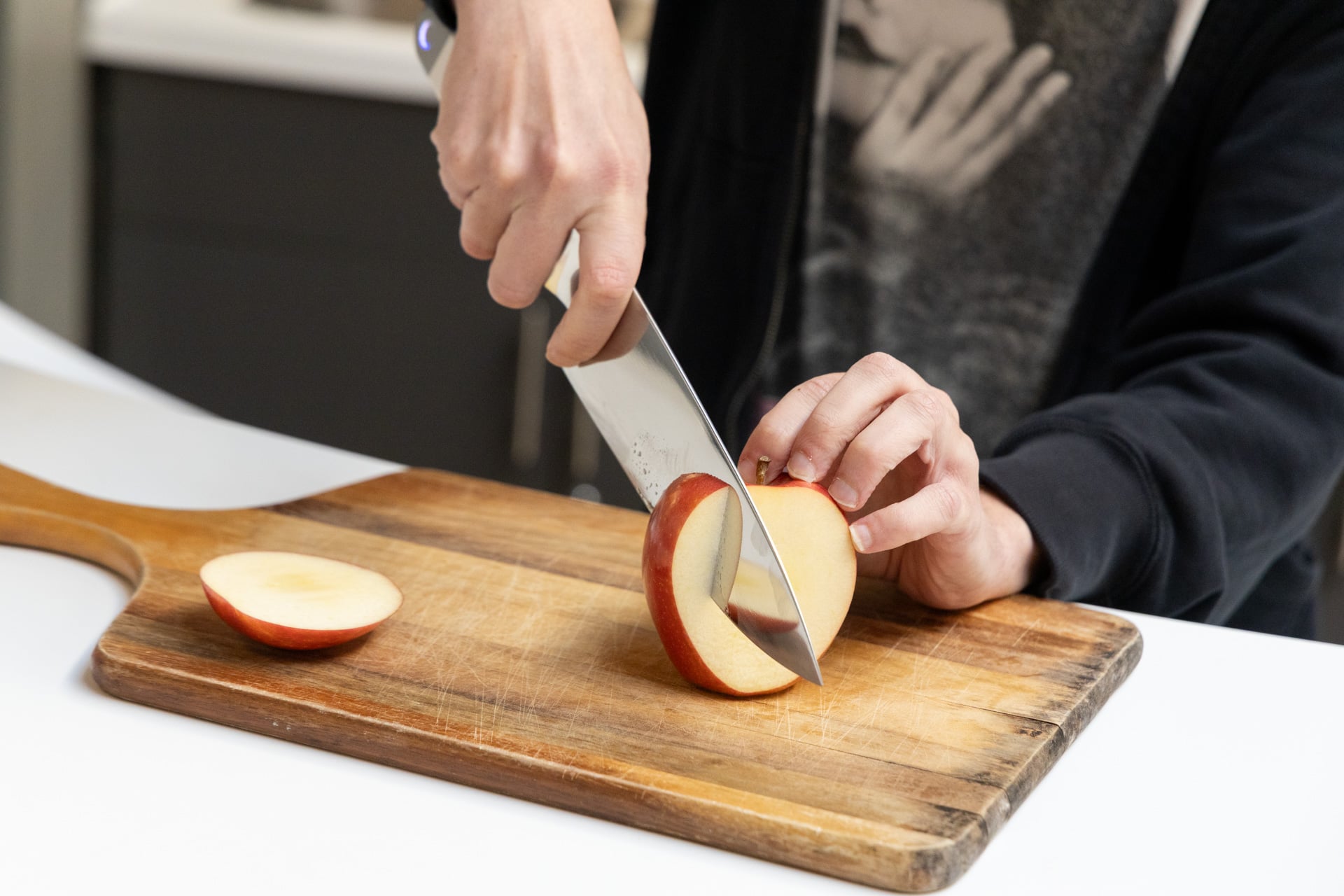
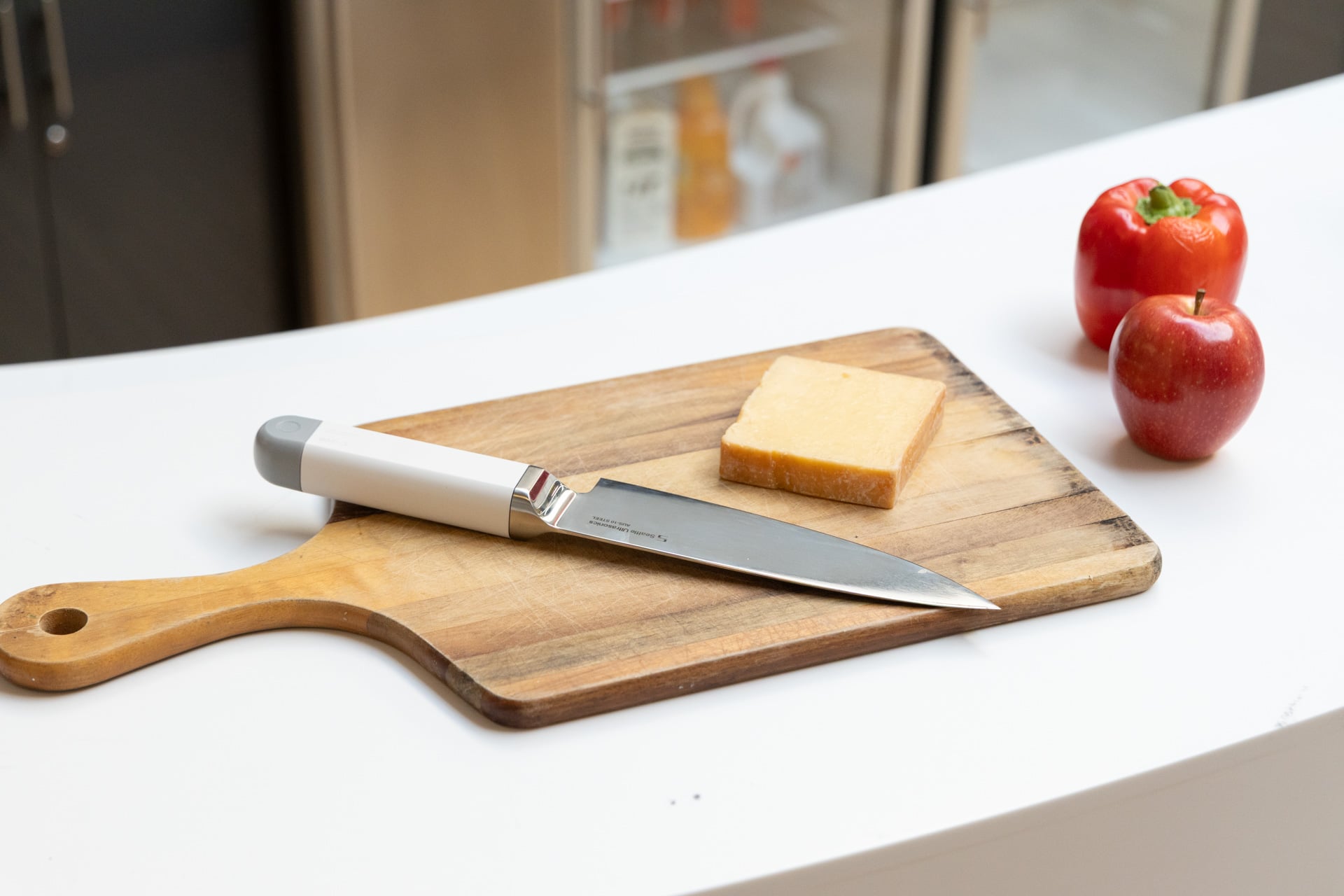

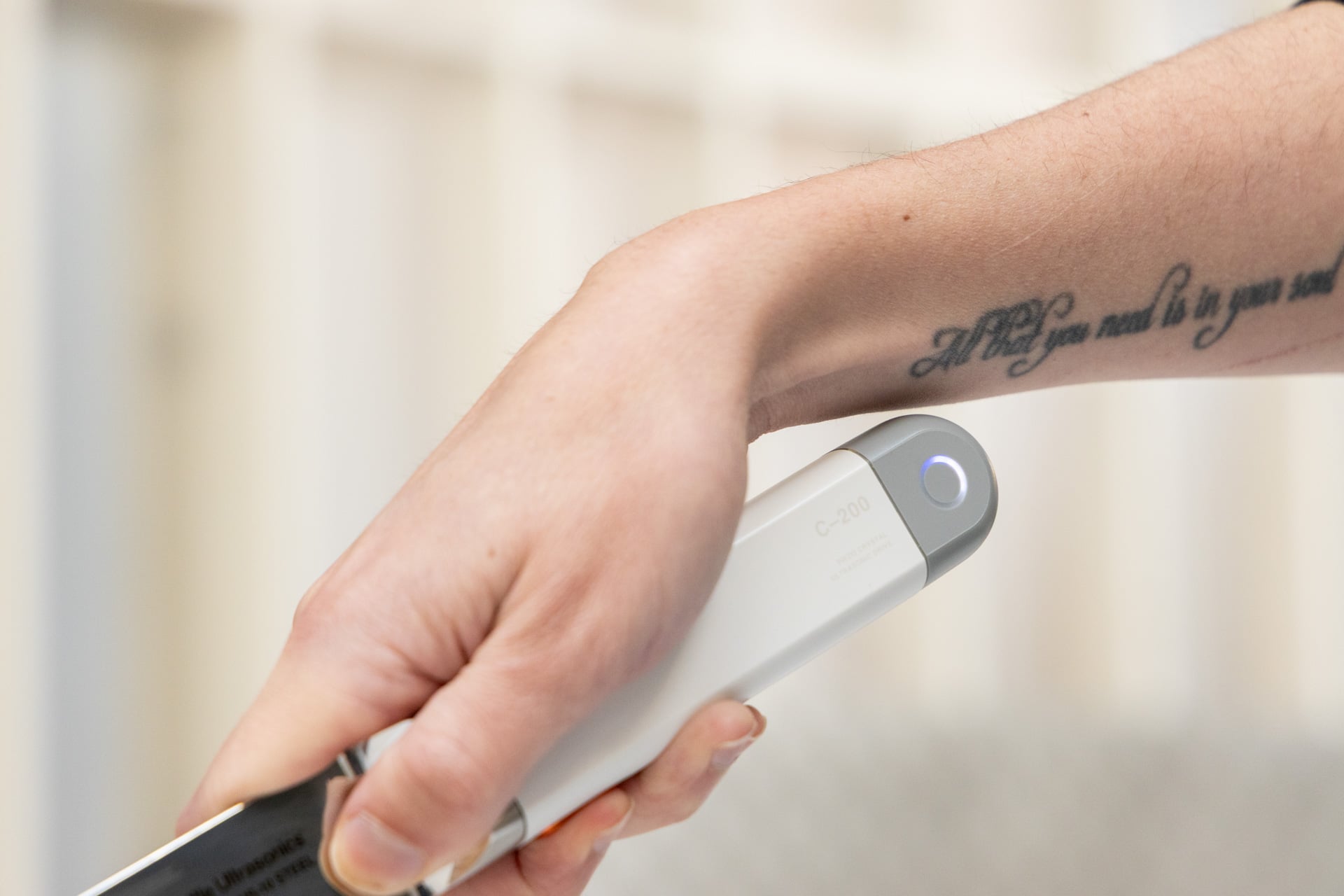
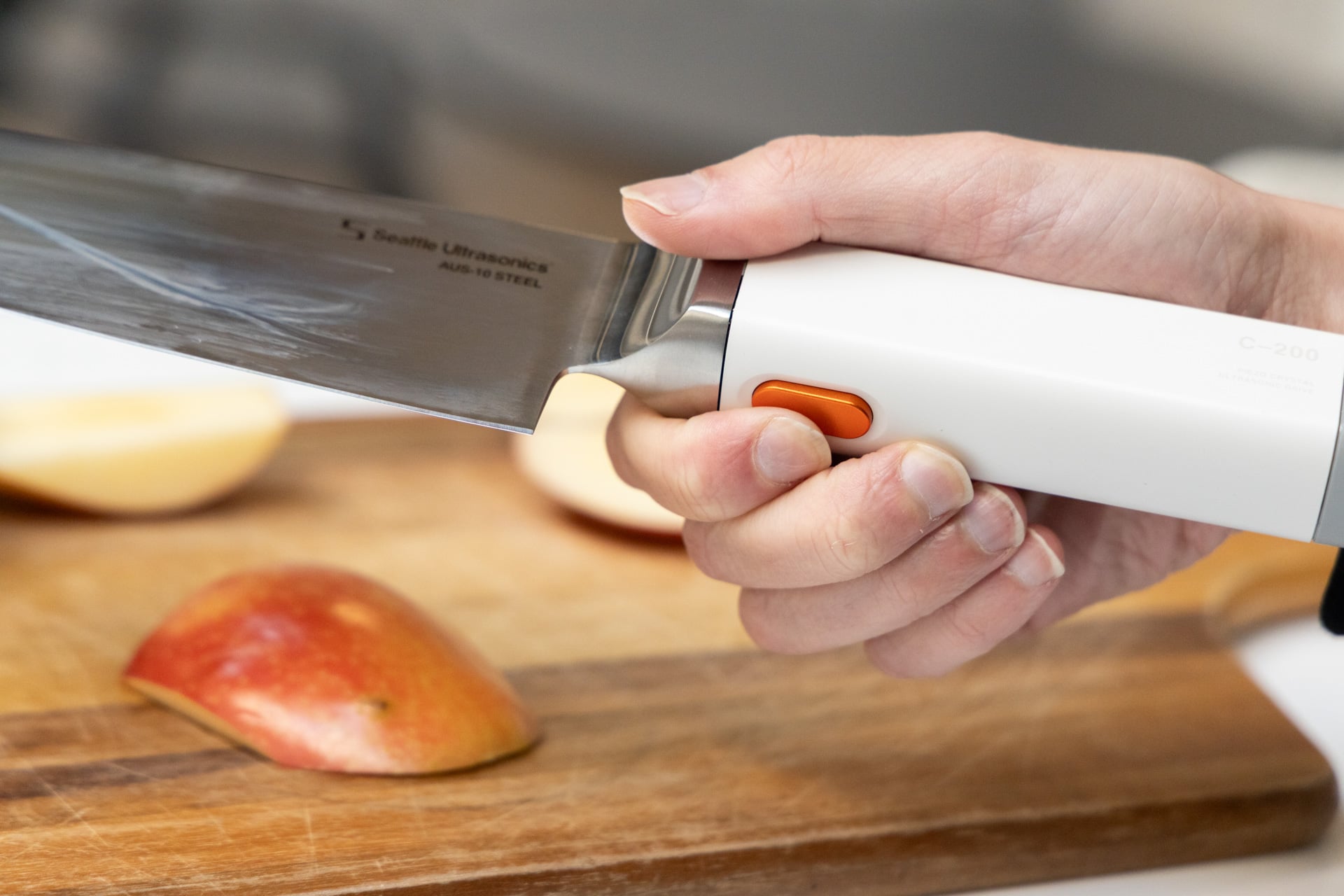
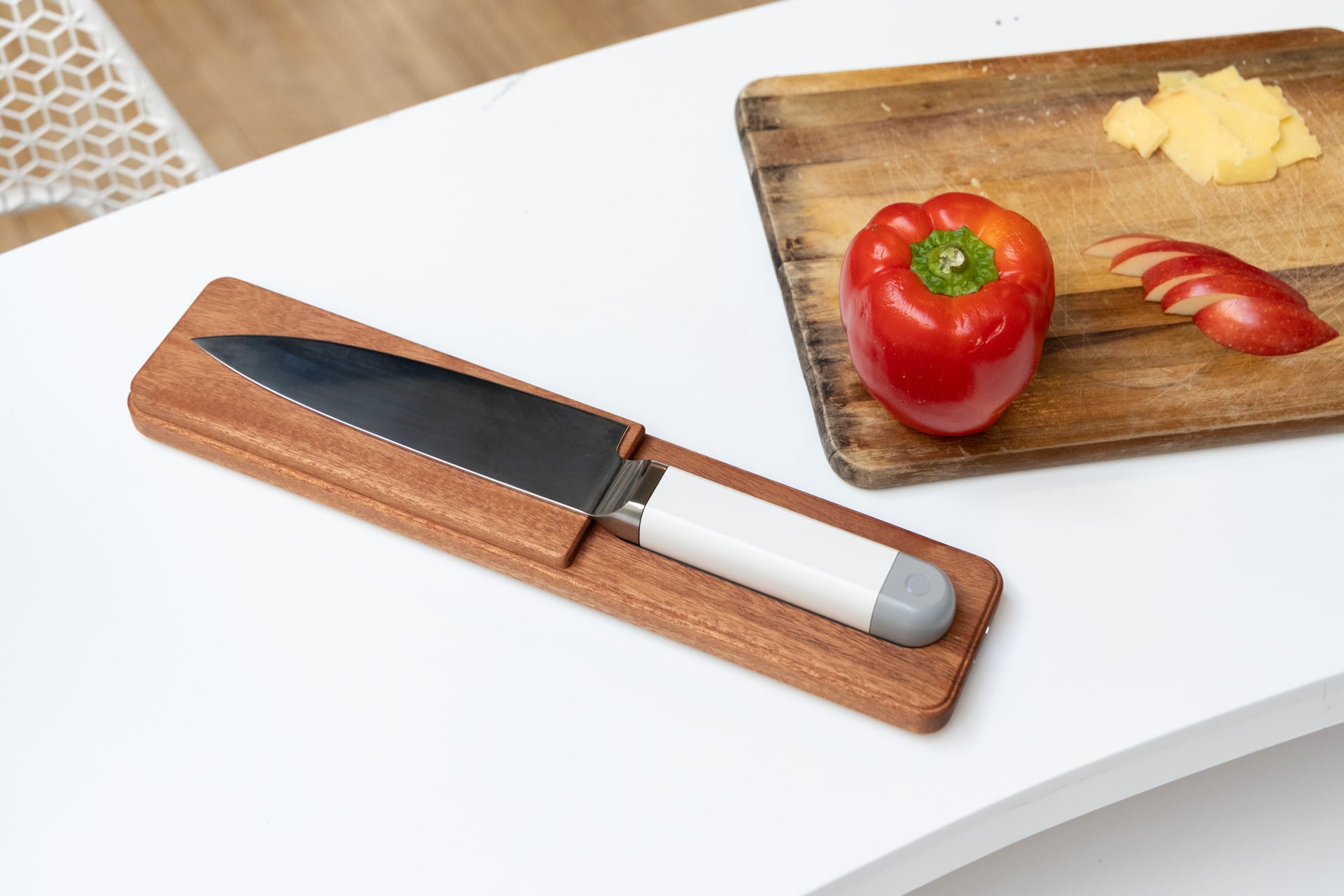
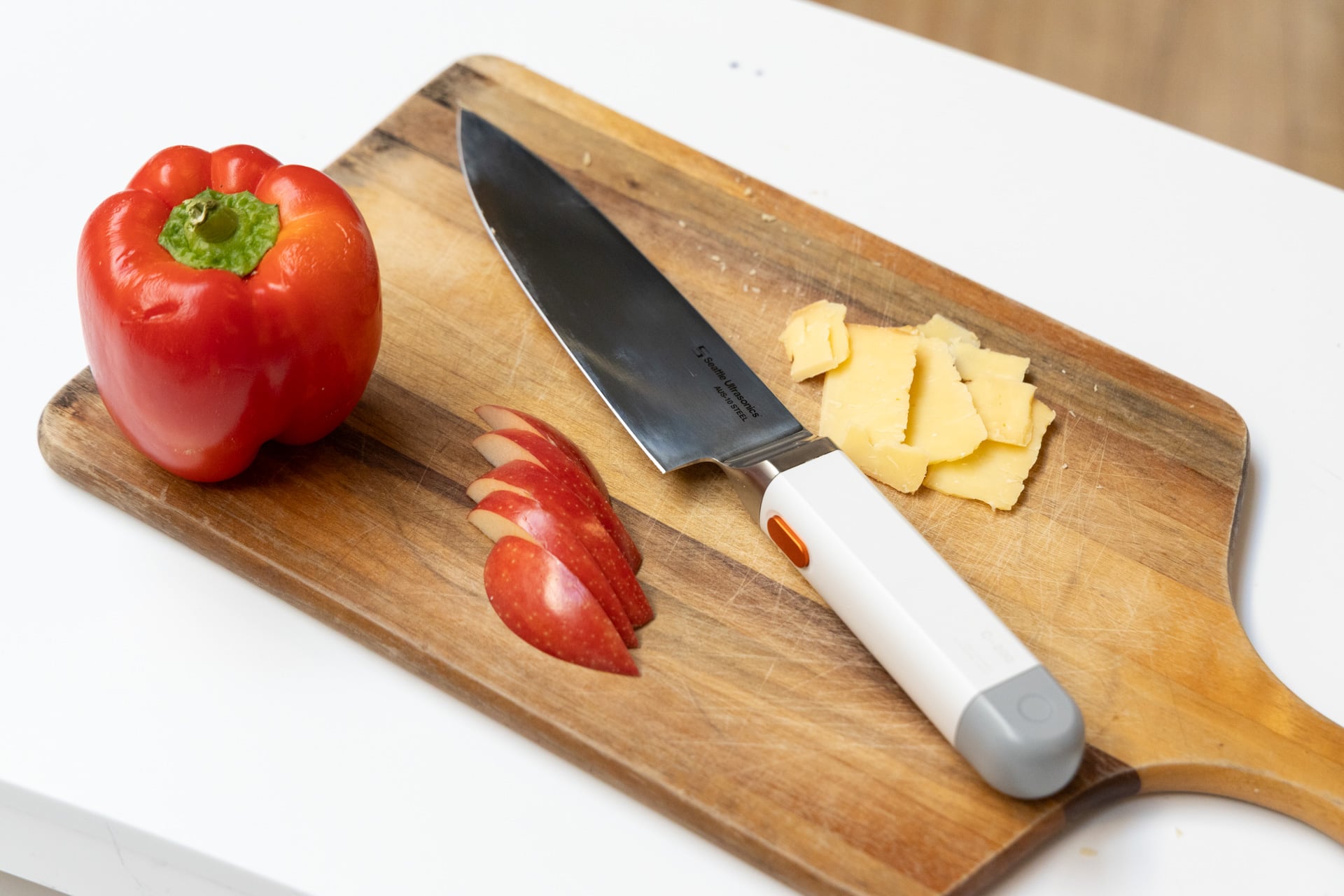


.png)
.png)
.png)

