×
Sports news

R Vaishali will aim for a victory against Chinese GM Tan Zhongyi on Tuesday. She…

Sports news

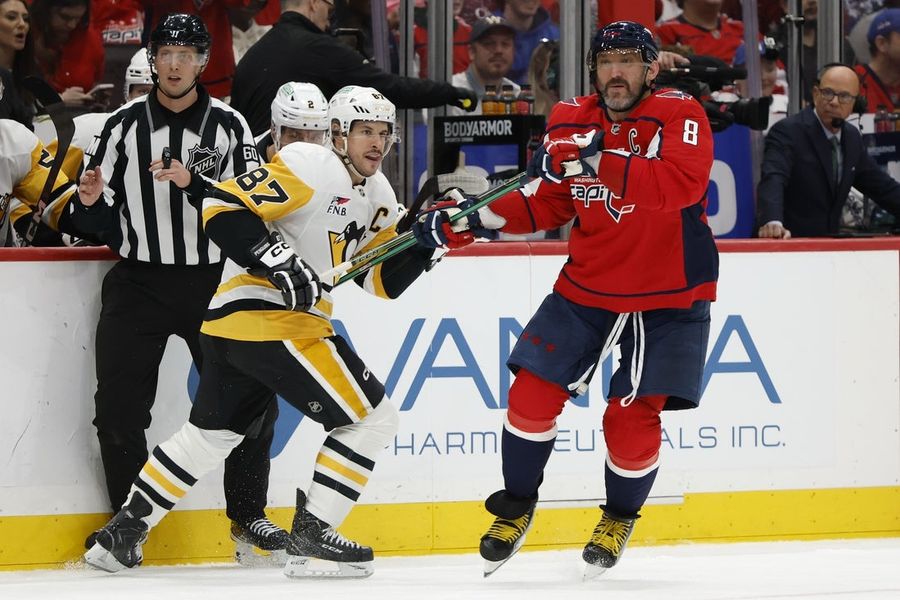
Apr 12, 2026; Washington, District of Columbia, USA; Washington Capitals left wing Alex Ovechkin (8)…

deservedly for his dangerous driving. One thing that has been a total myth is his lack of basketball IQ, because inside of his floaty, street ball style is a guy who really understands ball.

A new story from ESPN on the rise of the Hornets this season put Melo’s impact on the team into full focus, especially when it came to the team finding their missing piece. Charlotte seemingly had shooters with their nucleus of Ball and Brandon Miller, but when LaMelo was asked by GM Jeff Peterson about the player in the 2025 class that he liked, there was only one answer.

Although Cooper Flagg was the consensus can’t-miss prospect, Ball was talking up Kon Knueppel to the Hornets GM. Ball had watched Duke play during the season and told Peterson how savvy he thought the forward was. He was struck by Knueppel’s basketball IQ and understanding of the game — impressive even for a five-star prospect. And of course, there was Knueppel’s elite shooting.

This discussion happened before the NBA Draft lottery took place, without Charlotte knowing they would be picking 4th overall. The 19-63 Hornets had the third-worst record in the NBA, which gave them the identical 14% chance to land the top pick as the Utah Jazz and Washington Wizards. Despite all this Knueppel was the player that Ball couldn’t stop talking about.

“He’s spot on with those traits,” Peterson told ESPN of that break-of-dawn draft breakdown. “He was very detailed in his evaluation of why he liked him. That was even more impressive that he was able to kind of highlight him because there were some other guys that he didn’t highlight.

“He may have a future in the front office if he wants.”

The Hornets improved to 44-38 this season, good enough to make the NBA Play-In Tournament, and Knueppel is a mammoth reason why. His lights out shooting, and veteran-level ability to play off the screen has paired perfectly with a healthy Ball and Miller this season to transform Charlotte into one of the NBA’s hottest teams, and a legitimate nightmare matchup should they manage to make it through to the playoffs and face a top seed.

It’s impossible to know what the Hornets would have looked like had they landed the No. 1 pick and Flagg. There is no question that Flagg has the superstar ability to take over the league and become a legitimate top player in the NBA, but it’s unclear if he would have been a good fit alongside Ball and Miller. Meanwhile, Knueppel’s team-first, unselfish play has allowed Charlotte to flourish with perimeter shooting, stretching the floor, and morphing from a spot-up shooter early in the season, to now being a threat that has to be accounted for, opening up passing lanes for LaMelo Ball.

All in all, Kon Knueppel to Charlotte has been a match made in basketball heaven, and the Hornets are now a team to watch in the East for 2026-27, regardless of what happens in the postseason. LaMelo Ball is a huge part of that for identifying the Duke forward and helping to turn everything around.

#LaMelo #Ball #helped #convince #Hornets #draft #Kon #Knueppel"> LaMelo Ball helped convince the Hornets to draft Kon Knueppel  LaMelo Ball has been a lightning rod for criticism throughout his NBA career due to his loose play, seemingly unserious attitude, and deservedly for his dangerous driving. One thing that has been a total myth is his lack of basketball IQ, because inside of his floaty, street ball style is a guy who really understands ball.A new story from ESPN on the rise of the Hornets this season put Melo’s impact on the team into full focus, especially when it came to the team finding their missing piece. Charlotte seemingly had shooters with their nucleus of Ball and Brandon Miller, but when LaMelo was asked by GM Jeff Peterson about the player in the 2025 class that he liked, there was only one answer.Although Cooper Flagg was the consensus can’t-miss prospect, Ball was talking up Kon Knueppel to the Hornets GM. Ball had watched Duke play during the season and told Peterson how savvy he thought the forward was. He was struck by Knueppel’s basketball IQ and understanding of the game — impressive even for a five-star prospect. And of course, there was Knueppel’s elite shooting.This discussion happened before the NBA Draft lottery took place, without Charlotte knowing they would be picking 4th overall. The 19-63 Hornets had the third-worst record in the NBA, which gave them the identical 14% chance to land the top pick as the Utah Jazz and Washington Wizards. Despite all this Knueppel was the player that Ball couldn’t stop talking about.“He’s spot on with those traits,” Peterson told ESPN of that break-of-dawn draft breakdown. “He was very detailed in his evaluation of why he liked him. That was even more impressive that he was able to kind of highlight him because there were some other guys that he didn’t highlight.“He may have a future in the front office if he wants.”The Hornets improved to 44-38 this season, good enough to make the NBA Play-In Tournament, and Knueppel is a mammoth reason why. His lights out shooting, and veteran-level ability to play off the screen has paired perfectly with a healthy Ball and Miller this season to transform Charlotte into one of the NBA’s hottest teams, and a legitimate nightmare matchup should they manage to make it through to the playoffs and face a top seed.It’s impossible to know what the Hornets would have looked like had they landed the No. 1 pick and Flagg. There is no question that Flagg has the superstar ability to take over the league and become a legitimate top player in the NBA, but it’s unclear if he would have been a good fit alongside Ball and Miller. Meanwhile, Knueppel’s team-first, unselfish play has allowed Charlotte to flourish with perimeter shooting, stretching the floor, and morphing from a spot-up shooter early in the season, to now being a threat that has to be accounted for, opening up passing lanes for LaMelo Ball.All in all, Kon Knueppel to Charlotte has been a match made in basketball heaven, and the Hornets are now a team to watch in the East for 2026-27, regardless of what happens in the postseason. LaMelo Ball is a huge part of that for identifying the Duke forward and helping to turn everything around.  #LaMelo #Ball #helped #convince #Hornets #draft #Kon #Knueppel
Sports news

deservedly for his dangerous driving. One thing that has been a total myth is his lack of basketball IQ, because inside of his floaty, street ball style is a guy who really understands ball.

A new story from ESPN on the rise of the Hornets this season put Melo’s impact on the team into full focus, especially when it came to the team finding their missing piece. Charlotte seemingly had shooters with their nucleus of Ball and Brandon Miller, but when LaMelo was asked by GM Jeff Peterson about the player in the 2025 class that he liked, there was only one answer.

Although Cooper Flagg was the consensus can’t-miss prospect, Ball was talking up Kon Knueppel to the Hornets GM. Ball had watched Duke play during the season and told Peterson how savvy he thought the forward was. He was struck by Knueppel’s basketball IQ and understanding of the game — impressive even for a five-star prospect. And of course, there was Knueppel’s elite shooting.

This discussion happened before the NBA Draft lottery took place, without Charlotte knowing they would be picking 4th overall. The 19-63 Hornets had the third-worst record in the NBA, which gave them the identical 14% chance to land the top pick as the Utah Jazz and Washington Wizards. Despite all this Knueppel was the player that Ball couldn’t stop talking about.

“He’s spot on with those traits,” Peterson told ESPN of that break-of-dawn draft breakdown. “He was very detailed in his evaluation of why he liked him. That was even more impressive that he was able to kind of highlight him because there were some other guys that he didn’t highlight.

“He may have a future in the front office if he wants.”

The Hornets improved to 44-38 this season, good enough to make the NBA Play-In Tournament, and Knueppel is a mammoth reason why. His lights out shooting, and veteran-level ability to play off the screen has paired perfectly with a healthy Ball and Miller this season to transform Charlotte into one of the NBA’s hottest teams, and a legitimate nightmare matchup should they manage to make it through to the playoffs and face a top seed.

It’s impossible to know what the Hornets would have looked like had they landed the No. 1 pick and Flagg. There is no question that Flagg has the superstar ability to take over the league and become a legitimate top player in the NBA, but it’s unclear if he would have been a good fit alongside Ball and Miller. Meanwhile, Knueppel’s team-first, unselfish play has allowed Charlotte to flourish with perimeter shooting, stretching the floor, and morphing from a spot-up shooter early in the season, to now being a threat that has to be accounted for, opening up passing lanes for LaMelo Ball.

All in all, Kon Knueppel to Charlotte has been a match made in basketball heaven, and the Hornets are now a team to watch in the East for 2026-27, regardless of what happens in the postseason. LaMelo Ball is a huge part of that for identifying the Duke forward and helping to turn everything around.

#LaMelo #Ball #helped #convince #Hornets #draft #Kon #Knueppel">LaMelo Ball helped convince the Hornets to draft Kon Knueppel

LaMelo Ball has been a lightning rod for criticism throughout his NBA career due to his loose play, seemingly unserious attitude, and deservedly for his dangerous driving. One thing that has been a total myth is his lack of basketball IQ, because inside of his floaty, street ball style is a guy who really understands ball.

A new story from ESPN on the rise of the Hornets this season put Melo’s impact on the team into full focus, especially when it came to the team finding their missing piece. Charlotte seemingly had shooters with their nucleus of Ball and Brandon Miller, but when LaMelo was asked by GM Jeff Peterson about the player in the 2025 class that he liked, there was only one answer.

Although Cooper Flagg was the consensus can’t-miss prospect, Ball was talking up Kon Knueppel to the Hornets GM. Ball had watched Duke play during the season and told Peterson how savvy he thought the forward was. He was struck by Knueppel’s basketball IQ and understanding of the game — impressive even for a five-star prospect. And of course, there was Knueppel’s elite shooting.

This discussion happened before the NBA Draft lottery took place, without Charlotte knowing they would be picking 4th overall. The 19-63 Hornets had the third-worst record in the NBA, which gave them the identical 14% chance to land the top pick as the Utah Jazz and Washington Wizards. Despite all this Knueppel was the player that Ball couldn’t stop talking about.

“He’s spot on with those traits,” Peterson told ESPN of that break-of-dawn draft breakdown. “He was very detailed in his evaluation of why he liked him. That was even more impressive that he was able to kind of highlight him because there were some other guys that he didn’t highlight.

“He may have a future in the front office if he wants.”

The Hornets improved to 44-38 this season, good enough to make the NBA Play-In Tournament, and Knueppel is a mammoth reason why. His lights out shooting, and veteran-level ability to play off the screen has paired perfectly with a healthy Ball and Miller this season to transform Charlotte into one of the NBA’s hottest teams, and a legitimate nightmare matchup should they manage to make it through to the playoffs and face a top seed.

It’s impossible to know what the Hornets would have looked like had they landed the No. 1 pick and Flagg. There is no question that Flagg has the superstar ability to take over the league and become a legitimate top player in the NBA, but it’s unclear if he would have been a good fit alongside Ball and Miller. Meanwhile, Knueppel’s team-first, unselfish play has allowed Charlotte to flourish with perimeter shooting, stretching the floor, and morphing from a spot-up shooter early in the season, to now being a threat that has to be accounted for, opening up passing lanes for LaMelo Ball.

All in all, Kon Knueppel to Charlotte has been a match made in basketball heaven, and the Hornets are now a team to watch in the East for 2026-27, regardless of what happens in the postseason. LaMelo Ball is a huge part of that for identifying the Duke forward and helping to turn everything around.

#LaMelo #Ball #helped #convince #Hornets #draft #Kon #Knueppel

LaMelo Ball has been a lightning rod for criticism throughout his NBA career due to…

Indian news

इंदौर के मारुति नगर क्षेत्र में एक बुजुर्ग दंपत्ति को उन लेनदारों ने बंधक बना…

Sports news

Welcome to Sportstar’s LIVE coverage of the UEFA Champions League 2025-26 quarterfinal second leg between…

users deal with a constant flow of spam, promotions, and unnecessary updates every day. Even after trying to unsubscribe or block certain senders, unwanted messages often continue to appear. Some don’t even offer a proper way to opt out. Instead of dealing with each email individually, using the right settings and filters can make a big difference. Here are different ways to stop spam from taking over your Gmail inbox.

1. Use Gmail Filters to Manage Emails Automatically

How To Stop Spam from Cluttering Your Gmail Inbox?
	
Most Gmail users deal with a constant flow of spam, promotions, and unnecessary updates every day. Even after trying to unsubscribe or block certain senders, unwanted messages often continue to appear. Some don’t even offer a proper way to opt out. Instead of dealing with each email individually, using the right settings and filters can make a big difference. Here are different ways to stop spam from taking over your Gmail inbox.


1. Use Gmail Filters to Manage Emails Automatically


Filters are highly effective in addressing recurring spam problems in Gmail accounts. Rather than constantly deleting similar emails, filters can automatically treat specific messages based on the sender’s identity or specific keywords.


Filters can be created directly from an email. Simply open the message, click the three-dot menu, and select “Filter messages like this.” After that, choose what action Gmail should take, such as deleting or organizing the email.


2. Block Entire Domains Instead of Single Senders


Some individuals still use multiple versions of their addresses when sending email messages. The problem is that simple blocking is ineffective, since the same individual will continue to send new emails. To address this issue, it may be better to block all emails from a specific domain.


Just like filters, one can do the following to block these emails. Type the domain in Google’s Gmail search tab, click on “filter,” and then proceed to choose actions such as deleting the email, marking it as spam, etc.


3. Use Email Aliases to Track Spam Sources


Gmail allows the use of aliases by adding a “+” sign to an existing email address. These variations can be used while signing up on different websites, while still keeping everything in one inbox.


This makes it easier to track where spam is coming from. If unwanted emails start appearing on a specific alias, the source can be identified and then filtered or blocked more effectively.


4. Avoid Opening Suspicious Emails


Most suspicious emails include tracking components that activate when the recipient opens them. These are typically invisible pictures that indicate whether the recipient has viewed the message, hence increasing the likelihood of receiving more spam.


To prevent this, one should refrain from opening any strange-looking emails, such as those from unknown sources or with funny subject lines. Such emails can either be disposed of immediately or filtered through other means. One can use Gmail’s settings to request permission to view external images.


5. Turn Off Automatic Image Loading


Images inside marketing emails are often used to track activity. As soon as an email opens and the images load, it confirms to the sender that the email address is active. To stop this, automatic image loading can be disabled in Gmail. After enabling the setting to ask before showing images, tracking images will no longer load automatically.


6. Report Spam Instead of Just Deleting


Removing spam by deleting emails is only a short-term fix. It clears space but doesn’t prevent new spam from arriving. Using the “Report Spam” option is more effective. It helps Gmail understand which emails are unwanted and improves its filtering system over time, reducing similar spam in the future.


7. Limit Use of Primary Email Address


A primary email address can quickly become overloaded if it is used everywhere. Over time, it gets shared across many platforms, leading to more promotional and spam emails. To avoid such inconvenience, one should use their primary email address only for essential accounts and, in other cases, use a secondary email.


Although spam cannot be entirely eliminated from a user’s life, it is possible to control its impact using certain tactics. Simple things like filtering, reporting spam, and reducing the number of emails you receive will significantly help you manage your inbox.

#Stop #Spam #Cluttering #Gmail #InboxGmail

Filters are highly effective in addressing recurring spam problems in Gmail accounts. Rather than constantly deleting similar emails, filters can automatically treat specific messages based on the sender’s identity or specific keywords.

Filters can be created directly from an email. Simply open the message, click the three-dot menu, and select “Filter messages like this.” After that, choose what action Gmail should take, such as deleting or organizing the email.

2. Block Entire Domains Instead of Single Senders

block entire domain to Stop Spam from Taking Over Your Gmail

Some individuals still use multiple versions of their addresses when sending email messages. The problem is that simple blocking is ineffective, since the same individual will continue to send new emails. To address this issue, it may be better to block all emails from a specific domain.

Just like filters, one can do the following to block these emails. Type the domain in Google’s Gmail search tab, click on “filter,” and then proceed to choose actions such as deleting the email, marking it as spam, etc.

3. Use Email Aliases to Track Spam Sources

Gmail allows the use of aliases by adding a “+” sign to an existing email address. These variations can be used while signing up on different websites, while still keeping everything in one inbox.

This makes it easier to track where spam is coming from. If unwanted emails start appearing on a specific alias, the source can be identified and then filtered or blocked more effectively.

4. Avoid Opening Suspicious Emails

report spam to Stop Spam from Taking Over Your Gmail

Most suspicious emails include tracking components that activate when the recipient opens them. These are typically invisible pictures that indicate whether the recipient has viewed the message, hence increasing the likelihood of receiving more spam.

To prevent this, one should refrain from opening any strange-looking emails, such as those from unknown sources or with funny subject lines. Such emails can either be disposed of immediately or filtered through other means. One can use Gmail’s settings to request permission to view external images.

5. Turn Off Automatic Image Loading

Images inside marketing emails are often used to track activity. As soon as an email opens and the images load, it confirms to the sender that the email address is active. To stop this, automatic image loading can be disabled in Gmail. After enabling the setting to ask before showing images, tracking images will no longer load automatically.

6. Report Spam Instead of Just Deleting

report spam to Stop Spam from Taking Over Your Gmail

Removing spam by deleting emails is only a short-term fix. It clears space but doesn’t prevent new spam from arriving. Using the “Report Spam” option is more effective. It helps Gmail understand which emails are unwanted and improves its filtering system over time, reducing similar spam in the future.

7. Limit Use of Primary Email Address

A primary email address can quickly become overloaded if it is used everywhere. Over time, it gets shared across many platforms, leading to more promotional and spam emails. To avoid such inconvenience, one should use their primary email address only for essential accounts and, in other cases, use a secondary email.

Although spam cannot be entirely eliminated from a user’s life, it is possible to control its impact using certain tactics. Simple things like filtering, reporting spam, and reducing the number of emails you receive will significantly help you manage your inbox.

#Stop #Spam #Cluttering #Gmail #InboxGmail"> How To Stop Spam from Cluttering Your Gmail Inbox?
	
Most Gmail users deal with a constant flow of spam, promotions, and unnecessary updates every day. Even after trying to unsubscribe or block certain senders, unwanted messages often continue to appear. Some don’t even offer a proper way to opt out. Instead of dealing with each email individually, using the right settings and filters can make a big difference. Here are different ways to stop spam from taking over your Gmail inbox.


1. Use Gmail Filters to Manage Emails Automatically


Filters are highly effective in addressing recurring spam problems in Gmail accounts. Rather than constantly deleting similar emails, filters can automatically treat specific messages based on the sender’s identity or specific keywords.


Filters can be created directly from an email. Simply open the message, click the three-dot menu, and select “Filter messages like this.” After that, choose what action Gmail should take, such as deleting or organizing the email.


2. Block Entire Domains Instead of Single Senders


Some individuals still use multiple versions of their addresses when sending email messages. The problem is that simple blocking is ineffective, since the same individual will continue to send new emails. To address this issue, it may be better to block all emails from a specific domain.


Just like filters, one can do the following to block these emails. Type the domain in Google’s Gmail search tab, click on “filter,” and then proceed to choose actions such as deleting the email, marking it as spam, etc.


3. Use Email Aliases to Track Spam Sources


Gmail allows the use of aliases by adding a “+” sign to an existing email address. These variations can be used while signing up on different websites, while still keeping everything in one inbox.


This makes it easier to track where spam is coming from. If unwanted emails start appearing on a specific alias, the source can be identified and then filtered or blocked more effectively.


4. Avoid Opening Suspicious Emails


Most suspicious emails include tracking components that activate when the recipient opens them. These are typically invisible pictures that indicate whether the recipient has viewed the message, hence increasing the likelihood of receiving more spam.


To prevent this, one should refrain from opening any strange-looking emails, such as those from unknown sources or with funny subject lines. Such emails can either be disposed of immediately or filtered through other means. One can use Gmail’s settings to request permission to view external images.


5. Turn Off Automatic Image Loading


Images inside marketing emails are often used to track activity. As soon as an email opens and the images load, it confirms to the sender that the email address is active. To stop this, automatic image loading can be disabled in Gmail. After enabling the setting to ask before showing images, tracking images will no longer load automatically.


6. Report Spam Instead of Just Deleting


Removing spam by deleting emails is only a short-term fix. It clears space but doesn’t prevent new spam from arriving. Using the “Report Spam” option is more effective. It helps Gmail understand which emails are unwanted and improves its filtering system over time, reducing similar spam in the future.


7. Limit Use of Primary Email Address


A primary email address can quickly become overloaded if it is used everywhere. Over time, it gets shared across many platforms, leading to more promotional and spam emails. To avoid such inconvenience, one should use their primary email address only for essential accounts and, in other cases, use a secondary email.


Although spam cannot be entirely eliminated from a user’s life, it is possible to control its impact using certain tactics. Simple things like filtering, reporting spam, and reducing the number of emails you receive will significantly help you manage your inbox.

#Stop #Spam #Cluttering #Gmail #InboxGmail
Tech-news

users deal with a constant flow of spam, promotions, and unnecessary updates every day. Even after trying to unsubscribe or block certain senders, unwanted messages often continue to appear. Some don’t even offer a proper way to opt out. Instead of dealing with each email individually, using the right settings and filters can make a big difference. Here are different ways to stop spam from taking over your Gmail inbox.

1. Use Gmail Filters to Manage Emails Automatically

How To Stop Spam from Cluttering Your Gmail Inbox?
	
Most Gmail users deal with a constant flow of spam, promotions, and unnecessary updates every day. Even after trying to unsubscribe or block certain senders, unwanted messages often continue to appear. Some don’t even offer a proper way to opt out. Instead of dealing with each email individually, using the right settings and filters can make a big difference. Here are different ways to stop spam from taking over your Gmail inbox.


1. Use Gmail Filters to Manage Emails Automatically


Filters are highly effective in addressing recurring spam problems in Gmail accounts. Rather than constantly deleting similar emails, filters can automatically treat specific messages based on the sender’s identity or specific keywords.


Filters can be created directly from an email. Simply open the message, click the three-dot menu, and select “Filter messages like this.” After that, choose what action Gmail should take, such as deleting or organizing the email.


2. Block Entire Domains Instead of Single Senders


Some individuals still use multiple versions of their addresses when sending email messages. The problem is that simple blocking is ineffective, since the same individual will continue to send new emails. To address this issue, it may be better to block all emails from a specific domain.


Just like filters, one can do the following to block these emails. Type the domain in Google’s Gmail search tab, click on “filter,” and then proceed to choose actions such as deleting the email, marking it as spam, etc.


3. Use Email Aliases to Track Spam Sources


Gmail allows the use of aliases by adding a “+” sign to an existing email address. These variations can be used while signing up on different websites, while still keeping everything in one inbox.


This makes it easier to track where spam is coming from. If unwanted emails start appearing on a specific alias, the source can be identified and then filtered or blocked more effectively.


4. Avoid Opening Suspicious Emails


Most suspicious emails include tracking components that activate when the recipient opens them. These are typically invisible pictures that indicate whether the recipient has viewed the message, hence increasing the likelihood of receiving more spam.


To prevent this, one should refrain from opening any strange-looking emails, such as those from unknown sources or with funny subject lines. Such emails can either be disposed of immediately or filtered through other means. One can use Gmail’s settings to request permission to view external images.


5. Turn Off Automatic Image Loading


Images inside marketing emails are often used to track activity. As soon as an email opens and the images load, it confirms to the sender that the email address is active. To stop this, automatic image loading can be disabled in Gmail. After enabling the setting to ask before showing images, tracking images will no longer load automatically.


6. Report Spam Instead of Just Deleting


Removing spam by deleting emails is only a short-term fix. It clears space but doesn’t prevent new spam from arriving. Using the “Report Spam” option is more effective. It helps Gmail understand which emails are unwanted and improves its filtering system over time, reducing similar spam in the future.


7. Limit Use of Primary Email Address


A primary email address can quickly become overloaded if it is used everywhere. Over time, it gets shared across many platforms, leading to more promotional and spam emails. To avoid such inconvenience, one should use their primary email address only for essential accounts and, in other cases, use a secondary email.


Although spam cannot be entirely eliminated from a user’s life, it is possible to control its impact using certain tactics. Simple things like filtering, reporting spam, and reducing the number of emails you receive will significantly help you manage your inbox.

#Stop #Spam #Cluttering #Gmail #InboxGmail

Filters are highly effective in addressing recurring spam problems in Gmail accounts. Rather than constantly deleting similar emails, filters can automatically treat specific messages based on the sender’s identity or specific keywords.

Filters can be created directly from an email. Simply open the message, click the three-dot menu, and select “Filter messages like this.” After that, choose what action Gmail should take, such as deleting or organizing the email.

2. Block Entire Domains Instead of Single Senders

block entire domain to Stop Spam from Taking Over Your Gmail

Some individuals still use multiple versions of their addresses when sending email messages. The problem is that simple blocking is ineffective, since the same individual will continue to send new emails. To address this issue, it may be better to block all emails from a specific domain.

Just like filters, one can do the following to block these emails. Type the domain in Google’s Gmail search tab, click on “filter,” and then proceed to choose actions such as deleting the email, marking it as spam, etc.

3. Use Email Aliases to Track Spam Sources

Gmail allows the use of aliases by adding a “+” sign to an existing email address. These variations can be used while signing up on different websites, while still keeping everything in one inbox.

This makes it easier to track where spam is coming from. If unwanted emails start appearing on a specific alias, the source can be identified and then filtered or blocked more effectively.

4. Avoid Opening Suspicious Emails

report spam to Stop Spam from Taking Over Your Gmail

Most suspicious emails include tracking components that activate when the recipient opens them. These are typically invisible pictures that indicate whether the recipient has viewed the message, hence increasing the likelihood of receiving more spam.

To prevent this, one should refrain from opening any strange-looking emails, such as those from unknown sources or with funny subject lines. Such emails can either be disposed of immediately or filtered through other means. One can use Gmail’s settings to request permission to view external images.

5. Turn Off Automatic Image Loading

Images inside marketing emails are often used to track activity. As soon as an email opens and the images load, it confirms to the sender that the email address is active. To stop this, automatic image loading can be disabled in Gmail. After enabling the setting to ask before showing images, tracking images will no longer load automatically.

6. Report Spam Instead of Just Deleting

report spam to Stop Spam from Taking Over Your Gmail

Removing spam by deleting emails is only a short-term fix. It clears space but doesn’t prevent new spam from arriving. Using the “Report Spam” option is more effective. It helps Gmail understand which emails are unwanted and improves its filtering system over time, reducing similar spam in the future.

7. Limit Use of Primary Email Address

A primary email address can quickly become overloaded if it is used everywhere. Over time, it gets shared across many platforms, leading to more promotional and spam emails. To avoid such inconvenience, one should use their primary email address only for essential accounts and, in other cases, use a secondary email.

Although spam cannot be entirely eliminated from a user’s life, it is possible to control its impact using certain tactics. Simple things like filtering, reporting spam, and reducing the number of emails you receive will significantly help you manage your inbox.

#Stop #Spam #Cluttering #Gmail #InboxGmail">How To Stop Spam from Cluttering Your Gmail Inbox?

Most Gmail users deal with a constant flow of spam, promotions, and unnecessary updates every day. Even after trying to unsubscribe or block certain senders, unwanted messages often continue to appear. Some don’t even offer a proper way to opt out. Instead of dealing with each email individually, using the right settings and filters can make a big difference. Here are different ways to stop spam from taking over your Gmail inbox.

1. Use Gmail Filters to Manage Emails Automatically

How To Stop Spam from Cluttering Your Gmail Inbox?
	
Most Gmail users deal with a constant flow of spam, promotions, and unnecessary updates every day. Even after trying to unsubscribe or block certain senders, unwanted messages often continue to appear. Some don’t even offer a proper way to opt out. Instead of dealing with each email individually, using the right settings and filters can make a big difference. Here are different ways to stop spam from taking over your Gmail inbox.


1. Use Gmail Filters to Manage Emails Automatically


Filters are highly effective in addressing recurring spam problems in Gmail accounts. Rather than constantly deleting similar emails, filters can automatically treat specific messages based on the sender’s identity or specific keywords.


Filters can be created directly from an email. Simply open the message, click the three-dot menu, and select “Filter messages like this.” After that, choose what action Gmail should take, such as deleting or organizing the email.


2. Block Entire Domains Instead of Single Senders


Some individuals still use multiple versions of their addresses when sending email messages. The problem is that simple blocking is ineffective, since the same individual will continue to send new emails. To address this issue, it may be better to block all emails from a specific domain.


Just like filters, one can do the following to block these emails. Type the domain in Google’s Gmail search tab, click on “filter,” and then proceed to choose actions such as deleting the email, marking it as spam, etc.


3. Use Email Aliases to Track Spam Sources


Gmail allows the use of aliases by adding a “+” sign to an existing email address. These variations can be used while signing up on different websites, while still keeping everything in one inbox.


This makes it easier to track where spam is coming from. If unwanted emails start appearing on a specific alias, the source can be identified and then filtered or blocked more effectively.


4. Avoid Opening Suspicious Emails


Most suspicious emails include tracking components that activate when the recipient opens them. These are typically invisible pictures that indicate whether the recipient has viewed the message, hence increasing the likelihood of receiving more spam.


To prevent this, one should refrain from opening any strange-looking emails, such as those from unknown sources or with funny subject lines. Such emails can either be disposed of immediately or filtered through other means. One can use Gmail’s settings to request permission to view external images.


5. Turn Off Automatic Image Loading


Images inside marketing emails are often used to track activity. As soon as an email opens and the images load, it confirms to the sender that the email address is active. To stop this, automatic image loading can be disabled in Gmail. After enabling the setting to ask before showing images, tracking images will no longer load automatically.


6. Report Spam Instead of Just Deleting


Removing spam by deleting emails is only a short-term fix. It clears space but doesn’t prevent new spam from arriving. Using the “Report Spam” option is more effective. It helps Gmail understand which emails are unwanted and improves its filtering system over time, reducing similar spam in the future.


7. Limit Use of Primary Email Address


A primary email address can quickly become overloaded if it is used everywhere. Over time, it gets shared across many platforms, leading to more promotional and spam emails. To avoid such inconvenience, one should use their primary email address only for essential accounts and, in other cases, use a secondary email.


Although spam cannot be entirely eliminated from a user’s life, it is possible to control its impact using certain tactics. Simple things like filtering, reporting spam, and reducing the number of emails you receive will significantly help you manage your inbox.

#Stop #Spam #Cluttering #Gmail #InboxGmail

Filters are highly effective in addressing recurring spam problems in Gmail accounts. Rather than constantly deleting similar emails, filters can automatically treat specific messages based on the sender’s identity or specific keywords.

Filters can be created directly from an email. Simply open the message, click the three-dot menu, and select “Filter messages like this.” After that, choose what action Gmail should take, such as deleting or organizing the email.

2. Block Entire Domains Instead of Single Senders

block entire domain to Stop Spam from Taking Over Your Gmail

Some individuals still use multiple versions of their addresses when sending email messages. The problem is that simple blocking is ineffective, since the same individual will continue to send new emails. To address this issue, it may be better to block all emails from a specific domain.

Just like filters, one can do the following to block these emails. Type the domain in Google’s Gmail search tab, click on “filter,” and then proceed to choose actions such as deleting the email, marking it as spam, etc.

3. Use Email Aliases to Track Spam Sources

Gmail allows the use of aliases by adding a “+” sign to an existing email address. These variations can be used while signing up on different websites, while still keeping everything in one inbox.

This makes it easier to track where spam is coming from. If unwanted emails start appearing on a specific alias, the source can be identified and then filtered or blocked more effectively.

4. Avoid Opening Suspicious Emails

report spam to Stop Spam from Taking Over Your Gmail

Most suspicious emails include tracking components that activate when the recipient opens them. These are typically invisible pictures that indicate whether the recipient has viewed the message, hence increasing the likelihood of receiving more spam.

To prevent this, one should refrain from opening any strange-looking emails, such as those from unknown sources or with funny subject lines. Such emails can either be disposed of immediately or filtered through other means. One can use Gmail’s settings to request permission to view external images.

5. Turn Off Automatic Image Loading

Images inside marketing emails are often used to track activity. As soon as an email opens and the images load, it confirms to the sender that the email address is active. To stop this, automatic image loading can be disabled in Gmail. After enabling the setting to ask before showing images, tracking images will no longer load automatically.

6. Report Spam Instead of Just Deleting

report spam to Stop Spam from Taking Over Your Gmail

Removing spam by deleting emails is only a short-term fix. It clears space but doesn’t prevent new spam from arriving. Using the “Report Spam” option is more effective. It helps Gmail understand which emails are unwanted and improves its filtering system over time, reducing similar spam in the future.

7. Limit Use of Primary Email Address

A primary email address can quickly become overloaded if it is used everywhere. Over time, it gets shared across many platforms, leading to more promotional and spam emails. To avoid such inconvenience, one should use their primary email address only for essential accounts and, in other cases, use a secondary email.

Although spam cannot be entirely eliminated from a user’s life, it is possible to control its impact using certain tactics. Simple things like filtering, reporting spam, and reducing the number of emails you receive will significantly help you manage your inbox.

#Stop #Spam #Cluttering #Gmail #InboxGmail

Most Gmail users deal with a constant flow of spam, promotions, and unnecessary updates every…

Hollywood news

If you’ve ever wished you could see the late Michael Jackson in concert, one of…

Sports news

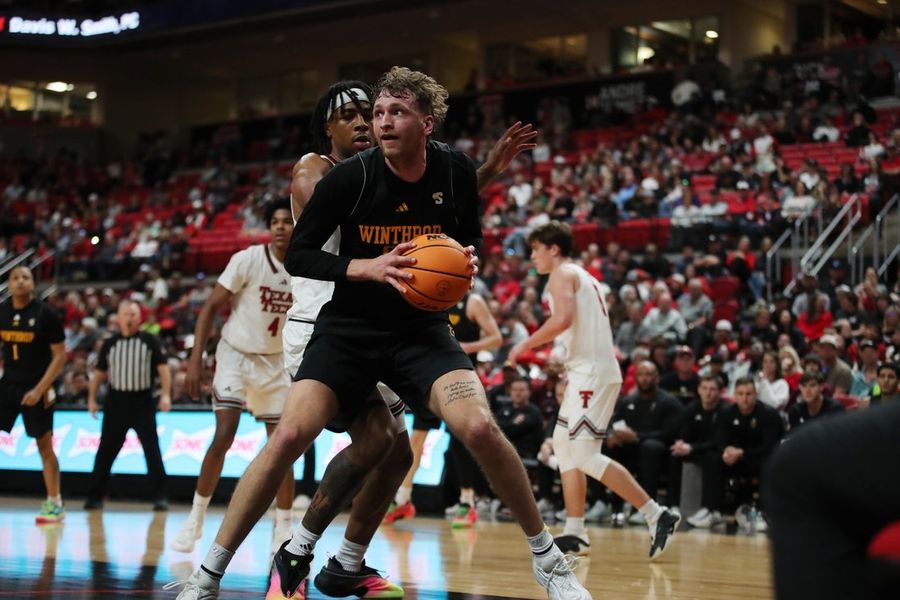
Dec 28, 2025; Lubbock, Texas, USA; Winthrop Eagles center Logan Duncomb (51) holds the ball…

Check out all the updates from Round 13 as it happened

Tan later delivered a check with Qe8+, forcing Vaishali’s king to h7. Material remained level, but the position remained volatile with several pieces on the board.

However, with Vaishali’s knight finding strong outposts on d3 and f4, posing a growing threat to the kingside, Tan opted against taking further risks. The players soon repeated moves to agree to a draw by threefold repetition.

Vaishali appeared content with the result against the former World Champion, staying in title contention heading into the final round.

Published on Apr 14, 2026

#FIDE #Candidates #Womens #section #Vaishali #draws #Tan #Bibisara #joins #top #table"> FIDE Candidates 2026, Women’s section: Vaishali draws with Tan as Bibisara joins her at top of table  Indian GM R Vaishali kept herself well in contention to claim the FIDE women’s candidates title after she claimed a draw against Tan Zhongyi in Round 13 on Tuesday.Vaishali is in joint-lead with 7.5 points, alongside Bibisara, and will now face Lagno Kateryna in the final round on Wednesday.Vaishali can clinch the title if she out-scores Bibisara on Wednesday and second-placed Zhu Jiner fails to win her tie.Playing with the black pieces, Vaishali opted for a solid Queen’s Gambit Accepted. By move 15, the position was roughly equal, with Tan attempting to build pressure on the kingside, but Vaishali held firm with a sound defensive set-up.ALSO READ: Check out all the updates from Round 13 as it happenedTan later delivered a check with Qe8+, forcing Vaishali’s king to h7. Material remained level, but the position remained volatile with several pieces on the board.However, with Vaishali’s knight finding strong outposts on d3 and f4, posing a growing threat to the kingside, Tan opted against taking further risks. The players soon repeated moves to agree to a draw by threefold repetition.Vaishali appeared content with the result against the former World Champion, staying in title contention heading into the final round.Published on Apr 14, 2026  #FIDE #Candidates #Womens #section #Vaishali #draws #Tan #Bibisara #joins #top #table
Sports news

Check out all the updates from Round 13 as it happened

Tan later delivered a check with Qe8+, forcing Vaishali’s king to h7. Material remained level, but the position remained volatile with several pieces on the board.

However, with Vaishali’s knight finding strong outposts on d3 and f4, posing a growing threat to the kingside, Tan opted against taking further risks. The players soon repeated moves to agree to a draw by threefold repetition.

Vaishali appeared content with the result against the former World Champion, staying in title contention heading into the final round.

Published on Apr 14, 2026

#FIDE #Candidates #Womens #section #Vaishali #draws #Tan #Bibisara #joins #top #table">FIDE Candidates 2026, Women’s section: Vaishali draws with Tan as Bibisara joins her at top of table

Indian GM R Vaishali kept herself well in contention to claim the FIDE women’s candidates title after she claimed a draw against Tan Zhongyi in Round 13 on Tuesday.

Vaishali is in joint-lead with 7.5 points, alongside Bibisara, and will now face Lagno Kateryna in the final round on Wednesday.

Vaishali can clinch the title if she out-scores Bibisara on Wednesday and second-placed Zhu Jiner fails to win her tie.

Playing with the black pieces, Vaishali opted for a solid Queen’s Gambit Accepted. By move 15, the position was roughly equal, with Tan attempting to build pressure on the kingside, but Vaishali held firm with a sound defensive set-up.

ALSO READ: Check out all the updates from Round 13 as it happened

Tan later delivered a check with Qe8+, forcing Vaishali’s king to h7. Material remained level, but the position remained volatile with several pieces on the board.

However, with Vaishali’s knight finding strong outposts on d3 and f4, posing a growing threat to the kingside, Tan opted against taking further risks. The players soon repeated moves to agree to a draw by threefold repetition.

Vaishali appeared content with the result against the former World Champion, staying in title contention heading into the final round.

Published on Apr 14, 2026

#FIDE #Candidates #Womens #section #Vaishali #draws #Tan #Bibisara #joins #top #table

Indian GM R Vaishali kept herself well in contention to claim the FIDE women’s candidates…

fashion-Alizabeth

Of course, the amount of product used will have an impact. Adjust your use based…