How Anne Hathaway and Ewan McGregor Left Costar Christian Convery Breathless on End of Oak Street Set
How Anne Hathaway and Ewan McGregor Left Costar Christian Convery "Breathless" on ‘End of Oak…
How Anne Hathaway and Ewan McGregor Left Costar Christian Convery "Breathless" on ‘End of Oak…
नईदुनिया प्रतिनिधि, इंदौर : दोस्ती सिर्फ साथ घूमने-फिरने या खुशियां बांटने का रिश्ता नहीं होती,…

Good Lock is Samsung’s own customization app for Galaxy smartphones. With Good Lock, users get access to various settings that aren’t available in the default One UI interface. Rather than installing a third-party launcher to change your smartphone, Good Lock lets you personalize various aspects of your Galaxy device through official Samsung applications. Here are some of the most helpful modules from Good Lock:
Good Guardians is another helpful Samsung app that can be downloaded from the Galaxy Store. Similar to Good Lock, it comes with a number of downloadable modules. However, while Good Lock enhances customization options, Good Guardians helps enhance your phone’s performance and optimize its battery usage. These are some of the most helpful Good Guardians modules:

For Galaxy smartphone users who want professional-grade control options for their camera, Samsung provides Expert RAW. Though it can be used with the Camera app, it is not automatically downloaded from the start. The user will need to install it either from the Galaxy Store or the More tab of the Camera app.
The app targets photography enthusiasts who want greater control over their camera settings. With this application, users can change settings such as ISO, shutter speed, focusing, exposure, and more before capturing images. Images can be captured using the app in two different file formats: JPEG and RAW. Certain Galaxy flagships offer functions such as astrophotography and multiple-exposure images. Expert RAW is available only on selected Galaxy flagship models, so it may not appear on every Samsung phone.
Galaxy Enhance-X is Samsung’s AI-powered editing app designed for Galaxy devices. It makes image and video editing easy regardless of your level of expertise. Its one-click improvement capability ensures you don’t need advanced knowledge to edit your images.
Along with AI enhancement, the app includes tools to eliminate shadows and reflections, enhance facial features, crop photos, and adjust brightness. Users can also restore vintage photos and even create GIFs. Video editing functions encompass cutting videos, muting the sound, and applying various video effects.
Other options include plugins such as FilmStyle, Cinematic Glow, SkyGuide, and SpeedShuffle, which offer additional editing options. But please keep in mind that the available features may differ depending on the Galaxy model.

Samsung’s Edge Panel gives Galaxy users quick access to apps and useful tools from the side of the screen. The feature already includes shortcuts for apps, contacts, weather, reminders, clipboard, and other utilities. Galaxy phones include several built-in panel options, but users can expand them with additional downloads.
The Galaxy Store offers additional Edge Panels that add more functionality. The Galaxy Store offers additional Edge Panels that add more functionality. Samsung provides panels such as the Calculator Panel, Calendar Panel, Edge QuickNotes, and Direct Call Panel. The Calculator Panel lets users perform quick calculations without opening the Calculator app. The Calendar Panel displays a scrollable calendar, while Edge QuickNotes makes it easy to view or create notes. With the Direct Call Panel, you can make a call from your contact list with just one tap. Third-party Edge Panels are also available on Samsung through the Galaxy Store. These panels offer additional options that let users perform daily tasks without opening apps.
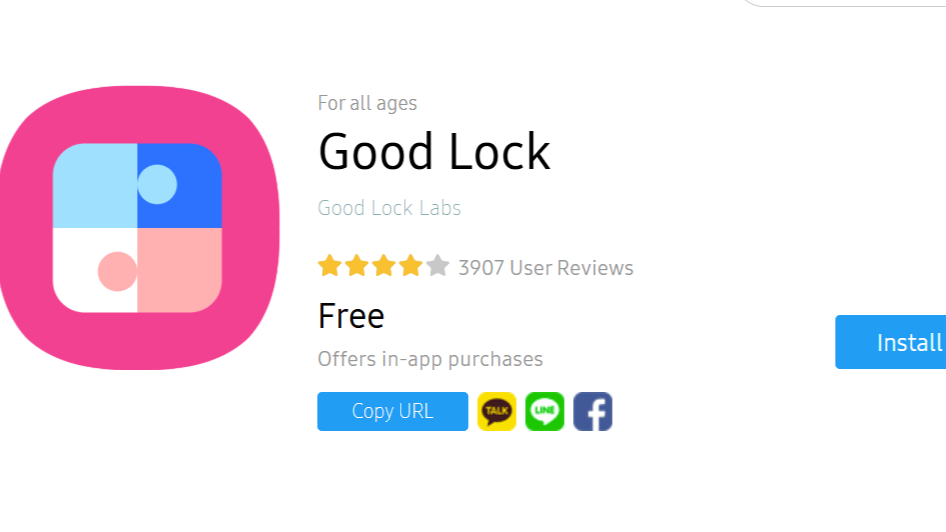
Good Lock is Samsung’s own customization app for Galaxy smartphones. With Good Lock, users get access to various settings that aren’t available in the default One UI interface. Rather than installing a third-party launcher to change your smartphone, Good Lock lets you personalize various aspects of your Galaxy device through official Samsung applications. Here are some of the most helpful modules from Good Lock:
Good Guardians is another helpful Samsung app that can be downloaded from the Galaxy Store. Similar to Good Lock, it comes with a number of downloadable modules. However, while Good Lock enhances customization options, Good Guardians helps enhance your phone’s performance and optimize its battery usage. These are some of the most helpful Good Guardians modules:
For Galaxy smartphone users who want professional-grade control options for their camera, Samsung provides Expert RAW. Though it can be used with the Camera app, it is not automatically downloaded from the start. The user will need to install it either from the Galaxy Store or the More tab of the Camera app.
The app targets photography enthusiasts who want greater control over their camera settings. With this application, users can change settings such as ISO, shutter speed, focusing, exposure, and more before capturing images. Images can be captured using the app in two different file formats: JPEG and RAW. Certain Galaxy flagships offer functions such as astrophotography and multiple-exposure images. Expert RAW is available only on selected Galaxy flagship models, so it may not appear on every Samsung phone.
Galaxy Enhance-X is Samsung’s AI-powered editing app designed for Galaxy devices. It makes image and video editing easy regardless of your level of expertise. Its one-click improvement capability ensures you don’t need advanced knowledge to edit your images.
Along with AI enhancement, the app includes tools to eliminate shadows and reflections, enhance facial features, crop photos, and adjust brightness. Users can also restore vintage photos and even create GIFs. Video editing functions encompass cutting videos, muting the sound, and applying various video effects.
Other options include plugins such as FilmStyle, Cinematic Glow, SkyGuide, and SpeedShuffle, which offer additional editing options. But please keep in mind that the available features may differ depending on the Galaxy model.
Samsung’s Edge Panel gives Galaxy users quick access to apps and useful tools from the side of the screen. The feature already includes shortcuts for apps, contacts, weather, reminders, clipboard, and other utilities. Galaxy phones include several built-in panel options, but users can expand them with additional downloads.
The Galaxy Store offers additional Edge Panels that add more functionality. The Galaxy Store offers additional Edge Panels that add more functionality. Samsung provides panels such as the Calculator Panel, Calendar Panel, Edge QuickNotes, and Direct Call Panel. The Calculator Panel lets users perform quick calculations without opening the Calculator app. The Calendar Panel displays a scrollable calendar, while Edge QuickNotes makes it easy to view or create notes. With the Direct Call Panel, you can make a call from your contact list with just one tap. Third-party Edge Panels are also available on Samsung through the Galaxy Store. These panels offer additional options that let users perform daily tasks without opening apps.
Most Samsung Galaxy users download apps from the Google Play Store, but that’s not the only place to find useful apps. Samsung has its own store, called Galaxy Store, which provides apps created especially for the Galaxy smartphones. These apps can make your smartphone work faster, let you use additional camera options, and give you more customization options for your device. In this article, we look at five essential apps every Samsung user should know about and why they’re worth trying.
Good Lock is Samsung’s own customization app for Galaxy smartphones. With Good Lock, users get access to various settings that aren’t available in the default One UI interface. Rather than installing a third-party launcher to change your smartphone, Good Lock lets you personalize various aspects of your Galaxy device through official Samsung applications. Here are some of the most helpful modules from Good Lock:
Good Guardians is another helpful Samsung app that can be downloaded from the Galaxy Store. Similar to Good Lock, it comes with a number of downloadable modules. However, while Good Lock enhances customization options, Good Guardians helps enhance your phone’s performance and optimize its battery usage. These are some of the most helpful Good Guardians modules:
For Galaxy smartphone users who want professional-grade control options for their camera, Samsung provides Expert RAW. Though it can be used with the Camera app, it is not automatically downloaded from the start. The user will need to install it either from the Galaxy Store or the More tab of the Camera app.
The app targets photography enthusiasts who want greater control over their camera settings. With this application, users can change settings such as ISO, shutter speed, focusing, exposure, and more before capturing images. Images can be captured using the app in two different file formats: JPEG and RAW. Certain Galaxy flagships offer functions such as astrophotography and multiple-exposure images. Expert RAW is available only on selected Galaxy flagship models, so it may not appear on every Samsung phone.
Galaxy Enhance-X is Samsung’s AI-powered editing app designed for Galaxy devices. It makes image and video editing easy regardless of your level of expertise. Its one-click improvement capability ensures you don’t need advanced knowledge to edit your images.
Along with AI enhancement, the app includes tools to eliminate shadows and reflections, enhance facial features, crop photos, and adjust brightness. Users can also restore vintage photos and even create GIFs. Video editing functions encompass cutting videos, muting the sound, and applying various video effects.
Other options include plugins such as FilmStyle, Cinematic Glow, SkyGuide, and SpeedShuffle, which offer additional editing options. But please keep in mind that the available features may differ depending on the Galaxy model.
Samsung’s Edge Panel gives Galaxy users quick access to apps and useful tools from the side of the screen. The feature already includes shortcuts for apps, contacts, weather, reminders, clipboard, and other utilities. Galaxy phones include several built-in panel options, but users can expand them with additional downloads.
The Galaxy Store offers additional Edge Panels that add more functionality. The Galaxy Store offers additional Edge Panels that add more functionality. Samsung provides panels such as the Calculator Panel, Calendar Panel, Edge QuickNotes, and Direct Call Panel. The Calculator Panel lets users perform quick calculations without opening the Calculator app. The Calendar Panel displays a scrollable calendar, while Edge QuickNotes makes it easy to view or create notes. With the Direct Call Panel, you can make a call from your contact list with just one tap. Third-party Edge Panels are also available on Samsung through the Galaxy Store. These panels offer additional options that let users perform daily tasks without opening apps.
Most Samsung Galaxy users download apps from the Google Play Store, but that’s not the…
On the Line is a weekly roundup of sourcing and labor quick hits in the…
Historically, Air Jordans 1 through 14 have been Jordan Brand’s most popular — and most…
If you purchase an independently reviewed product or service through a link on our website,…
डिजिटस डेस्क, भोपाल। स्टूडेंट्स के एजुकेशनल रिकॉर्ड को डिजिटल, सुरक्षित और एक मंच पर लाने…
उत्तर प्रदेश के मौलाना जर्जीस अंसारी के कथित आपत्तिजनक बयान को लेकर इंदौर में कांवड़ियों…
西日本と東日本は2日も気温が上がり、和歌山県と高知県では40度を超える酷暑日となっているところがあるほか、熊本県の地震の被災地でも猛烈な暑さになっていて引き続き熱中症への対策を徹底してください。一方、前線などの影響で東北では土砂災害や氾濫の危険性が非常に高まっている地域があり、厳重な警戒が必要です。 Source link #和歌山高知で40度超の酷暑日 #東北 #関東甲信は激しい雨警戒を #NHKニュース
Read Taxing Faxing, Part 45 I'm a tax accountant. Client: "Why am I paying so…