announced the India price and availability of the ASUS Pad, its latest premium Android tablet. The device, which was first unveiled at Computex 2026, will go on sale in the country from August 6. It comes with a 12.2-inch 2.8K OLED display, MediaTek Dimensity 8300 chipset, and a 9,000mAh battery.
Asus Pad Specifications
ASUS has given the Pad a 12.2-inch 2.8K dual-layer OLED display and delivers up to 2,000 nits of peak brightness. The display also covers 100% of the DCI-P3 color space. TUV Low Blue Light certification helps improve viewing comfort, and ASUS Pen 2.0 is supported for writing and drawing. The tablet has a 6.5mm slim profile and weighs 523g. Buyers also get a protective folio case in the box.
The ASUS Pad is powered by the MediaTek Dimensity 8300 chipset. It pairs the processor with 8GB of LPDDR5X RAM for smooth everyday performance. The device can be bought with 128GB and 256GB of UFS 3.1 storage. However, the storage can still be increased through the use of a microSD card up to 1 TB. ASUS uses the MediaTek Dimensity 8300 chipset to power the tablet for performance. The device runs Android 16, has 8GB of LPDDR5X RAM, and comes in 128GB and 256GB UFS 3.1 storage variants. It also supports storage expansion of up to 1TB via a microSD card.
ASUS includes a 9,000mAh battery with 45W fast charging support. The company says the battery reaches 50 percent charge in about 30 minutes. The tablet also offers a 13MP rear camera and a 5MP front camera that supports face unlock. Wi-Fi 6E, Bluetooth 5.3, and a USB Type-C port handle connectivity. It also features an accelerometer, gyroscope, ambient light sensor, and hall sensor. For audio, ASUS has included a quad-speaker setup with Dolby Atmos 360-degree cinematic sound. The tablet also comes with GlideX for sharing files across Windows, macOS, Android, and iOS devices. GlideX supports both wired and wireless connections. These features can make the tablet suitable for entertainment, learning, productivity, and creative work.
ASUS Pad Price, Variants, and Availability
ASUS has launched the Pad in two storage variants in India. It is available in the 8GB+128GB variant for Rs. 45,990 and in the 8GB+256GB variant for Rs. 49,990. It will be available for purchase from August 6 on the following platforms: Flipkart, ASUS eShop, ASUS & ROG Stores, Reliance Digital, and authorized retailers. ASUS is also providing up to 12 months of No Cost EMI at Rs. 3,833/month.
announced the India price and availability of the ASUS Pad, its latest premium Android tablet. The device, which was first unveiled at Computex 2026, will go on sale in the country from August 6. It comes with a 12.2-inch 2.8K OLED display, MediaTek Dimensity 8300 chipset, and a 9,000mAh battery.
Asus Pad Specifications
ASUS has given the Pad a 12.2-inch 2.8K dual-layer OLED display and delivers up to 2,000 nits of peak brightness. The display also covers 100% of the DCI-P3 color space. TUV Low Blue Light certification helps improve viewing comfort, and ASUS Pen 2.0 is supported for writing and drawing. The tablet has a 6.5mm slim profile and weighs 523g. Buyers also get a protective folio case in the box.
The ASUS Pad is powered by the MediaTek Dimensity 8300 chipset. It pairs the processor with 8GB of LPDDR5X RAM for smooth everyday performance. The device can be bought with 128GB and 256GB of UFS 3.1 storage. However, the storage can still be increased through the use of a microSD card up to 1 TB. ASUS uses the MediaTek Dimensity 8300 chipset to power the tablet for performance. The device runs Android 16, has 8GB of LPDDR5X RAM, and comes in 128GB and 256GB UFS 3.1 storage variants. It also supports storage expansion of up to 1TB via a microSD card.
ASUS includes a 9,000mAh battery with 45W fast charging support. The company says the battery reaches 50 percent charge in about 30 minutes. The tablet also offers a 13MP rear camera and a 5MP front camera that supports face unlock. Wi-Fi 6E, Bluetooth 5.3, and a USB Type-C port handle connectivity. It also features an accelerometer, gyroscope, ambient light sensor, and hall sensor. For audio, ASUS has included a quad-speaker setup with Dolby Atmos 360-degree cinematic sound. The tablet also comes with GlideX for sharing files across Windows, macOS, Android, and iOS devices. GlideX supports both wired and wireless connections. These features can make the tablet suitable for entertainment, learning, productivity, and creative work.
ASUS Pad Price, Variants, and Availability
ASUS has launched the Pad in two storage variants in India. It is available in the 8GB+128GB variant for Rs. 45,990 and in the 8GB+256GB variant for Rs. 49,990. It will be available for purchase from August 6 on the following platforms: Flipkart, ASUS eShop, ASUS & ROG Stores, Reliance Digital, and authorized retailers. ASUS is also providing up to 12 months of No Cost EMI at Rs. 3,833/month.
#ASUS #Pad #Arrives #India #Starting #Premium #OLED #DisplayAsus">ASUS Pad Arrives in India Starting at Rs 45,990 With Premium OLED Display
ASUS has announced the India price and availability of the ASUS Pad, its latest premium Android tablet. The device, which was first unveiled at Computex 2026, will go on sale in the country from August 6. It comes with a 12.2-inch 2.8K OLED display, MediaTek Dimensity 8300 chipset, and a 9,000mAh battery.
Asus Pad Specifications
ASUS has given the Pad a 12.2-inch 2.8K dual-layer OLED display and delivers up to 2,000 nits of peak brightness. The display also covers 100% of the DCI-P3 color space. TUV Low Blue Light certification helps improve viewing comfort, and ASUS Pen 2.0 is supported for writing and drawing. The tablet has a 6.5mm slim profile and weighs 523g. Buyers also get a protective folio case in the box.
The ASUS Pad is powered by the MediaTek Dimensity 8300 chipset. It pairs the processor with 8GB of LPDDR5X RAM for smooth everyday performance. The device can be bought with 128GB and 256GB of UFS 3.1 storage. However, the storage can still be increased through the use of a microSD card up to 1 TB. ASUS uses the MediaTek Dimensity 8300 chipset to power the tablet for performance. The device runs Android 16, has 8GB of LPDDR5X RAM, and comes in 128GB and 256GB UFS 3.1 storage variants. It also supports storage expansion of up to 1TB via a microSD card.
ASUS includes a 9,000mAh battery with 45W fast charging support. The company says the battery reaches 50 percent charge in about 30 minutes. The tablet also offers a 13MP rear camera and a 5MP front camera that supports face unlock. Wi-Fi 6E, Bluetooth 5.3, and a USB Type-C port handle connectivity. It also features an accelerometer, gyroscope, ambient light sensor, and hall sensor. For audio, ASUS has included a quad-speaker setup with Dolby Atmos 360-degree cinematic sound. The tablet also comes with GlideX for sharing files across Windows, macOS, Android, and iOS devices. GlideX supports both wired and wireless connections. These features can make the tablet suitable for entertainment, learning, productivity, and creative work.
ASUS Pad Price, Variants, and Availability
ASUS has launched the Pad in two storage variants in India. It is available in the 8GB+128GB variant for Rs. 45,990 and in the 8GB+256GB variant for Rs. 49,990. It will be available for purchase from August 6 on the following platforms: Flipkart, ASUS eShop, ASUS & ROG Stores, Reliance Digital, and authorized retailers. ASUS is also providing up to 12 months of No Cost EMI at Rs. 3,833/month.
ASUS has announced the India price and availability of the ASUS Pad, its latest premium…
introducing the ASUS Pad T3201. The new tablet combines a premium OLED screen, performance, and portability. It has been built using the MediaTek Dimensity 8300 SoC and targets those users who like to stream, game, study, and work while traveling. The tablet’s launch date is set for August 6.
ASUS Pad T3201 Specifications and Features
ASUS has designed the Pad T3201 for both entertainment and productivity. It is equipped with a 12.2-inch dual-layer OLED screen featuring 2.8K resolution and a 144 Hz refresh rate. The display can deliver up to 2,000 nits of brightness and support the 100% DCI-P3 color gamut, making it perfect for entertainment such as watching movies, gaming, and reading. The phone runs on the MediaTek Dimensity 8300 chipset and features 8 GB of LPDDR5X RAM. It runs on Android 16 and ensures efficient use for the user. ASUS has also equipped the device with Wi-Fi 6E, which provides a reliable, fast internet connection. Buyers can choose 128GB or 256GB storage, while a microSD card expands storage up to 1TB.
The ASUS Pad T3201 packs a 9,000mAh battery with 45W fast charging support. ASUS says the battery charges from 0 to 50 percent in about 30 minutes. The tablet weighs 523g and measures 6.5mm thin, making it easy to carry. It also includes quad speakers with Dolby Atmos for immersive sound. For photography and communication, the tablet includes a 13MP rear camera and a 5MP front camera. It supports ASUS Pen 2.0, a Bluetooth keyboard, and GlideX for seamless file sharing. ASUS also bundles a protective folio case with the device. Users can also use Google Circle to Search without switching apps.
Launch and Availability
The ASUS Pad T3201 is set to launch in India on August 6 at 12 PM. This product will be sold both online at Flipkart and the ASUS E-Shop website. Offline purchasing is possible at ASUS and ROG stores, as well as Reliance Digital, among others. At the moment, ASUS has not announced the tablet’s price.
introducing the ASUS Pad T3201. The new tablet combines a premium OLED screen, performance, and portability. It has been built using the MediaTek Dimensity 8300 SoC and targets those users who like to stream, game, study, and work while traveling. The tablet’s launch date is set for August 6.
ASUS Pad T3201 Specifications and Features
ASUS has designed the Pad T3201 for both entertainment and productivity. It is equipped with a 12.2-inch dual-layer OLED screen featuring 2.8K resolution and a 144 Hz refresh rate. The display can deliver up to 2,000 nits of brightness and support the 100% DCI-P3 color gamut, making it perfect for entertainment such as watching movies, gaming, and reading. The phone runs on the MediaTek Dimensity 8300 chipset and features 8 GB of LPDDR5X RAM. It runs on Android 16 and ensures efficient use for the user. ASUS has also equipped the device with Wi-Fi 6E, which provides a reliable, fast internet connection. Buyers can choose 128GB or 256GB storage, while a microSD card expands storage up to 1TB.
The ASUS Pad T3201 packs a 9,000mAh battery with 45W fast charging support. ASUS says the battery charges from 0 to 50 percent in about 30 minutes. The tablet weighs 523g and measures 6.5mm thin, making it easy to carry. It also includes quad speakers with Dolby Atmos for immersive sound. For photography and communication, the tablet includes a 13MP rear camera and a 5MP front camera. It supports ASUS Pen 2.0, a Bluetooth keyboard, and GlideX for seamless file sharing. ASUS also bundles a protective folio case with the device. Users can also use Google Circle to Search without switching apps.
Launch and Availability
The ASUS Pad T3201 is set to launch in India on August 6 at 12 PM. This product will be sold both online at Flipkart and the ASUS E-Shop website. Offline purchasing is possible at ASUS and ROG stores, as well as Reliance Digital, among others. At the moment, ASUS has not announced the tablet’s price.
#ASUS #Pad #T3201 #Launched #India #OLED #Display #Price #Features #AvailabilityAsus">ASUS Pad T3201 Launched in India With OLED Display: Price, Features, and Availability
ASUS has expanded its product lineup in India by introducing the ASUS Pad T3201. The new tablet combines a premium OLED screen, performance, and portability. It has been built using the MediaTek Dimensity 8300 SoC and targets those users who like to stream, game, study, and work while traveling. The tablet’s launch date is set for August 6.
ASUS Pad T3201 Specifications and Features
ASUS has designed the Pad T3201 for both entertainment and productivity. It is equipped with a 12.2-inch dual-layer OLED screen featuring 2.8K resolution and a 144 Hz refresh rate. The display can deliver up to 2,000 nits of brightness and support the 100% DCI-P3 color gamut, making it perfect for entertainment such as watching movies, gaming, and reading. The phone runs on the MediaTek Dimensity 8300 chipset and features 8 GB of LPDDR5X RAM. It runs on Android 16 and ensures efficient use for the user. ASUS has also equipped the device with Wi-Fi 6E, which provides a reliable, fast internet connection. Buyers can choose 128GB or 256GB storage, while a microSD card expands storage up to 1TB.
The ASUS Pad T3201 packs a 9,000mAh battery with 45W fast charging support. ASUS says the battery charges from 0 to 50 percent in about 30 minutes. The tablet weighs 523g and measures 6.5mm thin, making it easy to carry. It also includes quad speakers with Dolby Atmos for immersive sound. For photography and communication, the tablet includes a 13MP rear camera and a 5MP front camera. It supports ASUS Pen 2.0, a Bluetooth keyboard, and GlideX for seamless file sharing. ASUS also bundles a protective folio case with the device. Users can also use Google Circle to Search without switching apps.
Launch and Availability
The ASUS Pad T3201 is set to launch in India on August 6 at 12 PM. This product will be sold both online at Flipkart and the ASUS E-Shop website. Offline purchasing is possible at ASUS and ROG stores, as well as Reliance Digital, among others. At the moment, ASUS has not announced the tablet’s price.
ASUS has expanded its product lineup in India by introducing the ASUS Pad T3201. The…
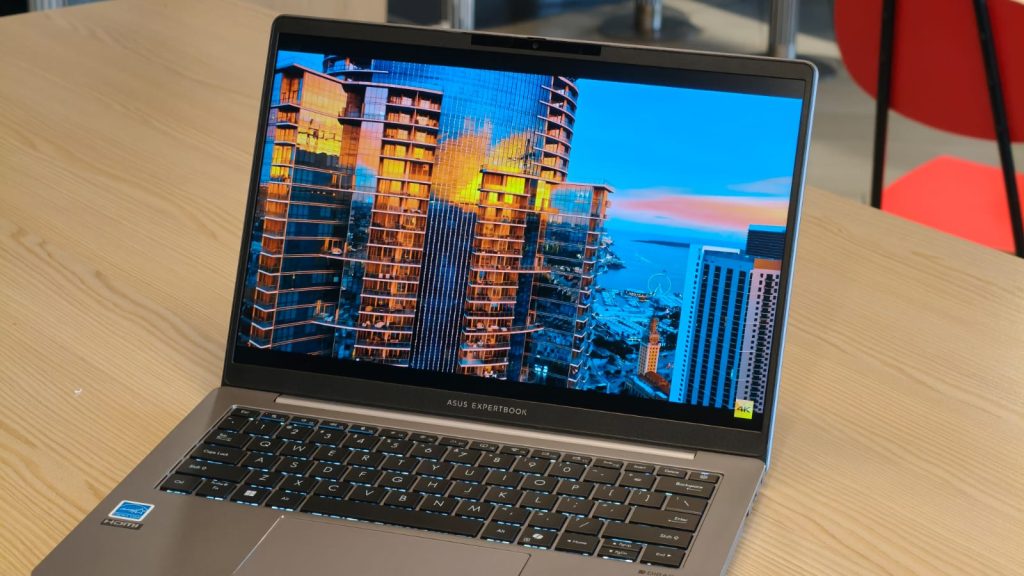
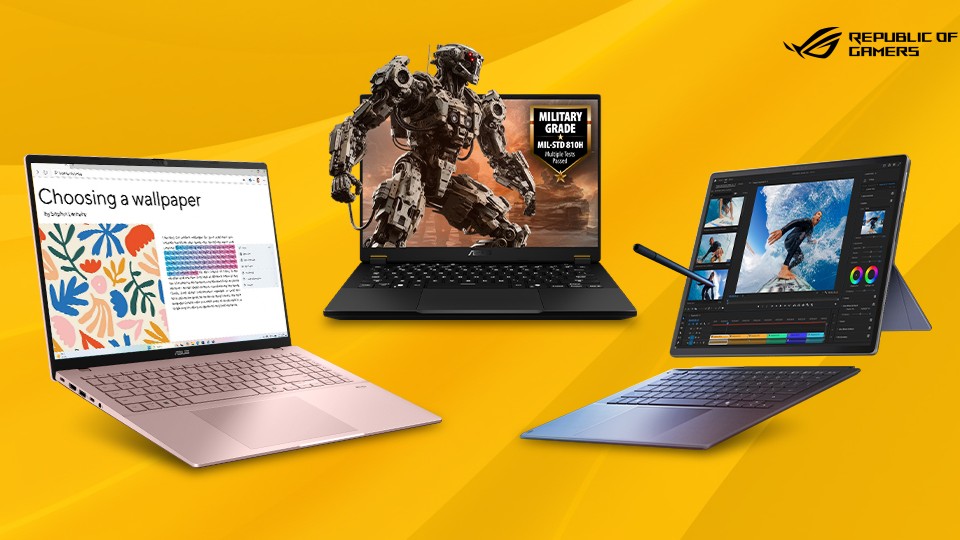
ASUS Vivobook 15, which it claims is India’s first laptop powered by Intel’s new Core 5 Series 3 processor. Alongside it, ASUS has also introduced a new TUF Gaming A15 variant and announced discounts across its gaming and consumer laptop lineup.
The new Vivobook 15 is aimed at students, professionals, and anyone looking for an everyday AI-ready laptop without stepping into premium creator or gaming territory.
ASUS Vivobook 15 Brings Intel’s New Core 5 Series 3 Processor
The biggest highlight of the new Vivobook 15 is its Intel Core 5 Series 3 processor, which includes an integrated Intel AI Boost NPU capable of delivering up to 16 TOPS of AI performance. While it isn’t a full-fledged Copilot+ PC, it is designed to support Windows’ growing list of AI-powered features. The laptop features a 15.6-inch Full HD anti-glare display, 16GB of DDR5 RAM, and a 512GB PCIe 4.0 SSD. ASUS says the combination is built to handle everyday multitasking, office work, web browsing, media consumption, and light creative workloads.
Connectivity includes Wi-Fi 6, while the rest of the package is fairly premium for this segment. You get a backlit keyboard, a dedicated Copilot key for quickly launching Microsoft’s AI assistant, a fingerprint reader for Windows Hello authentication, and a physical privacy shutter for the HD webcam.
Despite the large display, the Vivobook 15 weighs 1.7kg and also carries MIL-STD-810H military-grade durability certification, which should help it withstand the occasional bump during daily commuting. The laptop will be available exclusively through Amazon and Flipkart in Cool Silver, Quiet Blue, and Terra Cotta.
ASUS Also Launches a New TUF Gaming A15
Gamers aren’t being left out either. ASUS has also announced a new TUF Gaming A15 (FA506NCG-HN192WS) as part of Amazon Prime Day.
The laptop pairs an AMD Ryzen 7 8845HS processor with an NVIDIA GeForce RTX 3050 GPU with 4GB of memory, alongside 16GB of DDR5 RAM and a 512GB PCIe 4.0 SSD. It also gets a 15.6-inch Full HD 144Hz display, making it a suitable option for esports titles and AAA games at medium to high settings. The TUF Gaming A15 carries a starting price of ₹1,24,990.
ASUS Vivobook 15, which it claims is India’s first laptop powered by Intel’s new Core 5 Series 3 processor. Alongside it, ASUS has also introduced a new TUF Gaming A15 variant and announced discounts across its gaming and consumer laptop lineup.
The new Vivobook 15 is aimed at students, professionals, and anyone looking for an everyday AI-ready laptop without stepping into premium creator or gaming territory.
ASUS Vivobook 15 Brings Intel’s New Core 5 Series 3 Processor
The biggest highlight of the new Vivobook 15 is its Intel Core 5 Series 3 processor, which includes an integrated Intel AI Boost NPU capable of delivering up to 16 TOPS of AI performance. While it isn’t a full-fledged Copilot+ PC, it is designed to support Windows’ growing list of AI-powered features. The laptop features a 15.6-inch Full HD anti-glare display, 16GB of DDR5 RAM, and a 512GB PCIe 4.0 SSD. ASUS says the combination is built to handle everyday multitasking, office work, web browsing, media consumption, and light creative workloads.
Connectivity includes Wi-Fi 6, while the rest of the package is fairly premium for this segment. You get a backlit keyboard, a dedicated Copilot key for quickly launching Microsoft’s AI assistant, a fingerprint reader for Windows Hello authentication, and a physical privacy shutter for the HD webcam.
Despite the large display, the Vivobook 15 weighs 1.7kg and also carries MIL-STD-810H military-grade durability certification, which should help it withstand the occasional bump during daily commuting. The laptop will be available exclusively through Amazon and Flipkart in Cool Silver, Quiet Blue, and Terra Cotta.
ASUS Also Launches a New TUF Gaming A15
Gamers aren’t being left out either. ASUS has also announced a new TUF Gaming A15 (FA506NCG-HN192WS) as part of Amazon Prime Day.
The laptop pairs an AMD Ryzen 7 8845HS processor with an NVIDIA GeForce RTX 3050 GPU with 4GB of memory, alongside 16GB of DDR5 RAM and a 512GB PCIe 4.0 SSD. It also gets a 15.6-inch Full HD 144Hz display, making it a suitable option for esports titles and AAA games at medium to high settings. The TUF Gaming A15 carries a starting price of ₹1,24,990.
#ASUS #Vivobook #Debuts #India #Intel #Core #Series #Chip #Price #SpecsAsus">ASUS Vivobook 15 Debuts in India With Intel Core 5 Series 3 Chip: Price & Specs
If you’re planning to pick up a new laptop during Amazon Prime Day or Flipkart’s GOAT Sale, ASUS has just added another option to the list. The company has launched the new ASUS Vivobook 15, which it claims is India’s first laptop powered by Intel’s new Core 5 Series 3 processor. Alongside it, ASUS has also introduced a new TUF Gaming A15 variant and announced discounts across its gaming and consumer laptop lineup.
The new Vivobook 15 is aimed at students, professionals, and anyone looking for an everyday AI-ready laptop without stepping into premium creator or gaming territory.
ASUS Vivobook 15 Brings Intel’s New Core 5 Series 3 Processor
The biggest highlight of the new Vivobook 15 is its Intel Core 5 Series 3 processor, which includes an integrated Intel AI Boost NPU capable of delivering up to 16 TOPS of AI performance. While it isn’t a full-fledged Copilot+ PC, it is designed to support Windows’ growing list of AI-powered features. The laptop features a 15.6-inch Full HD anti-glare display, 16GB of DDR5 RAM, and a 512GB PCIe 4.0 SSD. ASUS says the combination is built to handle everyday multitasking, office work, web browsing, media consumption, and light creative workloads.
Connectivity includes Wi-Fi 6, while the rest of the package is fairly premium for this segment. You get a backlit keyboard, a dedicated Copilot key for quickly launching Microsoft’s AI assistant, a fingerprint reader for Windows Hello authentication, and a physical privacy shutter for the HD webcam.
Despite the large display, the Vivobook 15 weighs 1.7kg and also carries MIL-STD-810H military-grade durability certification, which should help it withstand the occasional bump during daily commuting. The laptop will be available exclusively through Amazon and Flipkart in Cool Silver, Quiet Blue, and Terra Cotta.
ASUS Also Launches a New TUF Gaming A15
Gamers aren’t being left out either. ASUS has also announced a new TUF Gaming A15 (FA506NCG-HN192WS) as part of Amazon Prime Day.
The laptop pairs an AMD Ryzen 7 8845HS processor with an NVIDIA GeForce RTX 3050 GPU with 4GB of memory, alongside 16GB of DDR5 RAM and a 512GB PCIe 4.0 SSD. It also gets a 15.6-inch Full HD 144Hz display, making it a suitable option for esports titles and AAA games at medium to high settings. The TUF Gaming A15 carries a starting price of ₹1,24,990.
It features the latest Intel Core Ultra processor with built-in Copilot+ AI capabilities, allowing users to accelerate AI-powered workloads, meetings, and productivity tasks. ASUS has paired it with a 3K Tandem OLED display for vibrant colors and sharp visuals, while the lightweight magnesium alloy chassis keeps the laptop portable enough for frequent travel.
The laptop also includes enterprise-grade security, fast charging, long battery life, and ASUS’ premium support package, making it the company’s most feature-packed business notebook.
ExpertBook P Series Covers Every Budget
While the ExpertBook Ultra targets power users, the ExpertBook P series is designed for everyday business computing. The lineup consists of the P1, P3, and P5, giving buyers multiple options depending on their performance needs and budget.
Across the range, ASUS offers the latest Intel Core Ultra processors, multiple display sizes, upgradeable RAM and SSD storage, and AI-powered productivity features. Business users also get enterprise security features, military-grade durability, AI-enhanced video conferencing tools, reliable battery life, international warranty coverage, and on-site service support.
Whether you’re handling spreadsheets, attending video meetings all day, or managing multiple applications simultaneously, the P-series is built to deliver dependable everyday performance while remaining easy to upgrade in the future.
Best ASUS ExpertBook Deals
Some of the best offers currently available during the Flipkart GOAT Sale include:
ASUS ExpertBook Ultra – Starts at ₹2,39,990 and qualifies for additional bank discounts, exchange offers, No Cost EMI, and ASUS’ bundled 5+5+5 service package.
It features the latest Intel Core Ultra processor with built-in Copilot+ AI capabilities, allowing users to accelerate AI-powered workloads, meetings, and productivity tasks. ASUS has paired it with a 3K Tandem OLED display for vibrant colors and sharp visuals, while the lightweight magnesium alloy chassis keeps the laptop portable enough for frequent travel.
The laptop also includes enterprise-grade security, fast charging, long battery life, and ASUS’ premium support package, making it the company’s most feature-packed business notebook.
ExpertBook P Series Covers Every Budget
While the ExpertBook Ultra targets power users, the ExpertBook P series is designed for everyday business computing. The lineup consists of the P1, P3, and P5, giving buyers multiple options depending on their performance needs and budget.
Across the range, ASUS offers the latest Intel Core Ultra processors, multiple display sizes, upgradeable RAM and SSD storage, and AI-powered productivity features. Business users also get enterprise security features, military-grade durability, AI-enhanced video conferencing tools, reliable battery life, international warranty coverage, and on-site service support.
Whether you’re handling spreadsheets, attending video meetings all day, or managing multiple applications simultaneously, the P-series is built to deliver dependable everyday performance while remaining easy to upgrade in the future.
Best ASUS ExpertBook Deals
Some of the best offers currently available during the Flipkart GOAT Sale include:
ASUS ExpertBook Ultra – Starts at ₹2,39,990 and qualifies for additional bank discounts, exchange offers, No Cost EMI, and ASUS’ bundled 5+5+5 service package.
#ASUS #ExpertBook #Laptops #Discounts #Flipkart #GOAT #SaleAsus">ASUS ExpertBook Laptops Get Discounts Up to ₹34,000 During Flipkart GOAT Sale
If you’ve been looking to buy a business laptop, ASUS has rolled out a bunch of discounts on its ExpertBook lineup as part of the ongoing Flipkart GOAT Sale. The company is offering deals across 42 ExpertBook models, including the flagship ExpertBook Ultra and the ExpertBook P1, P3, and P5 series. Alongside instant discounts, buyers can also take advantage of exchange offers, cashback, and No Cost EMI options.
ASUS ExpertBook Deals During Flipkart GOAT Sale
The discounts span multiple price segments, making the lineup suitable for everyone from students and startups to enterprise users. ASUS says some models are available at up to 28.5% off, with prices starting at ₹45,990.
The biggest offers are available on the premium ExpertBook Ultra, where buyers can claim bank discounts of up to ₹20,000, exchange bonuses of up to ₹20,000, and up to 24 months of No Cost EMI. ASUS is also bundling its 5+5+5 service package with the laptop for a limited time.
Meanwhile, selected ExpertBook P-series models are available with discounts of up to ₹34,000 during the sale.
ASUS ExpertBook Ultra Is Built for AI Workloads
Sitting at the top of the lineup is the ExpertBook Ultra, ASUS’ flagship business laptop aimed at executives, creators, and professionals who need workstation-level performance without carrying around a bulky machine.
It features the latest Intel Core Ultra processor with built-in Copilot+ AI capabilities, allowing users to accelerate AI-powered workloads, meetings, and productivity tasks. ASUS has paired it with a 3K Tandem OLED display for vibrant colors and sharp visuals, while the lightweight magnesium alloy chassis keeps the laptop portable enough for frequent travel.
The laptop also includes enterprise-grade security, fast charging, long battery life, and ASUS’ premium support package, making it the company’s most feature-packed business notebook.
ExpertBook P Series Covers Every Budget
While the ExpertBook Ultra targets power users, the ExpertBook P series is designed for everyday business computing. The lineup consists of the P1, P3, and P5, giving buyers multiple options depending on their performance needs and budget.
Across the range, ASUS offers the latest Intel Core Ultra processors, multiple display sizes, upgradeable RAM and SSD storage, and AI-powered productivity features. Business users also get enterprise security features, military-grade durability, AI-enhanced video conferencing tools, reliable battery life, international warranty coverage, and on-site service support.
Whether you’re handling spreadsheets, attending video meetings all day, or managing multiple applications simultaneously, the P-series is built to deliver dependable everyday performance while remaining easy to upgrade in the future.
Best ASUS ExpertBook Deals
Some of the best offers currently available during the Flipkart GOAT Sale include:
ASUS ExpertBook Ultra – Starts at ₹2,39,990 and qualifies for additional bank discounts, exchange offers, No Cost EMI, and ASUS’ bundled 5+5+5 service package.
If you’ve been looking to buy a business laptop, ASUS has rolled out a bunch…
ASUS has unveiled the newly designed Vivobook 15 in the Indian market. This laptop is the first in the country to feature Intel’s new Core 5 Series 3 processor and targets users seeking an optimal combination of performance, portability, and AI capabilities. Along with the newly announced model, ASUS is providing discounts on other laptop variants.
ASUS VivoBook 15 Features and Specifications
ASUS Vivobook 15 is equipped with the latest Intel Core 5 Series 3 Processor, along with the advanced Intel AI Boost NPU, delivering up to 16 TOPS of performance. It also supports AI-enabled Windows features and includes 16GB of DDR5 RAM and 512GB of PCIe 4.0 SSD storage. The laptop has a 15.6-inch Full HD anti-glare screen and Wi-Fi 6.
ASUS has designed the Vivobook 15 with a lightweight 1.7kg body for better portability. It has added a backlit keyboard with a dedicated Copilot key, a fingerprint sensor for secure access, and an HD webcam with a privacy shutter.
ASUS TUF Gaming A15
Alongside the Vivobook 15, ASUS has launched another model, the TUF Gaming A15, which will be available exclusively on Amazon Prime Day. The gaming laptop is equipped with an AMD Ryzen 7 8845HS chip and an NVIDIA GeForce RTX 3050 graphics card that has 4GB of graphics memory. This gaming laptop also has 16GB of DDR5 RAM and a 512GB PCIe 4.0 NVMe SSD.
The laptop features a 15.6-inch Full HD display with a 144Hz refresh rate for smoother visuals. ASUS offers the TUF Gaming A15 in Graphite Black. It is available at a launch price of Rs. 1,24,990 during the Prime Day sale.
Price, Availability, and Sale Offers
ASUS is combining the launch of the Vivobook 15 with limited-time shopping offers across its laptop portfolio. The new laptop is priced at Rs. 1,07,990 and will be available only on Amazon and Flipkart. Buyers can pick from Cool Silver, Quiet Blue, and Terra Cotta color options. They can also access bank discounts, Easy Pay benefits, and no-cost EMI for up to nine months.
The sale extends beyond the Vivobook 15. ASUS is offering discounts of up to 55% across selected consumer, gaming, and creator laptops. Buyers can also get instant bank discounts of up to Rs. 6,000, exchange bonuses of up to Rs. 20,000, and no-cost EMI for up to 18 months on select models. ASUS is also introducing the TUF Gaming A15 as an Amazon Prime Day special.
ASUS has unveiled the newly designed Vivobook 15 in the Indian market. This laptop is the first in the country to feature Intel’s new Core 5 Series 3 processor and targets users seeking an optimal combination of performance, portability, and AI capabilities. Along with the newly announced model, ASUS is providing discounts on other laptop variants.
ASUS VivoBook 15 Features and Specifications
ASUS Vivobook 15 is equipped with the latest Intel Core 5 Series 3 Processor, along with the advanced Intel AI Boost NPU, delivering up to 16 TOPS of performance. It also supports AI-enabled Windows features and includes 16GB of DDR5 RAM and 512GB of PCIe 4.0 SSD storage. The laptop has a 15.6-inch Full HD anti-glare screen and Wi-Fi 6.
ASUS has designed the Vivobook 15 with a lightweight 1.7kg body for better portability. It has added a backlit keyboard with a dedicated Copilot key, a fingerprint sensor for secure access, and an HD webcam with a privacy shutter.
ASUS TUF Gaming A15
Alongside the Vivobook 15, ASUS has launched another model, the TUF Gaming A15, which will be available exclusively on Amazon Prime Day. The gaming laptop is equipped with an AMD Ryzen 7 8845HS chip and an NVIDIA GeForce RTX 3050 graphics card that has 4GB of graphics memory. This gaming laptop also has 16GB of DDR5 RAM and a 512GB PCIe 4.0 NVMe SSD.
The laptop features a 15.6-inch Full HD display with a 144Hz refresh rate for smoother visuals. ASUS offers the TUF Gaming A15 in Graphite Black. It is available at a launch price of Rs. 1,24,990 during the Prime Day sale.
Price, Availability, and Sale Offers
ASUS is combining the launch of the Vivobook 15 with limited-time shopping offers across its laptop portfolio. The new laptop is priced at Rs. 1,07,990 and will be available only on Amazon and Flipkart. Buyers can pick from Cool Silver, Quiet Blue, and Terra Cotta color options. They can also access bank discounts, Easy Pay benefits, and no-cost EMI for up to nine months.
The sale extends beyond the Vivobook 15. ASUS is offering discounts of up to 55% across selected consumer, gaming, and creator laptops. Buyers can also get instant bank discounts of up to Rs. 6,000, exchange bonuses of up to Rs. 20,000, and no-cost EMI for up to 18 months on select models. ASUS is also introducing the TUF Gaming A15 as an Amazon Prime Day special.
#ASUS #Launches #Vivobook #Special #Prime #Day #Flipkart #GOAT #Sale #OffersAsus">ASUS Launches Vivobook 15 with Special Prime Day & Flipkart GOAT Sale Offers
Ahead of Amazon Prime Day and the Flipkart GOAT Sale, ASUS has unveiled the newly designed Vivobook 15 in the Indian market. This laptop is the first in the country to feature Intel’s new Core 5 Series 3 processor and targets users seeking an optimal combination of performance, portability, and AI capabilities. Along with the newly announced model, ASUS is providing discounts on other laptop variants.
ASUS VivoBook 15 Features and Specifications
ASUS Vivobook 15 is equipped with the latest Intel Core 5 Series 3 Processor, along with the advanced Intel AI Boost NPU, delivering up to 16 TOPS of performance. It also supports AI-enabled Windows features and includes 16GB of DDR5 RAM and 512GB of PCIe 4.0 SSD storage. The laptop has a 15.6-inch Full HD anti-glare screen and Wi-Fi 6.
ASUS has designed the Vivobook 15 with a lightweight 1.7kg body for better portability. It has added a backlit keyboard with a dedicated Copilot key, a fingerprint sensor for secure access, and an HD webcam with a privacy shutter.
ASUS TUF Gaming A15
Alongside the Vivobook 15, ASUS has launched another model, the TUF Gaming A15, which will be available exclusively on Amazon Prime Day. The gaming laptop is equipped with an AMD Ryzen 7 8845HS chip and an NVIDIA GeForce RTX 3050 graphics card that has 4GB of graphics memory. This gaming laptop also has 16GB of DDR5 RAM and a 512GB PCIe 4.0 NVMe SSD.
The laptop features a 15.6-inch Full HD display with a 144Hz refresh rate for smoother visuals. ASUS offers the TUF Gaming A15 in Graphite Black. It is available at a launch price of Rs. 1,24,990 during the Prime Day sale.
Price, Availability, and Sale Offers
ASUS is combining the launch of the Vivobook 15 with limited-time shopping offers across its laptop portfolio. The new laptop is priced at Rs. 1,07,990 and will be available only on Amazon and Flipkart. Buyers can pick from Cool Silver, Quiet Blue, and Terra Cotta color options. They can also access bank discounts, Easy Pay benefits, and no-cost EMI for up to nine months.
The sale extends beyond the Vivobook 15. ASUS is offering discounts of up to 55% across selected consumer, gaming, and creator laptops. Buyers can also get instant bank discounts of up to Rs. 6,000, exchange bonuses of up to Rs. 20,000, and no-cost EMI for up to 18 months on select models. ASUS is also introducing the TUF Gaming A15 as an Amazon Prime Day special.
Ahead of Amazon Prime Day and the Flipkart GOAT Sale, ASUS has unveiled the newly…
address that with its new Part Price Checker, which lets customers check the prices of genuine spare parts online before booking a repair. The user just needs to provide the device’s serial number to view the prices of ASUS spare parts. This will give them an idea of the cost of repairs before going to a service center.
Part of the ASUS Assurance Program
The Part Price Checker is part of the ASUS Assurance program, which aims to make after-sales support more convenient for customers. The program is built around four key pillars: Assured Quality, Always-on Support, All-around Coverage, and Added-value Services. The new tool lets customers check the prices of genuine spare parts online before visiting a service center. This makes it easier to estimate repair costs before taking the device for service.
ASUS recently expanded the availability of genuine laptop batteries through its Exclusive Stores and authorized partners across India. The Part Price Checker builds on that effort by giving customers another way to plan repairs before booking a service.
Instead of guessing replacement costs, customers can determine the true cost before visiting their authorized ASUS repair facility. This enables customers to budget for the repair and schedule visits to the repair facility at a convenient time.
address that with its new Part Price Checker, which lets customers check the prices of genuine spare parts online before booking a repair. The user just needs to provide the device’s serial number to view the prices of ASUS spare parts. This will give them an idea of the cost of repairs before going to a service center.
Part of the ASUS Assurance Program
The Part Price Checker is part of the ASUS Assurance program, which aims to make after-sales support more convenient for customers. The program is built around four key pillars: Assured Quality, Always-on Support, All-around Coverage, and Added-value Services. The new tool lets customers check the prices of genuine spare parts online before visiting a service center. This makes it easier to estimate repair costs before taking the device for service.
ASUS recently expanded the availability of genuine laptop batteries through its Exclusive Stores and authorized partners across India. The Part Price Checker builds on that effort by giving customers another way to plan repairs before booking a service.
Instead of guessing replacement costs, customers can determine the true cost before visiting their authorized ASUS repair facility. This enables customers to budget for the repair and schedule visits to the repair facility at a convenient time.
#Check #ASUS #Laptop #Spare #Part #Prices #Online #Booking #RepairAsus">You Can Now Check ASUS Laptop Spare Part Prices Online Before Booking a Repair
Repair costs are often unknown until you visit a service center. ASUS aims to address that with its new Part Price Checker, which lets customers check the prices of genuine spare parts online before booking a repair. The user just needs to provide the device’s serial number to view the prices of ASUS spare parts. This will give them an idea of the cost of repairs before going to a service center.
Part of the ASUS Assurance Program
The Part Price Checker is part of the ASUS Assurance program, which aims to make after-sales support more convenient for customers. The program is built around four key pillars: Assured Quality, Always-on Support, All-around Coverage, and Added-value Services. The new tool lets customers check the prices of genuine spare parts online before visiting a service center. This makes it easier to estimate repair costs before taking the device for service.
ASUS recently expanded the availability of genuine laptop batteries through its Exclusive Stores and authorized partners across India. The Part Price Checker builds on that effort by giving customers another way to plan repairs before booking a service.
Instead of guessing replacement costs, customers can determine the true cost before visiting their authorized ASUS repair facility. This enables customers to budget for the repair and schedule visits to the repair facility at a convenient time.
Leading the lineup is the ASUS Chromebook CM32, a 2-in-1 device designed for users who want the flexibility of both a tablet and a laptop. The device features a 2.5K touchscreen display, a detachable keyboard, a magnetic kickstand, and support for the ASUS Pen. This makes it suitable for everything from note-taking and studying to media consumption and light gaming.
ASUS has also focused on portability and durability. Despite its lightweight design, the Chromebook comes with military-grade durability certifications and Corning Gorilla Glass protection, making it better equipped to handle everyday wear and tear.
Chromebook CM14 and CM15 Focus on Battery Life
If you prefer a traditional laptop design, ASUS is also offering the Chromebook CM14 and Chromebook CM15. The two laptops feature 14-inch and 15-inch displays, respectively, and are powered by the MediaTek Kompanio 540 processor. While these aren’t performance-focused machines, they should be more than capable of handling web browsing, document editing, online classes, and other everyday workloads.
One of the standout features is battery life. ASUS claims both laptops can deliver up to 20 hours of usage on a single charge, which should easily get most users through a full day of work or study. The laptops also include a 180-degree hinge, allowing users to lay the display flat for easier collaboration during meetings, presentations, or classroom sessions.
Price and Availability
The new ASUS Chromebook lineup is now available through Amazon and the ASUS eShop. Pricing starts at ₹26,990 for the Chromebook CM14, while the larger Chromebook CM15 starts at ₹28,990. The more premium Chromebook CM32 Detachable is priced at ₹37,990. ASUS is also offering No Cost EMI and ASUS Easy Pay financing options. Monthly installments start at ₹5,165 for the CM14, ₹5,665 for the CM15, and ₹6,332 for the CM32 Detachable.
Leading the lineup is the ASUS Chromebook CM32, a 2-in-1 device designed for users who want the flexibility of both a tablet and a laptop. The device features a 2.5K touchscreen display, a detachable keyboard, a magnetic kickstand, and support for the ASUS Pen. This makes it suitable for everything from note-taking and studying to media consumption and light gaming.
ASUS has also focused on portability and durability. Despite its lightweight design, the Chromebook comes with military-grade durability certifications and Corning Gorilla Glass protection, making it better equipped to handle everyday wear and tear.
Chromebook CM14 and CM15 Focus on Battery Life
If you prefer a traditional laptop design, ASUS is also offering the Chromebook CM14 and Chromebook CM15. The two laptops feature 14-inch and 15-inch displays, respectively, and are powered by the MediaTek Kompanio 540 processor. While these aren’t performance-focused machines, they should be more than capable of handling web browsing, document editing, online classes, and other everyday workloads.
One of the standout features is battery life. ASUS claims both laptops can deliver up to 20 hours of usage on a single charge, which should easily get most users through a full day of work or study. The laptops also include a 180-degree hinge, allowing users to lay the display flat for easier collaboration during meetings, presentations, or classroom sessions.
Price and Availability
The new ASUS Chromebook lineup is now available through Amazon and the ASUS eShop. Pricing starts at ₹26,990 for the Chromebook CM14, while the larger Chromebook CM15 starts at ₹28,990. The more premium Chromebook CM32 Detachable is priced at ₹37,990. ASUS is also offering No Cost EMI and ASUS Easy Pay financing options. Monthly installments start at ₹5,165 for the CM14, ₹5,665 for the CM15, and ₹6,332 for the CM32 Detachable.
#ASUS #Expands #Chromebook #Lineup #India #CM14 #CM15 #CM32 #ModelsAsus">ASUS Expands Chromebook Lineup in India With New CM14, CM15, and CM32 Models
Chromebooks aren’t exactly the most exciting laptops on the market, but they continue to be a popular option for students and anyone who primarily works in the cloud. Looking to capitalize on that demand, ASUS has launched three new Chromebooks in India, including a detachable 2-in-1 model that doubles as a tablet.
The new lineup consists of the ASUS Chromebook CM32 Detachable, Chromebook CM14, and Chromebook CM15. All three devices run ChromeOS and come with Google’s latest AI-powered features, along with cloud-first productivity tools aimed at students, educators, and young professionals. ASUS is also bundling three months of Google AI Pro with the devices, giving buyers access to Google’s AI tools and 5TB of cloud storage.
ASUS Chromebook CM32 Detachable Leads the Lineup
Leading the lineup is the ASUS Chromebook CM32, a 2-in-1 device designed for users who want the flexibility of both a tablet and a laptop. The device features a 2.5K touchscreen display, a detachable keyboard, a magnetic kickstand, and support for the ASUS Pen. This makes it suitable for everything from note-taking and studying to media consumption and light gaming.
ASUS has also focused on portability and durability. Despite its lightweight design, the Chromebook comes with military-grade durability certifications and Corning Gorilla Glass protection, making it better equipped to handle everyday wear and tear.
Chromebook CM14 and CM15 Focus on Battery Life
If you prefer a traditional laptop design, ASUS is also offering the Chromebook CM14 and Chromebook CM15. The two laptops feature 14-inch and 15-inch displays, respectively, and are powered by the MediaTek Kompanio 540 processor. While these aren’t performance-focused machines, they should be more than capable of handling web browsing, document editing, online classes, and other everyday workloads.
One of the standout features is battery life. ASUS claims both laptops can deliver up to 20 hours of usage on a single charge, which should easily get most users through a full day of work or study. The laptops also include a 180-degree hinge, allowing users to lay the display flat for easier collaboration during meetings, presentations, or classroom sessions.
Price and Availability
The new ASUS Chromebook lineup is now available through Amazon and the ASUS eShop. Pricing starts at ₹26,990 for the Chromebook CM14, while the larger Chromebook CM15 starts at ₹28,990. The more premium Chromebook CM32 Detachable is priced at ₹37,990. ASUS is also offering No Cost EMI and ASUS Easy Pay financing options. Monthly installments start at ₹5,165 for the CM14, ₹5,665 for the CM15, and ₹6,332 for the CM32 Detachable.
Chromebooks aren’t exactly the most exciting laptops on the market, but they continue to be…
ExpertBook Ultra. Shifting focus a bit towards the product in hand, it’s been three weeks since I switched to the S14, and truth be told, it doesn’t put a foot wrong. Maybe it’s the gorgeous design, the stunning display, the rapid performance, or just a mix of all three, but the ZenBook S14 makes me want one. But is it worth it for your workflow? This review will answer that for you.
Asus ZenBook S14 Review
Hisan Kidwai
Summary
The Asus ZenBook S14 doesn’t put a foot wrong. The ceraluminum design is unique in a way that screams premium while still being sophisticated. The display can best be described as near-perfect, with insane levels of color and brightness. Beyond that, no amount of work can tax the Core Ultra 9 processor, and the battery life comfortably lasts a full working day. Not to mention the speakers, which have a really good soundstage.
Design & Hardware
Design is a very subjective matter, but if there’s one thing we all can expect from Asus, it’s that these guys know how to create beautiful machines. Sure, you must know the cold, aluminum touch by now, which is used by most premium laptops, including my beloved MacBook. Well, Asus has formulated something they call Ceraluminum. It’s essentially aluminum with a ceramic coating on top.
It’s hard to describe it in words, but I’m going to try anyway. The Asus ZenBook S14’s top feels like that high-end matte marble flooring you might see in stores. It feels very premium to the touch, with a unique patterned finish I’ve never seen before. Every time I took it to a coffee shop, I noticed people looking at just what I was using. I’m also a fan of the subtle ZenBook branding that’s very sophisticated. While you don’t have to worry about fingerprints messing up the finish, oily fingers will leave hard-to-remove marks, so please wipe off the Doritos dust before using the laptop. You do get a couple of color options, including a grey and white.
Open up the laptop, and the ceraluminum finish makes way for a polished aluminum keyboard deck, and I’m a fan. The S14 carries the same sophistication here. Above the deck sits what looks like a speaker grille, though it’s actually part of the cooling system, whose shape reminded me of the cheesegrater Mac Pro (reference only for ages 15 and up).
While the color options might be a bit boring, it’s important to remember that the ZenBook S14 is for the type of person who’s giving a presentation at noon, closing another client at lunchtime, and maybe flying to another country for an urgent meeting, in other words, a busy professional. So, another important thing for any such person is portability. The ceraluminum inclusion made me think the ZenBook S14 might weigh a lot, but Asus has managed to limit the weight to just 1.2 kg, which is really good for a laptop with crazy internals. This meant I could carry the S14 to different coffee shops without hurting my back.
I also wasn’t worried about damaging the S14 in my backpack because it’s a durable machine. Of course, I didn’t toss the laptop intentionally. However, I did check for chassis flex. On the keyboard deck, there wasn’t any, and even the top stayed in shape after I applied some serious force.
As far as ports are concerned, Asus has almost everyone covered. On the S14, you get two Thunderbolt 4 ports (for charging and display), a full-size HDMI 2.1 port, USB 3.2 Gen 2 Type-A, and a headphone-microphone combo jack. The only minor gripe I have is the fact that both USB-C charging ports are on the left side, which can force you to do some cable gymnastics.
Keyboard & Trackpad
A good keyboard is the bare minimum for a professional laptop, let alone a ZenBook. As a surprise to absolutely no one, the ZenBook S14’s keyboard is just great. The layout is standard, meaning I didn’t spend a week trying to get used to a special key. The actuation energy is slightly higher than that of my MacBook, which provides a more tactile experience. The feedback is solid overall yet not very loud, which is ideal when working in an office. The keyboard is also backlit, with different brightness levels to choose from. Since I got the gray variant, the key lettering contrasts well with the lighting.
When I was reviewing the Asus ExpertBook Ultra, I just fell in love with that haptic trackpad, wishing every laptop incorporated the same. Well, I’m also the first to admit that not everyone loves a haptic trackpad. There are people who’d take the physical click over fake ones. And if you’re one of those (I’m not judging), then the S14’s trackpad is made for you. Never have I ever felt mechanical clicks more sophisticated than here. The clicks are precise, and the feedback is just awesome.
Display & Camera
Unlike smartphones, where almost all displays are the same, Asus has held a high place in my display rankings. After all, these guys were one of the first to bring OLED tech to laptops. And the ZenBook S14 is no different. It features, dare I say, a perfectly spec’d 14-inch 3K (2880 x 1800) Lumina OLED panel with a 120Hz refresh rate. At a response time of just 0.2ms, everything feels quick and snappy. As expected, the video-watching experience of the S14 is simply lovely.
Colors pop off the screen with a punchy vibrancy while still keeping natural skin tones. The details are crisp enough to help you make out the fine facial features. Even the HDR performance is stellar, with the panel reaching a peak brightness of 1,100 nits. I had no problems working with the laptop outdoors, though, by outdoors, I mean inside a cool cafe, since only a lunatic can sit outside in the 45-degree Indian summer heat. Just be careful of the reflections, though, as the glossy panel does catch a lot of light.
All that being said, Asus hasn’t just designed the S14’s display for movie watchers. For creators, the S14’s panel covers 100% of the DCI-P3 color space. It’s VESA CERTIFIED Display HDR True Black 1000 certified, and the colors are PANTONE validated. The 16:10 aspect ratio gives you more vertical space than a typical laptop display, meaning you can fit a few extra spreadsheet columns without having to scroll. Still, the best part of the S14’s display is that the trackpad isn’t the only way to interact with it. It’s also a touchscreen. Honestly, touchscreens on laptops make a lot of sense for people on the go and for employees like me. The best compliment I can give is that after the review period, I accidentally touched my MacBook’s display, thinking it would do something.
The 1080p webcam is fairly standard. While it won’t break any image-quality benchmarks, the videos it took during conferencing were decent, with good-enough sharpness and okayish colors. It also supports Windows Hello, so signing in to your laptop is quick and easy.
Performance
A professional laptop needs to pack a punch in terms of performance. It should not only keep up with your needs but also have ample juice in the bank to ramp things up if needed. The Asus ZenBook S14 ships with the newest Panther Lake Intel Core Ultra 9 386H processor. It includes 16 cores: 4 performance, 8 efficiency, and 4 ultra-efficiency. The processor is coupled with an Intel iGPU, up to 32GB of LPDDR5X RAM, and a 1TB PCIe 4.0 SSD, whose read and write speeds we measured at 6972.59 MB/s and 3367.89 MB/s, respectively.
As you might have guessed, the everyday performance of the Asus ZenBook S14 is nothing to complain about. Apps launch instantly, without a loading delay. The RAM is enough to keep over 25 Chrome tabs while also running Spotify in the background. My daily workload, which is mainly on Chrome, was no match for the Core Ultra 9’s mammoth capabilities. So to properly fire up the processor, I first installed Da Vinci Resolve and tried editing a reel. Truth be told, I’m not the best editor, nor do I know how to add effects, but with color grading and multiple 4K streams, the laptop handled everything well without slowing down. For all my programmer friends, don’t worry. I installed VSCode and ran a few Python programs for fun. The result was lightning-quick runtimes.
Since this is a review, and my workflow can only paint a certain picture, I also ran a series of benchmarks to put the Asus ZenBook S14 against its peers. Starting with CineBench R24, the laptop scored 960 in the multi-core test and 125 in the single-core test. For some much-needed context, that’s almost double the CineBench score of last year’s ThinkPad X Carbon. In PCMark 10, the Core Ultra 9 managed to reach 9321 points.
Coming to graphics performance, there’s something I need to mention: don’t expect to play AAA games on the ZenBook S14’s integrated graphics. If you are, I think you’d be better off with a Zephyrus G14. Still, if you’re interested in a fun pastime, then yes, the ZenBook S14 has enough power, given that it scored 4,342 points in 3DMark’s Time Spy test. To test those capabilities, I first fired up F1 25, where on medium-high settings on 1080p resolution, I got somewhere in the neighborhood of 40-50 FPS. The same frames followed in games like GTA V, but at medium settings. In eSports titles like Valorant and Rocket League, the laptop easily delivered over 100 FPS on high settings.
Battery Life & Speakers
Since the ZenBook is for people on the go, battery life has always been really good. Fortunately, I can say the same thing about the S14. With Panther Lake’s efficiency gains and the 77Wh lithium polymer cell, I could easily go through a full workday with some charge to spare. In real numbers, that’s about 11 hours of Chrome, watching YouTube, editing some photos, and spreadsheets. Charging is handled with a fast 65W Type-C adapter, which can take the battery from 0%-50% in about 40 minutes.
For as long as I can remember, speakers have been an afterthought on Windows laptops. The only laptop that I remember having amazing speakers is the Asus ExpertBook Ultra. It has set the bar pretty high, and while the ZenBook S14 doesn’t quite match that level of quality, it’s still really good. They are positioned underneath the keyboard and sound louder than my MacBook. The treble is on point, and the mids, which are where most of the dialogue lives, sound clear. Even at higher volumes, the highs don’t screech the ears, which is great news for movie watchers.
Verdict
At a starting price of ₹179,990 or ₹249,990 for the unit I tested, the Asus ZenBook S14 trundles in the very premium Windows laptop market, which has historically been dominated by the likes of Dell XPS and ThinkPads. Honestly, the S14 doesn’t put a foot wrong. The ceraluminum design is unique in a way that screams premium while still being sophisticated. The display can best be described as near-perfect, with insane levels of color and brightness. Beyond that, no amount of work can tax the Core Ultra 9 processor, and the battery life comfortably lasts a full working day. Not to mention the speakers, which have a really good soundstage.
ExpertBook Ultra. Shifting focus a bit towards the product in hand, it’s been three weeks since I switched to the S14, and truth be told, it doesn’t put a foot wrong. Maybe it’s the gorgeous design, the stunning display, the rapid performance, or just a mix of all three, but the ZenBook S14 makes me want one. But is it worth it for your workflow? This review will answer that for you.
Asus ZenBook S14 Review
Hisan Kidwai
Summary
The Asus ZenBook S14 doesn’t put a foot wrong. The ceraluminum design is unique in a way that screams premium while still being sophisticated. The display can best be described as near-perfect, with insane levels of color and brightness. Beyond that, no amount of work can tax the Core Ultra 9 processor, and the battery life comfortably lasts a full working day. Not to mention the speakers, which have a really good soundstage.
Design & Hardware
Design is a very subjective matter, but if there’s one thing we all can expect from Asus, it’s that these guys know how to create beautiful machines. Sure, you must know the cold, aluminum touch by now, which is used by most premium laptops, including my beloved MacBook. Well, Asus has formulated something they call Ceraluminum. It’s essentially aluminum with a ceramic coating on top.
It’s hard to describe it in words, but I’m going to try anyway. The Asus ZenBook S14’s top feels like that high-end matte marble flooring you might see in stores. It feels very premium to the touch, with a unique patterned finish I’ve never seen before. Every time I took it to a coffee shop, I noticed people looking at just what I was using. I’m also a fan of the subtle ZenBook branding that’s very sophisticated. While you don’t have to worry about fingerprints messing up the finish, oily fingers will leave hard-to-remove marks, so please wipe off the Doritos dust before using the laptop. You do get a couple of color options, including a grey and white.
Open up the laptop, and the ceraluminum finish makes way for a polished aluminum keyboard deck, and I’m a fan. The S14 carries the same sophistication here. Above the deck sits what looks like a speaker grille, though it’s actually part of the cooling system, whose shape reminded me of the cheesegrater Mac Pro (reference only for ages 15 and up).
While the color options might be a bit boring, it’s important to remember that the ZenBook S14 is for the type of person who’s giving a presentation at noon, closing another client at lunchtime, and maybe flying to another country for an urgent meeting, in other words, a busy professional. So, another important thing for any such person is portability. The ceraluminum inclusion made me think the ZenBook S14 might weigh a lot, but Asus has managed to limit the weight to just 1.2 kg, which is really good for a laptop with crazy internals. This meant I could carry the S14 to different coffee shops without hurting my back.
I also wasn’t worried about damaging the S14 in my backpack because it’s a durable machine. Of course, I didn’t toss the laptop intentionally. However, I did check for chassis flex. On the keyboard deck, there wasn’t any, and even the top stayed in shape after I applied some serious force.
As far as ports are concerned, Asus has almost everyone covered. On the S14, you get two Thunderbolt 4 ports (for charging and display), a full-size HDMI 2.1 port, USB 3.2 Gen 2 Type-A, and a headphone-microphone combo jack. The only minor gripe I have is the fact that both USB-C charging ports are on the left side, which can force you to do some cable gymnastics.
Keyboard & Trackpad
A good keyboard is the bare minimum for a professional laptop, let alone a ZenBook. As a surprise to absolutely no one, the ZenBook S14’s keyboard is just great. The layout is standard, meaning I didn’t spend a week trying to get used to a special key. The actuation energy is slightly higher than that of my MacBook, which provides a more tactile experience. The feedback is solid overall yet not very loud, which is ideal when working in an office. The keyboard is also backlit, with different brightness levels to choose from. Since I got the gray variant, the key lettering contrasts well with the lighting.
When I was reviewing the Asus ExpertBook Ultra, I just fell in love with that haptic trackpad, wishing every laptop incorporated the same. Well, I’m also the first to admit that not everyone loves a haptic trackpad. There are people who’d take the physical click over fake ones. And if you’re one of those (I’m not judging), then the S14’s trackpad is made for you. Never have I ever felt mechanical clicks more sophisticated than here. The clicks are precise, and the feedback is just awesome.
Display & Camera
Unlike smartphones, where almost all displays are the same, Asus has held a high place in my display rankings. After all, these guys were one of the first to bring OLED tech to laptops. And the ZenBook S14 is no different. It features, dare I say, a perfectly spec’d 14-inch 3K (2880 x 1800) Lumina OLED panel with a 120Hz refresh rate. At a response time of just 0.2ms, everything feels quick and snappy. As expected, the video-watching experience of the S14 is simply lovely.
Colors pop off the screen with a punchy vibrancy while still keeping natural skin tones. The details are crisp enough to help you make out the fine facial features. Even the HDR performance is stellar, with the panel reaching a peak brightness of 1,100 nits. I had no problems working with the laptop outdoors, though, by outdoors, I mean inside a cool cafe, since only a lunatic can sit outside in the 45-degree Indian summer heat. Just be careful of the reflections, though, as the glossy panel does catch a lot of light.
All that being said, Asus hasn’t just designed the S14’s display for movie watchers. For creators, the S14’s panel covers 100% of the DCI-P3 color space. It’s VESA CERTIFIED Display HDR True Black 1000 certified, and the colors are PANTONE validated. The 16:10 aspect ratio gives you more vertical space than a typical laptop display, meaning you can fit a few extra spreadsheet columns without having to scroll. Still, the best part of the S14’s display is that the trackpad isn’t the only way to interact with it. It’s also a touchscreen. Honestly, touchscreens on laptops make a lot of sense for people on the go and for employees like me. The best compliment I can give is that after the review period, I accidentally touched my MacBook’s display, thinking it would do something.
The 1080p webcam is fairly standard. While it won’t break any image-quality benchmarks, the videos it took during conferencing were decent, with good-enough sharpness and okayish colors. It also supports Windows Hello, so signing in to your laptop is quick and easy.
Performance
A professional laptop needs to pack a punch in terms of performance. It should not only keep up with your needs but also have ample juice in the bank to ramp things up if needed. The Asus ZenBook S14 ships with the newest Panther Lake Intel Core Ultra 9 386H processor. It includes 16 cores: 4 performance, 8 efficiency, and 4 ultra-efficiency. The processor is coupled with an Intel iGPU, up to 32GB of LPDDR5X RAM, and a 1TB PCIe 4.0 SSD, whose read and write speeds we measured at 6972.59 MB/s and 3367.89 MB/s, respectively.
As you might have guessed, the everyday performance of the Asus ZenBook S14 is nothing to complain about. Apps launch instantly, without a loading delay. The RAM is enough to keep over 25 Chrome tabs while also running Spotify in the background. My daily workload, which is mainly on Chrome, was no match for the Core Ultra 9’s mammoth capabilities. So to properly fire up the processor, I first installed Da Vinci Resolve and tried editing a reel. Truth be told, I’m not the best editor, nor do I know how to add effects, but with color grading and multiple 4K streams, the laptop handled everything well without slowing down. For all my programmer friends, don’t worry. I installed VSCode and ran a few Python programs for fun. The result was lightning-quick runtimes.
Since this is a review, and my workflow can only paint a certain picture, I also ran a series of benchmarks to put the Asus ZenBook S14 against its peers. Starting with CineBench R24, the laptop scored 960 in the multi-core test and 125 in the single-core test. For some much-needed context, that’s almost double the CineBench score of last year’s ThinkPad X Carbon. In PCMark 10, the Core Ultra 9 managed to reach 9321 points.
Coming to graphics performance, there’s something I need to mention: don’t expect to play AAA games on the ZenBook S14’s integrated graphics. If you are, I think you’d be better off with a Zephyrus G14. Still, if you’re interested in a fun pastime, then yes, the ZenBook S14 has enough power, given that it scored 4,342 points in 3DMark’s Time Spy test. To test those capabilities, I first fired up F1 25, where on medium-high settings on 1080p resolution, I got somewhere in the neighborhood of 40-50 FPS. The same frames followed in games like GTA V, but at medium settings. In eSports titles like Valorant and Rocket League, the laptop easily delivered over 100 FPS on high settings.
Battery Life & Speakers
Since the ZenBook is for people on the go, battery life has always been really good. Fortunately, I can say the same thing about the S14. With Panther Lake’s efficiency gains and the 77Wh lithium polymer cell, I could easily go through a full workday with some charge to spare. In real numbers, that’s about 11 hours of Chrome, watching YouTube, editing some photos, and spreadsheets. Charging is handled with a fast 65W Type-C adapter, which can take the battery from 0%-50% in about 40 minutes.
For as long as I can remember, speakers have been an afterthought on Windows laptops. The only laptop that I remember having amazing speakers is the Asus ExpertBook Ultra. It has set the bar pretty high, and while the ZenBook S14 doesn’t quite match that level of quality, it’s still really good. They are positioned underneath the keyboard and sound louder than my MacBook. The treble is on point, and the mids, which are where most of the dialogue lives, sound clear. Even at higher volumes, the highs don’t screech the ears, which is great news for movie watchers.
Verdict
At a starting price of ₹179,990 or ₹249,990 for the unit I tested, the Asus ZenBook S14 trundles in the very premium Windows laptop market, which has historically been dominated by the likes of Dell XPS and ThinkPads. Honestly, the S14 doesn’t put a foot wrong. The ceraluminum design is unique in a way that screams premium while still being sophisticated. The display can best be described as near-perfect, with insane levels of color and brightness. Beyond that, no amount of work can tax the Core Ultra 9 processor, and the battery life comfortably lasts a full working day. Not to mention the speakers, which have a really good soundstage.
#Asus #ZenBook #S14 #Review #OLED #UltrabookAsus">Asus ZenBook S14 Review: The OLED Ultrabook That Gets Almost Everything Right
If you’ve dabbled with premium laptops before, there’s about a 100% chance you’ve seen Asus’s ZenBooks around. These laptops from the Taiwanese maker have served professionals in need of respectable power without carrying a brick-like gaming laptop. I’ve personally tested many of these devices, and every single one of my reviews has ended with something like “Oh, this laptop is great and worth the recommendation.” That’s because Asus knows its target audience and caters to their needs almost perfectly. And if you’re in the market for an ultra-premium laptop, Asus has just announced something for you: the ZenBook S14 UX5406.
I’ve been using a basic MacBook Air M1 for the past five years. It’s served me well, and, despite my years of testing laptops, I’ve only once felt the urge that it would be amazing if that review unit were mine. The laptop I’m talking about is the ExpertBook Ultra. Shifting focus a bit towards the product in hand, it’s been three weeks since I switched to the S14, and truth be told, it doesn’t put a foot wrong. Maybe it’s the gorgeous design, the stunning display, the rapid performance, or just a mix of all three, but the ZenBook S14 makes me want one. But is it worth it for your workflow? This review will answer that for you.
Asus ZenBook S14 Review
Hisan Kidwai
Summary
The Asus ZenBook S14 doesn’t put a foot wrong. The ceraluminum design is unique in a way that screams premium while still being sophisticated. The display can best be described as near-perfect, with insane levels of color and brightness. Beyond that, no amount of work can tax the Core Ultra 9 processor, and the battery life comfortably lasts a full working day. Not to mention the speakers, which have a really good soundstage.
Design & Hardware
Design is a very subjective matter, but if there’s one thing we all can expect from Asus, it’s that these guys know how to create beautiful machines. Sure, you must know the cold, aluminum touch by now, which is used by most premium laptops, including my beloved MacBook. Well, Asus has formulated something they call Ceraluminum. It’s essentially aluminum with a ceramic coating on top.
It’s hard to describe it in words, but I’m going to try anyway. The Asus ZenBook S14’s top feels like that high-end matte marble flooring you might see in stores. It feels very premium to the touch, with a unique patterned finish I’ve never seen before. Every time I took it to a coffee shop, I noticed people looking at just what I was using. I’m also a fan of the subtle ZenBook branding that’s very sophisticated. While you don’t have to worry about fingerprints messing up the finish, oily fingers will leave hard-to-remove marks, so please wipe off the Doritos dust before using the laptop. You do get a couple of color options, including a grey and white.
Open up the laptop, and the ceraluminum finish makes way for a polished aluminum keyboard deck, and I’m a fan. The S14 carries the same sophistication here. Above the deck sits what looks like a speaker grille, though it’s actually part of the cooling system, whose shape reminded me of the cheesegrater Mac Pro (reference only for ages 15 and up).
While the color options might be a bit boring, it’s important to remember that the ZenBook S14 is for the type of person who’s giving a presentation at noon, closing another client at lunchtime, and maybe flying to another country for an urgent meeting, in other words, a busy professional. So, another important thing for any such person is portability. The ceraluminum inclusion made me think the ZenBook S14 might weigh a lot, but Asus has managed to limit the weight to just 1.2 kg, which is really good for a laptop with crazy internals. This meant I could carry the S14 to different coffee shops without hurting my back.
I also wasn’t worried about damaging the S14 in my backpack because it’s a durable machine. Of course, I didn’t toss the laptop intentionally. However, I did check for chassis flex. On the keyboard deck, there wasn’t any, and even the top stayed in shape after I applied some serious force.
As far as ports are concerned, Asus has almost everyone covered. On the S14, you get two Thunderbolt 4 ports (for charging and display), a full-size HDMI 2.1 port, USB 3.2 Gen 2 Type-A, and a headphone-microphone combo jack. The only minor gripe I have is the fact that both USB-C charging ports are on the left side, which can force you to do some cable gymnastics.
Keyboard & Trackpad
A good keyboard is the bare minimum for a professional laptop, let alone a ZenBook. As a surprise to absolutely no one, the ZenBook S14’s keyboard is just great. The layout is standard, meaning I didn’t spend a week trying to get used to a special key. The actuation energy is slightly higher than that of my MacBook, which provides a more tactile experience. The feedback is solid overall yet not very loud, which is ideal when working in an office. The keyboard is also backlit, with different brightness levels to choose from. Since I got the gray variant, the key lettering contrasts well with the lighting.
When I was reviewing the Asus ExpertBook Ultra, I just fell in love with that haptic trackpad, wishing every laptop incorporated the same. Well, I’m also the first to admit that not everyone loves a haptic trackpad. There are people who’d take the physical click over fake ones. And if you’re one of those (I’m not judging), then the S14’s trackpad is made for you. Never have I ever felt mechanical clicks more sophisticated than here. The clicks are precise, and the feedback is just awesome.
Display & Camera
Unlike smartphones, where almost all displays are the same, Asus has held a high place in my display rankings. After all, these guys were one of the first to bring OLED tech to laptops. And the ZenBook S14 is no different. It features, dare I say, a perfectly spec’d 14-inch 3K (2880 x 1800) Lumina OLED panel with a 120Hz refresh rate. At a response time of just 0.2ms, everything feels quick and snappy. As expected, the video-watching experience of the S14 is simply lovely.
Colors pop off the screen with a punchy vibrancy while still keeping natural skin tones. The details are crisp enough to help you make out the fine facial features. Even the HDR performance is stellar, with the panel reaching a peak brightness of 1,100 nits. I had no problems working with the laptop outdoors, though, by outdoors, I mean inside a cool cafe, since only a lunatic can sit outside in the 45-degree Indian summer heat. Just be careful of the reflections, though, as the glossy panel does catch a lot of light.
All that being said, Asus hasn’t just designed the S14’s display for movie watchers. For creators, the S14’s panel covers 100% of the DCI-P3 color space. It’s VESA CERTIFIED Display HDR True Black 1000 certified, and the colors are PANTONE validated. The 16:10 aspect ratio gives you more vertical space than a typical laptop display, meaning you can fit a few extra spreadsheet columns without having to scroll. Still, the best part of the S14’s display is that the trackpad isn’t the only way to interact with it. It’s also a touchscreen. Honestly, touchscreens on laptops make a lot of sense for people on the go and for employees like me. The best compliment I can give is that after the review period, I accidentally touched my MacBook’s display, thinking it would do something.
The 1080p webcam is fairly standard. While it won’t break any image-quality benchmarks, the videos it took during conferencing were decent, with good-enough sharpness and okayish colors. It also supports Windows Hello, so signing in to your laptop is quick and easy.
Performance
A professional laptop needs to pack a punch in terms of performance. It should not only keep up with your needs but also have ample juice in the bank to ramp things up if needed. The Asus ZenBook S14 ships with the newest Panther Lake Intel Core Ultra 9 386H processor. It includes 16 cores: 4 performance, 8 efficiency, and 4 ultra-efficiency. The processor is coupled with an Intel iGPU, up to 32GB of LPDDR5X RAM, and a 1TB PCIe 4.0 SSD, whose read and write speeds we measured at 6972.59 MB/s and 3367.89 MB/s, respectively.
As you might have guessed, the everyday performance of the Asus ZenBook S14 is nothing to complain about. Apps launch instantly, without a loading delay. The RAM is enough to keep over 25 Chrome tabs while also running Spotify in the background. My daily workload, which is mainly on Chrome, was no match for the Core Ultra 9’s mammoth capabilities. So to properly fire up the processor, I first installed Da Vinci Resolve and tried editing a reel. Truth be told, I’m not the best editor, nor do I know how to add effects, but with color grading and multiple 4K streams, the laptop handled everything well without slowing down. For all my programmer friends, don’t worry. I installed VSCode and ran a few Python programs for fun. The result was lightning-quick runtimes.
Since this is a review, and my workflow can only paint a certain picture, I also ran a series of benchmarks to put the Asus ZenBook S14 against its peers. Starting with CineBench R24, the laptop scored 960 in the multi-core test and 125 in the single-core test. For some much-needed context, that’s almost double the CineBench score of last year’s ThinkPad X Carbon. In PCMark 10, the Core Ultra 9 managed to reach 9321 points.
Coming to graphics performance, there’s something I need to mention: don’t expect to play AAA games on the ZenBook S14’s integrated graphics. If you are, I think you’d be better off with a Zephyrus G14. Still, if you’re interested in a fun pastime, then yes, the ZenBook S14 has enough power, given that it scored 4,342 points in 3DMark’s Time Spy test. To test those capabilities, I first fired up F1 25, where on medium-high settings on 1080p resolution, I got somewhere in the neighborhood of 40-50 FPS. The same frames followed in games like GTA V, but at medium settings. In eSports titles like Valorant and Rocket League, the laptop easily delivered over 100 FPS on high settings.
Battery Life & Speakers
Since the ZenBook is for people on the go, battery life has always been really good. Fortunately, I can say the same thing about the S14. With Panther Lake’s efficiency gains and the 77Wh lithium polymer cell, I could easily go through a full workday with some charge to spare. In real numbers, that’s about 11 hours of Chrome, watching YouTube, editing some photos, and spreadsheets. Charging is handled with a fast 65W Type-C adapter, which can take the battery from 0%-50% in about 40 minutes.
For as long as I can remember, speakers have been an afterthought on Windows laptops. The only laptop that I remember having amazing speakers is the Asus ExpertBook Ultra. It has set the bar pretty high, and while the ZenBook S14 doesn’t quite match that level of quality, it’s still really good. They are positioned underneath the keyboard and sound louder than my MacBook. The treble is on point, and the mids, which are where most of the dialogue lives, sound clear. Even at higher volumes, the highs don’t screech the ears, which is great news for movie watchers.
Verdict
At a starting price of ₹179,990 or ₹249,990 for the unit I tested, the Asus ZenBook S14 trundles in the very premium Windows laptop market, which has historically been dominated by the likes of Dell XPS and ThinkPads. Honestly, the S14 doesn’t put a foot wrong. The ceraluminum design is unique in a way that screams premium while still being sophisticated. The display can best be described as near-perfect, with insane levels of color and brightness. Beyond that, no amount of work can tax the Core Ultra 9 processor, and the battery life comfortably lasts a full working day. Not to mention the speakers, which have a really good soundstage.
#Asus #ZenBook #S14 #Review #OLED #UltrabookAsus
If you’ve dabbled with premium laptops before, there’s about a 100% chance you’ve seen Asus’s…
gaming laptops. But what if you’re tired of the conventional gaming laptop that has a screen on top and a keyboard on the bottom? That’s exactly the problem Asus wants to solve, as it has just opened pre-orders for its latest premium gaming product in India. The new lineup is headlined by the flagship ROG Zephyrus Duo, which features two screens and an NVIDIA GeForce RTX 5090 graphics card. Along with that, the company has also announced refreshed versions of the Zephyrus G14 and G16, the TUF Gaming A14, and the creator-focused ProArt PZ14. Here’s everything you need to know about them.
What’s Up With The Zephyrus Duo?
The biggest announcement is the new ROG Zephyrus Duo, ASUS’s latest take on the dual-screen gaming laptop concept. The laptop features two 16-inch 3K OLED touch displays, allowing users to run games, editing tools, livestream controls, or AI applications simultaneously. ASUS says the system is powered by up to an Intel Core Ultra 9 Series 3 processor and an NVIDIA GeForce RTX 5090 graphics card.
The secondary display can be used for multitasking, while a 320-degree hinge and detachable wireless keyboard allow the laptop to be used in multiple modes. ASUS has also included its Intelligent Cooling system with liquid metal thermal compound and a tri-fan setup to keep temperatures under control. The ROG Zephyrus Duo starts at ₹5,49,990, while the top-end RTX 5090 variant costs ₹6,99,990.
Zephyrus and TUF Series Get RTX 50-Series Upgrades
ASUS has also refreshed its popular Zephyrus G14 and G16 gaming laptops with NVIDIA’s latest RTX 50-series GPUs. The Zephyrus G14 continues to target users who want a powerful gaming laptop in a compact package. It weighs just 1.5kg and features a 3K ROG Nebula HDR OLED display with 100% DCI-P3 color coverage. ASUS pairs the display with Intel Core Ultra processors and up to RTX 5070 Ti graphics.
The larger Zephyrus G16 is aimed at users looking for more screen real estate without sacrificing portability. Despite packing a 16-inch display and a 90Wh battery, the laptop weighs under 2kg. It comes with Intel Core Ultra 9 processors and up to RTX 5080 graphics, depending on the configuration.
ASUS has also announced the TUF Gaming A14, a more affordable gaming laptop that weighs just 1.46kg. The laptop runs on AMD’s new AI-powered Gorgon Point processor paired with NVIDIA GeForce RTX 5060 graphics. ASUS says it has been designed for students, gamers, and creators who need a portable machine without giving up gaming performance.
Pricing starts at:
TUF A14 – ₹1,99,990
Zephyrus G14 Refresh – ₹2,59,990
Zephyrus G14 RTX 5070 – ₹3,69,990
Zephyrus G16 RTX 5070 Ti – ₹4,19,990
Zephyrus G16 RTX 5080 – ₹5,09,990
ProArt PZ14 for Creators
For creators, ASUS has introduced the new ProArt PZ14, a lightweight 2-in-1 device with a detachable keyboard. The laptop features a 14-inch 3K ASUS Lumina Pro OLED touchscreen with 100% DCI-P3 coverage and Pantone validation. It is powered by Qualcomm’s Snapdragon X2 Elite processor and offers up to 80 TOPS of AI performance. ASUS says the device can deliver up to 22 hours of battery life and supports the ASUS Pen for creators who sketch, design, or edit on the go. The ProArt PZ14 is priced at ₹2,69,990.
gaming laptops. But what if you’re tired of the conventional gaming laptop that has a screen on top and a keyboard on the bottom? That’s exactly the problem Asus wants to solve, as it has just opened pre-orders for its latest premium gaming product in India. The new lineup is headlined by the flagship ROG Zephyrus Duo, which features two screens and an NVIDIA GeForce RTX 5090 graphics card. Along with that, the company has also announced refreshed versions of the Zephyrus G14 and G16, the TUF Gaming A14, and the creator-focused ProArt PZ14. Here’s everything you need to know about them.
What’s Up With The Zephyrus Duo?
The biggest announcement is the new ROG Zephyrus Duo, ASUS’s latest take on the dual-screen gaming laptop concept. The laptop features two 16-inch 3K OLED touch displays, allowing users to run games, editing tools, livestream controls, or AI applications simultaneously. ASUS says the system is powered by up to an Intel Core Ultra 9 Series 3 processor and an NVIDIA GeForce RTX 5090 graphics card.
The secondary display can be used for multitasking, while a 320-degree hinge and detachable wireless keyboard allow the laptop to be used in multiple modes. ASUS has also included its Intelligent Cooling system with liquid metal thermal compound and a tri-fan setup to keep temperatures under control. The ROG Zephyrus Duo starts at ₹5,49,990, while the top-end RTX 5090 variant costs ₹6,99,990.
Zephyrus and TUF Series Get RTX 50-Series Upgrades
ASUS has also refreshed its popular Zephyrus G14 and G16 gaming laptops with NVIDIA’s latest RTX 50-series GPUs. The Zephyrus G14 continues to target users who want a powerful gaming laptop in a compact package. It weighs just 1.5kg and features a 3K ROG Nebula HDR OLED display with 100% DCI-P3 color coverage. ASUS pairs the display with Intel Core Ultra processors and up to RTX 5070 Ti graphics.
The larger Zephyrus G16 is aimed at users looking for more screen real estate without sacrificing portability. Despite packing a 16-inch display and a 90Wh battery, the laptop weighs under 2kg. It comes with Intel Core Ultra 9 processors and up to RTX 5080 graphics, depending on the configuration.
ASUS has also announced the TUF Gaming A14, a more affordable gaming laptop that weighs just 1.46kg. The laptop runs on AMD’s new AI-powered Gorgon Point processor paired with NVIDIA GeForce RTX 5060 graphics. ASUS says it has been designed for students, gamers, and creators who need a portable machine without giving up gaming performance.
Pricing starts at:
TUF A14 – ₹1,99,990
Zephyrus G14 Refresh – ₹2,59,990
Zephyrus G14 RTX 5070 – ₹3,69,990
Zephyrus G16 RTX 5070 Ti – ₹4,19,990
Zephyrus G16 RTX 5080 – ₹5,09,990
ProArt PZ14 for Creators
For creators, ASUS has introduced the new ProArt PZ14, a lightweight 2-in-1 device with a detachable keyboard. The laptop features a 14-inch 3K ASUS Lumina Pro OLED touchscreen with 100% DCI-P3 coverage and Pantone validation. It is powered by Qualcomm’s Snapdragon X2 Elite processor and offers up to 80 TOPS of AI performance. ASUS says the device can deliver up to 22 hours of battery life and supports the ASUS Pen for creators who sketch, design, or edit on the go. The ProArt PZ14 is priced at ₹2,69,990.
#ASUS #ROG #Zephyrus #Duo #RTX #PreOrder #IndiaAsus">ASUS ROG Zephyrus Duo With RTX 5090 Now Available for Pre-Order in India
It’s no secret that Asus knows how to make gaming laptops. But what if you’re tired of the conventional gaming laptop that has a screen on top and a keyboard on the bottom? That’s exactly the problem Asus wants to solve, as it has just opened pre-orders for its latest premium gaming product in India. The new lineup is headlined by the flagship ROG Zephyrus Duo, which features two screens and an NVIDIA GeForce RTX 5090 graphics card. Along with that, the company has also announced refreshed versions of the Zephyrus G14 and G16, the TUF Gaming A14, and the creator-focused ProArt PZ14. Here’s everything you need to know about them.
What’s Up With The Zephyrus Duo?
The biggest announcement is the new ROG Zephyrus Duo, ASUS’s latest take on the dual-screen gaming laptop concept. The laptop features two 16-inch 3K OLED touch displays, allowing users to run games, editing tools, livestream controls, or AI applications simultaneously. ASUS says the system is powered by up to an Intel Core Ultra 9 Series 3 processor and an NVIDIA GeForce RTX 5090 graphics card.
The secondary display can be used for multitasking, while a 320-degree hinge and detachable wireless keyboard allow the laptop to be used in multiple modes. ASUS has also included its Intelligent Cooling system with liquid metal thermal compound and a tri-fan setup to keep temperatures under control. The ROG Zephyrus Duo starts at ₹5,49,990, while the top-end RTX 5090 variant costs ₹6,99,990.
Zephyrus and TUF Series Get RTX 50-Series Upgrades
ASUS has also refreshed its popular Zephyrus G14 and G16 gaming laptops with NVIDIA’s latest RTX 50-series GPUs. The Zephyrus G14 continues to target users who want a powerful gaming laptop in a compact package. It weighs just 1.5kg and features a 3K ROG Nebula HDR OLED display with 100% DCI-P3 color coverage. ASUS pairs the display with Intel Core Ultra processors and up to RTX 5070 Ti graphics.
The larger Zephyrus G16 is aimed at users looking for more screen real estate without sacrificing portability. Despite packing a 16-inch display and a 90Wh battery, the laptop weighs under 2kg. It comes with Intel Core Ultra 9 processors and up to RTX 5080 graphics, depending on the configuration.
ASUS has also announced the TUF Gaming A14, a more affordable gaming laptop that weighs just 1.46kg. The laptop runs on AMD’s new AI-powered Gorgon Point processor paired with NVIDIA GeForce RTX 5060 graphics. ASUS says it has been designed for students, gamers, and creators who need a portable machine without giving up gaming performance.
Pricing starts at:
TUF A14 – ₹1,99,990
Zephyrus G14 Refresh – ₹2,59,990
Zephyrus G14 RTX 5070 – ₹3,69,990
Zephyrus G16 RTX 5070 Ti – ₹4,19,990
Zephyrus G16 RTX 5080 – ₹5,09,990
ProArt PZ14 for Creators
For creators, ASUS has introduced the new ProArt PZ14, a lightweight 2-in-1 device with a detachable keyboard. The laptop features a 14-inch 3K ASUS Lumina Pro OLED touchscreen with 100% DCI-P3 coverage and Pantone validation. It is powered by Qualcomm’s Snapdragon X2 Elite processor and offers up to 80 TOPS of AI performance. ASUS says the device can deliver up to 22 hours of battery life and supports the ASUS Pen for creators who sketch, design, or edit on the go. The ProArt PZ14 is priced at ₹2,69,990.
ASUS has launched a Battery Finder microsite that will make laptop battery replacement easy for its customers. Using this facility, consumers can enter their laptop model and find a compatible battery. The system also finds the locations nearest to them where such batteries are available at exclusive ASUS outlets and channel partners. Consumers can even contact ASUS’s authorized service centers for assistance.
The battery replacement program supports many of ASUS’s most popular laptop series. Customers with Vivobook laptops can access genuine replacement batteries through the initiative. Several ROG gaming laptops are also part of the program. ASUS has further expanded coverage to include ExpertBook, ProArt, and TUF models. The Battery Finder platform helps users confirm compatibility before visiting a store or service center.
ASUS Strengthens Its After-Sales Support Network
As part of enhancing its customer support services, ASUS has extended its post-sale service network in various parts of India. This has included areas such as Delhi-NCR, Uttar Pradesh, Uttarakhand, Maharashtra, Karnataka, Tamil Nadu, Kerala, Gujarat, Punjab, and others. ASUS has made this service available as part of its Assurance Program. The organization’s main aim is to provide reliable and effective service, warranties, and an enhanced customer experience.
Apart from increasing the number of battery sources, ASUS is also working to help consumers manage their batteries effectively. Consumers are advised on how to charge their laptop batteries to ensure that their performance remains high. ASUS also highlights the need to control laptop temperature and have devices serviced regularly.
ASUS has launched a Battery Finder microsite that will make laptop battery replacement easy for its customers. Using this facility, consumers can enter their laptop model and find a compatible battery. The system also finds the locations nearest to them where such batteries are available at exclusive ASUS outlets and channel partners. Consumers can even contact ASUS’s authorized service centers for assistance.
The battery replacement program supports many of ASUS’s most popular laptop series. Customers with Vivobook laptops can access genuine replacement batteries through the initiative. Several ROG gaming laptops are also part of the program. ASUS has further expanded coverage to include ExpertBook, ProArt, and TUF models. The Battery Finder platform helps users confirm compatibility before visiting a store or service center.
ASUS Strengthens Its After-Sales Support Network
As part of enhancing its customer support services, ASUS has extended its post-sale service network in various parts of India. This has included areas such as Delhi-NCR, Uttar Pradesh, Uttarakhand, Maharashtra, Karnataka, Tamil Nadu, Kerala, Gujarat, Punjab, and others. ASUS has made this service available as part of its Assurance Program. The organization’s main aim is to provide reliable and effective service, warranties, and an enhanced customer experience.
Apart from increasing the number of battery sources, ASUS is also working to help consumers manage their batteries effectively. Consumers are advised on how to charge their laptop batteries to ensure that their performance remains high. ASUS also highlights the need to control laptop temperature and have devices serviced regularly.
#ASUS #Expands #Access #Genuine #Laptop #Battery #Replacements #IndiaAsus">ASUS Expands Access to Genuine Laptop Battery Replacements Across India
ASUS has introduced a new initiative to make genuine laptop battery replacements easier for customers across India. Through this initiative, customers can now replace their laptop batteries with ease and get proper service and warranty advantages in the process. Rather than opting for risky third-party alternatives, customers can now purchase official ASUS batteries. This initiative covers not only regular laptops but also gaming laptops.
Battery Finder Tool Simplifies the Replacement Process
ASUS has launched a Battery Finder microsite that will make laptop battery replacement easy for its customers. Using this facility, consumers can enter their laptop model and find a compatible battery. The system also finds the locations nearest to them where such batteries are available at exclusive ASUS outlets and channel partners. Consumers can even contact ASUS’s authorized service centers for assistance.
The battery replacement program supports many of ASUS’s most popular laptop series. Customers with Vivobook laptops can access genuine replacement batteries through the initiative. Several ROG gaming laptops are also part of the program. ASUS has further expanded coverage to include ExpertBook, ProArt, and TUF models. The Battery Finder platform helps users confirm compatibility before visiting a store or service center.
ASUS Strengthens Its After-Sales Support Network
As part of enhancing its customer support services, ASUS has extended its post-sale service network in various parts of India. This has included areas such as Delhi-NCR, Uttar Pradesh, Uttarakhand, Maharashtra, Karnataka, Tamil Nadu, Kerala, Gujarat, Punjab, and others. ASUS has made this service available as part of its Assurance Program. The organization’s main aim is to provide reliable and effective service, warranties, and an enhanced customer experience.
Apart from increasing the number of battery sources, ASUS is also working to help consumers manage their batteries effectively. Consumers are advised on how to charge their laptop batteries to ensure that their performance remains high. ASUS also highlights the need to control laptop temperature and have devices serviced regularly.