
AiOs, or all-in-one computers, have been around for quite some time. And their promise is simple. They give you the big-screen experience of using a desktop, without the hassle of finding the right components and building a PC yourself. Despite me being a tech reviewer, AiOs have had me intrigued for a long time, since, spoiler alert, I cannot build a PC myself. It’s just intimidating, and the risk of ending up with something that doesn’t really work well for my workflow isn’t one I want to take. Asus is one of the few brands active in the AiO market, and their recently introduced VM670KA is the best of the bunch. That’s because it packs Ryzen AI 7 350, 16GB of RAM, and a 27-inch Full HD touchscreen display.
All this at a price of ₹1,12,990 sounds like a pretty sweet deal, especially considering the current world situation, which is plagued by sky-high RAM prices (blame your AI companions, please). But is it though? I called Asus and arranged to have the VM670KA AiO in for review. To do it justice, I swapped my MacBook and used the AiO as my primary WFH machine for over two weeks. Here’s how it stacked up.
Asus VM670KA Review
Summary
With the Asus VM670KA, you get a big-screen desktop to work or study on without fiddling with a separate PC. The display is plenty decent, albeit a little less pixel-dense than I’d like. The speakers are super, and the performance can handle everyone’s workdays and even some light gaming/video editing. Not to mention the beautiful white design that makes the AiO look sweet.
Design & Hardware
My job as a tech reviewer is to work from home, meaning all I do every day is stare at my MacBook’s screen. It never really occurred to me that a 13-inch screen might be too small. However, the minute I configured the VM670, it struck me how much I was missing out. Everything was spaced out to perfection, which put less strain on my eyes. Coming back to the design, I think Asus has done an excellent job. It’s a sober yet sophisticated AiO that looks premium without being too loud. I do love the white color. Asus has shaved off 25% of the thickness compared to the VM670’s predecessor, and the bottom bezel is now narrower. All this translates to a sleeker setup that can rival any modern monitor.
The AiO comes with a stand that attaches easily with a single screw. The stand is made from metal, and it’s pretty sturdy since I’ve accidentally bumped into the table a few times. While there are no height-adjusting settings, you can tilt the screen up or down, which came in handy when I wanted to work standing up. The only gripe I have with the design is the retractable camera. Sure, it’s a great tool to protect one’s privacy by hiding away the webcam, but it also takes away the ability to mount any monitor lightbar. I’m a fan of those, so it was an annoyance. That said, the webcam quality was solid in artificial lighting.
Unlike modern laptops, the VM670 is full of useful ports. The backside houses three USB 3.2 Gen 1 Type A ports, a USB 3.2 Gen 1 Type-C port, a LAN, a DC-in (for power), an HDMI-in for making the AiO a secondary display for your laptop, and an HDMI-out to connect to external monitors. There’s more, as underneath the belly, there’s one more USB 2.0 port for connecting the keyboard and mouse, an HDMI mode switcher, a Kensington Lock, and a headphone/microphone jack.
Keyboard & Mouse
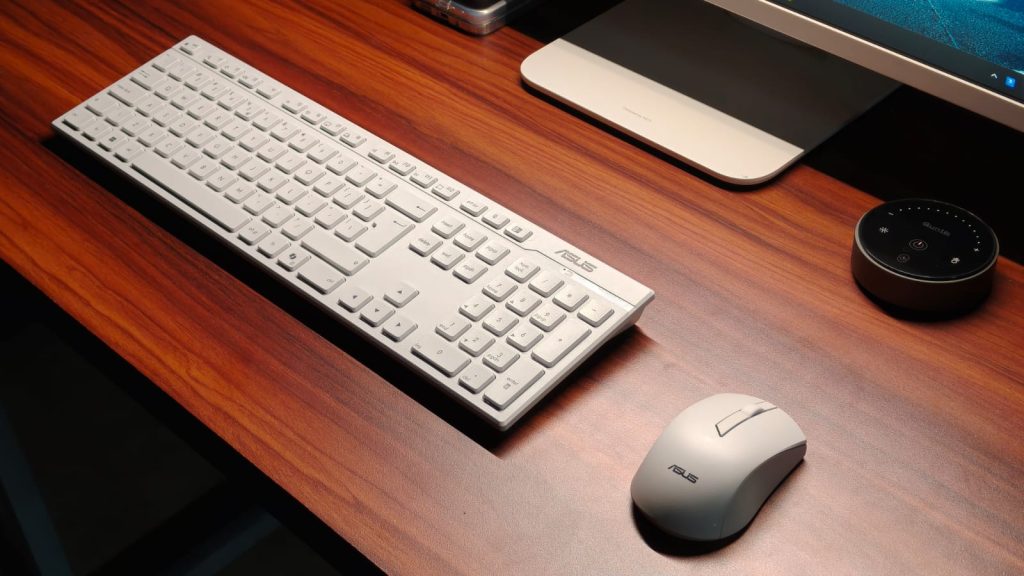
To help you get running quickly, Asus bundles a mouse and keyboard with the VM670, and both connect via a 2.5GHz dongle stored inside the mouse. While I wouldn’t describe the keyboard as groundbreaking, it’s not bad either. There’s ample travel, and there’s some feedback when they are pressed. It’s just that the keys aren’t as sharp as the ones on my MacBook. You can sometimes feel that mushiness, but it’s not a big con, and I did get used to the keyboard quickly, without losing much of my typing speed.
The mouse, on the other hand, is plenty good. I had no problem with its tracking, even when playing some games, for that matter. The grips felt comfortable in my hand, and my wrists, which are super prone to fatigue, did not ache after long periods of use. Beyond that, the clicks were accurate, and the latency wasn’t noticeable to my eyes.
Display & Speakers
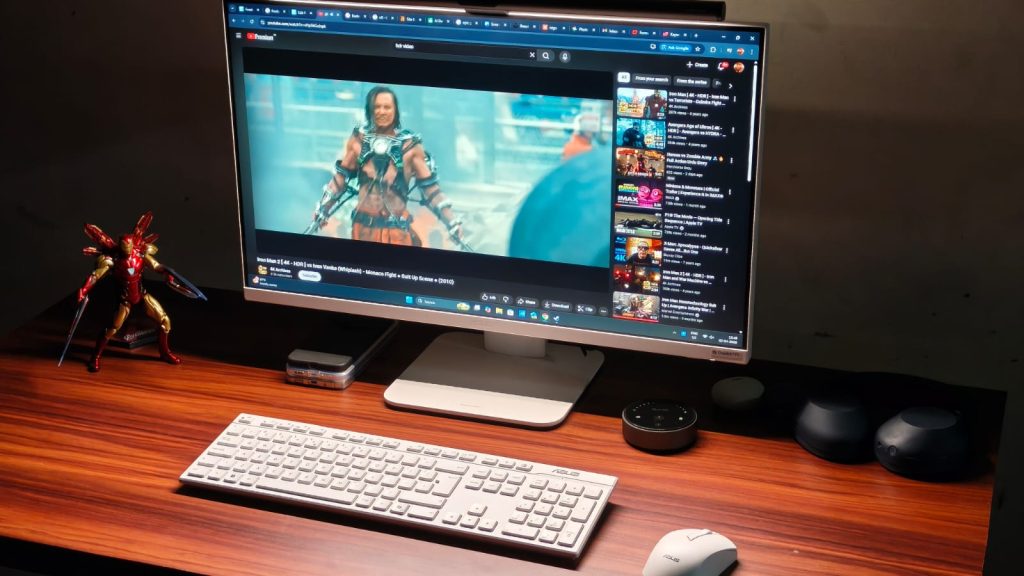
The Asus VM670KA features a 27-inch FHD IPS display with a 93% screen-to-body ratio and a 75Hz refresh rate. When I first got the AiO, I was worried that the 1080p resolution might not be enough for such a large display. Fortunately, I was proven wrong pretty quickly. From a normal viewing distance, I didn’t notice much pixelation when typing this review on the device. Still, I’d have loved to see a 1440p panel at this price. On the flip side, Asus has taken care of the color accuracy, with 100% coverage of the sRGB color space.
I recently caught up to the Breaking Bad hypetrain and decided to watch the season 3 finale on the VM670, and it was a very enjoyable experience. Colors looked super nice, the motion was smooth, and there wasn’t any glare from the light behind me since the display is matte-coated. The Dolby Atmos stereo speakers deserve the same praise as they can easily fill an entire room with powerful sound, without sounding harsh at higher volumes. The bass is decent, and the dialogue remains legible.
As mentioned earlier, the VM670KA has one more trick up its sleeve, and that’s a touchscreen. You might be wondering — what’s the point of a touchscreen on a desktop? The answer to that is children. An AiO makes perfect sense for parents to get for their children who might have online classes or need to work on a project. A touchscreen is a handy tool for that, and makes navigation much simpler.
Performance
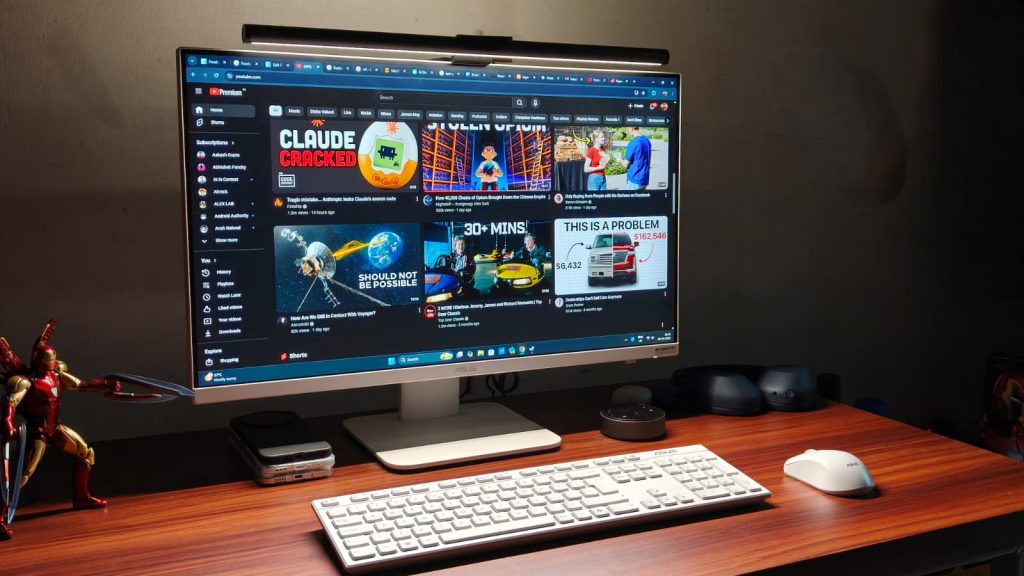
Performance is what makes or breaks the experience with AiOs or any desktop, for that matter. If it can’t handle everyday work, then it’s of no use. At the beating heart of the Asus VM670KA sits the AMD Ryzen AI 7 350 processor, with 8 cores and 16 threads, rated for a maximum frequency of 5 GHz. Graphics is handled by the integrated Radeon 860M, and there’s 16GB of LPDDR5x RAM and 1TB M.2 NVMe PCIe 4.0 SSD.
All of this results in strong everyday performance. The VM670 doesn’t struggle with typical workloads at all. Run 30 Chrome tabs at once? Watch HDR videos on YouTube or quickly switch from a game to an eBook before your parents notice. Not a problem. Never once did I notice a stutter in these tasks, and if your work mainly involves the browser, as mine does, then the performance is more than good enough.
I’m no video editor, but as this is a review, I decided to try my hand at it. The experience? Not bad at all. For those who mainly edit reels in 1080p or even 4K, the VM670 packs a punch. The timeline played smoothly, and render times weren’t too high.
While benchmarks don’t tell the full story of performance, they do paint a picture of a device’s performance ceiling. The VM670 scored 2,833 in Geekbench’s single-core and 10,254 in the multi-core test. Then I moved away from stressing the CPU to stressing the GPU, where the Radeon 860M scored 22,042 in the Geekbench test. For context, this performance is similar to that of the Intel Core i7-13620H processor found in the Asus ExpertBook P1.
Can you game?
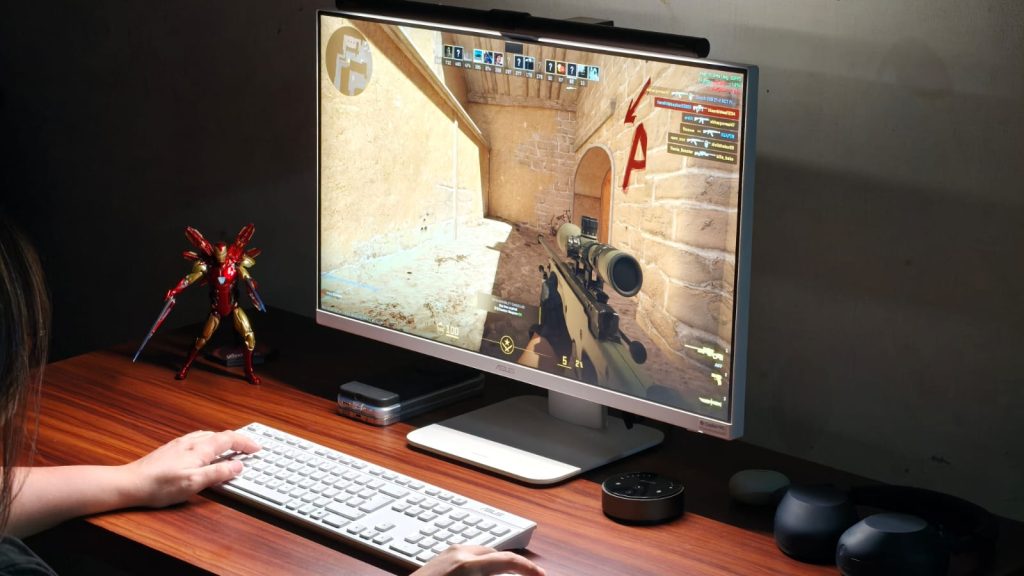
Given the decent performance and appeal towards children, gaming may be on your radar as well. And I will set the expectations straight. You won’t be able to play AAA titles like Cyberpunk 2077 without dropping the quality to PS3 levels on the Asus VM670KA. If that’s a priority for you, the Strix or ROG line would serve you better.
That said, if you play light titles like Counter-Strike 2, Valorant, Fall Guys, or even F1 2025, then the AiO could be handy. I played all four and got over 60 fps in both Counter-Strike 2 and Valorant at medium settings. Fall Guys hit 60 FPS pretty easily, too, and F1 clocked about 45 FPS in medium settings. GTA V also runs, but the frame rates are limited to about 35-40.
Verdict
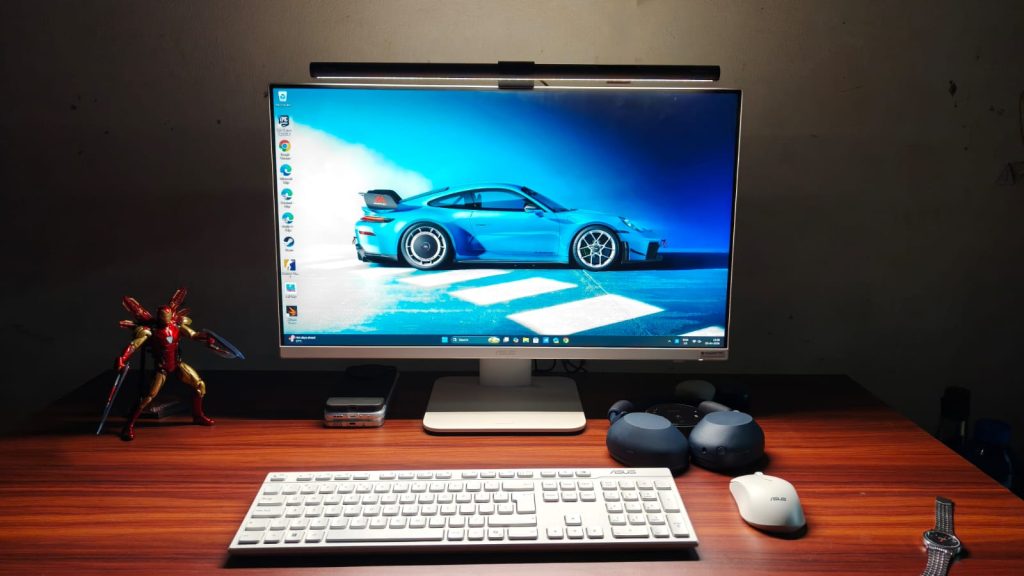
At ₹1,12,990, the Asus VM670KA isn’t cheap. But what it promises isn’t something anyone else can do. For the money, you get a big-screen desktop to work or study on without fiddling with a separate PC. The display is plenty decent, albeit a little less pixel-dense than I’d like. The speakers are super, and the performance can handle everyone’s workdays and even some light gaming/video editing. Not to mention the beautiful white design that makes the VM670KA look sweet.
Source link
#Asus #VM670KA #Review #Beautiful #AllinOne #Desktop #Ryzen


Post Comment