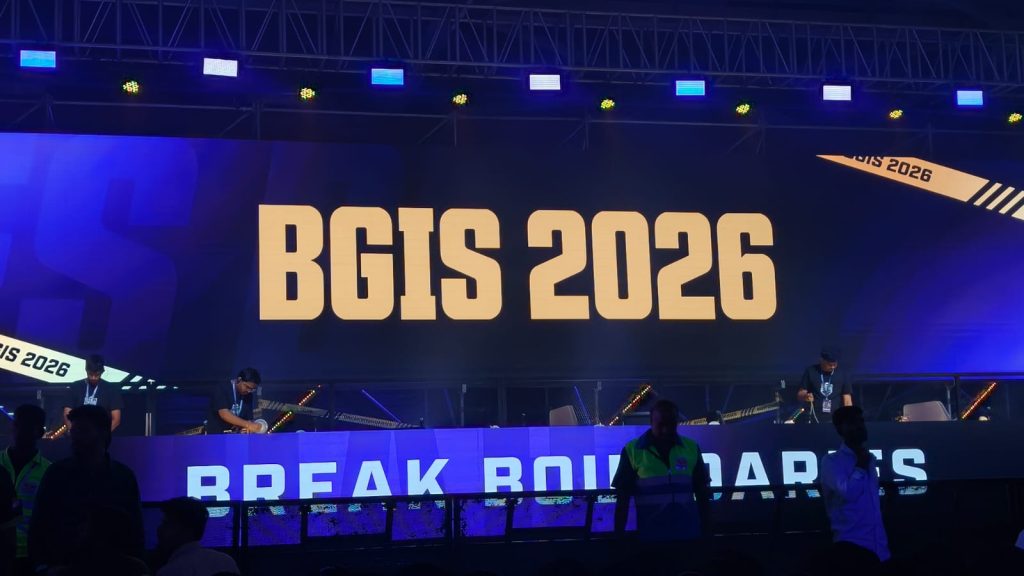
Day 2 of the BGIS Grand Finals was chaotic in the best way possible. A variety of teams got into the top three, but Soul was ultimately the one left without a challenge. Genesis also showcased some of the best assault gameplay. They ranked second without winning a single game. Here’s everything that happened on the second day of the BGIS Grand Finals 2026.
Match 7 & 8: OG Bounce Back, Genesis Go Ruthless
The day kicked off with instant action. Nebula was put under heavy pressure early and lost three players quickly to Team Tamilas. OG, on the other hand, came out firing with five finishes within the first circle itself. LEFP was the first team to be wiped out after getting caught in a crossfire while rotating into the zone. K9 followed soon after, continuing their rough tournament run.
Soul looked strong early with 7 kills, but were surprisingly eliminated early by VE, missing out on position points. WF and RNTX also fell quickly, while GodLike couldn’t get going and was eliminated with just a single point. That opened the door for OG, MYTH, and VS. MYTH were taken out first by OG, and from there, OG sealed the deal with a much-needed chicken dinner.
The second match started with MYTH getting caught off guard by Genesis, who carried forward their momentum from Day 1. RGE and NINZ were the first teams to go, followed by VE in a shocking early exit. NBE’s struggles continued, and GodLike once again had a middling outing.
But the story of this match was Genesis. They were relentless, picking up 15 kills and dominating the lobby. In the final moments, it came down to Genesis, LEFP, and WF. Genesis had the zone disadvantage and were taken out by LEFP, but WF—who had zero kills until then—stepped up and wiped LEFP to steal the chicken dinner.
Match 9 & 10: Chaos, Upsets, and Early Exits
The third match had chaos written all over it. MYTH was dismantled early by multiple teams and eventually finished by Genesis. OG, coming off a chicken dinner, had a shocking exit after losing a straightforward 4v1 against LEFP.
One of the biggest moments was GodLike taking down VS in a bold play that got the crowd going. The final zone was insane, with Soul, GodLike, and NIMZ playing some of the best BGMI we’ve seen so far. GodLike were taken out first thanks to NIMZ’s grenades, followed by Soul, who were down to a single player.
The fourth match began cautiously, with teams playing it safe for position points. MYTH got things rolling by picking off WF players, eventually eliminating them. Soul tried an aggressive push but lost two players in the process. Genesis’ early exit from a shack was one of the biggest surprises. Nebula, OG, and GodLike were also eliminated quickly, with Revenant Xspark playing a key role in third-party fights. Soul was eventually taken out in 7th place due to the playzone.
Match 11 & 12: Nebula Comeback, Soul Finish Strong
The fifth match started explosively, with LEFP losing three players to VE in a drop clash. TT and NINZ both found themselves in messy fights and were left with just one player each. WELT was the first full team to go after a fight involving K9 and a GodLike third party. WF, LEFP, and VS followed, while K9 made a major blunder and was eliminated without scoring. Genesis crossed the 100-point mark in this game, but the real story was Nebula. After a rough run, they finally showed what they were capable of—securing a chicken dinner with over 10 kills.
The final match of the day had everything. LEFP started strong by wiping WF without losing a player. K9 tried to bounce back by taking down VS, but couldn’t sustain momentum and was eliminated early. A chaotic mid-game fight between Nebula, RNTX, Genesis, and MYTH saw multiple teams getting wiped out. Genesis was regrouping when Soul third-partied and eliminated them. GodLike once again fell early, and Soul found themselves in a strong position heading into the final zones. The final fight took place in a church compound, with five teams battling for control. But the zone shifted away, forcing everyone into the open.
In the end, it came down to Soul, LEFP, and OG. LEFP were bombarded with grenades, OG were eliminated, and Soul closed it out to secure their first chicken dinner of the day. For the full standings, click here.
Source link
#BGIS #Grand #Finals #Day #Highlights #Soul #Finish #Strong #Genesis #Dominate

![This former notorious red-light district is now one of the world’s top AI hubs | TechCrunch
What every U.K. AI startup wants to know these days is, how can I get office space in King’s Cross?
The area is so hot that a VC firm allegedly recently won a deal by promising a founder office space in the neighborhood. “We stop at nothing to win deals [for] and to support” founders, “including helping them source office space when needed,” the firm told me when asked about the rumor, declining to confirm or deny any details.
The neighborhood’s popularity began back in 2016 when DeepMind — then newly acquired by Google — moved in. Soon after, a flood of AI startups followed, wanting to be around the Google DeepMind magic. Today, they hope to take advantage of the cluster of AI talent there.
This has transformed King’s Cross into one of the world’s top AI hubs, rivaled only by San Francisco and Beijing. Around London, it’s known by the sobriquet “Knowledge Quarter,” as it’s home to names like OpenAI, Meta, Isomorphic Labs, Cusp AI, Wayne, Recursive, and, a little farther down the road, Synthesia and Anthropic. The European Technology Network (ETN) just moved into a glossy new office nearby, while University College London sits around the corner.
Mixed in with the new developments are trendy food spots like Hoppers and BAO. Hop a train from King’s Cross, and founders can be in Cambridge in 45 minutes to source talent or can be in Paris in two hours to strike a deal.
Who would have guessed that a little more than 20 years ago, this was one of the seediest areas in London?
“In the ’80s, crack and heroin made the area a major narcotics market,” Hussein Kanji, an investor at Hoxton Ventures, said, recalling syringes in tree trunks and gangs patrolling the streets. “In 1982, the local church was occupied by the English Collective of Prostitutes for 12 straight days.” Then, in the early 2000s, a real estate developer had a dream and, well, “now it is the AI hotbed of the United Kingdom,” Kanji said. “What a change.” Around 18 months ago, his portfolio company BioCorteX moved from the neighborhood Holborn to the Jellicoe building in King’s Cross, hoping to be near the action. “Lots going on in London right now,” Nik Sharma, co-founder of BioCorteX, told me. “Lots of hyperscalers moving in.” That includes, reportedly, Jeff Bezos’ AI company Prometheus, which is also said to be in talks to move into the Jellicoe.
There are around 3,600 AI startups in London, which, together, have raised around .1 billion out of the .8 billion raised in the city since late July, according to Dealroom. Since the start of June, AI-related startups have leased more than 1 million square feet of office space in London, according to the real estate firm Knight Frank. With that, prime rents in King’s Cross have risen 18% over the past three years, Chris Dunn, a commercial insight associate at the firm, told me. That percentage represents only the largest leases encompassing at least 10,000 square feet, like the ones OpenAI and Prometheus are signing. The shorter deals go for even more, he said, and now the vacancy rate for conventional office space is just 0.9%. “Demand has outstripped supply,” he continued.
Today, one of the big topics of the area is sovereignty. It was a wake-up call for many when Anthropic shut off access to Mythos and Fable this summer, leaving some in the ecosystem to conclude: “We’d better look after ourselves,” Saul Klein, co-founder of the VC firm Phoenix Court, told me.
Phoenix Court is located in the King’s Cross area and has three portfolio companies in the vicinity, including Olix (which just announced a .3 billion valuation), Early Health and CoMind. Robin Klein, co-founder of the firm, said the shutdown of Fable and Mythos access was a “small but sharp reminder that Europe can’t simply rent its AI capabilities and capacity; it needs to build and hold some of its own.” King’s Cross, he said, is where much of this building is actually happening.
“The bigger question,” he continued, “is whether the U.K. builds the infrastructure, compute, energy, capital, to make this self-reliance durable, rather than just hosting outposts of U.S. labs.”
Image Credits:Phoenix Court
Top founders want to stay
Simon Kohl, founder of Latent Labs, has offices in King’s Cross and San Francisco. The London office, at the moment, is growing faster, and he’s more bullish than ever on the ecosystem, he said. “The mood right now feels less like London trying to catch up and more like London becoming one of the default places to start a serious AI company,” he said. Look around and you are likely to see Wayve testing its autonomous cars. Founded in 2017 by co-founder Alex Kendall, the unicorn is one of London’s biggest success stories.
“Ten years ago, building a frontier AI company from London felt like an unusual choice,” Kendall told me. “Now it feels like an obvious one.” Wayve moved into King’s Cross in 2018 looking for a space that could double as a garage — “a rare combination in Central London,” Kendall said. He has watched the ecosystem mature around him — and it’s now evident that a startup can stay in London, raise serious capital, hire world-class AI talent, and remain globally competitive, he said. Down the street from Anthropic’s new 158,000-square-foot office is the AI agent builder Sierra and the AI video platform Synthesia.
Laura Gonzalez Florez, Synthesia’s chief of staff and head of people, says the company moved into its glossy new office building a year ago to accommodate its growing team. They were drawn to the area for the same reason as everyone else: “It’s very close to the airport … very close to where a lot of investors are,” she said.
Image Credits:Synthesia
Around two-thirds of Synthesia’s engineers are remote, Gonzalez Florez said, letting the company tap into an affordable, international, and diverse talent pool and helping it scale faster. “From London, we can hire and work, without any problem, people from anywhere, from Slovenia to Portugal,” she said.
Unsurprisingly, London’s AI boom is also causing a talent war.U.K. AI job postings have skyrocketed in the past few years, per data from PwC. When Anthropic announced it moved into town earlier this year, it listed, for example, a salary range of £260,000 to £630,000 for a machine learning research engineer when the average salary in London for the same role is around £102,000. Some founders in the U.K., like those in Silicon Valley, are being forced to raise more and bigger rounds to keep up.
“The real test is whether more globally significant AI companies are founded, funded, and scaled from the U.K., while continuing to attract the world’s best talent to build them here,” Zain Ali, founder of the King’s Cross-based AI legal firm Centuro, told me. “If that continues to happen, King’s Cross won’t just be an AI hub. It’ll become one of the U.K.’s most important strategic assets.”
When you purchase through links in our articles, we may earn a small commission. This doesn’t affect our editorial independence.#Thisformernotorious #redlight #districtis #nowone #worlds #top #hubs #TechCrunchUK](https://techcrunch.com/wp-content/uploads/2026/08/DM9A2852.jpg?w=680 "This former notorious red-light district is now one of the world’s top AI hubs | TechCrunch
What every U.K. AI startup wants to know these days is, how can I get office space in King’s Cross?
The area is so hot that a VC firm allegedly recently won a deal by promising a founder office space in the neighborhood. “We stop at nothing to win deals [for] and to support” founders, “including helping them source office space when needed,” the firm told me when asked about the rumor, declining to confirm or deny any details.
The neighborhood’s popularity began back in 2016 when DeepMind — then newly acquired by Google — moved in. Soon after, a flood of AI startups followed, wanting to be around the Google DeepMind magic. Today, they hope to take advantage of the cluster of AI talent there.
This has transformed King’s Cross into one of the world’s top AI hubs, rivaled only by San Francisco and Beijing. Around London, it’s known by the sobriquet “Knowledge Quarter,” as it’s home to names like OpenAI, Meta, Isomorphic Labs, Cusp AI, Wayne, Recursive, and, a little farther down the road, Synthesia and Anthropic. The European Technology Network (ETN) just moved into a glossy new office nearby, while University College London sits around the corner.
Mixed in with the new developments are trendy food spots like Hoppers and BAO. Hop a train from King’s Cross, and founders can be in Cambridge in 45 minutes to source talent or can be in Paris in two hours to strike a deal.
Who would have guessed that a little more than 20 years ago, this was one of the seediest areas in London?
“In the ’80s, crack and heroin made the area a major narcotics market,” Hussein Kanji, an investor at Hoxton Ventures, said, recalling syringes in tree trunks and gangs patrolling the streets. “In 1982, the local church was occupied by the English Collective of Prostitutes for 12 straight days.” Then, in the early 2000s, a real estate developer had a dream and, well, “now it is the AI hotbed of the United Kingdom,” Kanji said. “What a change.” Around 18 months ago, his portfolio company BioCorteX moved from the neighborhood Holborn to the Jellicoe building in King’s Cross, hoping to be near the action. “Lots going on in London right now,” Nik Sharma, co-founder of BioCorteX, told me. “Lots of hyperscalers moving in.” That includes, reportedly, Jeff Bezos’ AI company Prometheus, which is also said to be in talks to move into the Jellicoe.
There are around 3,600 AI startups in London, which, together, have raised around .1 billion out of the .8 billion raised in the city since late July, according to Dealroom. Since the start of June, AI-related startups have leased more than 1 million square feet of office space in London, according to the real estate firm Knight Frank. With that, prime rents in King’s Cross have risen 18% over the past three years, Chris Dunn, a commercial insight associate at the firm, told me. That percentage represents only the largest leases encompassing at least 10,000 square feet, like the ones OpenAI and Prometheus are signing. The shorter deals go for even more, he said, and now the vacancy rate for conventional office space is just 0.9%. “Demand has outstripped supply,” he continued.
Today, one of the big topics of the area is sovereignty. It was a wake-up call for many when Anthropic shut off access to Mythos and Fable this summer, leaving some in the ecosystem to conclude: “We’d better look after ourselves,” Saul Klein, co-founder of the VC firm Phoenix Court, told me.
Phoenix Court is located in the King’s Cross area and has three portfolio companies in the vicinity, including Olix (which just announced a .3 billion valuation), Early Health and CoMind. Robin Klein, co-founder of the firm, said the shutdown of Fable and Mythos access was a “small but sharp reminder that Europe can’t simply rent its AI capabilities and capacity; it needs to build and hold some of its own.” King’s Cross, he said, is where much of this building is actually happening.
“The bigger question,” he continued, “is whether the U.K. builds the infrastructure, compute, energy, capital, to make this self-reliance durable, rather than just hosting outposts of U.S. labs.”
Image Credits:Phoenix Court
Top founders want to stay
Simon Kohl, founder of Latent Labs, has offices in King’s Cross and San Francisco. The London office, at the moment, is growing faster, and he’s more bullish than ever on the ecosystem, he said. “The mood right now feels less like London trying to catch up and more like London becoming one of the default places to start a serious AI company,” he said. Look around and you are likely to see Wayve testing its autonomous cars. Founded in 2017 by co-founder Alex Kendall, the unicorn is one of London’s biggest success stories.
“Ten years ago, building a frontier AI company from London felt like an unusual choice,” Kendall told me. “Now it feels like an obvious one.” Wayve moved into King’s Cross in 2018 looking for a space that could double as a garage — “a rare combination in Central London,” Kendall said. He has watched the ecosystem mature around him — and it’s now evident that a startup can stay in London, raise serious capital, hire world-class AI talent, and remain globally competitive, he said. Down the street from Anthropic’s new 158,000-square-foot office is the AI agent builder Sierra and the AI video platform Synthesia.
Laura Gonzalez Florez, Synthesia’s chief of staff and head of people, says the company moved into its glossy new office building a year ago to accommodate its growing team. They were drawn to the area for the same reason as everyone else: “It’s very close to the airport … very close to where a lot of investors are,” she said.
Image Credits:Synthesia
Around two-thirds of Synthesia’s engineers are remote, Gonzalez Florez said, letting the company tap into an affordable, international, and diverse talent pool and helping it scale faster. “From London, we can hire and work, without any problem, people from anywhere, from Slovenia to Portugal,” she said.
Unsurprisingly, London’s AI boom is also causing a talent war.U.K. AI job postings have skyrocketed in the past few years, per data from PwC. When Anthropic announced it moved into town earlier this year, it listed, for example, a salary range of £260,000 to £630,000 for a machine learning research engineer when the average salary in London for the same role is around £102,000. Some founders in the U.K., like those in Silicon Valley, are being forced to raise more and bigger rounds to keep up.
“The real test is whether more globally significant AI companies are founded, funded, and scaled from the U.K., while continuing to attract the world’s best talent to build them here,” Zain Ali, founder of the King’s Cross-based AI legal firm Centuro, told me. “If that continues to happen, King’s Cross won’t just be an AI hub. It’ll become one of the U.K.’s most important strategic assets.”
When you purchase through links in our articles, we may earn a small commission. This doesn’t affect our editorial independence.#Thisformernotorious #redlight #districtis #nowone #worlds #top #hubs #TechCrunchUK")

![This former notorious red-light district is now one of the world’s top AI hubs | TechCrunch
What every U.K. AI startup wants to know these days is, how can I get office space in King’s Cross?
The area is so hot that a VC firm allegedly recently won a deal by promising a founder office space in the neighborhood. “We stop at nothing to win deals [for] and to support” founders, “including helping them source office space when needed,” the firm told me when asked about the rumor, declining to confirm or deny any details.
The neighborhood’s popularity began back in 2016 when DeepMind — then newly acquired by Google — moved in. Soon after, a flood of AI startups followed, wanting to be around the Google DeepMind magic. Today, they hope to take advantage of the cluster of AI talent there.
This has transformed King’s Cross into one of the world’s top AI hubs, rivaled only by San Francisco and Beijing. Around London, it’s known by the sobriquet “Knowledge Quarter,” as it’s home to names like OpenAI, Meta, Isomorphic Labs, Cusp AI, Wayne, Recursive, and, a little farther down the road, Synthesia and Anthropic. The European Technology Network (ETN) just moved into a glossy new office nearby, while University College London sits around the corner.
Mixed in with the new developments are trendy food spots like Hoppers and BAO. Hop a train from King’s Cross, and founders can be in Cambridge in 45 minutes to source talent or can be in Paris in two hours to strike a deal.
Who would have guessed that a little more than 20 years ago, this was one of the seediest areas in London?
“In the ’80s, crack and heroin made the area a major narcotics market,” Hussein Kanji, an investor at Hoxton Ventures, said, recalling syringes in tree trunks and gangs patrolling the streets. “In 1982, the local church was occupied by the English Collective of Prostitutes for 12 straight days.” Then, in the early 2000s, a real estate developer had a dream and, well, “now it is the AI hotbed of the United Kingdom,” Kanji said. “What a change.” Around 18 months ago, his portfolio company BioCorteX moved from the neighborhood Holborn to the Jellicoe building in King’s Cross, hoping to be near the action. “Lots going on in London right now,” Nik Sharma, co-founder of BioCorteX, told me. “Lots of hyperscalers moving in.” That includes, reportedly, Jeff Bezos’ AI company Prometheus, which is also said to be in talks to move into the Jellicoe.
There are around 3,600 AI startups in London, which, together, have raised around .1 billion out of the .8 billion raised in the city since late July, according to Dealroom. Since the start of June, AI-related startups have leased more than 1 million square feet of office space in London, according to the real estate firm Knight Frank. With that, prime rents in King’s Cross have risen 18% over the past three years, Chris Dunn, a commercial insight associate at the firm, told me. That percentage represents only the largest leases encompassing at least 10,000 square feet, like the ones OpenAI and Prometheus are signing. The shorter deals go for even more, he said, and now the vacancy rate for conventional office space is just 0.9%. “Demand has outstripped supply,” he continued.
Today, one of the big topics of the area is sovereignty. It was a wake-up call for many when Anthropic shut off access to Mythos and Fable this summer, leaving some in the ecosystem to conclude: “We’d better look after ourselves,” Saul Klein, co-founder of the VC firm Phoenix Court, told me.
Phoenix Court is located in the King’s Cross area and has three portfolio companies in the vicinity, including Olix (which just announced a .3 billion valuation), Early Health and CoMind. Robin Klein, co-founder of the firm, said the shutdown of Fable and Mythos access was a “small but sharp reminder that Europe can’t simply rent its AI capabilities and capacity; it needs to build and hold some of its own.” King’s Cross, he said, is where much of this building is actually happening.
“The bigger question,” he continued, “is whether the U.K. builds the infrastructure, compute, energy, capital, to make this self-reliance durable, rather than just hosting outposts of U.S. labs.”
Image Credits:Phoenix Court
Top founders want to stay
Simon Kohl, founder of Latent Labs, has offices in King’s Cross and San Francisco. The London office, at the moment, is growing faster, and he’s more bullish than ever on the ecosystem, he said. “The mood right now feels less like London trying to catch up and more like London becoming one of the default places to start a serious AI company,” he said. Look around and you are likely to see Wayve testing its autonomous cars. Founded in 2017 by co-founder Alex Kendall, the unicorn is one of London’s biggest success stories.
“Ten years ago, building a frontier AI company from London felt like an unusual choice,” Kendall told me. “Now it feels like an obvious one.” Wayve moved into King’s Cross in 2018 looking for a space that could double as a garage — “a rare combination in Central London,” Kendall said. He has watched the ecosystem mature around him — and it’s now evident that a startup can stay in London, raise serious capital, hire world-class AI talent, and remain globally competitive, he said. Down the street from Anthropic’s new 158,000-square-foot office is the AI agent builder Sierra and the AI video platform Synthesia.
Laura Gonzalez Florez, Synthesia’s chief of staff and head of people, says the company moved into its glossy new office building a year ago to accommodate its growing team. They were drawn to the area for the same reason as everyone else: “It’s very close to the airport … very close to where a lot of investors are,” she said.
Image Credits:Synthesia
Around two-thirds of Synthesia’s engineers are remote, Gonzalez Florez said, letting the company tap into an affordable, international, and diverse talent pool and helping it scale faster. “From London, we can hire and work, without any problem, people from anywhere, from Slovenia to Portugal,” she said.
Unsurprisingly, London’s AI boom is also causing a talent war.U.K. AI job postings have skyrocketed in the past few years, per data from PwC. When Anthropic announced it moved into town earlier this year, it listed, for example, a salary range of £260,000 to £630,000 for a machine learning research engineer when the average salary in London for the same role is around £102,000. Some founders in the U.K., like those in Silicon Valley, are being forced to raise more and bigger rounds to keep up.
“The real test is whether more globally significant AI companies are founded, funded, and scaled from the U.K., while continuing to attract the world’s best talent to build them here,” Zain Ali, founder of the King’s Cross-based AI legal firm Centuro, told me. “If that continues to happen, King’s Cross won’t just be an AI hub. It’ll become one of the U.K.’s most important strategic assets.”
When you purchase through links in our articles, we may earn a small commission. This doesn’t affect our editorial independence.#Thisformernotorious #redlight #districtis #nowone #worlds #top #hubs #TechCrunchUK](https://i0.wp.com/techcrunch.com/wp-content/uploads/2026/08/DM9A2852.jpg?w=680&ssl=1 "This former notorious red-light district is now one of the world’s top AI hubs | TechCrunch
What every U.K. AI startup wants to know these days is, how can I get office space in King’s Cross?
The area is so hot that a VC firm allegedly recently won a deal by promising a founder office space in the neighborhood. “We stop at nothing to win deals [for] and to support” founders, “including helping them source office space when needed,” the firm told me when asked about the rumor, declining to confirm or deny any details.
The neighborhood’s popularity began back in 2016 when DeepMind — then newly acquired by Google — moved in. Soon after, a flood of AI startups followed, wanting to be around the Google DeepMind magic. Today, they hope to take advantage of the cluster of AI talent there.
This has transformed King’s Cross into one of the world’s top AI hubs, rivaled only by San Francisco and Beijing. Around London, it’s known by the sobriquet “Knowledge Quarter,” as it’s home to names like OpenAI, Meta, Isomorphic Labs, Cusp AI, Wayne, Recursive, and, a little farther down the road, Synthesia and Anthropic. The European Technology Network (ETN) just moved into a glossy new office nearby, while University College London sits around the corner.
Mixed in with the new developments are trendy food spots like Hoppers and BAO. Hop a train from King’s Cross, and founders can be in Cambridge in 45 minutes to source talent or can be in Paris in two hours to strike a deal.
Who would have guessed that a little more than 20 years ago, this was one of the seediest areas in London?
“In the ’80s, crack and heroin made the area a major narcotics market,” Hussein Kanji, an investor at Hoxton Ventures, said, recalling syringes in tree trunks and gangs patrolling the streets. “In 1982, the local church was occupied by the English Collective of Prostitutes for 12 straight days.” Then, in the early 2000s, a real estate developer had a dream and, well, “now it is the AI hotbed of the United Kingdom,” Kanji said. “What a change.” Around 18 months ago, his portfolio company BioCorteX moved from the neighborhood Holborn to the Jellicoe building in King’s Cross, hoping to be near the action. “Lots going on in London right now,” Nik Sharma, co-founder of BioCorteX, told me. “Lots of hyperscalers moving in.” That includes, reportedly, Jeff Bezos’ AI company Prometheus, which is also said to be in talks to move into the Jellicoe.
There are around 3,600 AI startups in London, which, together, have raised around .1 billion out of the .8 billion raised in the city since late July, according to Dealroom. Since the start of June, AI-related startups have leased more than 1 million square feet of office space in London, according to the real estate firm Knight Frank. With that, prime rents in King’s Cross have risen 18% over the past three years, Chris Dunn, a commercial insight associate at the firm, told me. That percentage represents only the largest leases encompassing at least 10,000 square feet, like the ones OpenAI and Prometheus are signing. The shorter deals go for even more, he said, and now the vacancy rate for conventional office space is just 0.9%. “Demand has outstripped supply,” he continued.
Today, one of the big topics of the area is sovereignty. It was a wake-up call for many when Anthropic shut off access to Mythos and Fable this summer, leaving some in the ecosystem to conclude: “We’d better look after ourselves,” Saul Klein, co-founder of the VC firm Phoenix Court, told me.
Phoenix Court is located in the King’s Cross area and has three portfolio companies in the vicinity, including Olix (which just announced a .3 billion valuation), Early Health and CoMind. Robin Klein, co-founder of the firm, said the shutdown of Fable and Mythos access was a “small but sharp reminder that Europe can’t simply rent its AI capabilities and capacity; it needs to build and hold some of its own.” King’s Cross, he said, is where much of this building is actually happening.
“The bigger question,” he continued, “is whether the U.K. builds the infrastructure, compute, energy, capital, to make this self-reliance durable, rather than just hosting outposts of U.S. labs.”
Image Credits:Phoenix Court
Top founders want to stay
Simon Kohl, founder of Latent Labs, has offices in King’s Cross and San Francisco. The London office, at the moment, is growing faster, and he’s more bullish than ever on the ecosystem, he said. “The mood right now feels less like London trying to catch up and more like London becoming one of the default places to start a serious AI company,” he said. Look around and you are likely to see Wayve testing its autonomous cars. Founded in 2017 by co-founder Alex Kendall, the unicorn is one of London’s biggest success stories.
“Ten years ago, building a frontier AI company from London felt like an unusual choice,” Kendall told me. “Now it feels like an obvious one.” Wayve moved into King’s Cross in 2018 looking for a space that could double as a garage — “a rare combination in Central London,” Kendall said. He has watched the ecosystem mature around him — and it’s now evident that a startup can stay in London, raise serious capital, hire world-class AI talent, and remain globally competitive, he said. Down the street from Anthropic’s new 158,000-square-foot office is the AI agent builder Sierra and the AI video platform Synthesia.
Laura Gonzalez Florez, Synthesia’s chief of staff and head of people, says the company moved into its glossy new office building a year ago to accommodate its growing team. They were drawn to the area for the same reason as everyone else: “It’s very close to the airport … very close to where a lot of investors are,” she said.
Image Credits:Synthesia
Around two-thirds of Synthesia’s engineers are remote, Gonzalez Florez said, letting the company tap into an affordable, international, and diverse talent pool and helping it scale faster. “From London, we can hire and work, without any problem, people from anywhere, from Slovenia to Portugal,” she said.
Unsurprisingly, London’s AI boom is also causing a talent war.U.K. AI job postings have skyrocketed in the past few years, per data from PwC. When Anthropic announced it moved into town earlier this year, it listed, for example, a salary range of £260,000 to £630,000 for a machine learning research engineer when the average salary in London for the same role is around £102,000. Some founders in the U.K., like those in Silicon Valley, are being forced to raise more and bigger rounds to keep up.
“The real test is whether more globally significant AI companies are founded, funded, and scaled from the U.K., while continuing to attract the world’s best talent to build them here,” Zain Ali, founder of the King’s Cross-based AI legal firm Centuro, told me. “If that continues to happen, King’s Cross won’t just be an AI hub. It’ll become one of the U.K.’s most important strategic assets.”
When you purchase through links in our articles, we may earn a small commission. This doesn’t affect our editorial independence.#Thisformernotorious #redlight #districtis #nowone #worlds #top #hubs #TechCrunchUK")

Post Comment